
Rangliste
-
thisnotes4u
Moderator a.D.5Punkte8.786Gesamte Inhalte -
Pholgix
Members3Punkte4.605Gesamte Inhalte -
Lupo1
Members3Punkte1.946Gesamte Inhalte -
Steuermann
Members3Punkte1.911Gesamte Inhalte


Beliebte Inhalte
Inhalte mit der höchsten Reputation am 07.03.2022 in allen Bereichen anzeigen
-
3 PunkteDas fällt euch im Moment zu "Krieg in der Ukraine" ein? Ihr seid echt krass.3 Punkte
-
3 PunkteIch verstehe nicht was Clash hier für ne Unruhe und Stress reinbringen will, seine copy&paste Infos sind keine Offiziellen Informationen, vor allem was Nennfristen oder Email Adressen angeht. Das kann man im EL2022 Topic posten, aber nicht hier, daher: einmal kurz Hirn einschalten wäre hilfreich! Es kommt eine Mail vom LCD mit dem Link zum Nennungsportal. Dann kann sofort genannt werden. Die Glamping Zelte wurden ja schon vor einiger Zeit abgefragt, die Liste ist fertig. Es wird keine Kontingente geben, d.h. jeder kann nennen, bis zum Nennschluss. Der Lambretta Club Belgien hat nochmal darauf hingewiesen, das die Lage bzgl. des Virus immer noch dynamisch ist, es kann und wird vermutlich zu Änderungen in den Regeln kommen - d.h. G2 / G3 / Test ja/nein usw.. Das diese Eurolambretta sehr ruckelig anläuft ist eben den aktuellen Umständen geschuldet. Es wird auch weiterhin nicht alles glatt laufen, aber denkt bitte daran: die EL organisieren Lambretta Fans für Lambretta Fans, alles in ihrer Freizeit, ohne viel Erfahrung was Events in dieser Größe angeht. Danke!3 Punkte
-
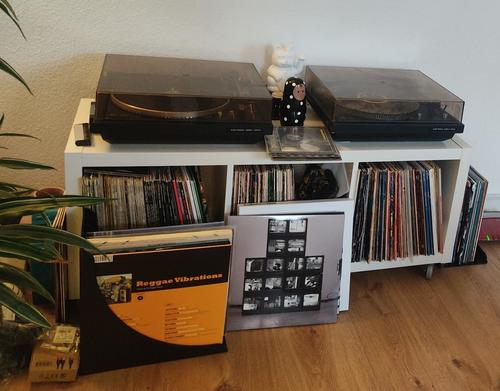
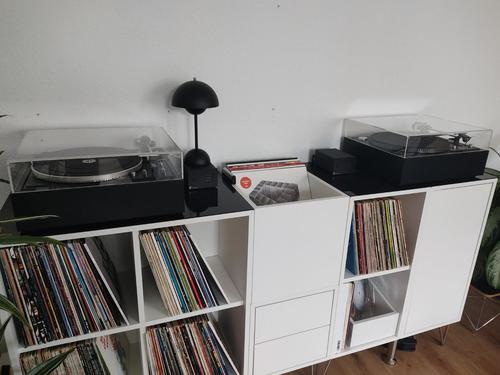
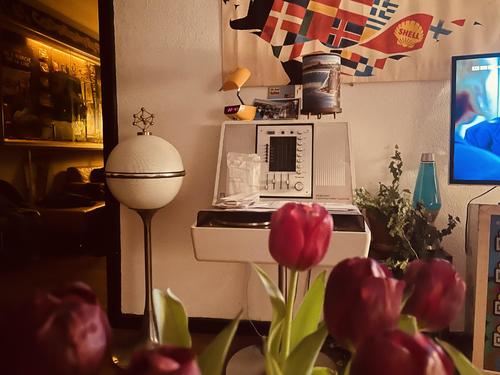
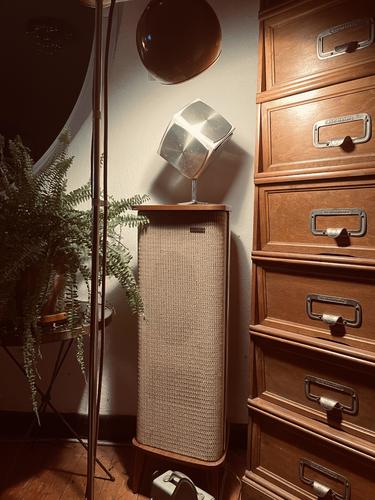
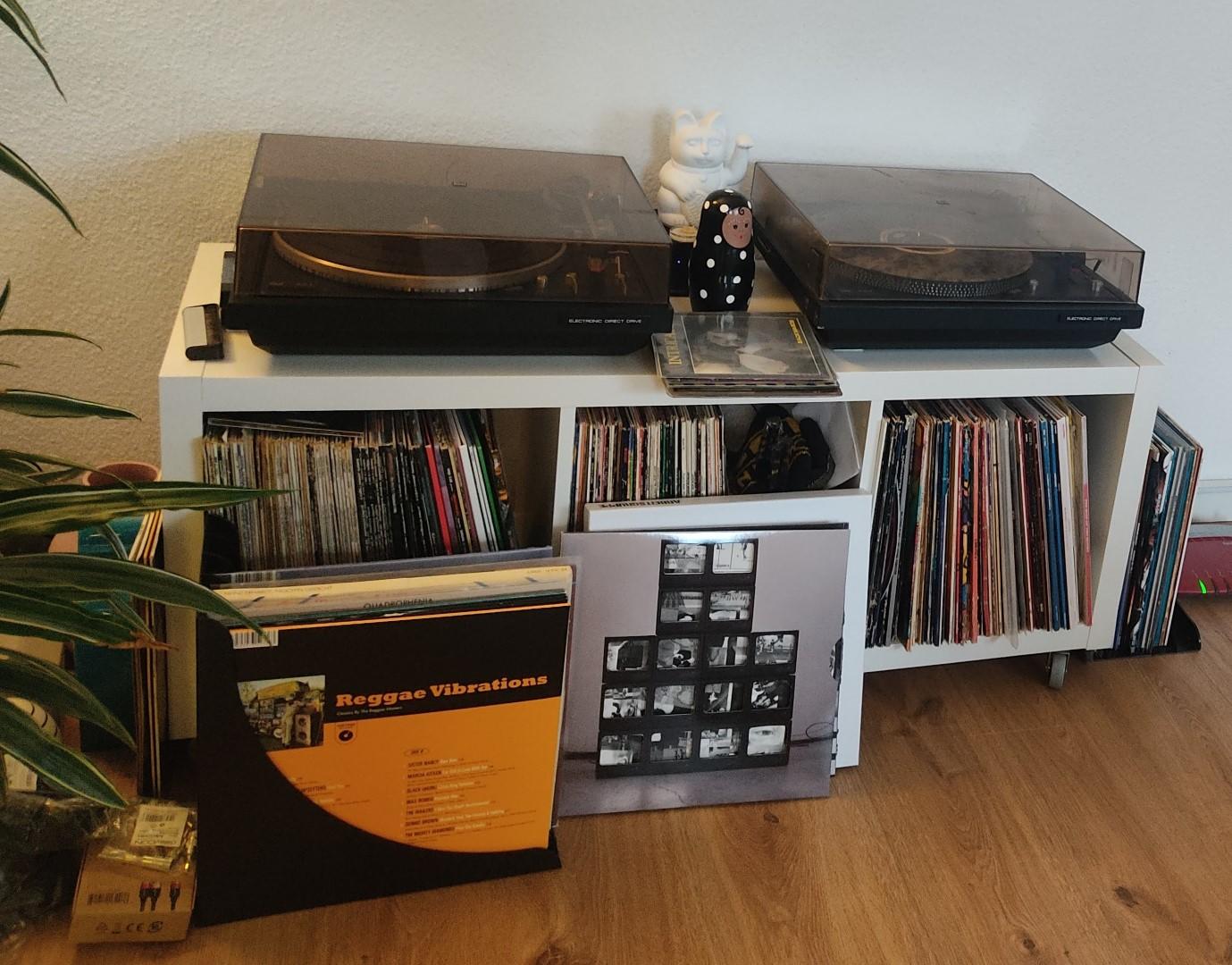
Hab im Winter auch gebastelt. Hier laufen aktiv ein Dual CS704 und ein CS721 die haben beide diesen Winter komplett neue Kondensatoren und Elkos bekommen. Dann gab es neue Systeme und weil optisch einfach auch mehr gemacht werden musste, gab es für beide noch 2 neue Eigenbau-Zargen und neue Hauben. Dazu musste Platz geschaffen werden für Vinyl und Gedöns. Ist zwar "nur" Ikea, aber auch das kann optisch ansprechen. Vorher Und aktuell
 3 Punkte
 -
3 Punkte
-
3 PunkteDeutschland stand 2020 mit 52,8 Milliarden $ auf dem 7. Platz was die Höhe der Militärausgaben angeht, noch vor Ländern wie Frankreich und Japan und nicht so weit weg von Russlands 61,7 Milliarden $. Aber meilenweit entfernt von den 778 M. $ der Amis. Quelle: https://de.statista.com/statistik/daten/studie/157935/umfrage/laender-mit-den-hoechsten-militaerausgaben/ Auch der Verlauf der deutschen Militärausgaben von 2004 bis 2020 sieht nicht wirklich nach Kaputtsparen aus: https://de.statista.com/statistik/daten/studie/183064/umfrage/militaerausgaben-von-deutschland/ Komisch, dass dann durch die Berichterstattung über kaputte Ausrüstung dieser Eindruck vermittelt wird. Oder die meisten Milliarden flossen in die Heerscharen an Beratern... Hoffentlich ist klar, wie die 100 Milliarden "Sondervermögen" refinanziert werden, nämlich durch Steuererhöhungen, Kürzung von Sozialleistungen und auf Lasten des Klimaschutzes. Wirklich, wir leben in finsteren Zeiten...3 Punkte
-
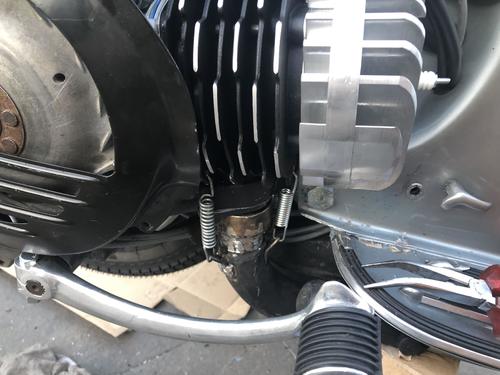
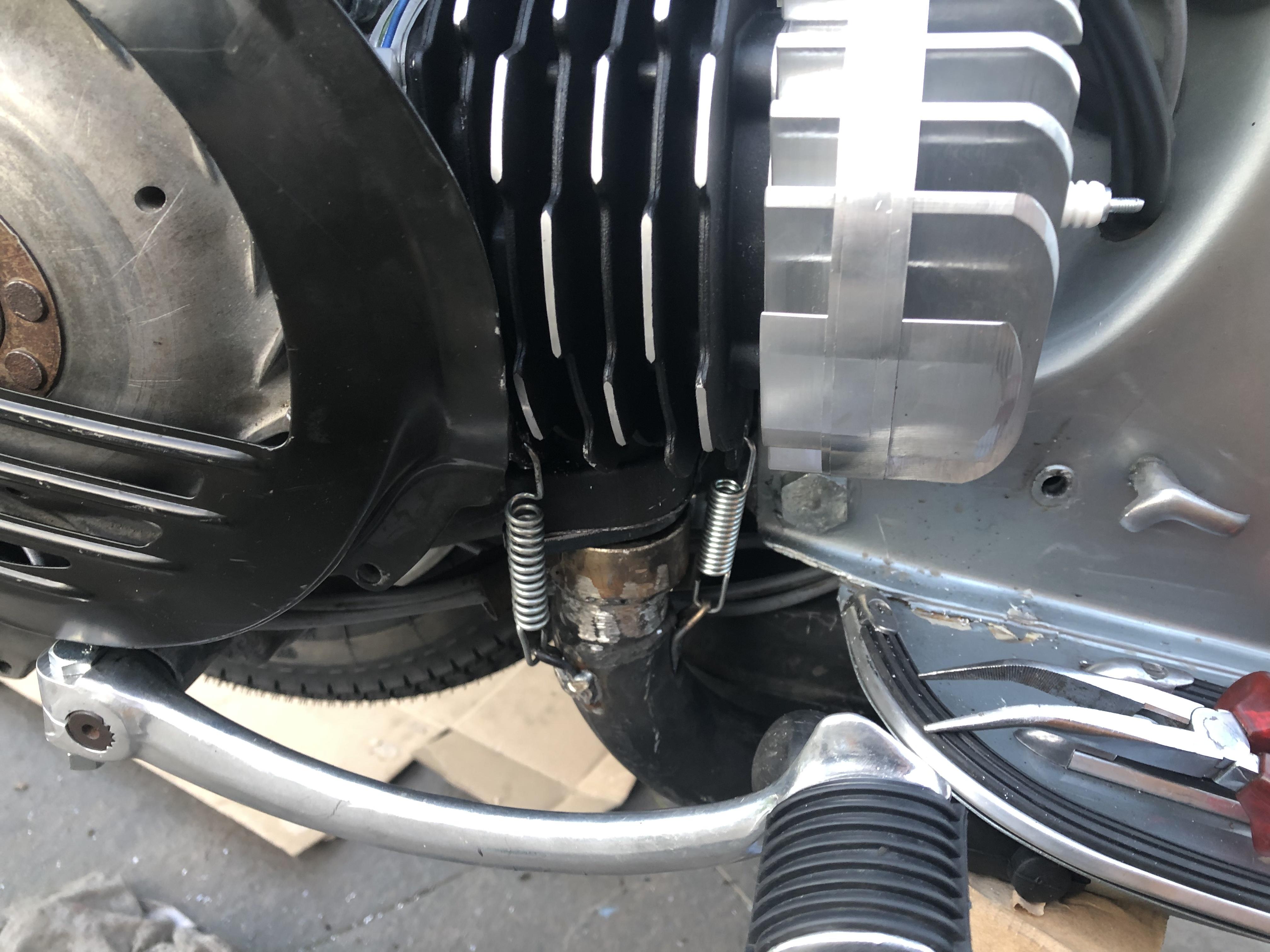
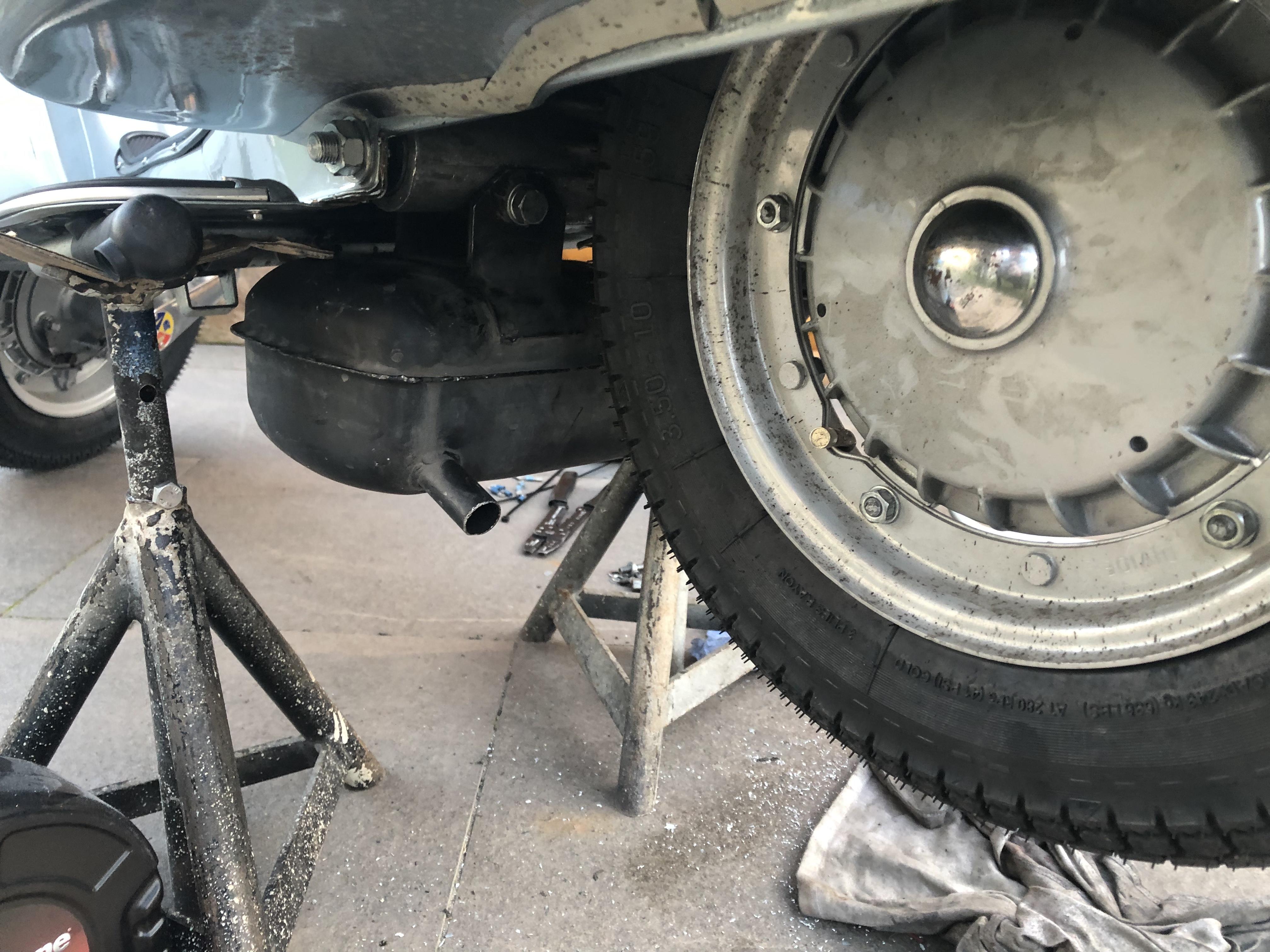
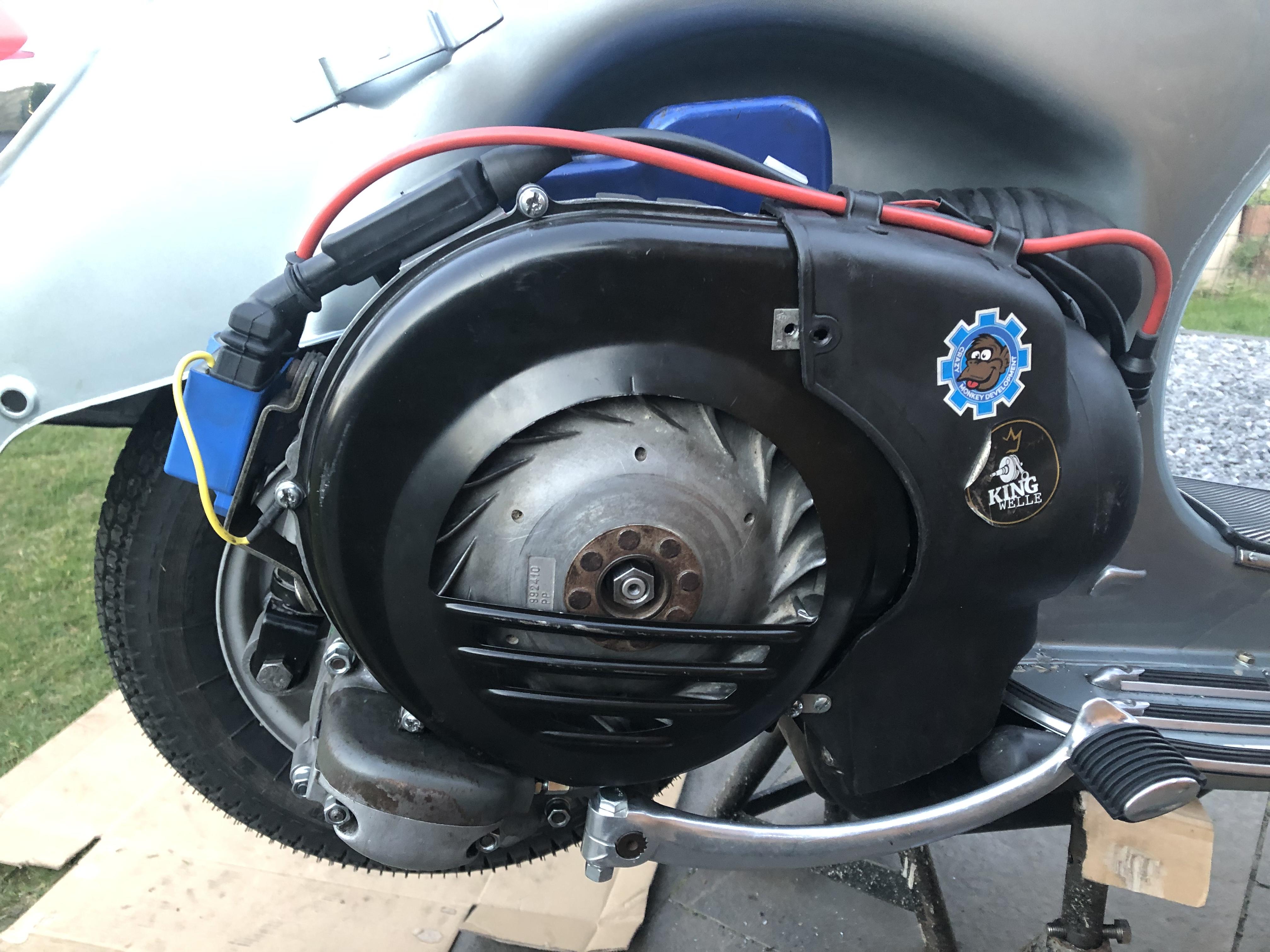
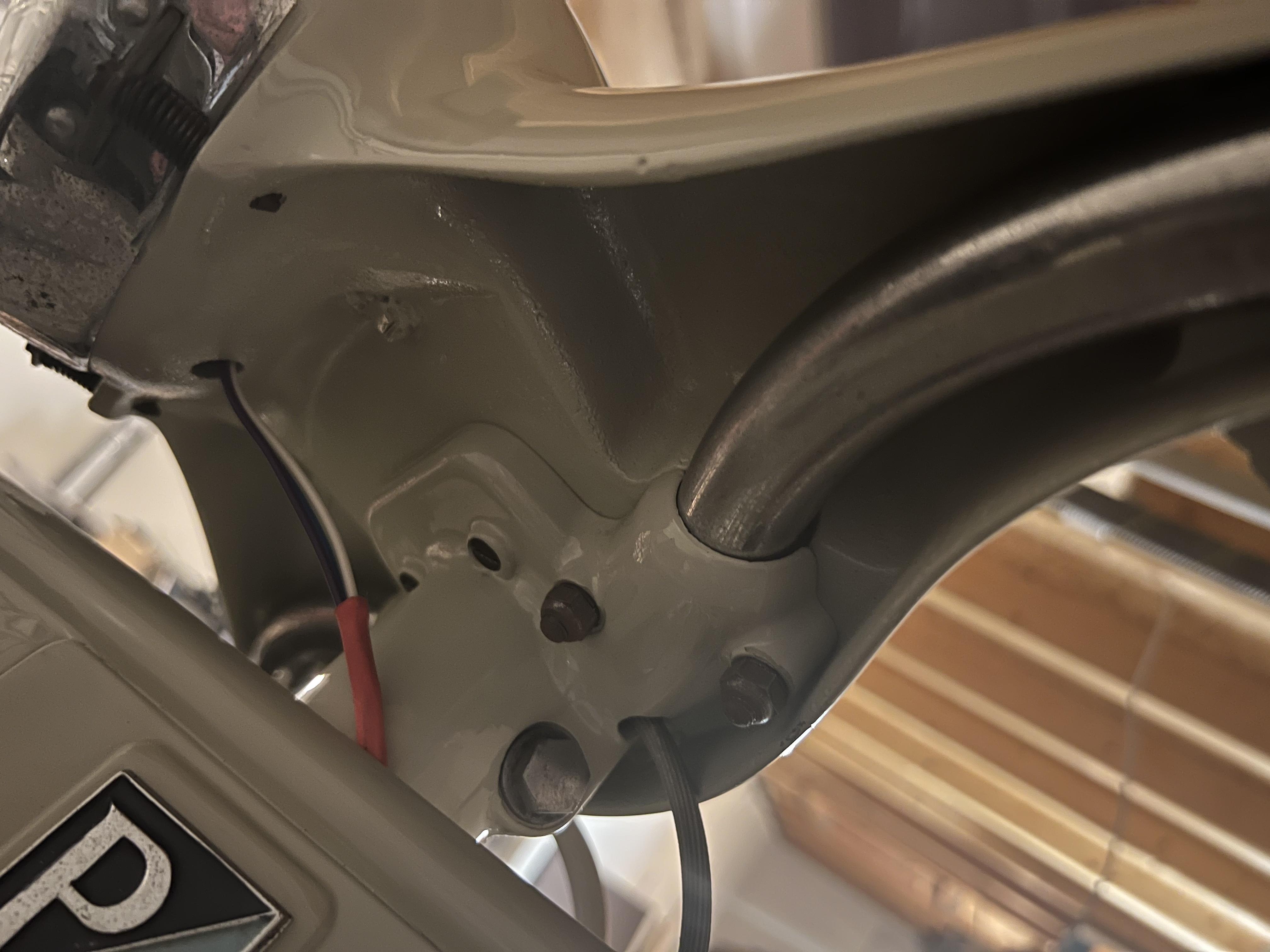
2 Punkte2 Punkte2 Punkte2 Punkte2 Punktemacht nix, ich versteh auch nicht alles! Ist aber eigentlich ganz einfach: ich stell den Kanister hochkant ins Regal, halte dann die Flasch drunter und drück aufs Knöpfchen. Zack, Flasche voll. ICH find das jetzt nicht so die dampfende Kacke... ach, und so eine Senfpumpe kostet (im Gegensatz zum Apfelsafthahn) nix, wenn man das Ding nicht versaut beim Würschtlstand abstaubt? Außderdem wäre MIR das Pumpen zu anstrengend, wenn ich das Flaschenfüllen durch die Schwerkraft erledigen lassen kann. Und warum soll ich das Zeugs in einen anderen Behälter umfüllen und von dort dann wieder umfüllen? Da seh ich eigentlich keinen Sinn....2 PunkteIch drehe immer die Verschlussschraube beim Verschweißen rein.2 Punkte2 PunkteDie Kohle für die Bundeswehr ist entweder in die Berater von Frau von der Leyen geflossen. die ihr gesagt haben wo ihr Sofa am besten im Büro aussieht. Oder ins Ausbildungsruderboot Gorch Fock, oder in Kitas für die Kasernen, oder … Also ausschließlich Sachen die der Verteidigung dienen. Gut das die Dame jetzt am Ruder von Europa steht2 Punkte2 PunkteHabs jetzt auf 3mm eingestellt. Mit schlitze verschieb bar. Und blechgefudel...2 Punkte2 PunkteHi zusammen, wir arbeiten momentan an einigen Themen an der Hostingstruktur des GSF. Das bringt oft kurzfristig erstmal eine Verlangsamung mit sich, so wie gerade eben. Da wir da nicht Vollzeit daran arbeiten können (Familie/Beruf), zieht sich das leider etwas. Am Ende des Tages sollte das GSF aber robuster und schneller laufen als jemals zuvor. Cheers! Mike2 Punkte2 PunkteNabend… Moddor is drin… audpuff umgebraten. passte eigentlich ganz gut. Halter musste leicht nach hinten gebogen werden. Und vitonflansch ersetzt genau den t5 Flansch… musste nix verlängert werden oä…
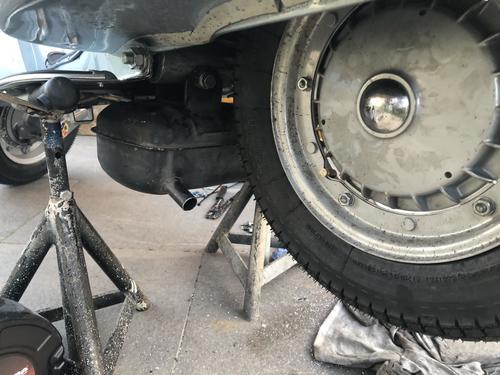
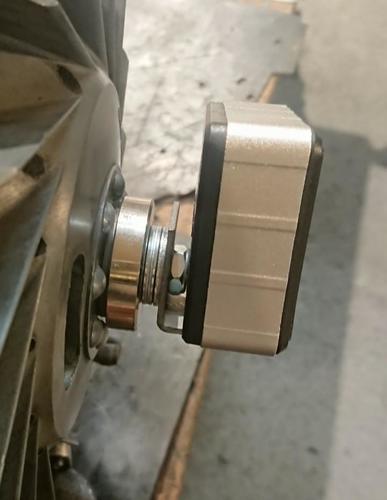
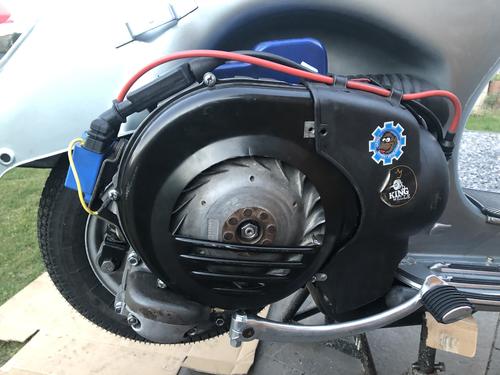 2 Punkte1 Punkt1 Punkt1 PunktNajaaaaaaa…. hab vom „Waterloop pleijn“ in Amsterdam auch irgendwo noch nen originalen Blauhelm rumfliegen. Ende der 90er gekauft - anfang 90er im Einsatz. Glaube nicht, dass ich beschreiben muss wo. mit Loch. damals wurde so was noch „lockerer“ gehandhabt. aber bitte keine Anfragen - das Ding verlässt meine Garage erst wieder mit mir - und mit den Füßen voraus…1 Punkt1 PunktSuperbanana auf jeden fall die Sport, die Touring hat keinen Vorteil beim dem Zylinder. Zündung geht alles mögliche nur keine Kontaktzündung, Polrad könnte sein dass es abgedreht werden muss Xl2 Deckel würde ich empfehlen, da drückt sich jede Kupplung mit etwa der hälfte Kraftaufwand und ist zuverlässiger weil bei den Langarmdeckel manchmal der Nippel der auf den Druckpolzendrückt abbricht bei strammen Kupplungen. Original Getriebe kann man bestens verwenden1 Punkt1 Punkt@wasserbuschi: tradititionell hast Du absolut recht, aber genau das ist der Durchbruch der letzten paar Jahre - die neuen D-Class sind auf nahezu absolute Transparenz ausgelegt, die Verfärben nichts mehr, Signal rein = Signal raus.. Gerne mal z.B. einen Schiit Jotunheim im Fachhandel ausprobieren... Extrem klar, und der extra Headroom gibt das, was beim Fernseher die Tiefenschwärze ist: Totenstille als diskreter Hintergrund zum reinen Sound obendrauf. Klar, wenn man A/B oder B gewohnt ist, ist es erstmal Gewöhnungssache, eben weil die ja gerade auf ihre Art gezielt harmonisch verfärben. Eine persönliche Note kommt bei den neuen D's dagegen ggf. durch die Wahl des Vorverstärkers (z.B. guter (!) Röhrenvorverstärker. Im Effekt ergibt sich dann ein Röhrenvollverstärker. Allerdings mit heftiger Ausgangsleistung/Headroom!). Bin ansonsten aber bei Dir, wenn man so einen Golden-Age-Oschi zur Hand hat, braucht man über D nicht nachzudenken. Passt immer zu Vinyl (und Tape), ist ja dafür gemacht.1 PunktFalls jemand auch hochwertig auf den HiFi-Analog-Zug aufspringen möchte, hätte ich hier noch was abzugeben. Ein wunderschöner TD-320 im Zustand wie neu und ein toller Onkyo Receiver aus der guten Zeit. Dazu gäbe es noch zwei Onkyo Boxen1 Punkt1 Punktalter du sau, so war das nicht ausgemacht! meine meinung steht fest, verwirr mich nicht mit fakten!!! ps: ok, deine lösung ist doch geil! auf den fotos ist der kanister ja nicht aufrecht hingestellt .....auch wenn ich bissl zweifle dass ich den 20l kanister stabil seitlich aufstellen könnte ohne weitere halterung - von meinen bauhausbilligregalen die das nichtmal aushalten will ich garnicht reden. ausserdem möcht ich nicht riskieren dass das ding aus irgendeinen grund undicht ist.1 PunktPioneer/Sansui/Marantz kannst Du wegen des Hypes preislich knicken, ist mittlerweile tw. schon lächerlich. Würde mich aber mal auf Hifi Shark umsehen nach den wirklich guten zeitgenössischen Alternativen Sanyo (bzw. Fisher) RS 1050 oder RS 1060 (manchmal auch in Deiner Preisklasse angeboten). Top Tip allerdings: Gleiche Komponenten auch verbaut im Luxman R-1040 (minus Überspannungsschutz für LS, wer's wirklich braucht kann relativ einfach einen nachrüsten). Vielleicht nicht ganz in allem vollkommen auf einer Höhe mit den absoluten Topmodellen der HiEnd-Konkurrenz, aber schon wirklich nah dran und von den Hipstern bis heute (im Vergleich) deutlich übersehen oder unterbewertet. In etwa Deine Liga plus heute (noch) ein ausgezeichnetes Preis-/Leistungsverhältnis.1 PunktWas bei mir immer funktioniert hat ist folgendes: Die schwarzen Nubsis mit Feuerzeugbenzin reinigen und mit einem ganz kleinem Haarpinsel Graphitpulver auftragen. Graphitpulver gibt es in so kleinen schwarzen Fläschchen wie es sie für Nähmaschinenöl gibt.1 PunktIch hab das Problem (natürlich) auch schon gehabt und so gelöst: bei einer Spenderfernbedienung die Kontaktflächen abgeschnitten und mit Superkleber bei der anderen Fernbedienung angeklebt. Funktioniert seitdem wieder perfekt. Ich hab damals nicht auf die Haft-und Abriebfestigkeit vom Leitsilber vertraut.1 Punkt1 PunktNachdem ich gestern gelesen habe, dass China noch einmal seinen Anspruch auf Taiwan bekräftigt haben soll, will es sich evtl. einfach nicht die eigene Argumentationsgrundlage gänzlich abschneiden?1 Punktneue Originalfelgen sind qualitativ bissl schlechter als früher... aber um Meilen besser als das "Nachbaugeraffel" Rita1 Punkt1 Punktdie Messung mit Abstichmass ist sehr ungenau, da gibt's haufenweise Messfehler. Schon ein halber mm macht viel Grad aus. Kannst ja mal spielen im racebase. Drum kannst Dich auf die Werte hier im Forum auch nicht unbedingt verlassen, weil jeder anders misst. Nimm ne Gradscheibe einen stabilen (!) Zeiger, z. b. aus Alublech und stoppe den Kolben mit einer 0.05mm Blattlehre im Kanal. So kriegst vernünftig reproduzierbare Ergebnisse. Einfacher geht's mir dem digitalen SIP Gradmesser, fetter Magnet+Winkel auf die Polradmutter und fertig.
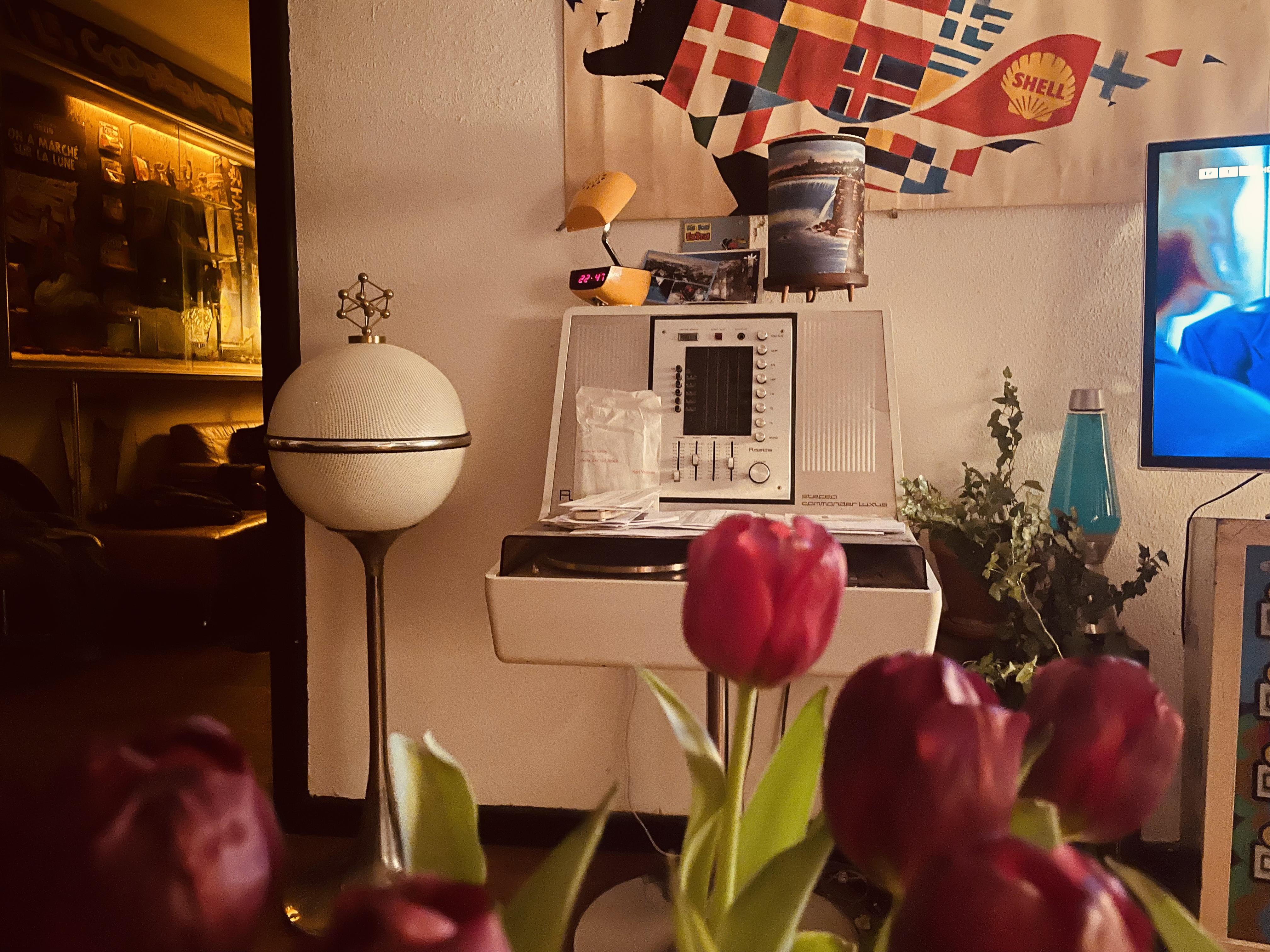
 1 Punkt1 PunktBeschaffungsamt Koblenz ruiniert durch Personalabbau. Jeder Bleistift muss europaweit ausgeschrieben werden. Jetzt wundert man sich über den Bürokratismus-Overhead und die langsame Beschaffung. Ein Segelschulschiff ist da natürlich hilfreich, während die "Cyber" Abteilungen genau wie ie einfachen Abteilungen wie z.B. Buchhaltungen mit Computersystemen arbeiten, mit denen man zwar vor zig Jahrzehnten hätte zum Mond fliegen können, heute aber leider "etwas" hinterherhinkt. Wenn ich das Gelaber höre..."Generäle müssen zu Managern werden". FlintenUschi und die Berater...1 Punkt1 PunktSteht aktuell noch nicht fest, denke aber es wird auch auf eine Art Kugelflansch hinauslaufen. Vermutlich aber abweichend zum MMW. Mal schauen.1 Punkt1 Punkt1 Punkt1 PunktIst mir das Topic glatt entgangen? Hier wartet auch noch ein Stereo Commander Luxus drauf, zum Einsatz zu kommen. Wobei der eigentlich eher Spender spielen soll um aus den in meiner Bude einen schönen zu basteln Aber ich komme mit meinem neuen Job zu nichts was ich mir vorgenommen habe. Vorher habe ich aber meine optisch eher langweiligen Yamahas mit einem Satz Grundig Raumklang gepaart. Optisch alt, aber jetzt mit ordentlich bumms und irgendwas um 300 Watt statt der originalen 20. Auch wenn das Gehäuse nicht wirklich ideal dafür ist, langt‘s für meine Zwecke ausreichend. Edit ruft, dass die Rosita-Austattung nix hochwertiges ist. Was das betrifft bin ich auch zu wenig Genießer, mehr so der einfache Nutzer. Wir können aber gerne mal drüber diskutieren wie beknackt die Dinger gestaltet wurden.
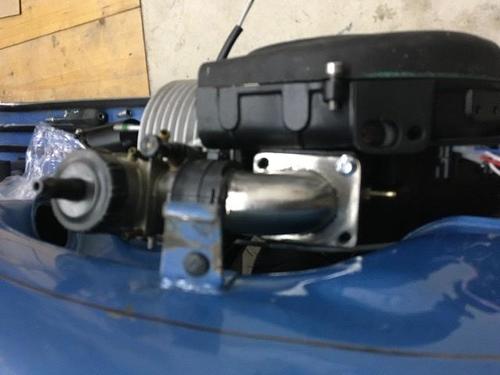
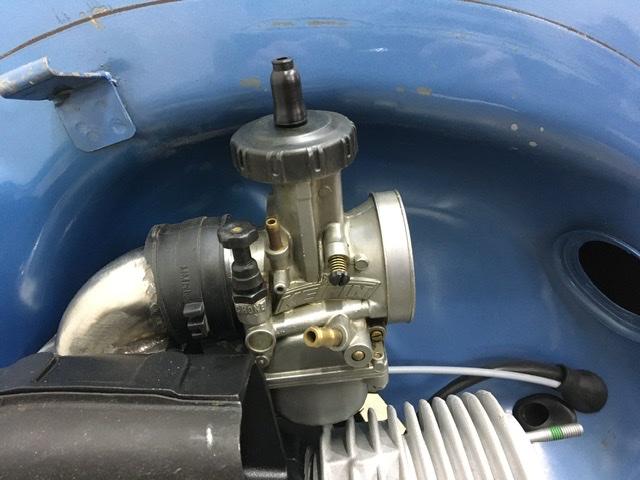
 1 PunktSo, den lüradeckel noch verschmälert und 3mm und den ansaugstutzen 8mm tiefer gesetzt und leicht im Winkel seitlich angestellt… nächste Aktion Dumbo… jetzt sitzt der 38er an der tiefsten Position und hat schön Platz seitlich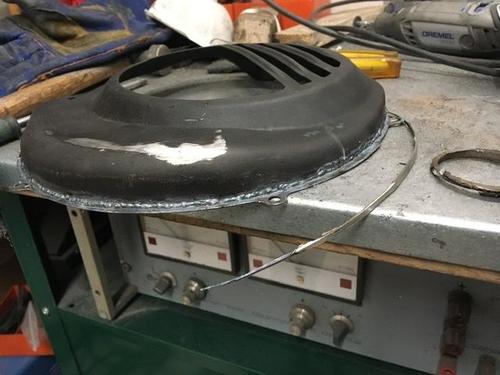
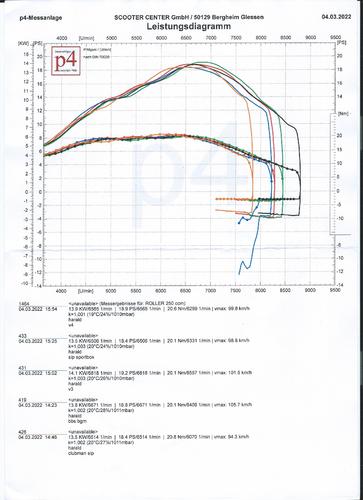
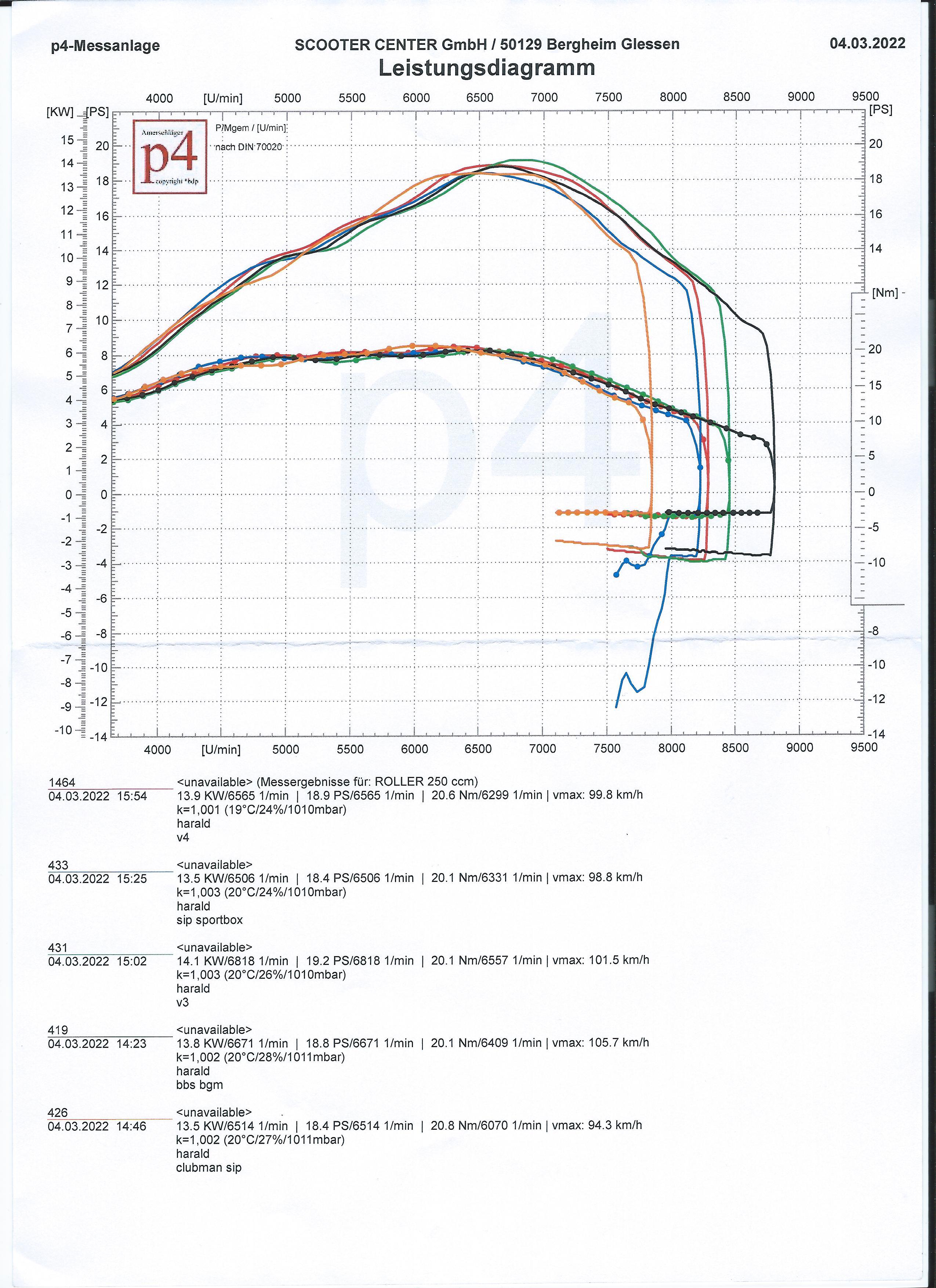
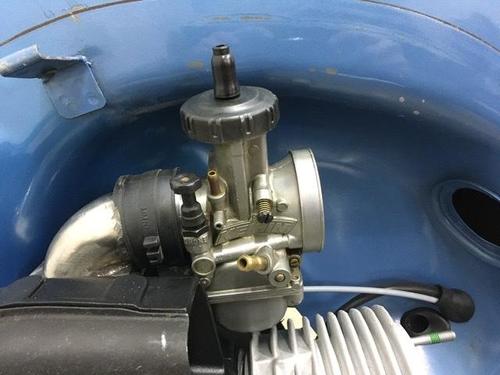 1 PunktWenn es originale Piaggiofelgen sind und die Rostnarben nicht sehr tief, auf alle Fälle aufarbeiten. Königsweg ist strahlen und pulvern, wie schon geschrieben.1 PunktStrahlen und am besten Pulverbeschichtung drauf... Lack kann blättern und Schlauch beschädigen.1 PunktVielleicht bringt Dich / den TÜV-Prüfer die Bedienungsanleitung weiter, in der ich einige wesentliche Sachen gelb markiert habe, weiter: Vespa_Iris_PX150E_y_PX200E_manual_usuario.PDF Die Herstellerschlüsselnummer für die Motovespas ist die 7502. Vielleicht kannst Du dem Prüfer in Verbindung mit der Homologation der italienischen PX (STO_P200E_-_PX200E_-_PX200E_Arc_VSX1T.pdf) deutlich machen, dass die technischen Daten bei der Motovespa dieselben sind. Nur Präfix des Rahmens und des Motors sind eben bei der Motovespa 73C bzw. 73M, wie auf pdf-Seite 10 der Bedienungsanleitung ersichtlich.1 Punkt1 PunktKlar hängt das vom Auspuff selbst ab, aber ich bin mir sich 90% passen ohne Probleme, vor allem jene die direkt nach den 90° Krümmer die Steckverbindung haben werden alle passen. Bei meinen ist das ja meistens nicht der fall und passt dennoch. Solche Anlagen werden zb auch bei 105-110er Pleuel auch sehr knapp oder garnicht passen. Ich hab keinen einzigen Auspuff speziell für den 170er Passform gebaut, sondern die passen überall .1 Punkt1 Punkt1 Punkt1 PunktEin kleiner Junge sitzt in einem Sandkasten und bäckt Sandkuchen in Form von Männchen. Kommt ein Polizist vorbei und fragt ihn: "Na, was machst Du denn da schönes?" Antwortet der Kleine: "Polizisten" Nun ist der Polizist doch deutlich interessierter und fragt: "Und aus was machst Du die?" Darauf der Kleine:"Wasser, Sand und Scheisse" RATSCH, schlägts bei dem Kleinen ein. Der Polizist geht total entrüstet weiter. Am nächsten Tag wiederholt sich das Spiel. Der Kurze fängt sich wieder eine ein. Tags drauf kommt der Polizist wieder vorbei und sieht wie der Kerl schon wieder Männchen backt... Er fragt Ihn, schon sämtliche Strenge in der Stimme:"Na, was backst Du da?" Drauf der Kleine:"Feuerwehrmänner" Der Polizist wieder:"Und aus was machste die?" Der Kleine:"Wasser und Sand" Der Polizist stutzt:"Und warum nicht mit Scheisse?" Der Kurze heult los: "Dann werden's ja wieder Polizisten"..... Sorry, liebe Polizisten hier im GSF,...... aber irgendwie fand ich den halt gut!1 Punkt1 Punkt1 PunktGestern mal das schöne Wetter genutzt um beim Scootercenter auf den Prüfstand zu fahren. Eigentlich wollte ich nur meinen neu aufgebauten Motor für die Sardinientour abstimmen.... Es wurde ein etwas ausgiebigerer Test. Von links nach rechts: Scooter Surgery Prototyp (wenn ich mich recht entsinne). BGM V3 SIP Sportbox BGM Sportbox mit verlängertem Endrohr BGM Sportbox SIP Clubman BGM V4 ist nicht auf dem Bild wurde aber auch getestet. Grundsätzlich sind alle Anlagen im Vergleich zu den Zeiten als es noch keine BGM Boxen gab ein echter Gewinn für unsere Motoren. Die Leistungsunterschiede der einzelnen Anlagen sind auch zu vernachlässigen. Wer eine V3 oder V4 hat braucht auf keinen Fall eine Sportbox, solange diese nicht auf allzu potenten Motoren steckt. Wenn die Zeit es erlaubt werde ich den Test nochmal mit meiner Simone machen um zu sehen ob die Boxen mit dem größeren Endrohrdurchmesser einen Vorteil bringen. An dieser Stelle der Hinweis das die SIP Sportbox nicht wirklich eine Sportbox ist! Bei der BGM Sport BOX wurde der Durchmesser des Endrohres um 10mm also auf 27mm erhöht, um thermische Probleme bei stärkeren Motoren vorzubeugen. SIP hat hier nur den normalen 17mm Durchmesser gewählt wie bei jeder anderen Lambretta Box. Ich habe auf dem Simonini Motor die Erfahrung gemacht das es ganz schön heiß werden kann mit der Standard Box. Der Prototyp ist nicht auf dem Diagramm, da er leistungsmäßig im unteren Mittelfeld lag aber abartig laut war. Die Box mit dem verlängerten Endrohr habe ich geschweißt also bitte nicht über die Nähte lästern... Ich wollte das dumpfe Geräusch der originalen Sportbox, das nicht unangenehm ist, nicht unter dem Floorboard haben und etwas mehr in Richtung Originaloptik gehen. Die Verlängerung brachte keine Leistungsveränderung gegenüber der originalen Sportbox. Setup: RT 195 unbearbeitet 60er Welle 28 Keihin Statische Zündung 18° Sacchi Luftfilter Vielen Dank ans SCK und die helfenden Hände.
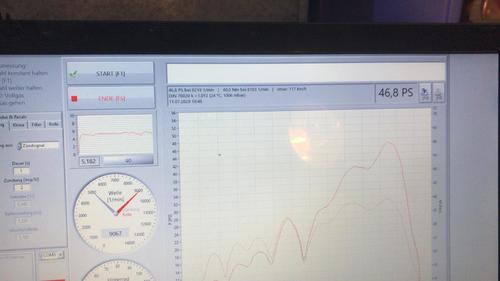
 1 PunktHeute endlich mal Zeit gehabt den seit Monaten neu gedichteten Motor zu testen. Motor war heftig undicht bei der ersten Ausfahrt und der drecks 35er Airstriker hatte auch rumgespackt Inzwischen eine Vape verbaut, Steuerzeiten sind auch anders, finde gerade den Zettel nicht mehr Mehr VA auf jeden Fall. Vergaser ist wieder der 35er Keihin erstmal drauf. Hatte zum Testen mitgenommen: Fichtl Pott, alter verdellter PM20, Racing Resi, Newline, Sip Performance 2.0, Lara, uralter PEP200S (den konnten wir leider nimmer testen), alle mit der gleichen Bedüsung die wir mit der Racing Resi rausgefahren hatten. Ganz klar die Überraschung des abends: PM20, tolle Kurve finde ich, schon echt geil Nächste Woche wollen wir dann die alte Vespatronic gegentesten und eine ViperBox und Resibox. Mal sehen ob es klappt. Dann auch mit niedrigeren SZ. Edith sagt: Steuerzeiten gefunden, sind aktuell 126/193 newline, PM20,Sip performance2.pdf Lara, Fichtl, Racing Resi.pdf
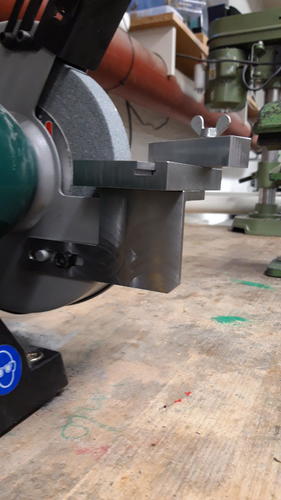
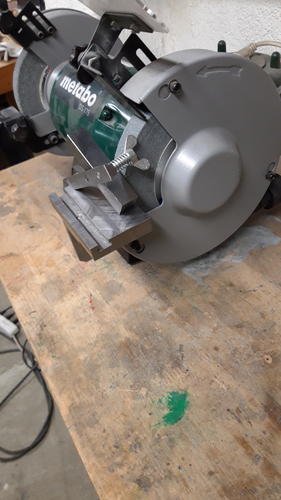
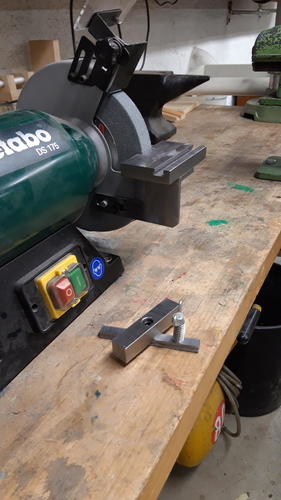
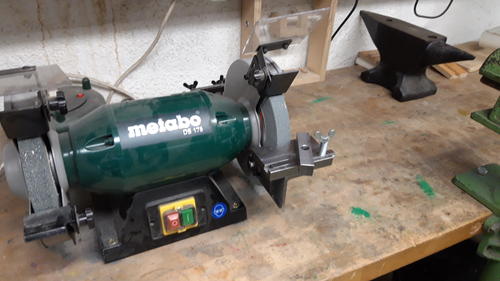
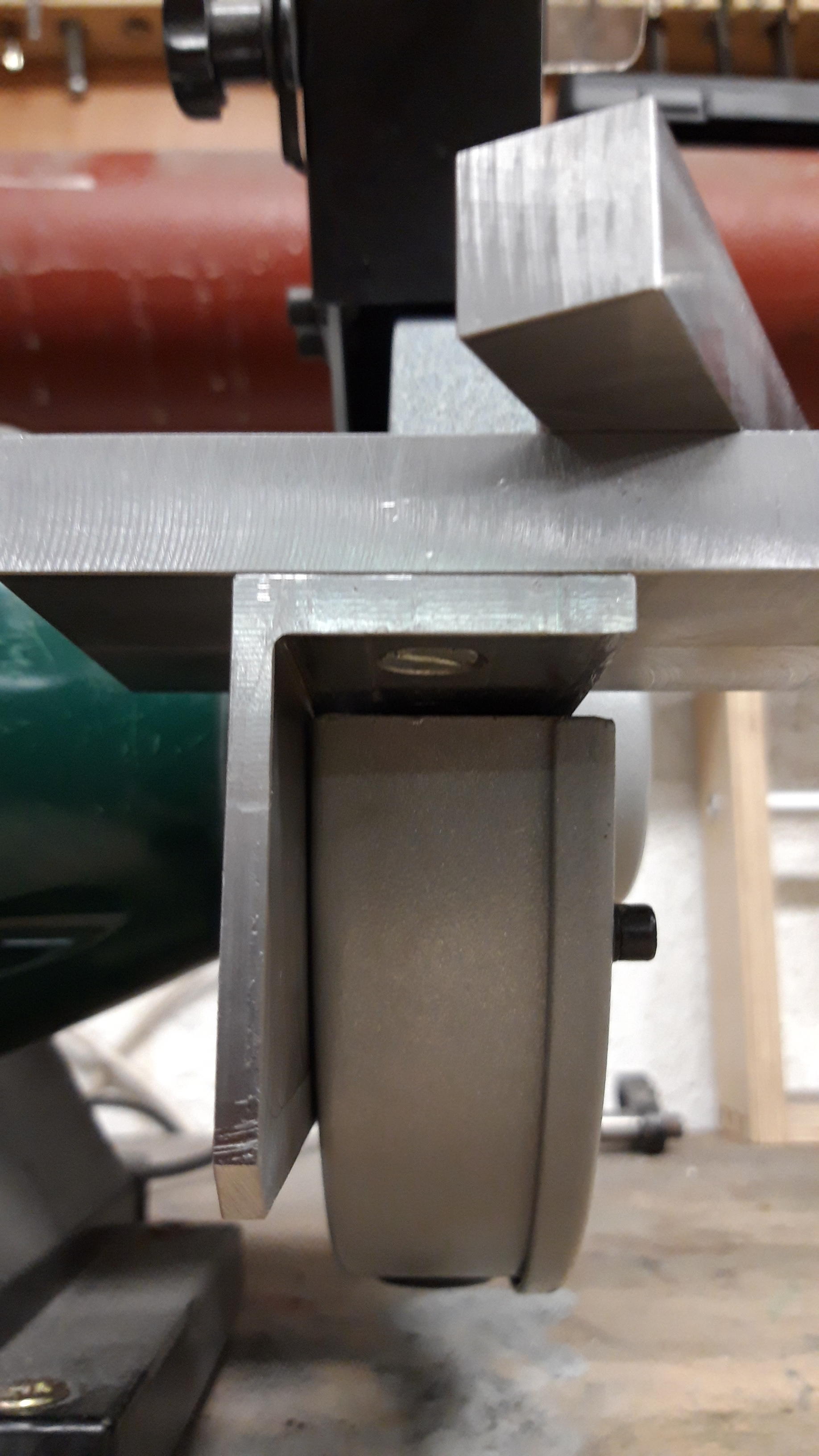
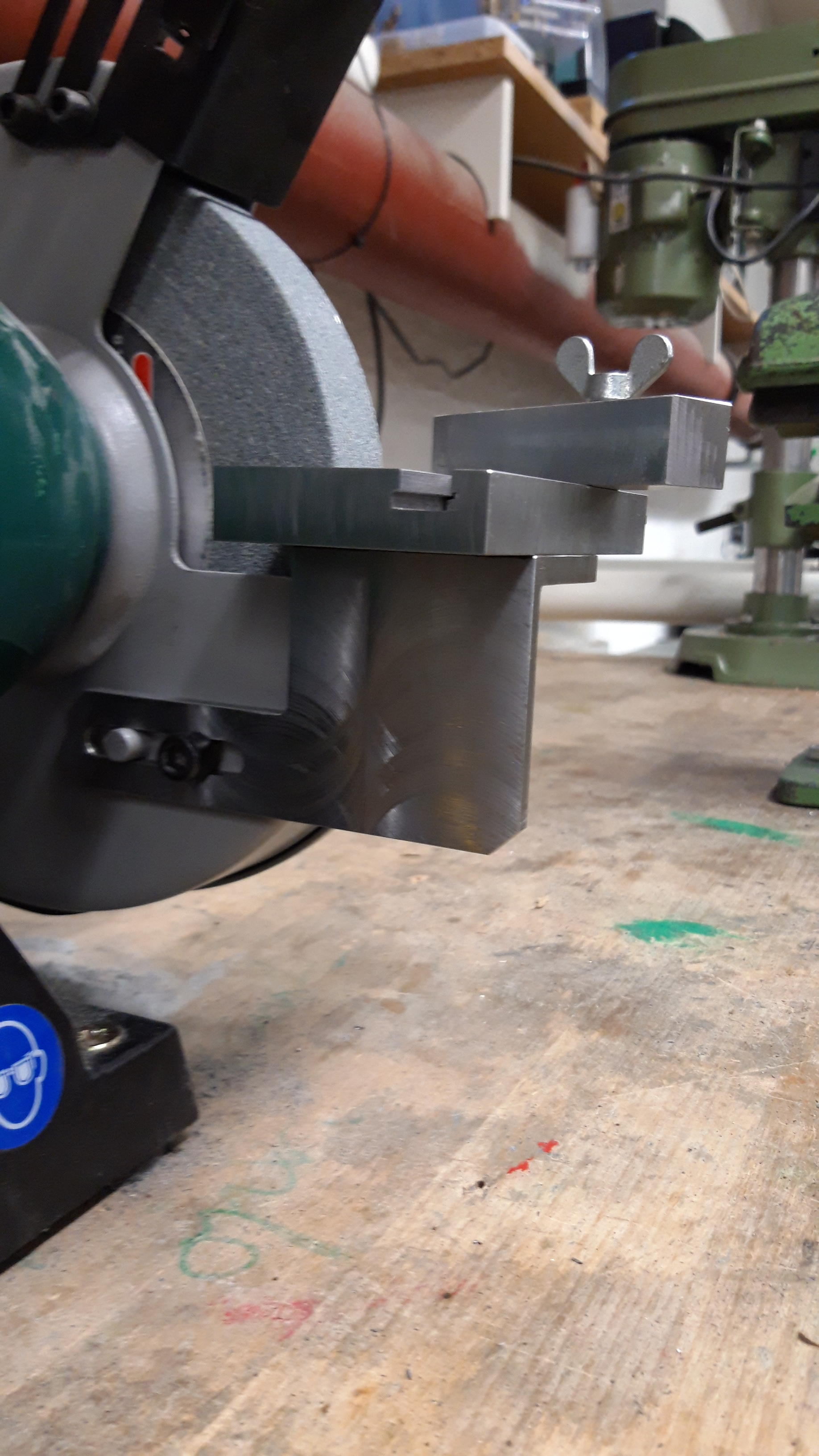
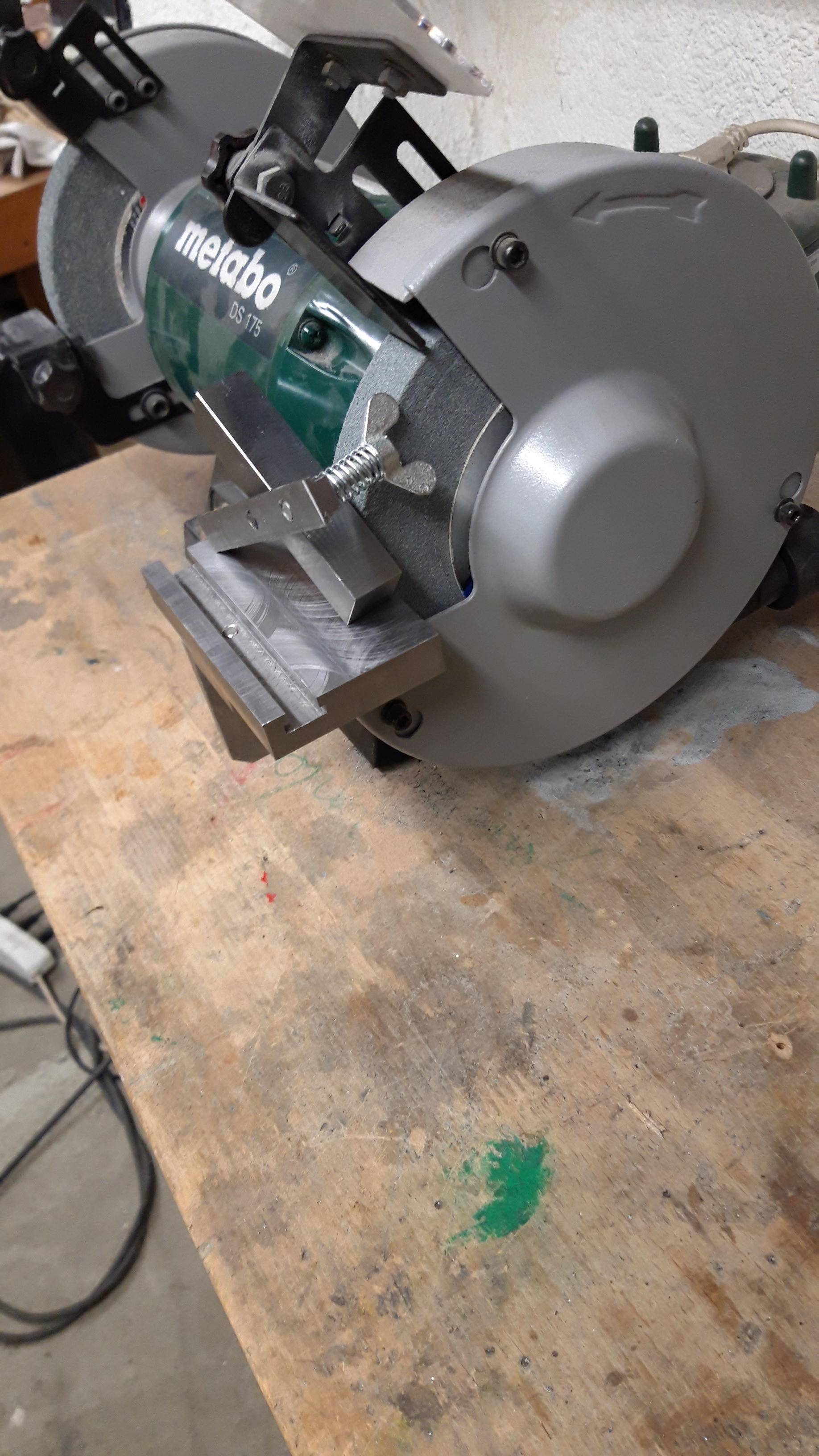
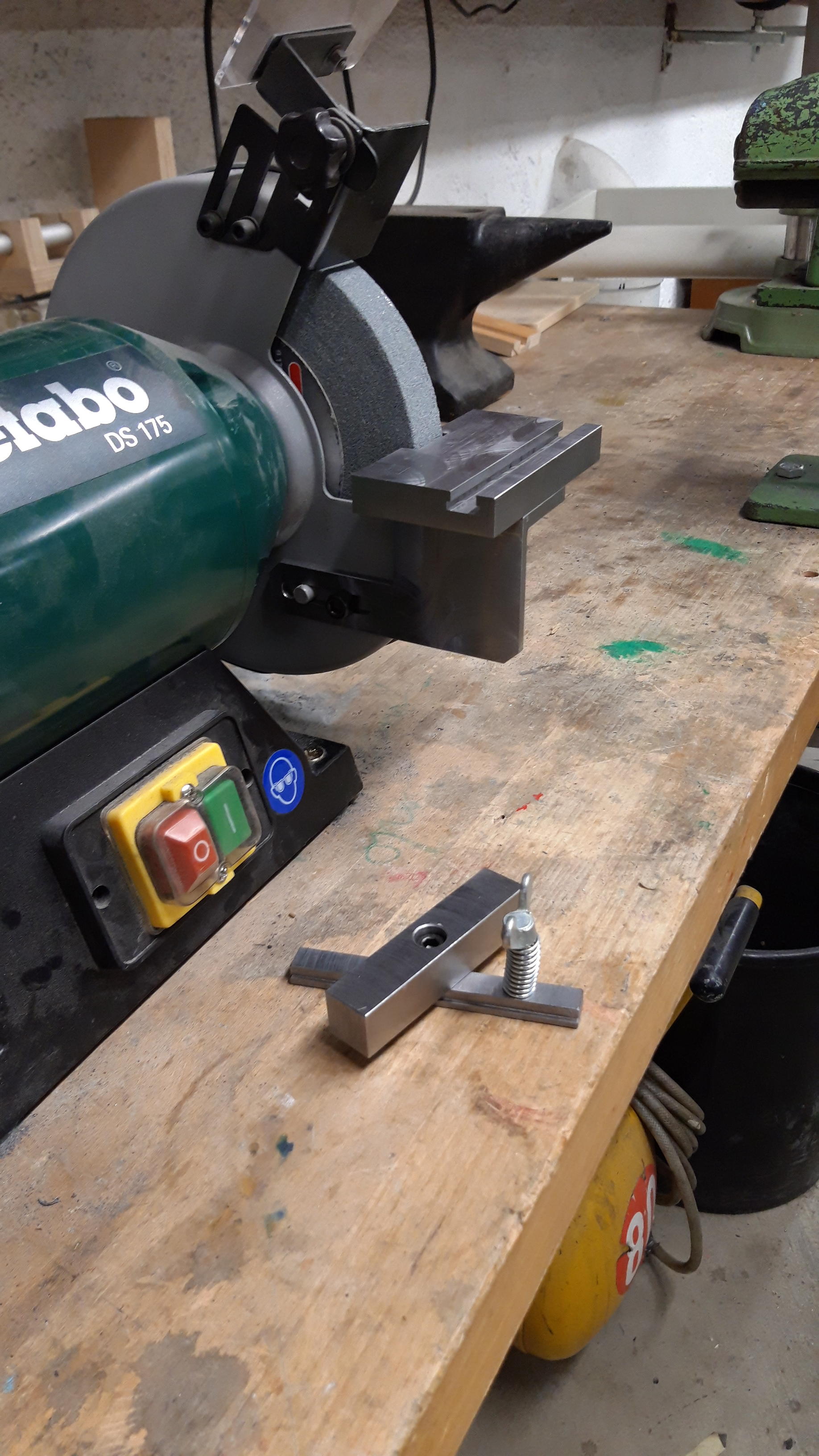
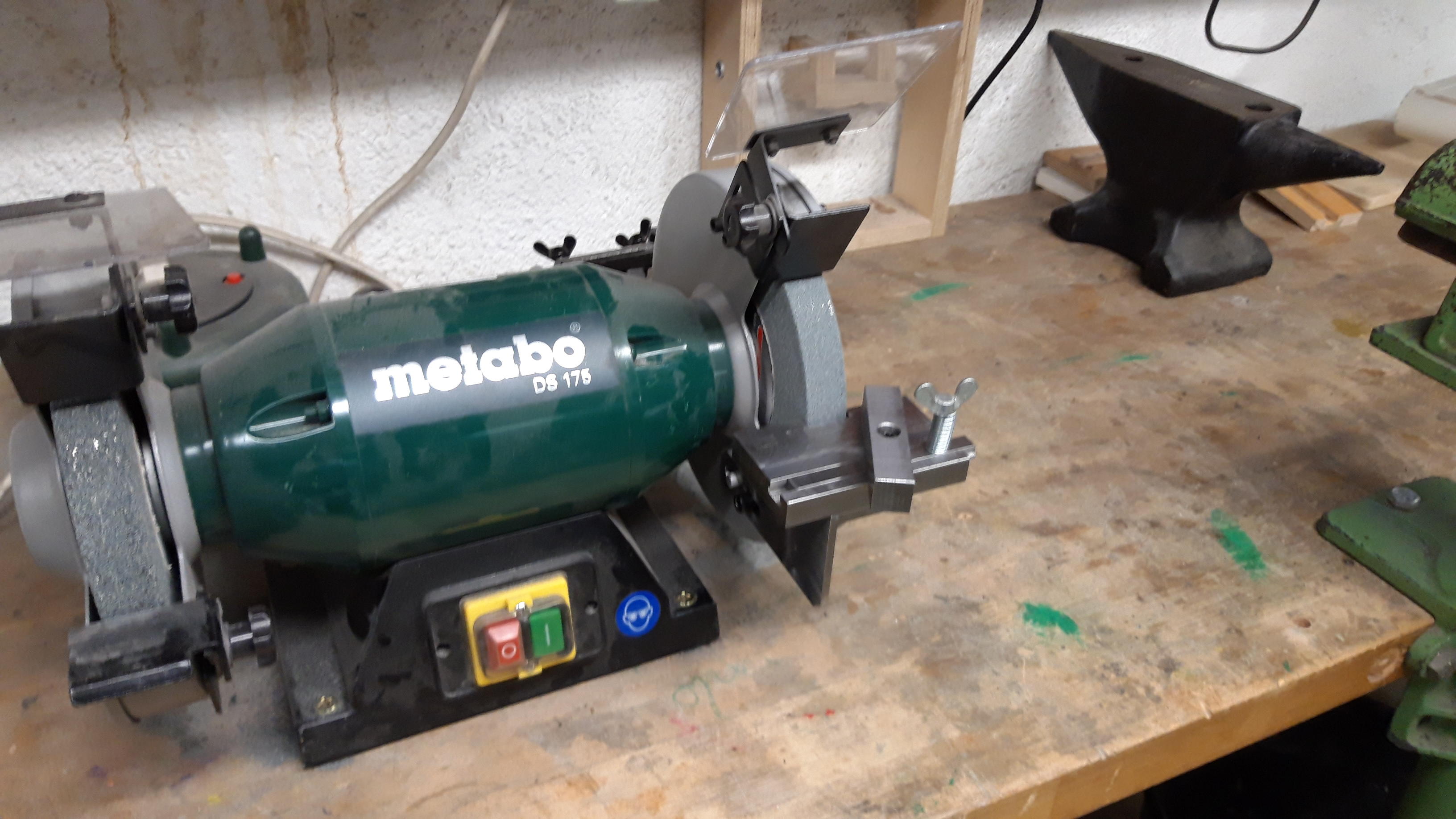
 1 Punkt1 PunktHab mir für den schleifbock nen einstellbaren schiebeschlitten gebastelt... Ich habe bis vor kurzem noch nie an einer Fräse gestanden, meiner ersten autodidaktischen versuche.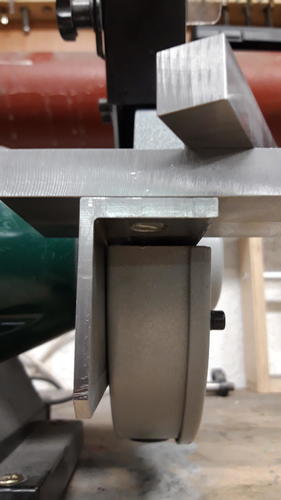
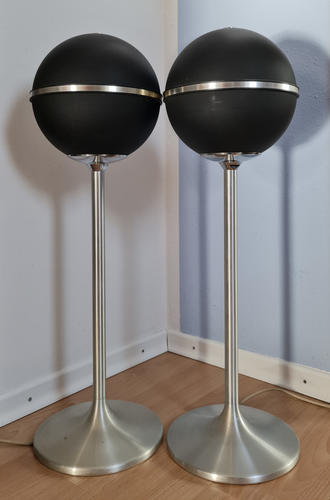
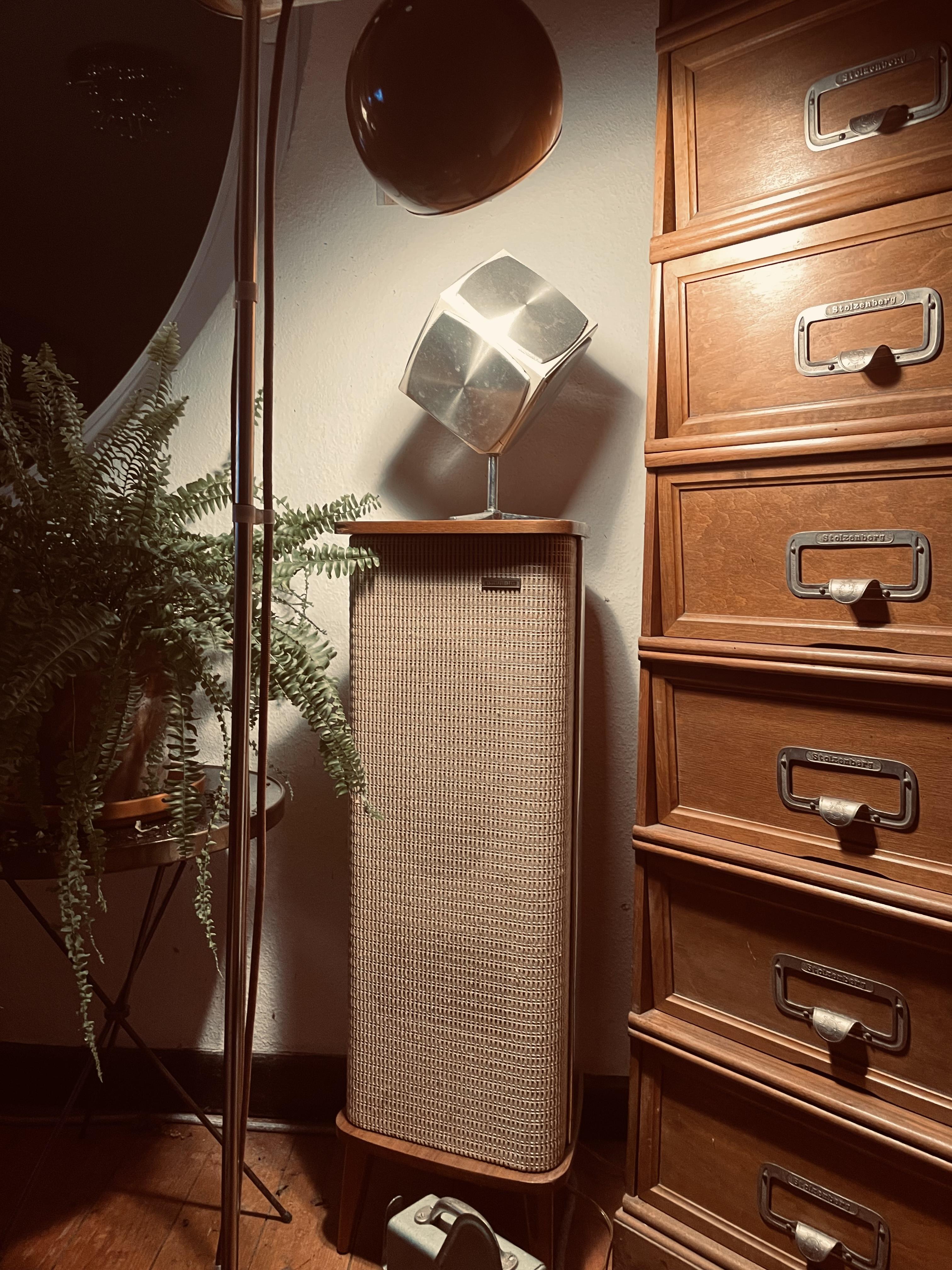
 1 Punkt1 PunktSo ausschneiden sollte man aber nur, wenn man einen 2teiligen Auslass hat und/oder Starwars Fan ist!1 Punkt1 PunktJo, da muss man schon mit Leistung glänzen weil man sonst nix attraktives zu bieten hat. Lambretta fahren ist vergleichbar mit Monica Bellucci Liebe zu machen, Vespafahren eher Dolly Buster in der Gartenhütte zu rammeln.1 Punkt1 PunktDie Fräser gehen auf Guss über kurz oder lang über den Jordan bzw werden stumpf aufgrund des hohen SI Gehaltes der die schneiden abstumpfen läßt. Verstopfen der Nuten kann mit langsamer Geschwindigkeit und hohen Druck und regelmäßigen Schneidöleinsatz ausgleichen. Ich brauche die kleinen Schleifer kaum ich mache fast alles mit Makita geradwegschleifer und langem Schaft am Fräser. Rlg Christian1 PunktAus dem Nachlass meines kürzlich verstorbenen alten Fahrlehrers. 2 Grundig Kugellautsprecher. Muß ich noch testen, aber die kommen wohl ins Büro. HiFi mässig dann eher ein Abstieg. Aber das Design.... sabber Und sackschwer sind die. Geschickte Gewichtsverteilung: Da wo Volumen ist, ist auch Gewicht... Die zugehörige Kompaktanlage kriege ich auch noch. Fürchte aber dass die, wie mein anderes Grundig Gedöns nach den Jahrzehnten Komplettrevision braucht und ob ich da Zeit zu finden werde?
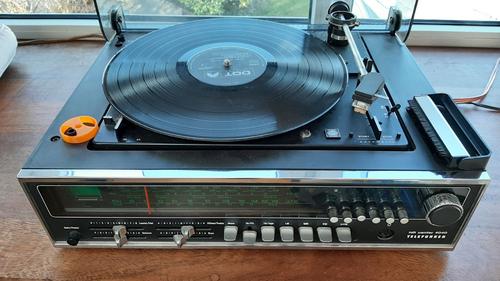
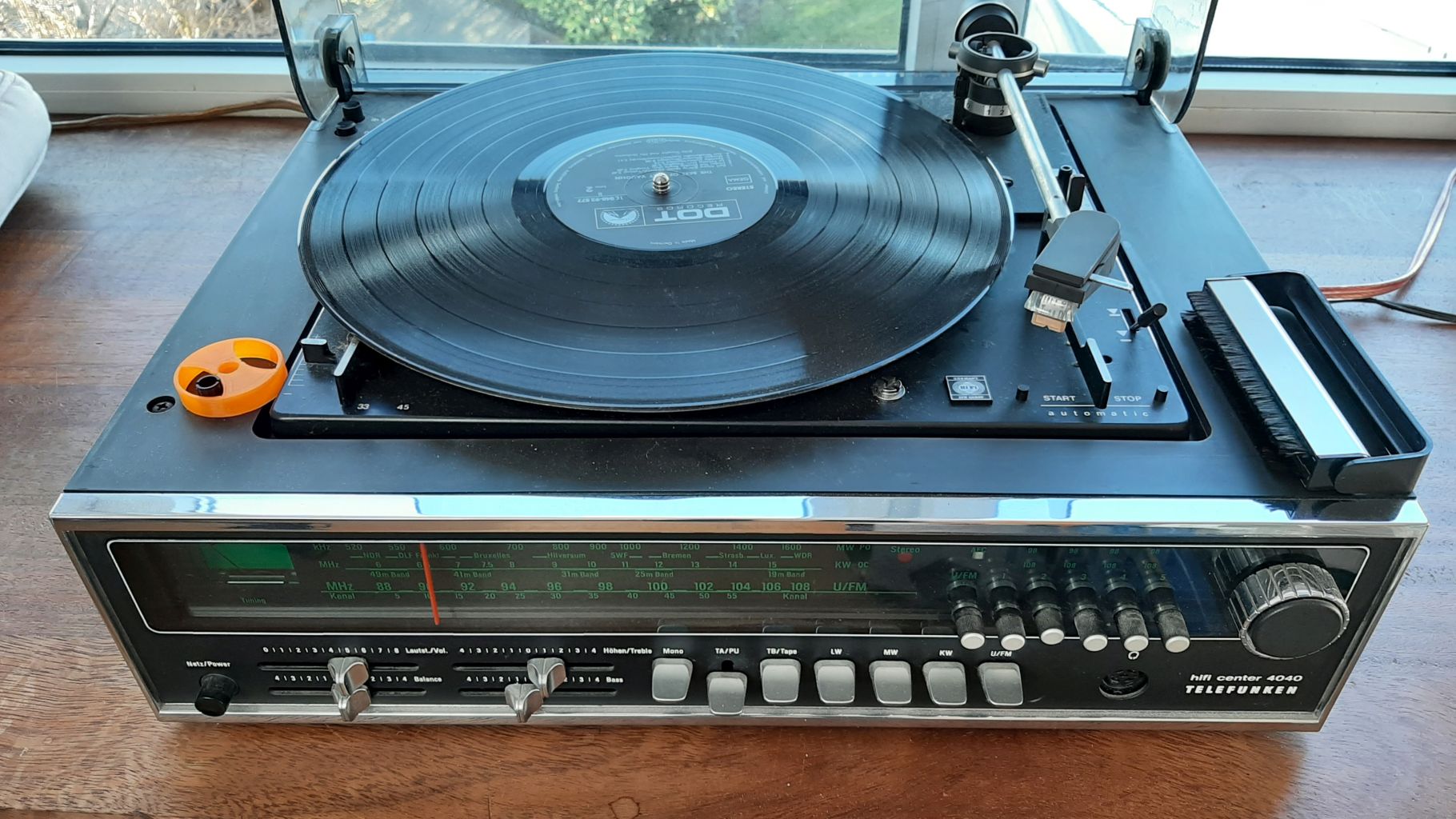
 1 PunktMusik pur, so langsam wirds gemütlich hier im Forum Im Januar stand ich vor den ganzen Vinylscheiben im Keller und dachte da kann man ja auch mal wieder reinhören. Zeit ist ja derzeit reichlich vorhanden. Leider habe ich meine Technics Rotationsmaschine vor ettlicher Zeit mit der gesamten Anlage verkauft. Aber zum Glück habe ich Omas Klassiker aus Celle aufgehoben, Baujahr 72 mit Direkt Drive Klanglich naja, irgenwie fehlt mir die Referenz von früher, die Klangerinnerung ist irgendwie schon aus meinem Hauptspeicher gelöscht. Die Schiebepotis könnten auch mal neu, egal ich kann meine alten Platten hören....
 1 PunktVergiss es, das VM95 geht gar nicht auf dem Thorens, da ich zwei von den Pickups in neu rumliegen hatte, konnte ich mich im Blindtest (korrekt durchgeführt, was nicht ganz anspruchslos ist) selbst davon überzeugen, dass der Thorens übelst abstinkt gegen den Yammi. Die Nadel vom VM95 ist zu hart aufgehängt für den Thorens, was nicht unwesentlich zu dem Unterschied beigetragen haben wird. Alles was darüber hinausgeht ist Psychoakustik, aus dem Alter bin ich raus. Dieses ganze Musikalitätsgeschwafel ist m.E. ohnehin reines Marketinggewäsch der HaiEnd-Scharlatane, die damit versuchen Ihren überteuerten Vodoo-Kernschrott zu verticken und aufgrund der technischen Unbedarftheit ihrer Kundschaft zumeist auch noch Erfolg damit haben.1 Punkt
Wichtige Information
Diese Website nutzt Cookies und vergleichbare Funktionen zur Verarbeitung von Endgeräteinformationen und personenbezogenen Daten. Die Verarbeitung dient der Einbindung von Inhalten, externen Diensten und Elementen Dritter. Je nach Funktion werden dabei Daten an Dritte weitergegeben. Einige dieser Verfahren sind technisch unerlässlich, andere kommen nur mit Ihrer Zustimmung zum Einsatz, eine Anpassung ist in den die Cookie-Einstellungen möglich. Für Details siehe die Datenschutzerklärung

















































Account
Navigation
Suche
Configure browser push notifications
Chrome (Android)
- Tap the lock icon next to the address bar.
- Tap Permissions → Notifications.
- Adjust your preference.
Chrome (Desktop)
- Click the padlock icon in the address bar.
- Select Site settings.
- Find Notifications and adjust your preference.
Safari (iOS 16.4+)
- Ensure the site is installed via Add to Home Screen.
- Open Settings App → Notifications.
- Find your app name and adjust your preference.
Safari (macOS)
- Go to Safari → Preferences.
- Click the Websites tab.
- Select Notifications in the sidebar.
- Find this website and adjust your preference.
Edge (Android)
- Tap the lock icon next to the address bar.
- Tap Permissions.
- Find Notifications and adjust your preference.
Edge (Desktop)
- Click the padlock icon in the address bar.
- Click Permissions for this site.
- Find Notifications and adjust your preference.
Firefox (Android)
- Go to Settings → Site permissions.
- Tap Notifications.
- Find this site in the list and adjust your preference.
Firefox (Desktop)
- Open Firefox Settings.
- Search for Notifications.
- Find this site in the list and adjust your preference.