
Rangliste
-
sliders013
Members19Punkte2.001Gesamte Inhalte -
Humma Kavula
Globaler Moderator11Punkte9.892Gesamte Inhalte -
t4.
Moderator a.D.10Punkte29.293Gesamte Inhalte -
joerch
Members8Punkte1.242Gesamte Inhalte


Beliebte Inhalte
Inhalte mit der höchsten Reputation am 07.05.2026 in allen Bereichen anzeigen
-
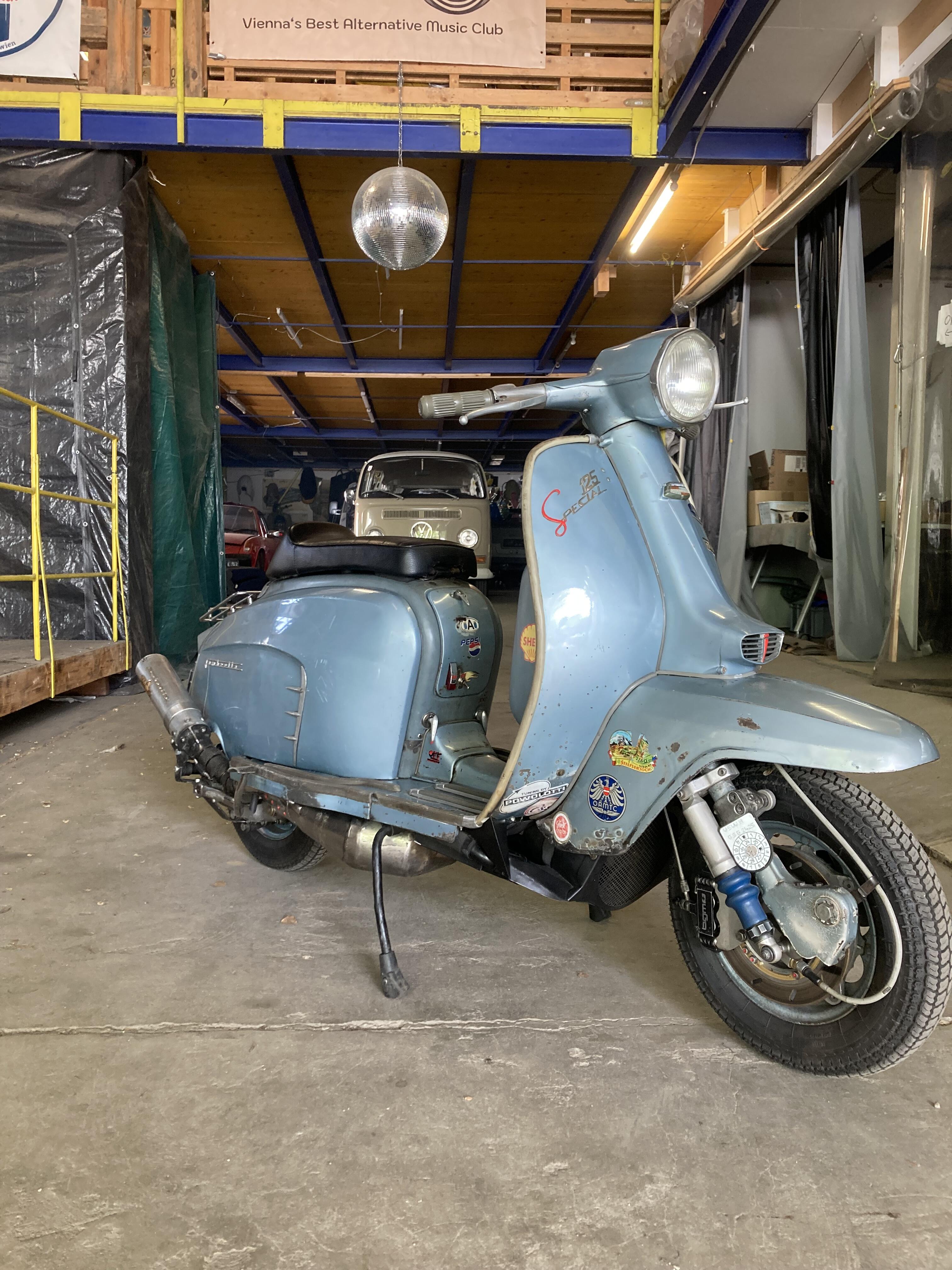
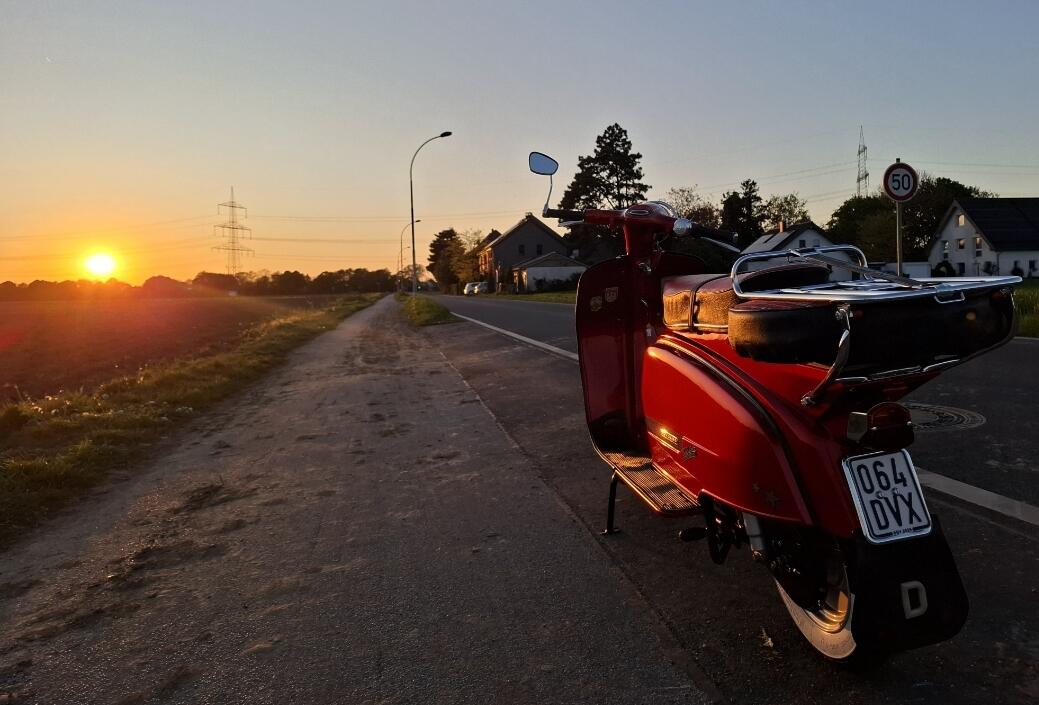
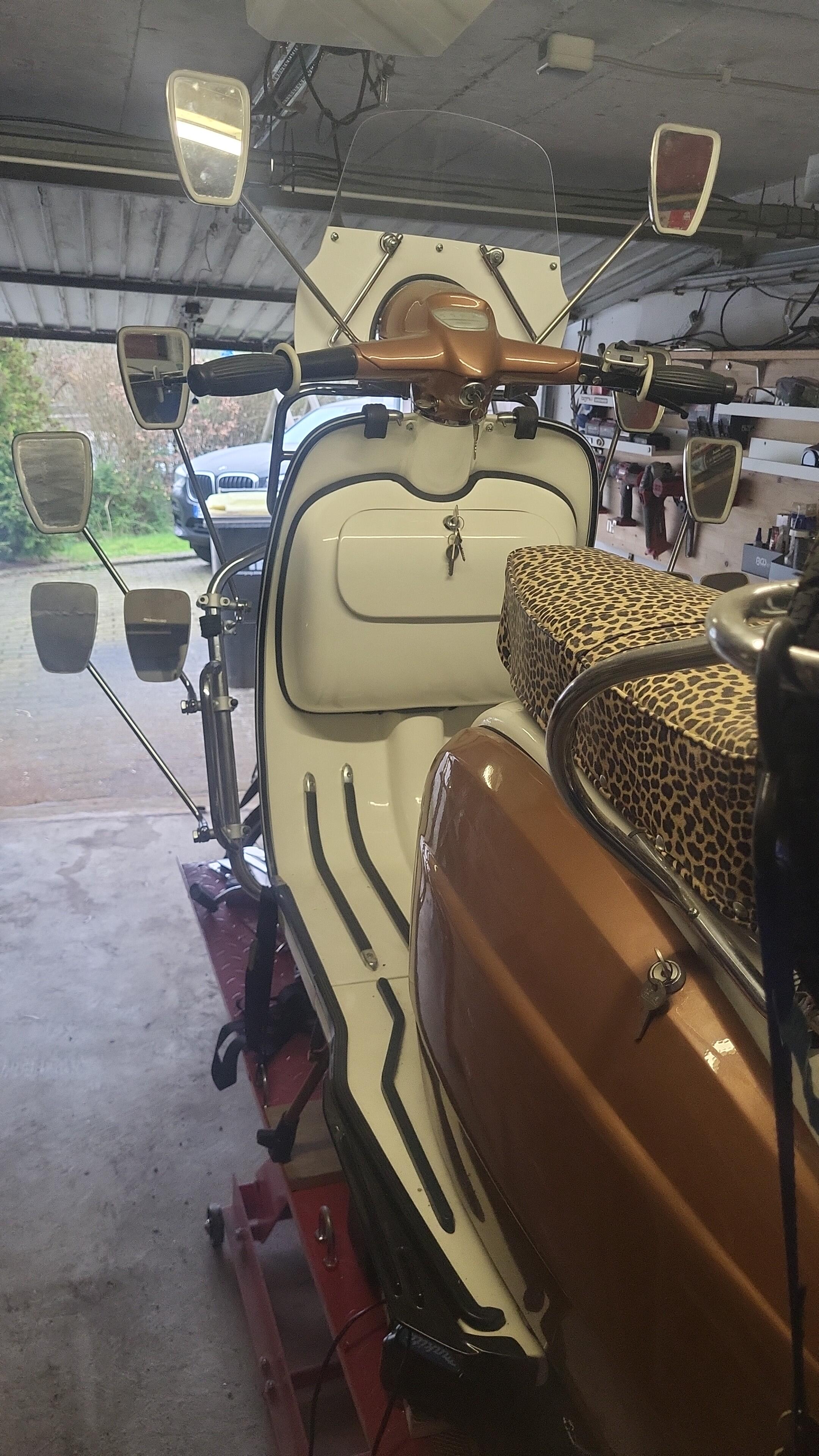
Man kann sagen endlich fertig, EL in AT kann kommen. I gfrei mi......
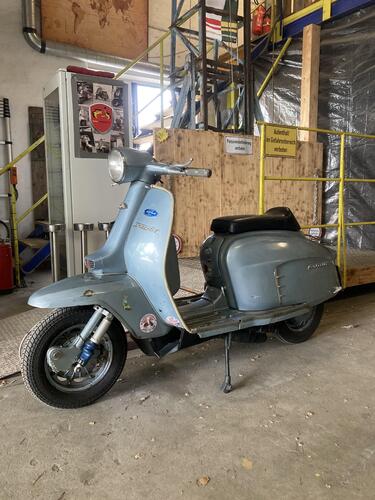
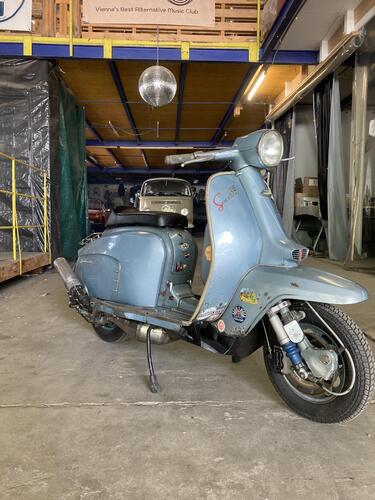 19 Punkte
 -
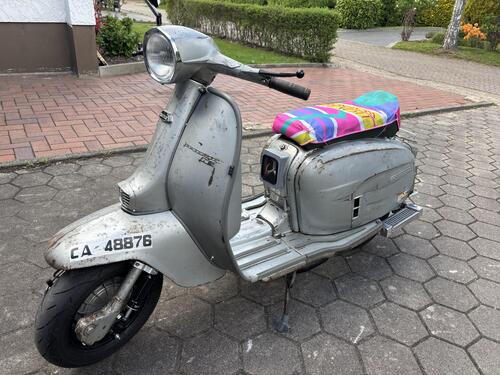
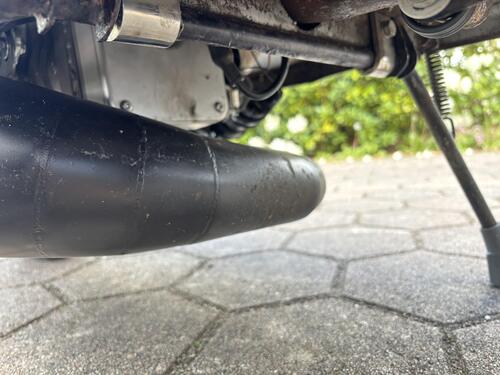
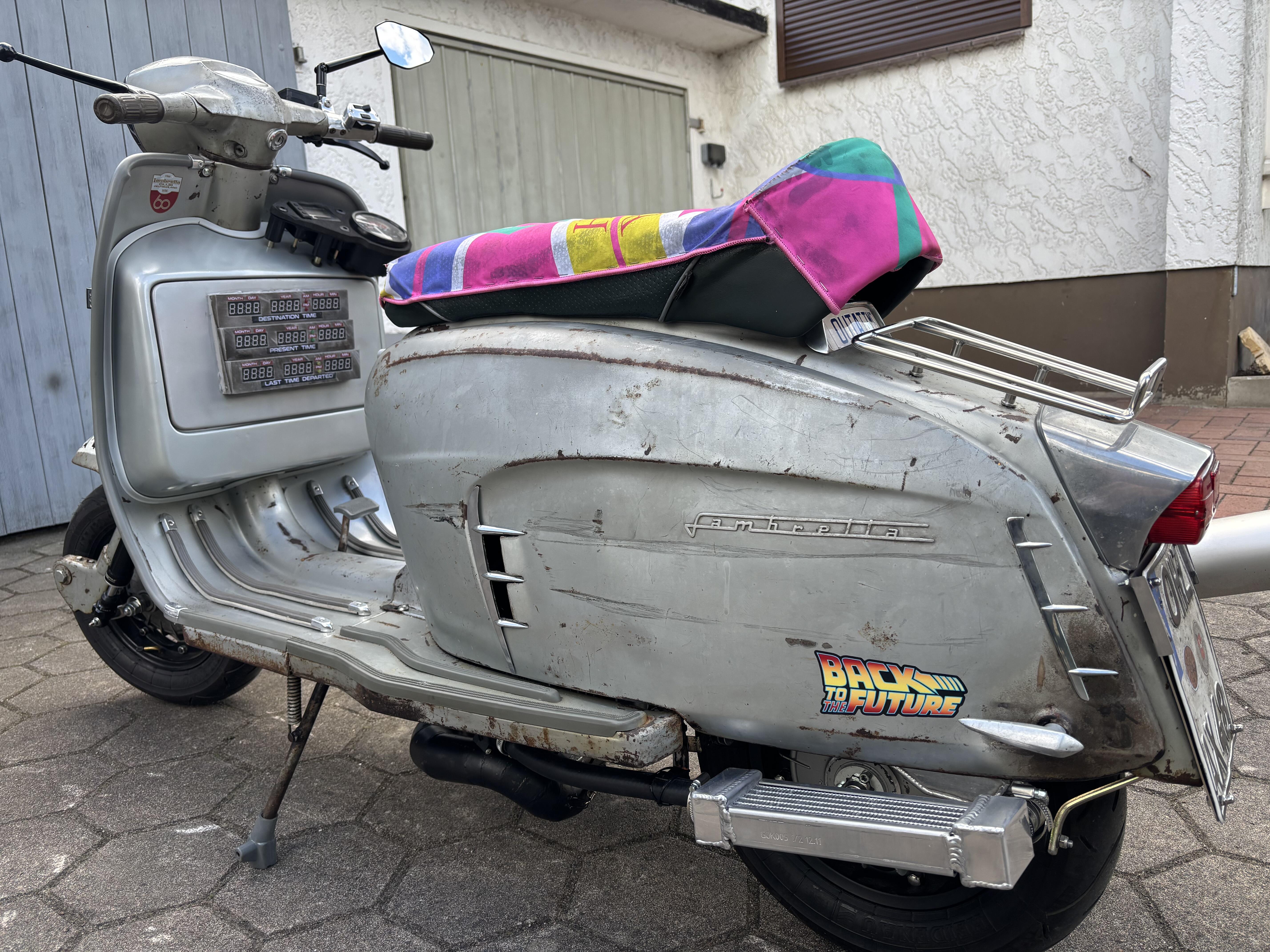
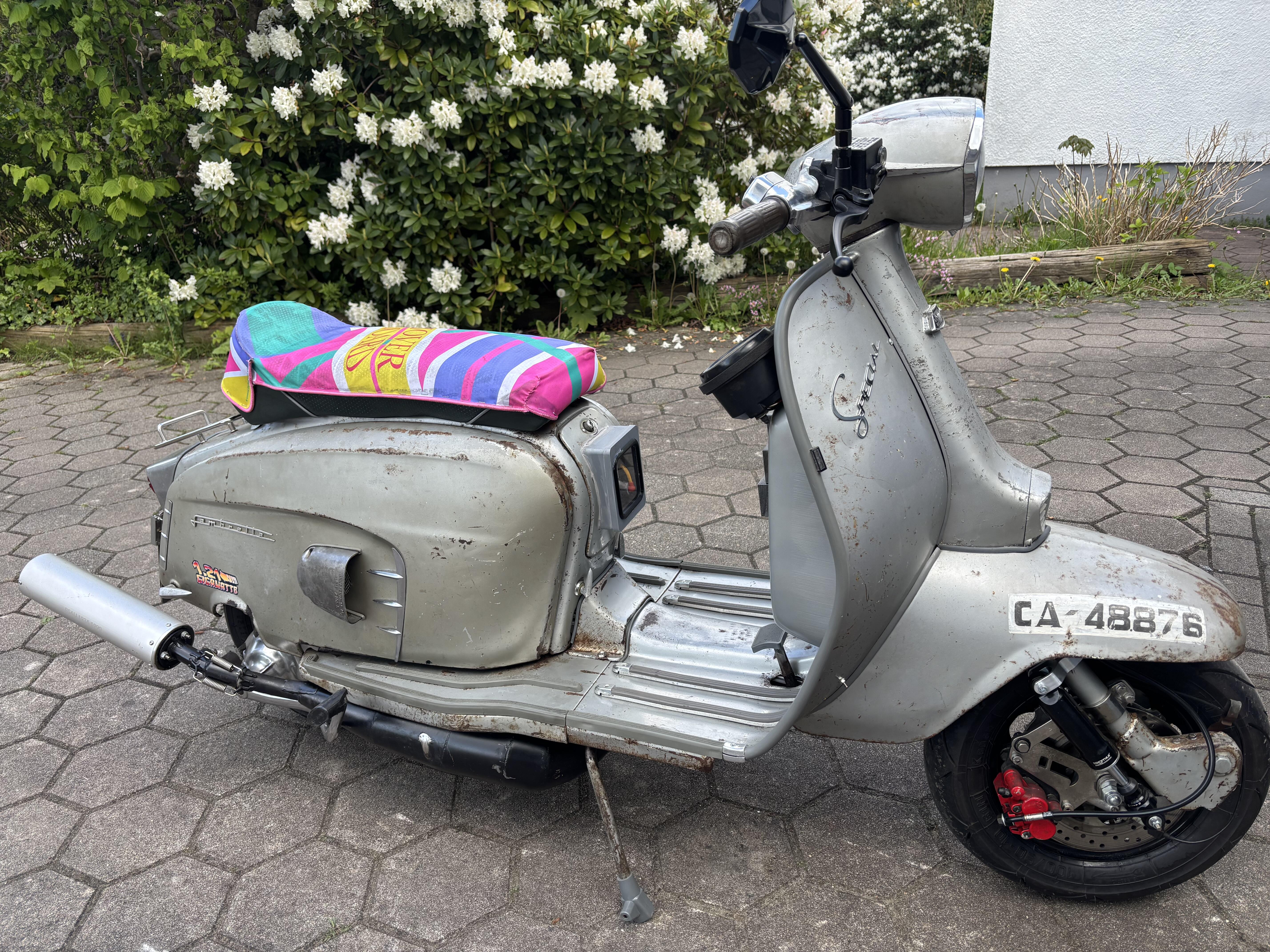
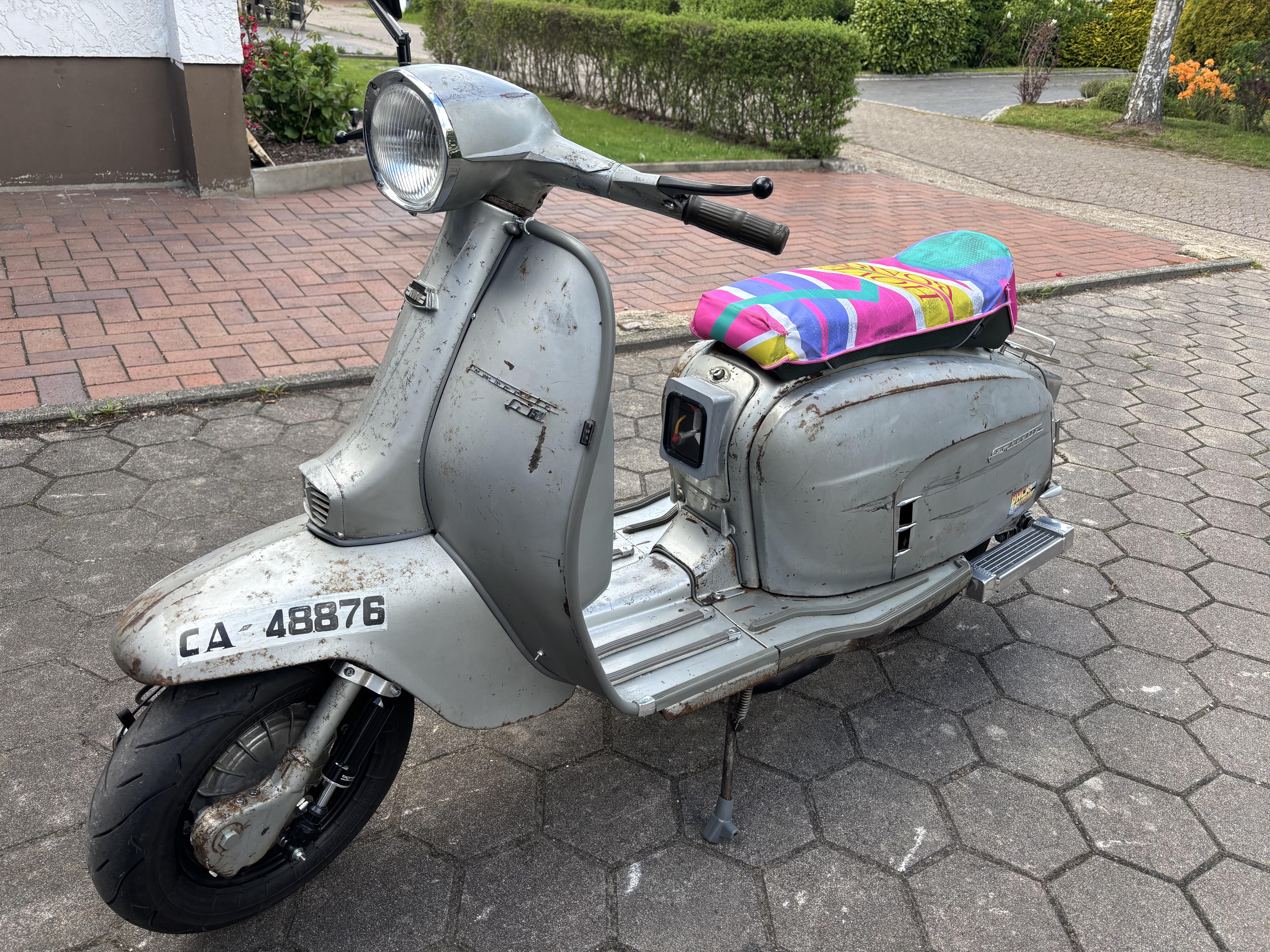
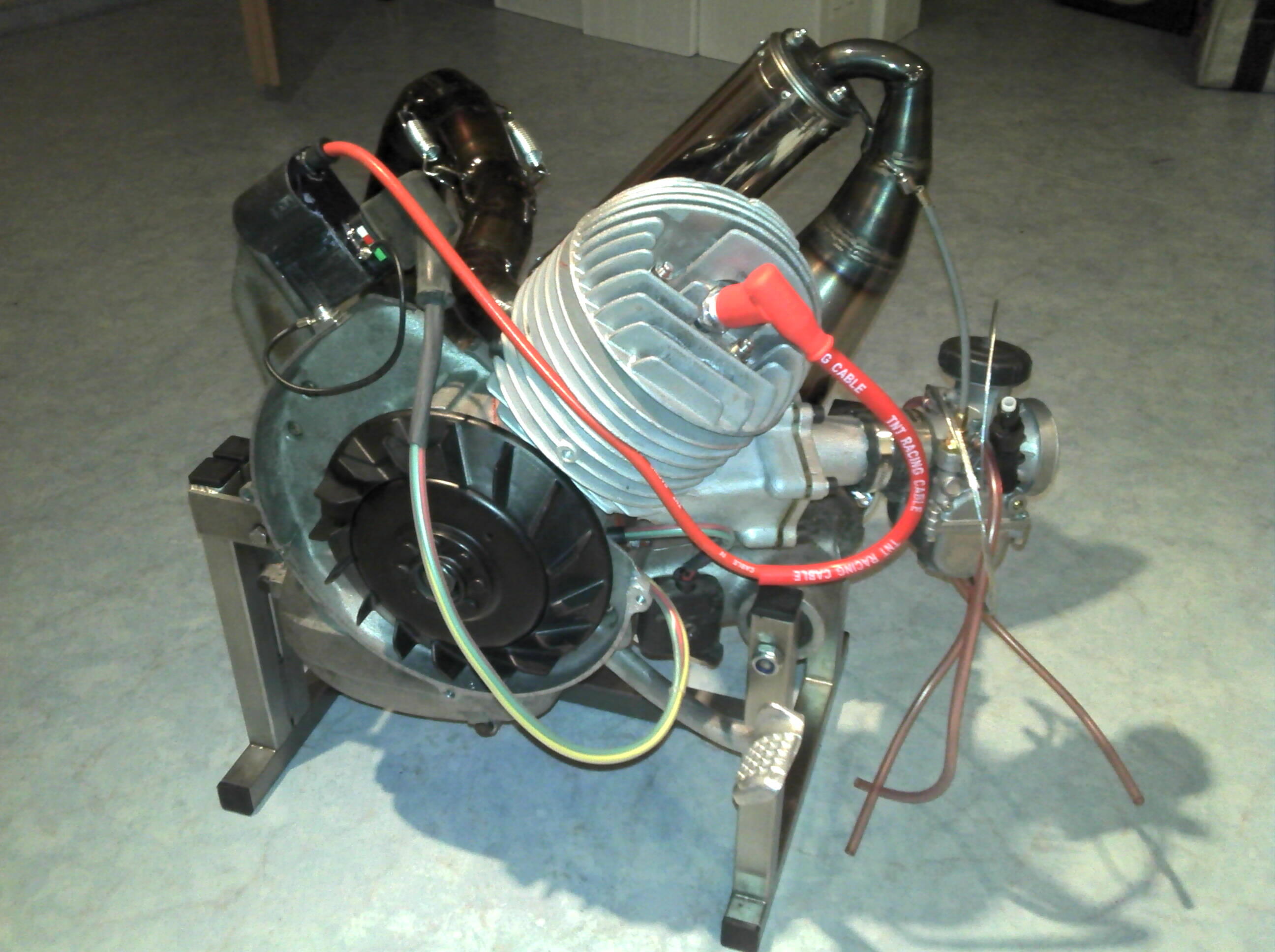
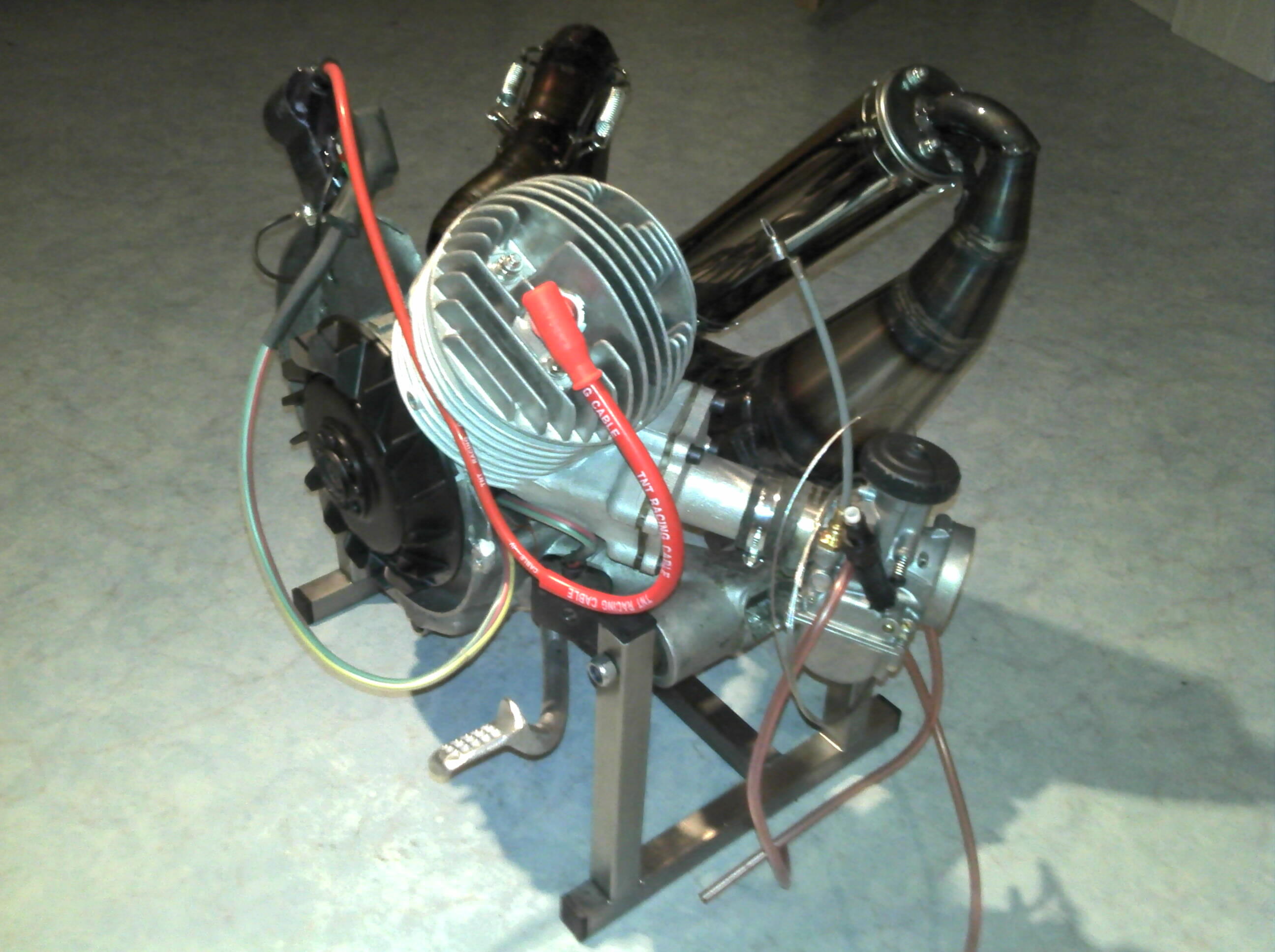
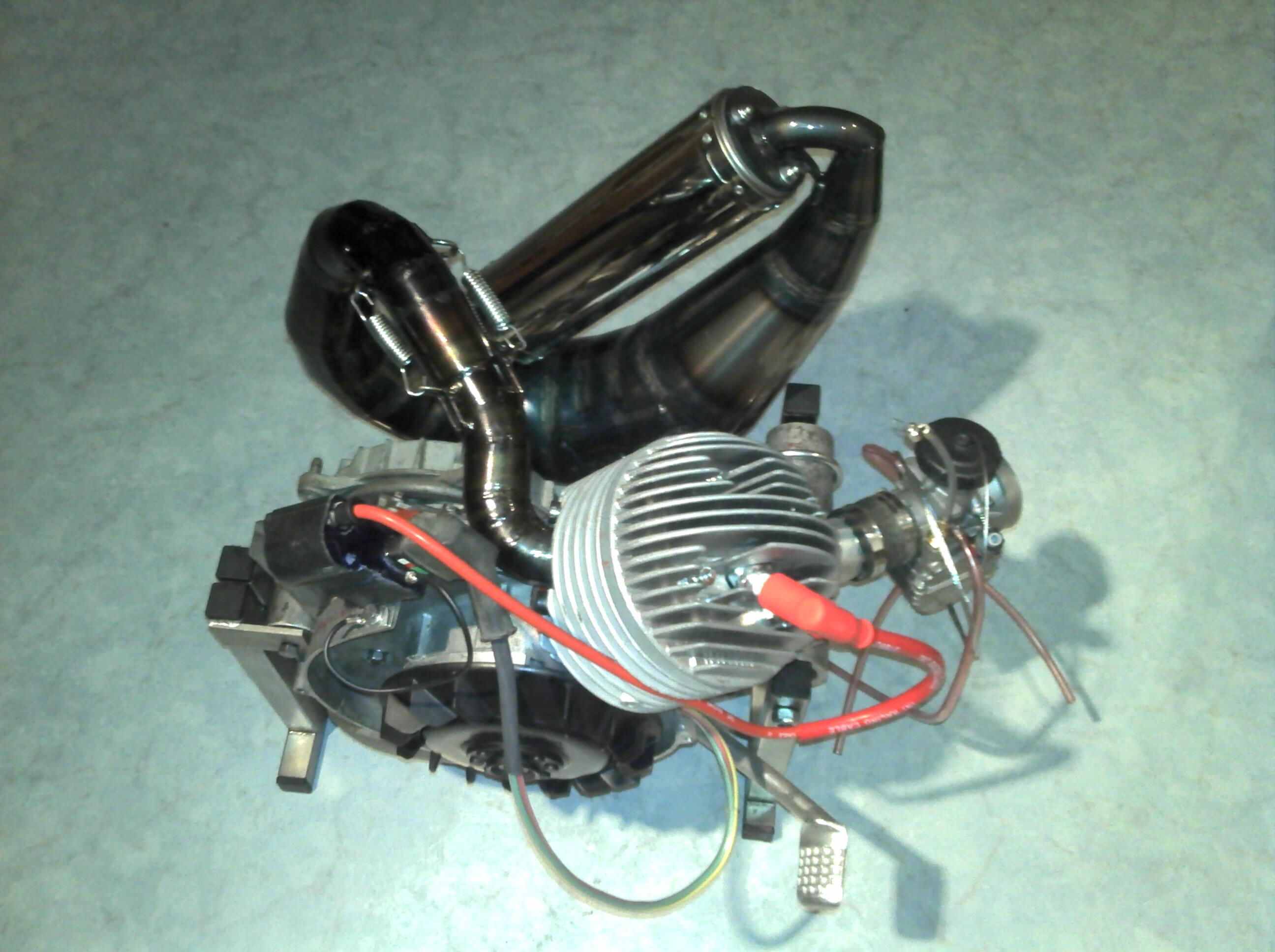
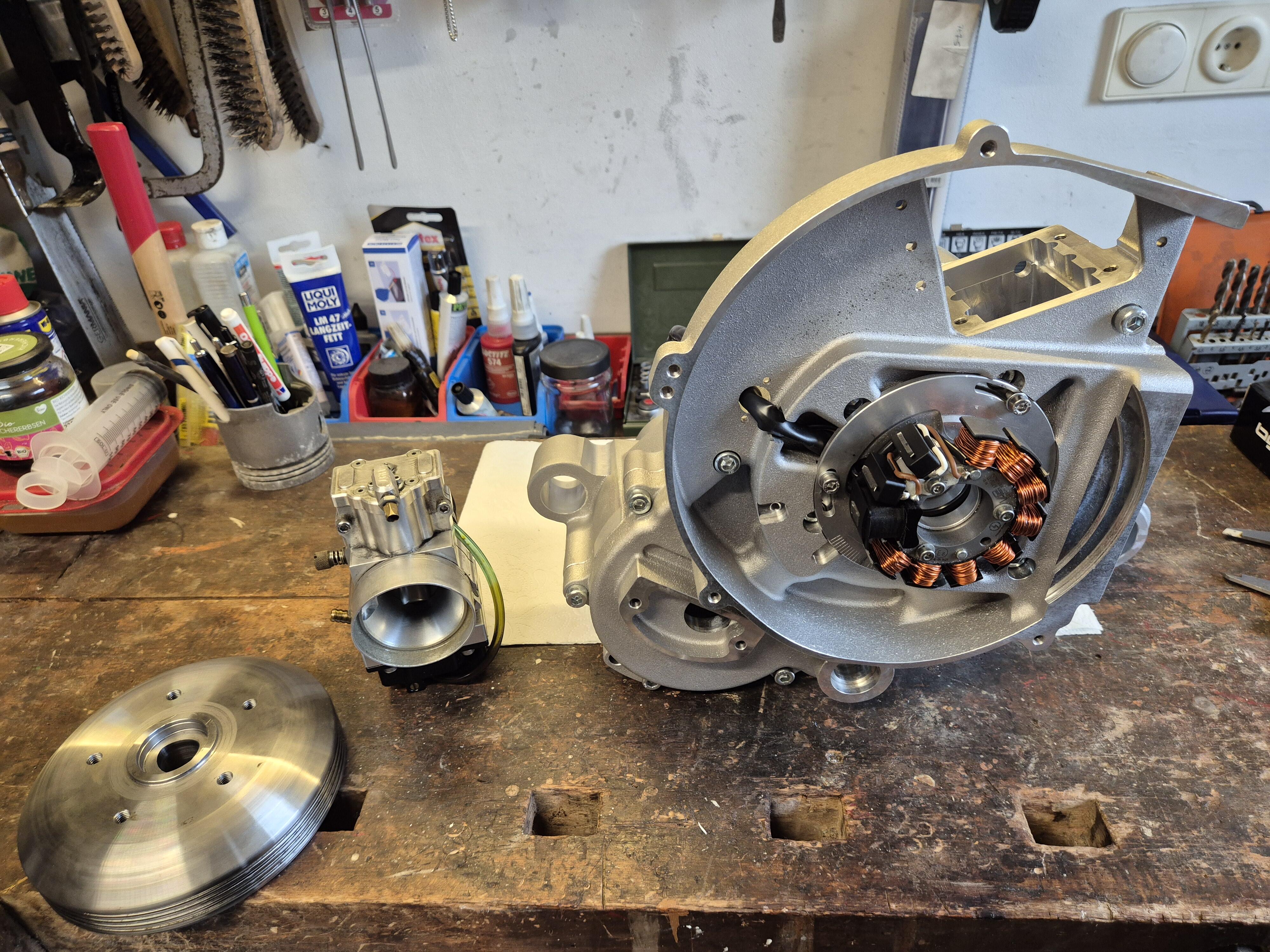
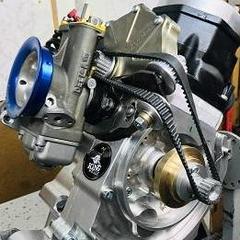
Hab mir über den Winter einen 290ccm Rotax 580 zusammengezimmert. Den Kühler habe ich unter der linken Haube versteckt. Leider musste noch ein kleiner Zusatzkühler nachgerüstet werden, da sonst die Temperatur bei Dauerlast zu hoch ging. Der BGM MZ30 muss noch gegen einen anderen Auspuff getauscht werden, da er ab 7000U/min zu sehr drosselt.
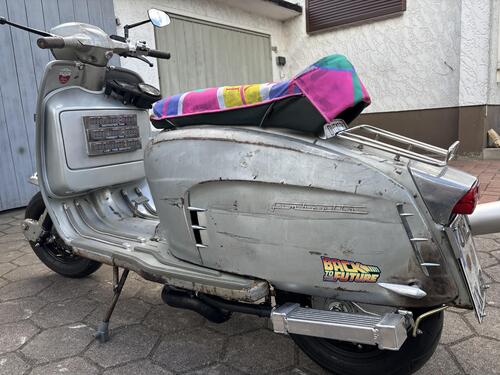
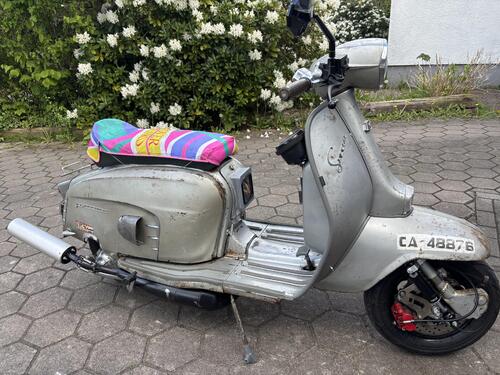
 8 Punkte
 -
7 PunkteDie kleinen Randnotizen ind der Zeitung sind manchmal ja besser als die Witzeseite ...

 7 Punkte
 -
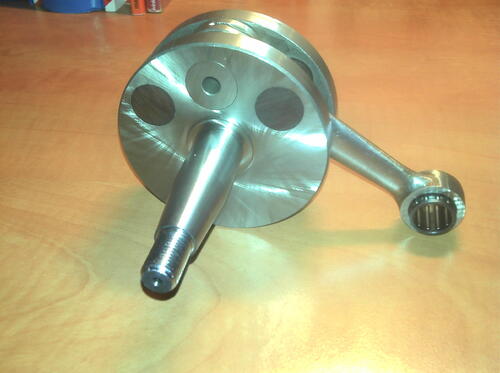
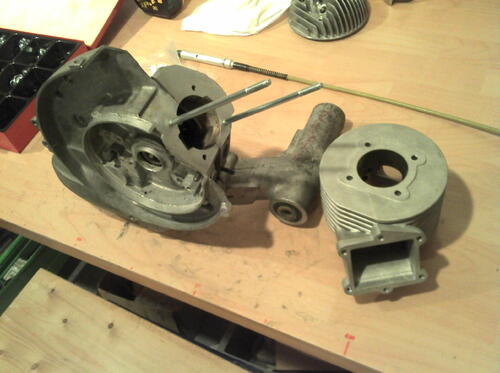
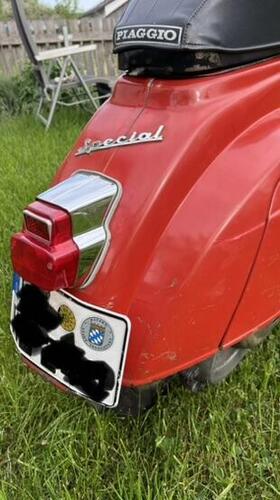
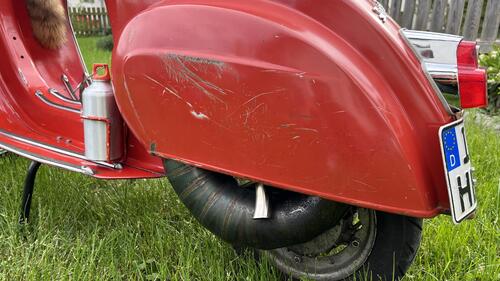
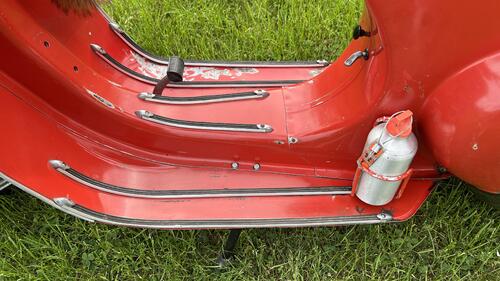
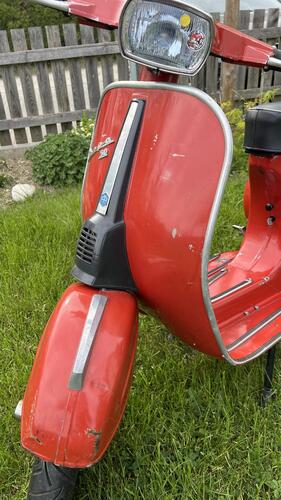
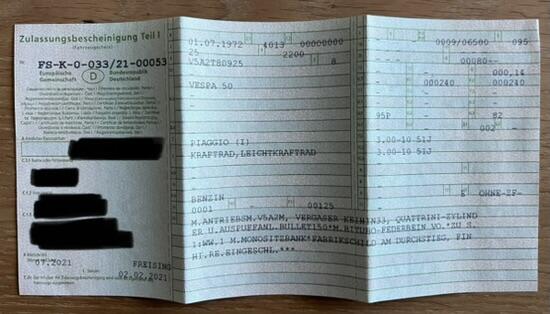
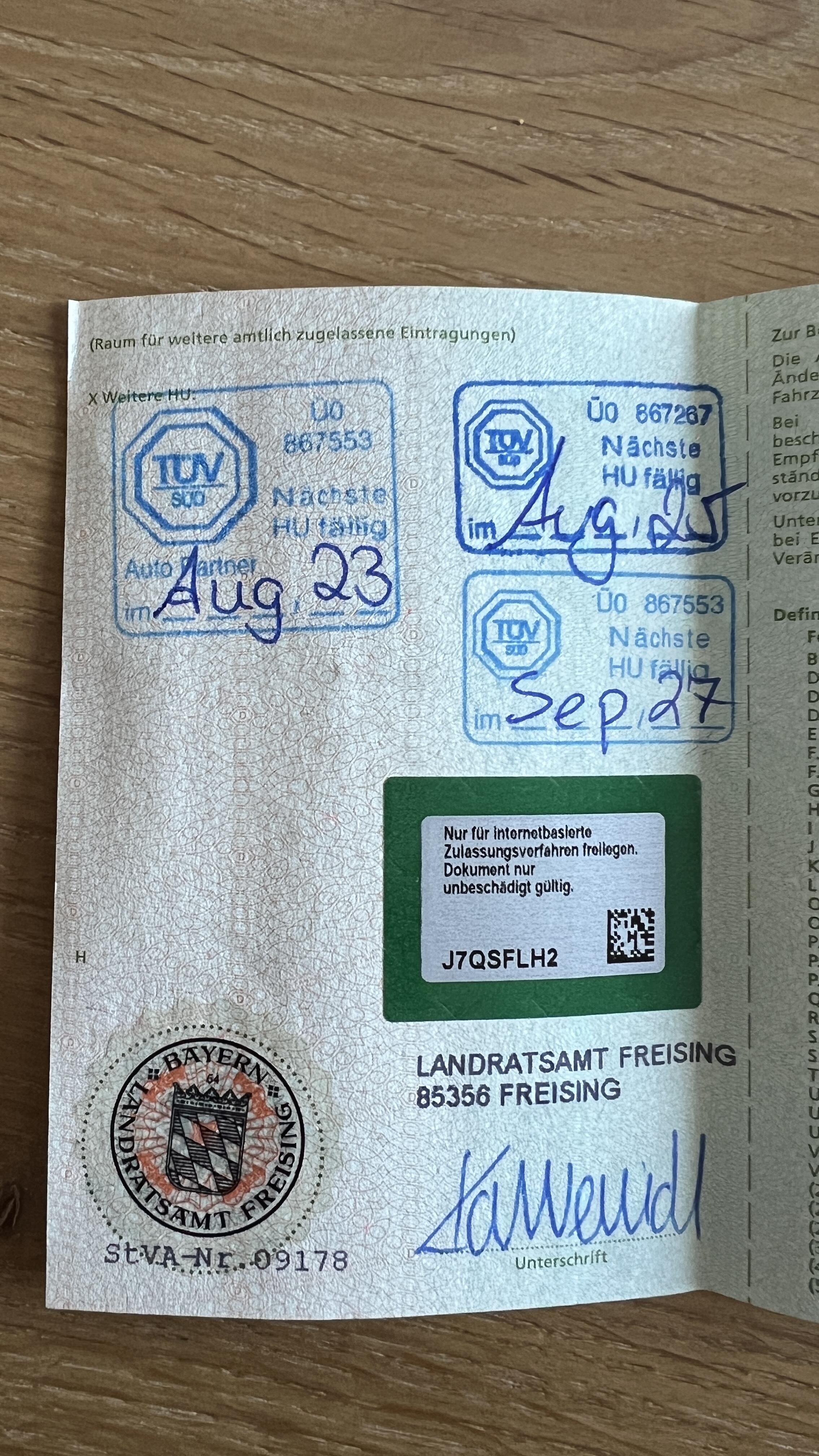
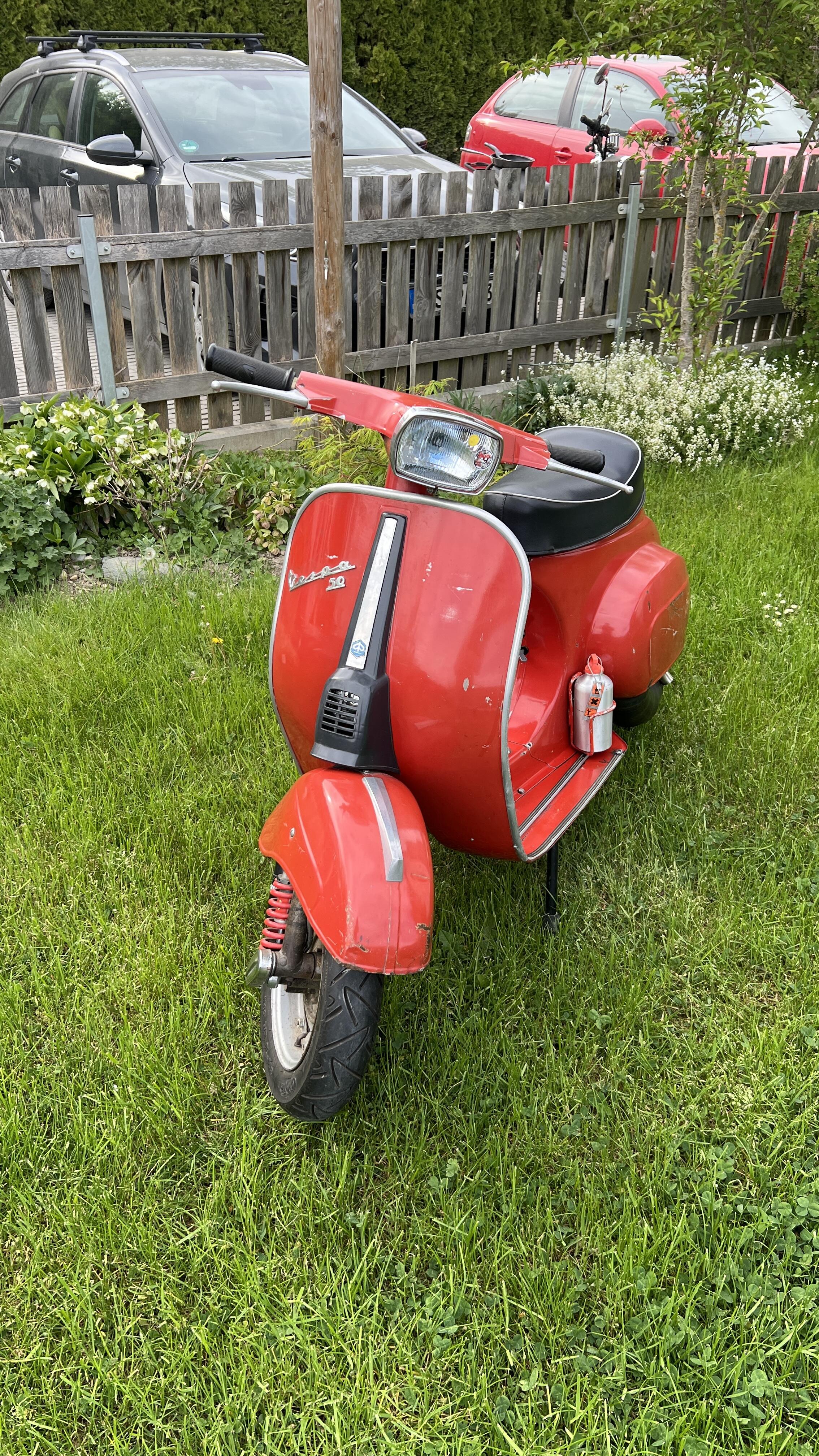
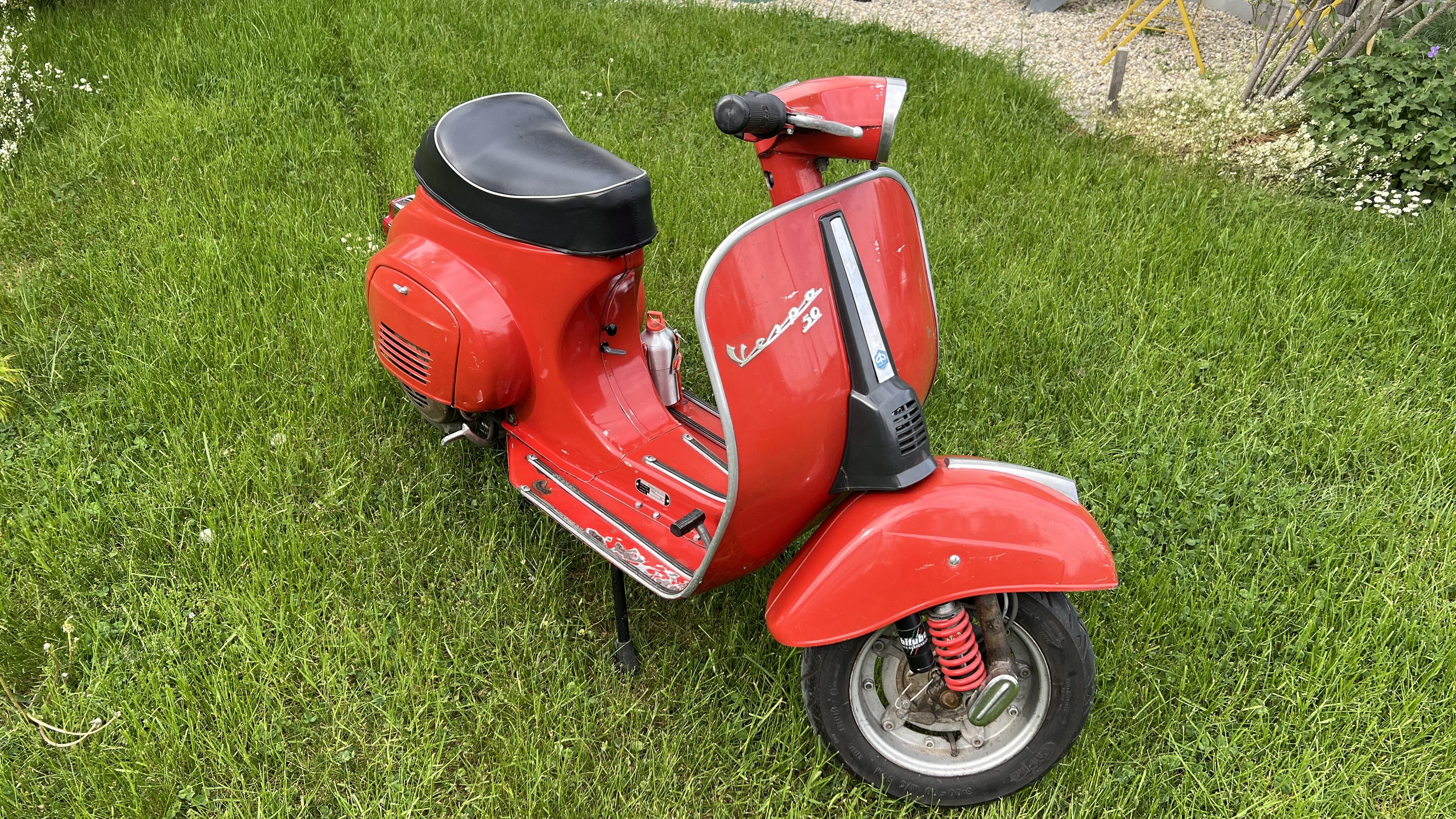
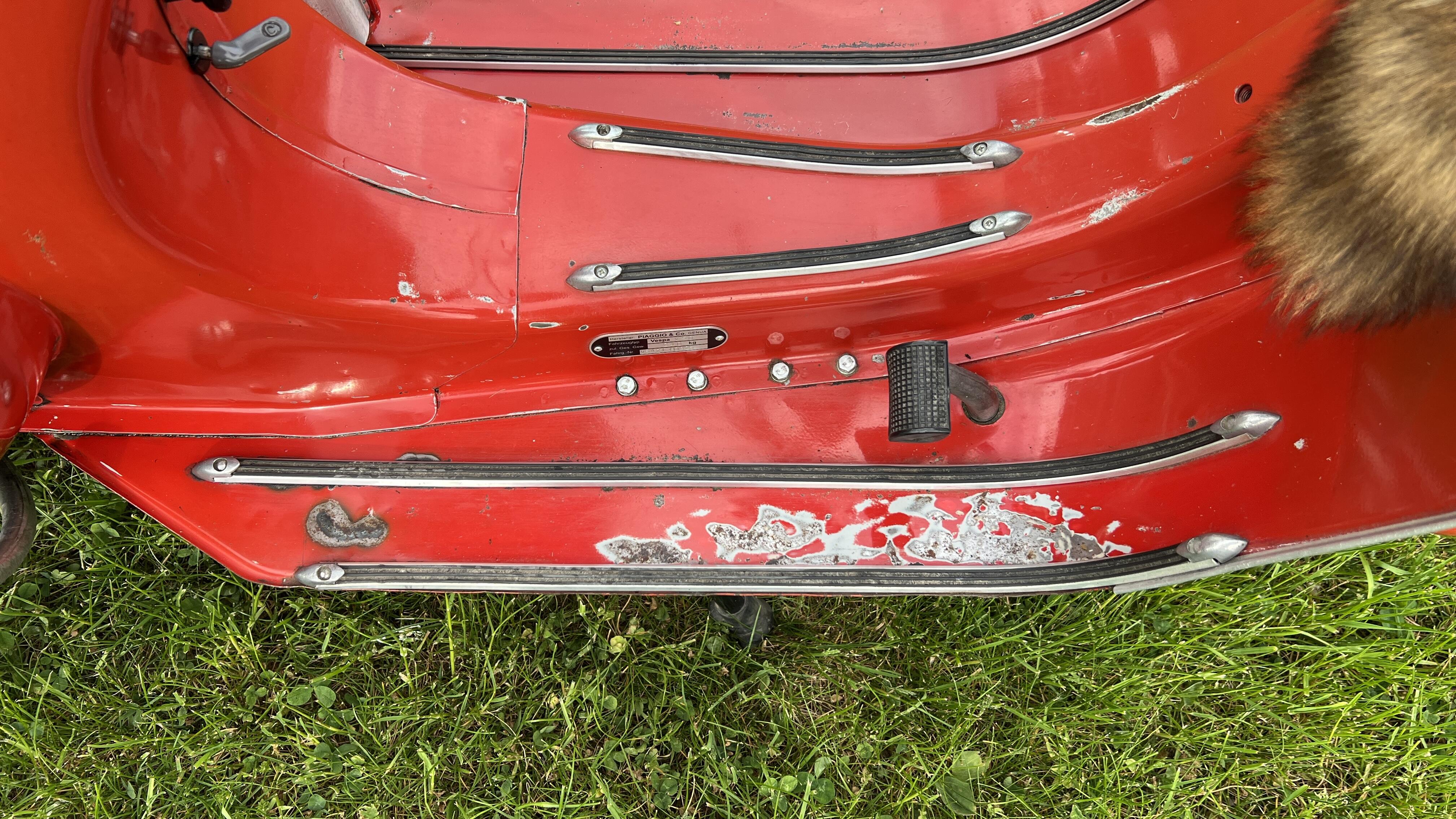
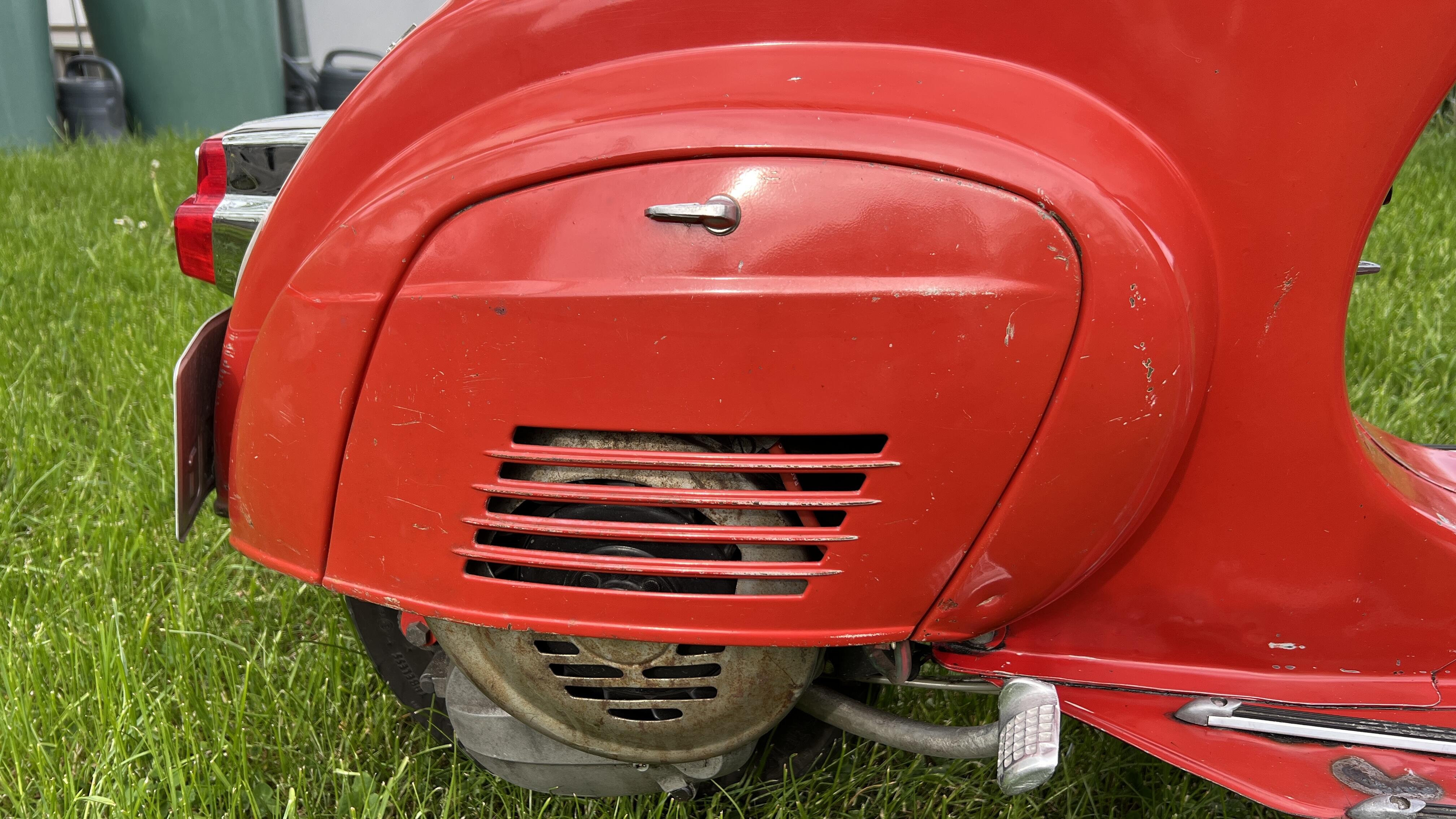
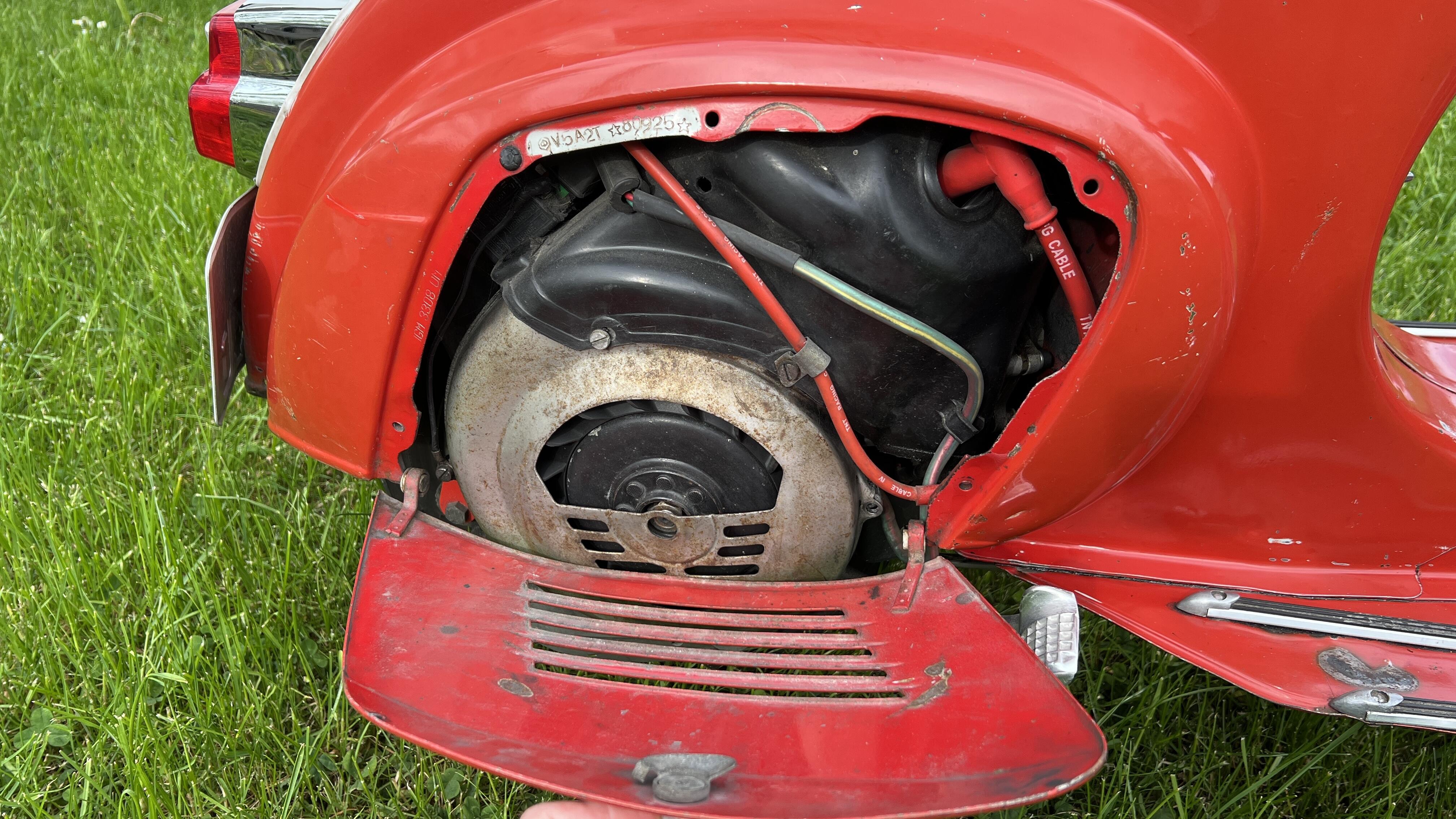
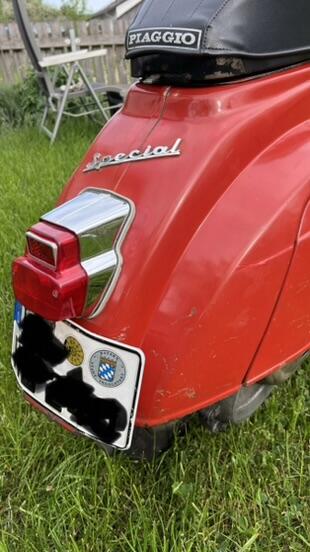
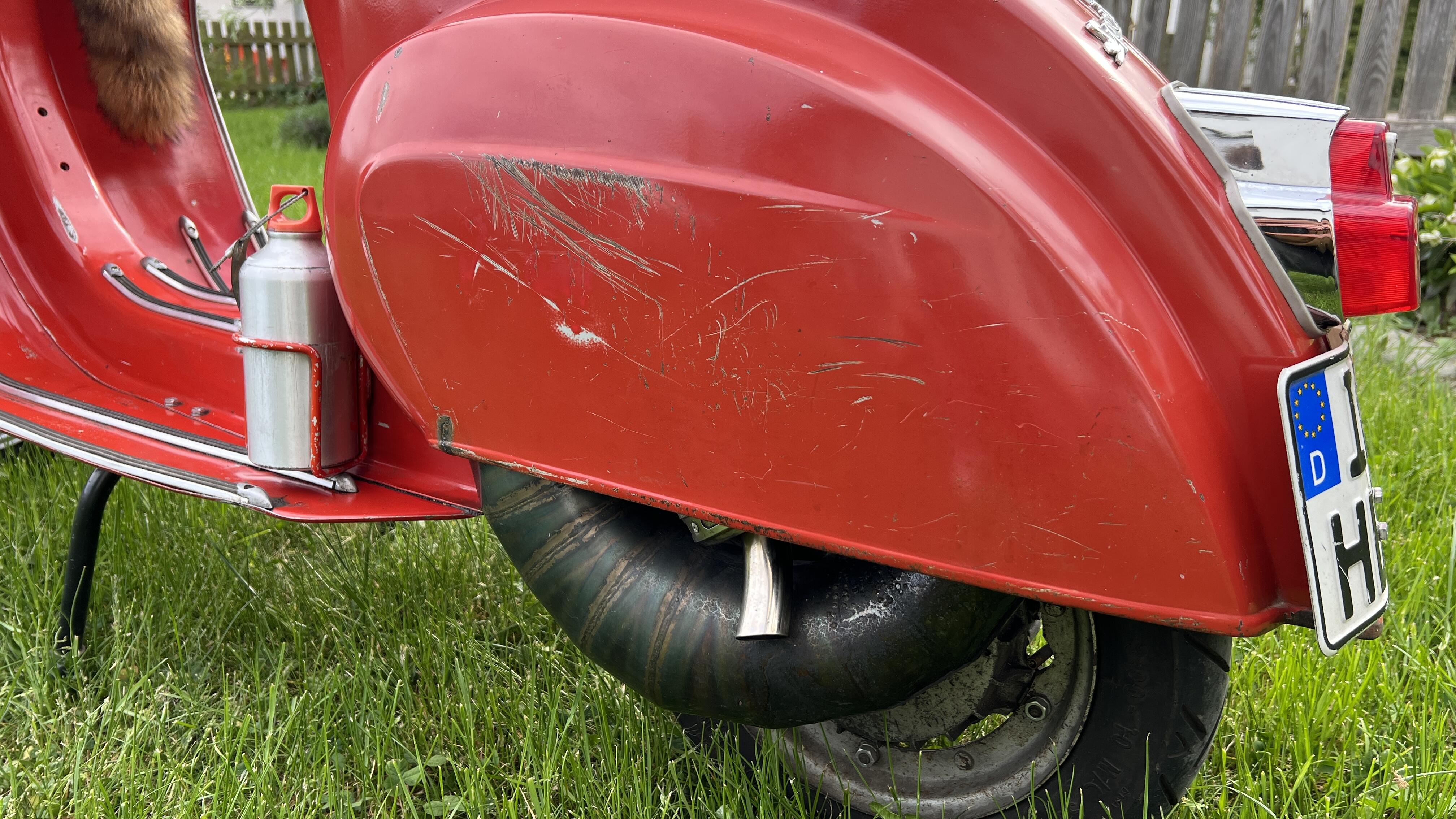
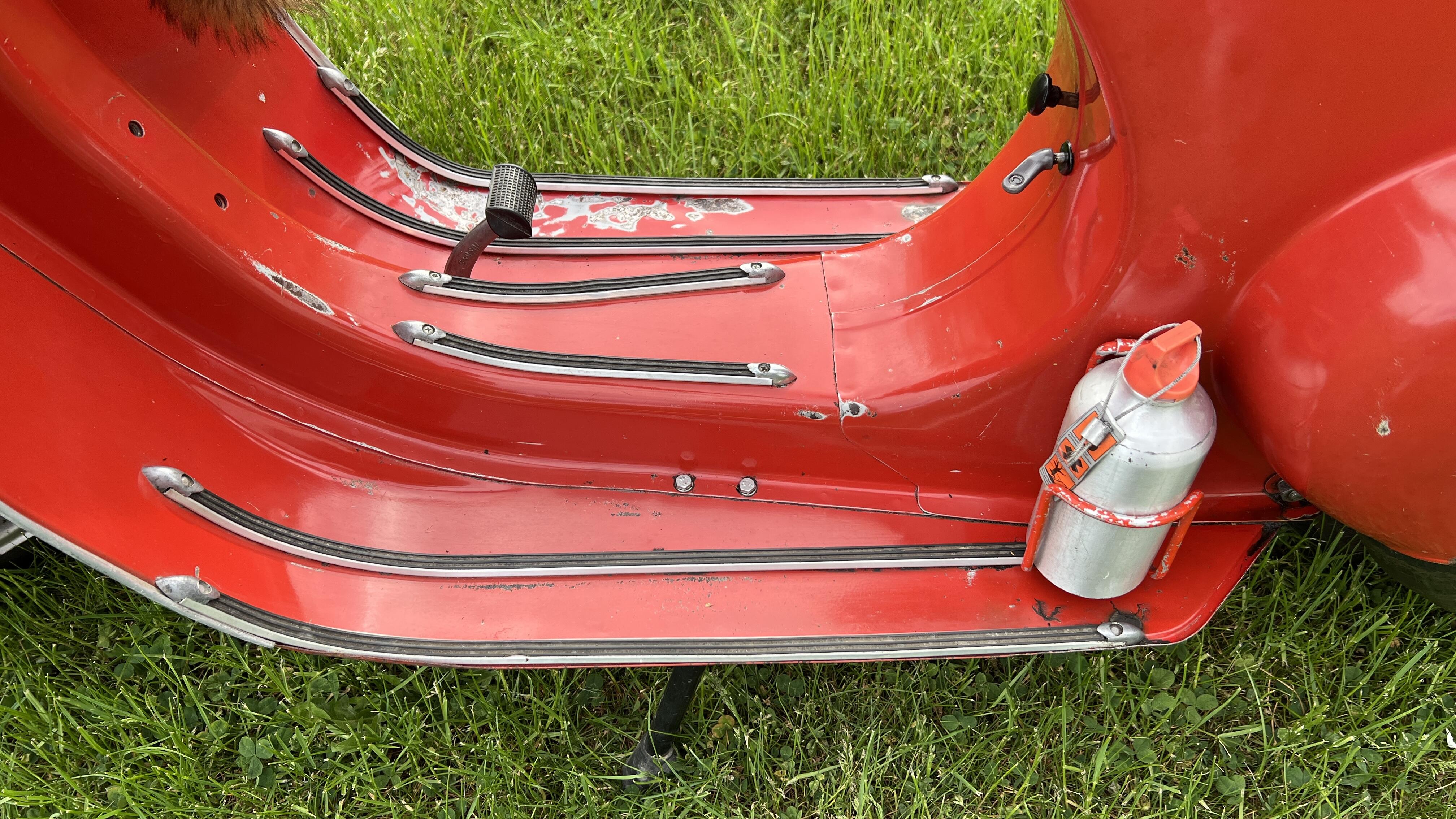
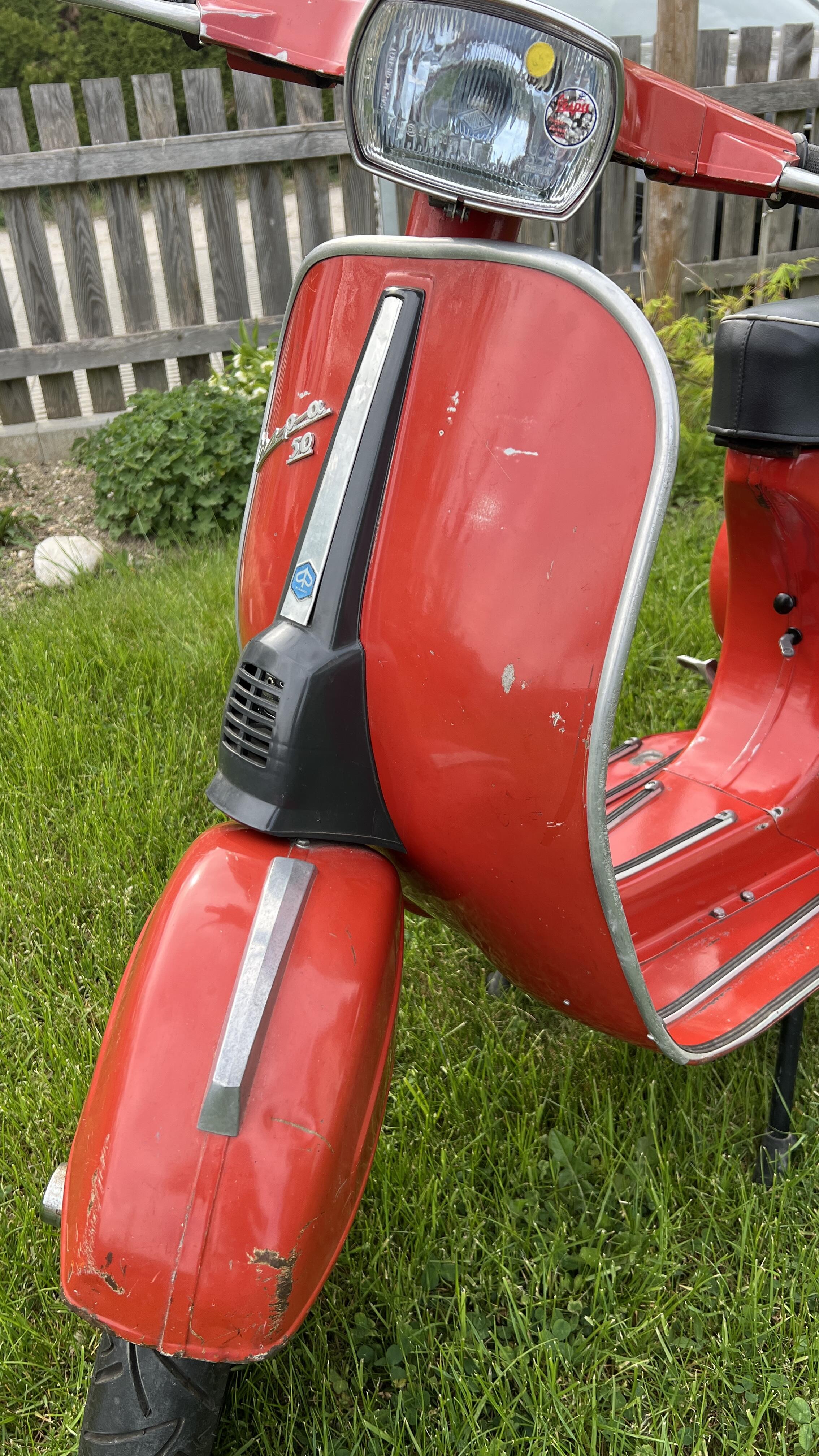
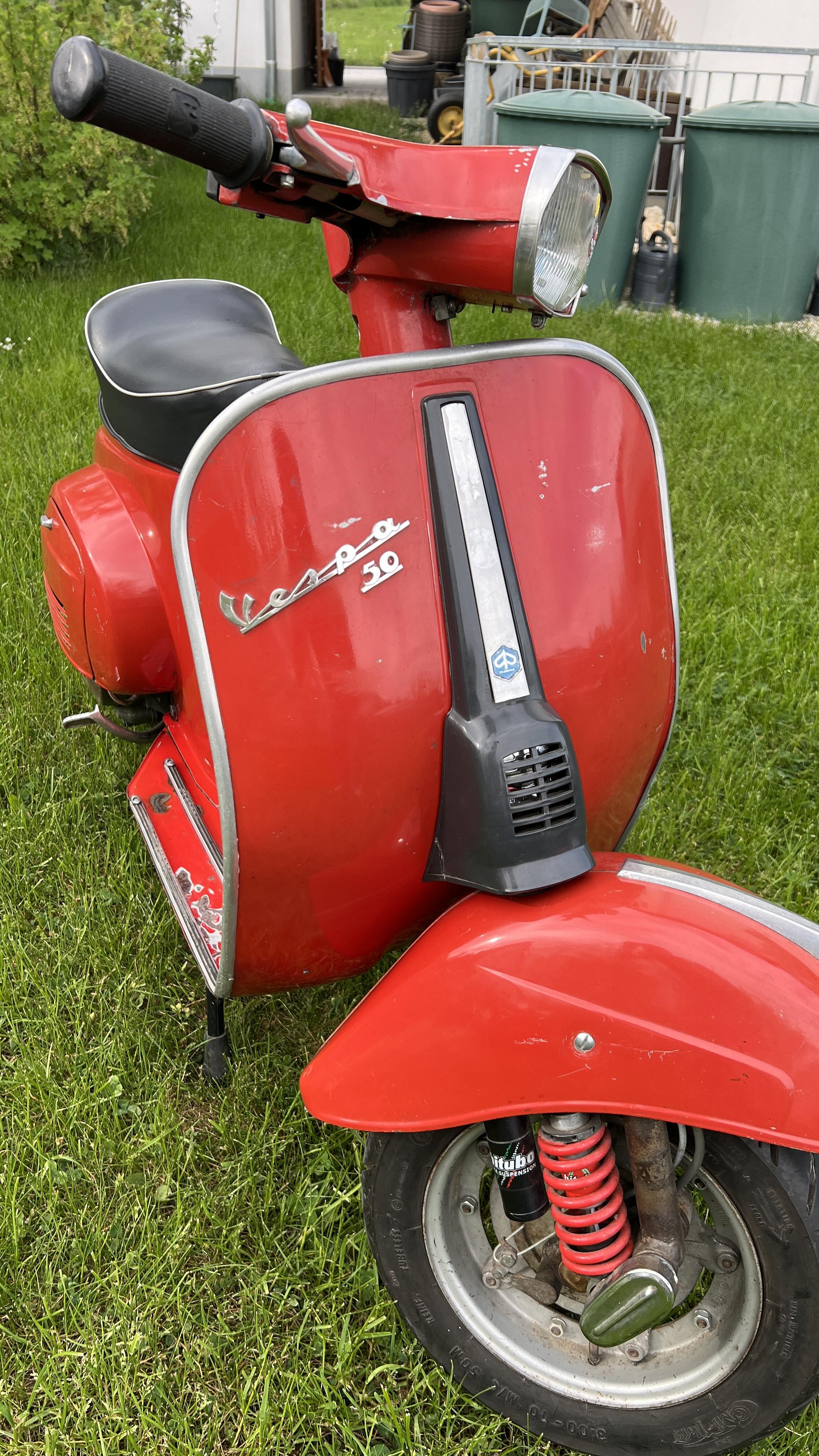
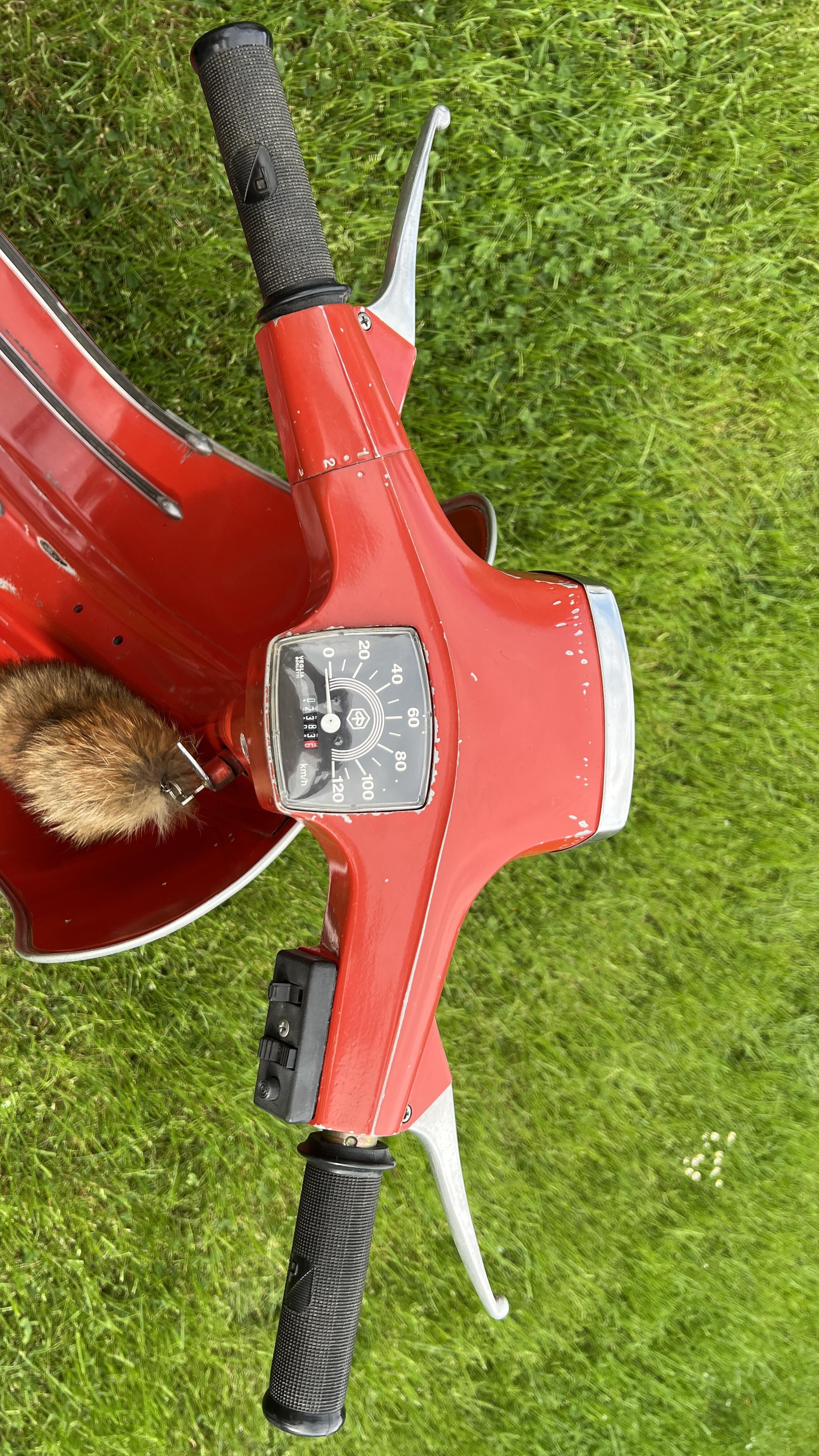
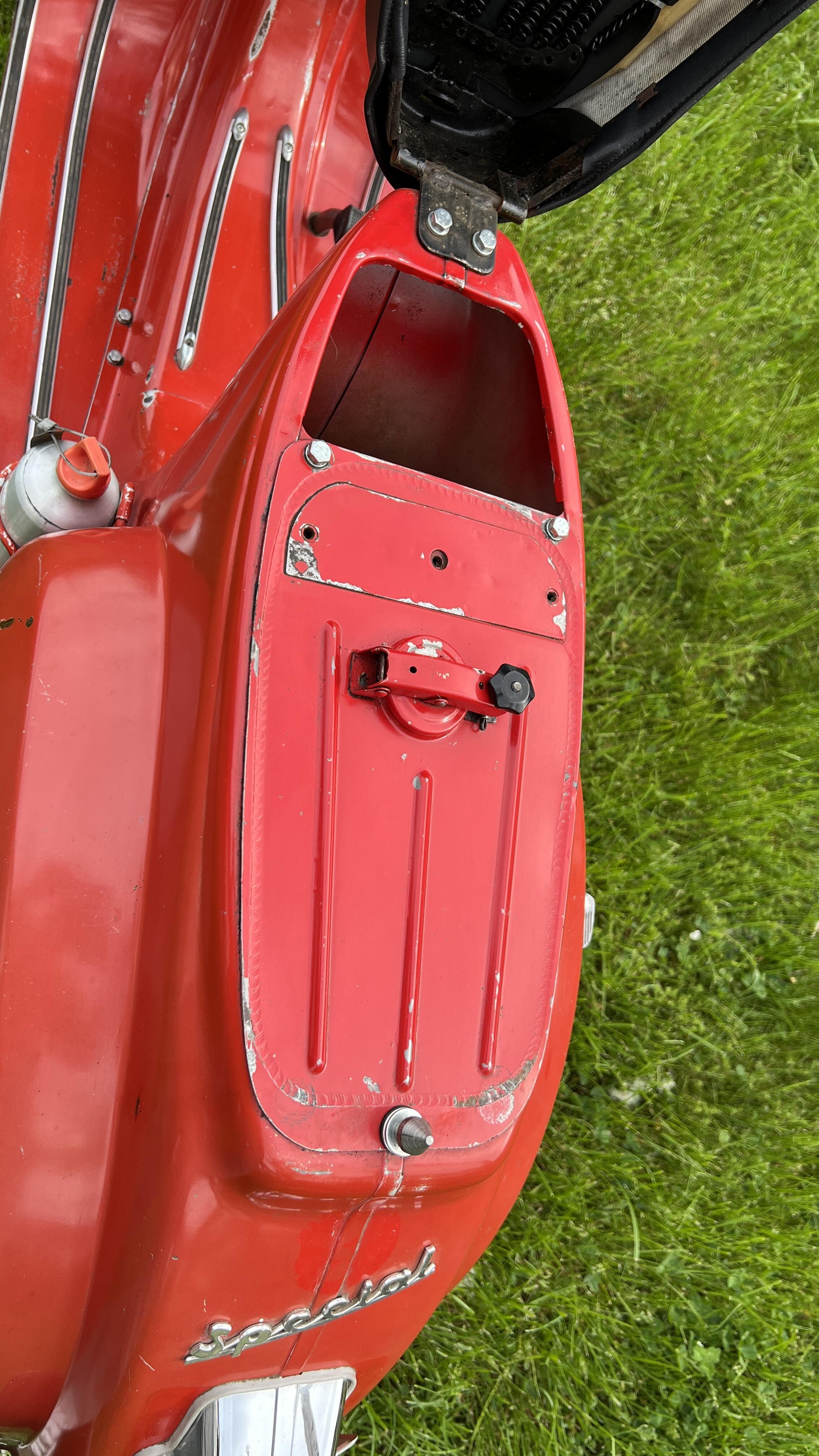
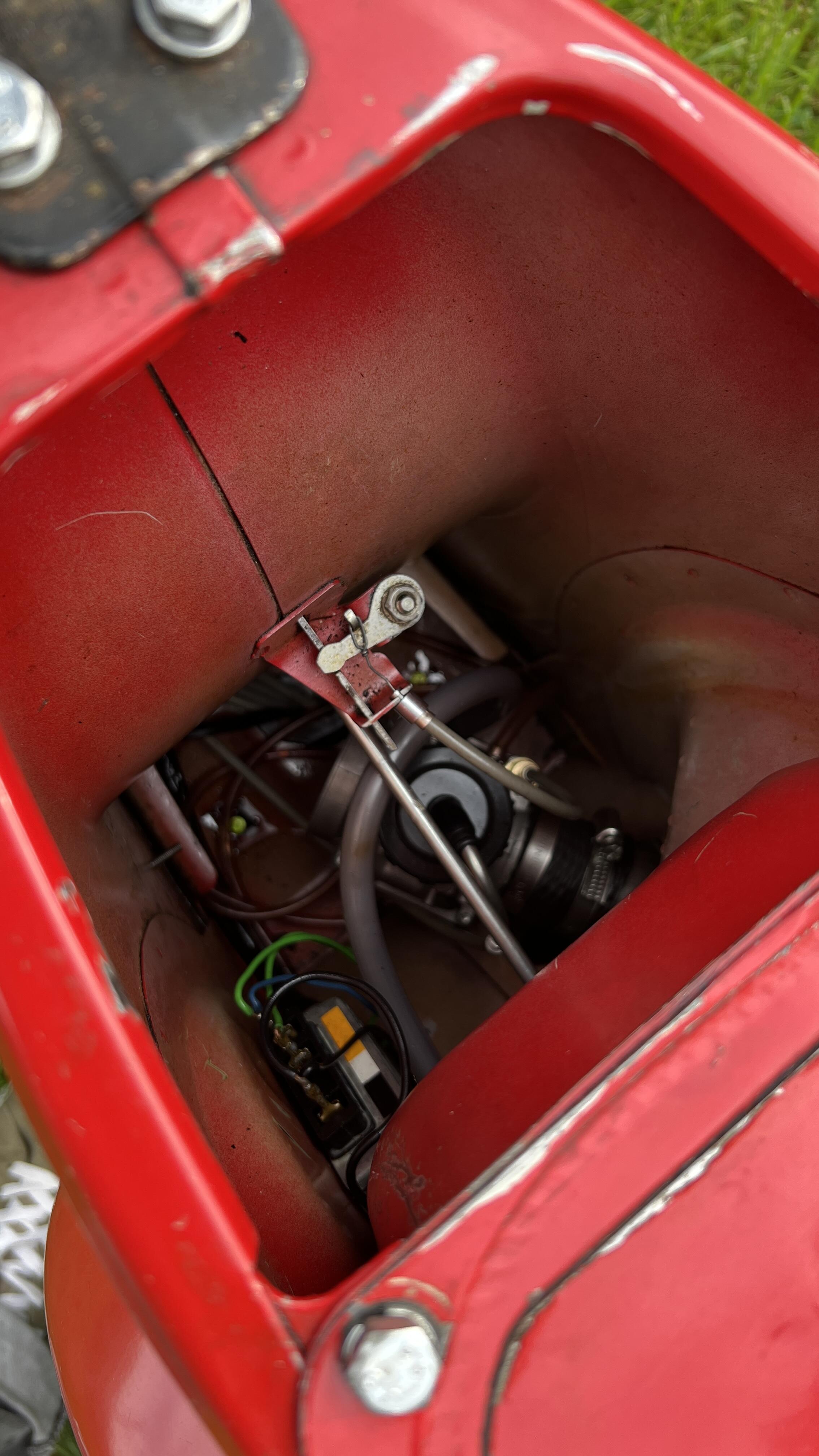
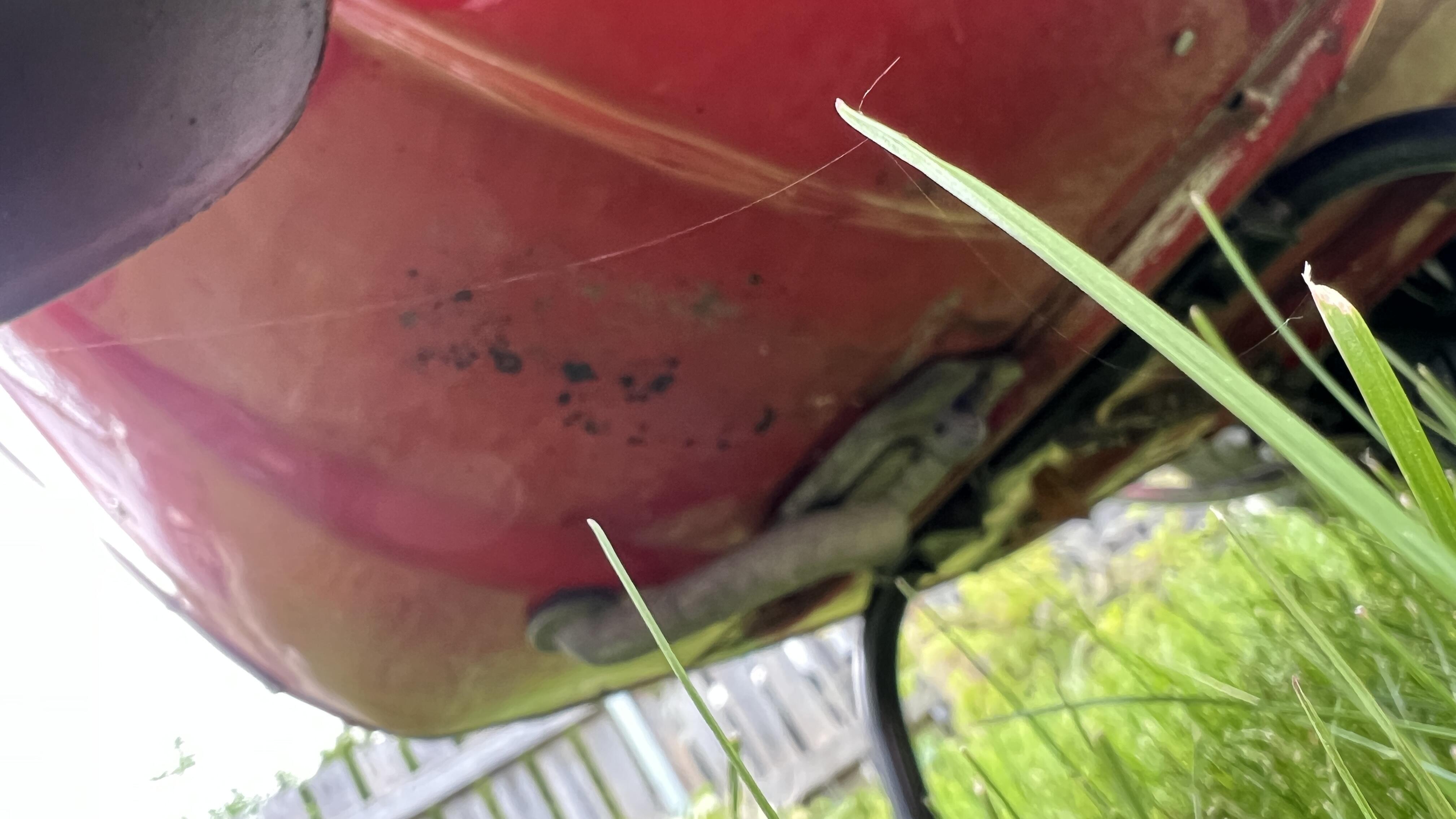
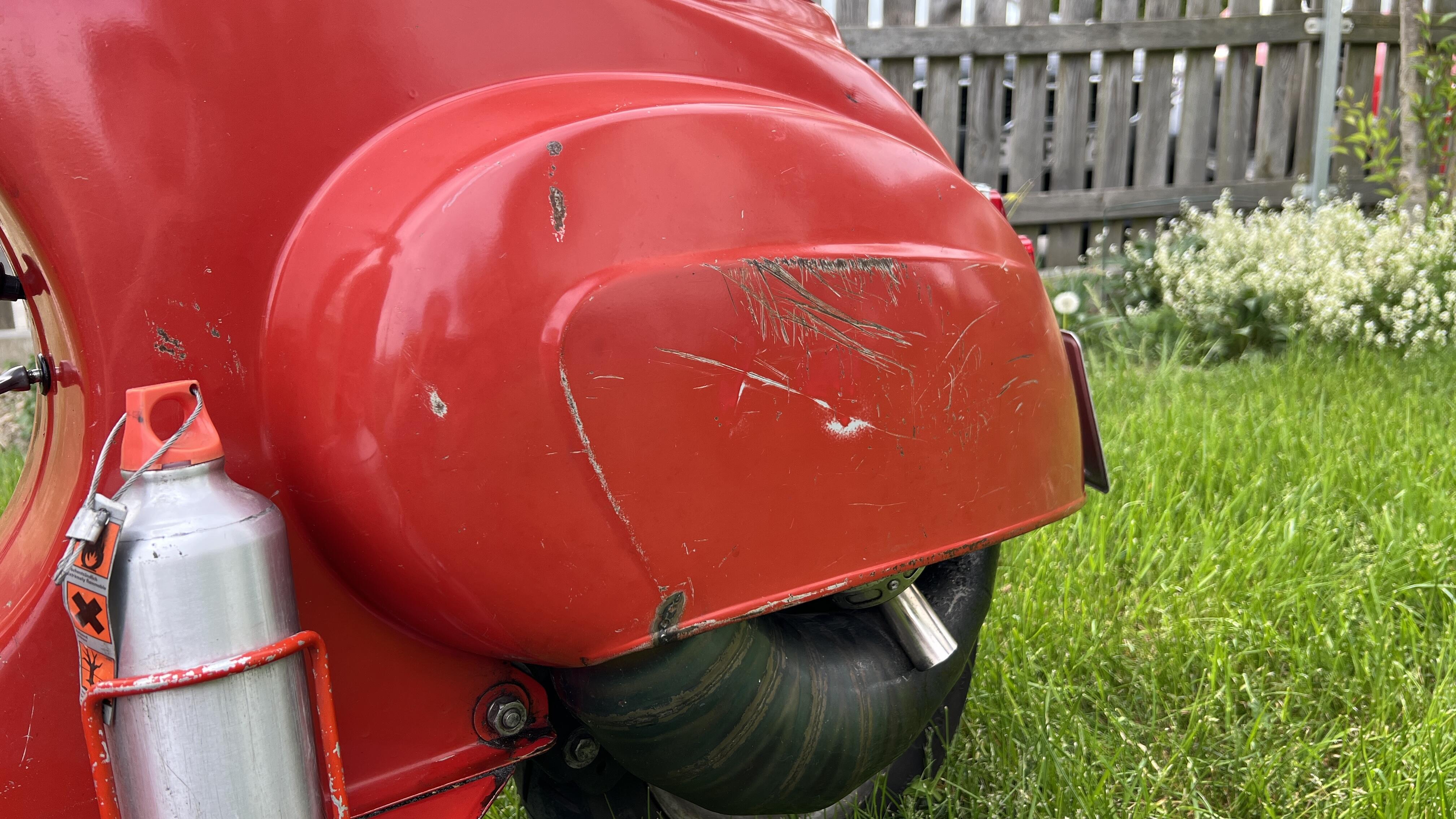
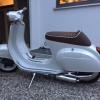
Ich verkaufe hier im Auftrag meines Cousins seine V50 Special Standort Paunzhausen bei Freising Preis: VB 4100 Euro Originallack, beim Umbau wurde darauf geachtet, das Aussehen und die Gebrauchsspuren möglichst zu erhalten. Originales Rücklicht (umgebaut auf Bremslicht) gibt es auch dazu. Für TÜV wurde zuletzt wieder das Rücklicht mit Zulassung verbaut. Auf einem Bild ist auch das originale Licht zu erkennen. 125 ccm Eintragung ohne Blinker TÜV bis September 2027 Setup: Motorblock aufgeschweißt und gespindelt Quattrini M1L 56 mit 4 Klappenmembran (eingetragen) Keihin Vergaser 33 (eingetragen), Düsen und Nadelset gibts dazu Bullet 150 Auspuff (eingetragen) Vollwangenkurbelwelle Mazzucchelli 54 mm Langhub, 105 mm Pleuel, 20/20 Original HP4 Lüfterrad 12 V Zündung Primär 2.56 verstärkt Xyger DRT Ritzel für kürzere Übersetzung gibts dazu (aktuell nicht verbaut) 4 Gang Getriebe mit verstärkter Feder und neuer Schaltklaue XL2 Kupplungsdeckel mit 1 mm Spacer Kupplung Newfren Sport mit verstärkten Federn und Carbon Belägen Tacho 120 km/h Fernlicht und Bremslicht Bitubo Racing YEV Federbein vorne Monositzbank Laufleistung Motor seit Neuaufbau ~2500 km, letzter Service Kupplungsbeläge und Motoröl vor ~500 km. Reifen gehören altersbedingt erneuert Bei Bedarf können auf unserem Prüfstand ein paar Messungen gemacht werden mit der Karre!
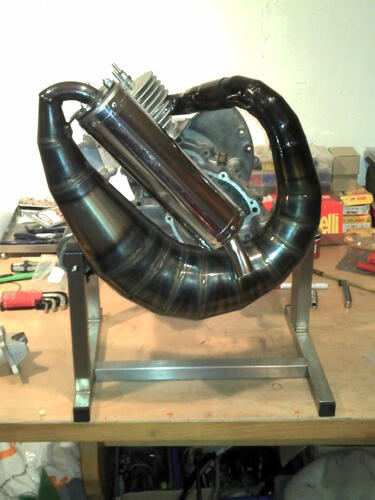
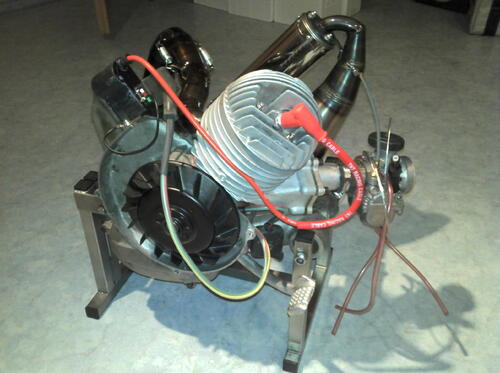
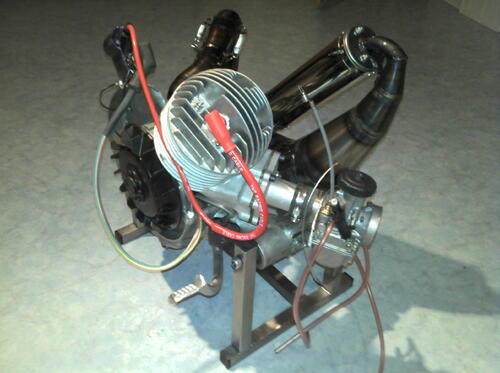
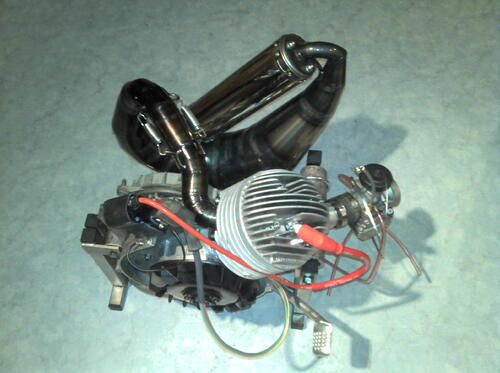
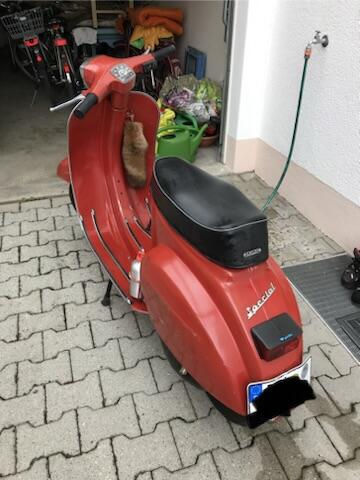
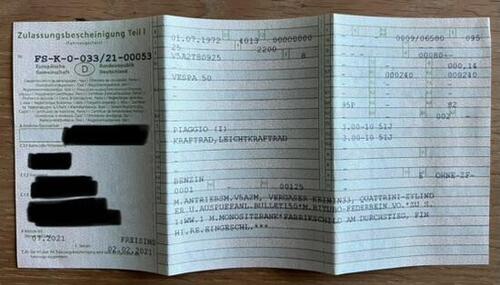
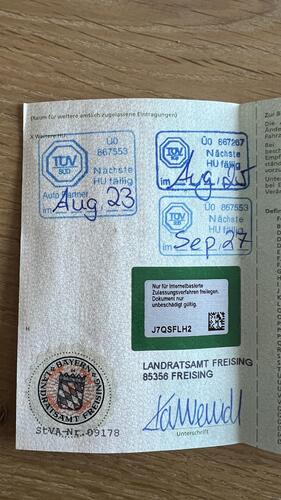
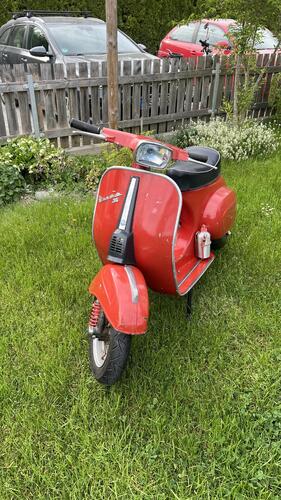
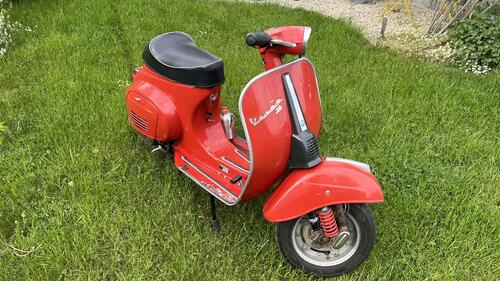
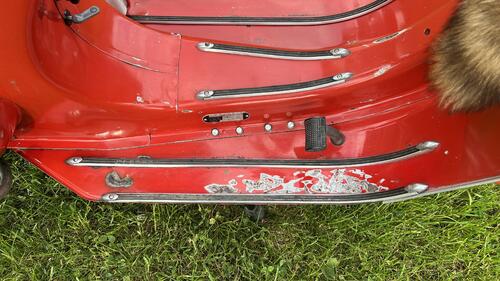
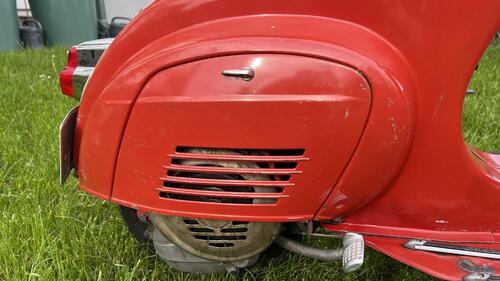
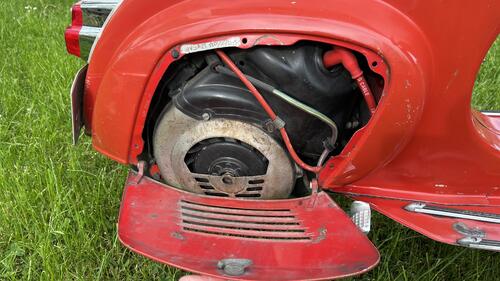
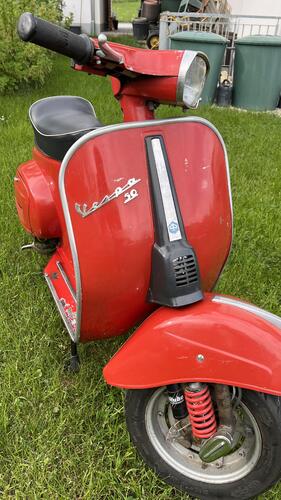
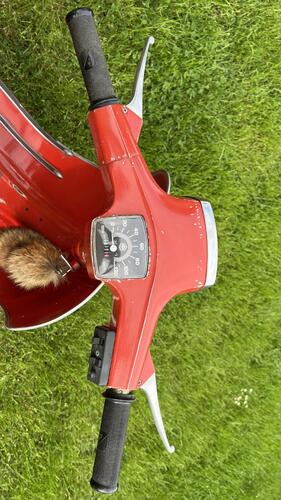
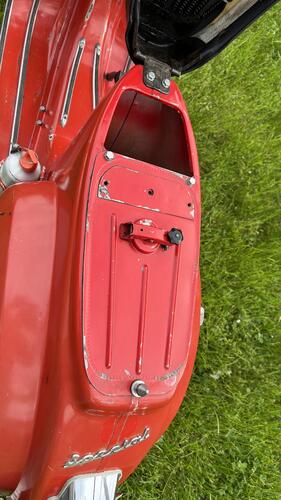
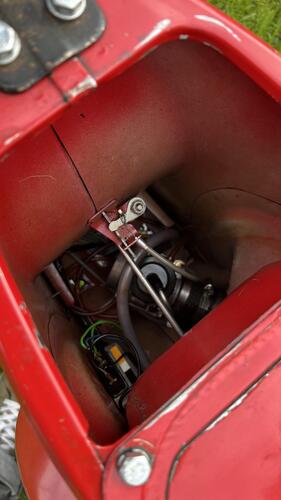
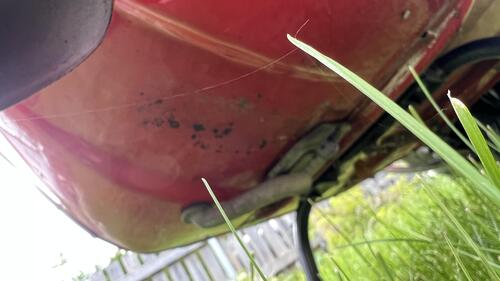
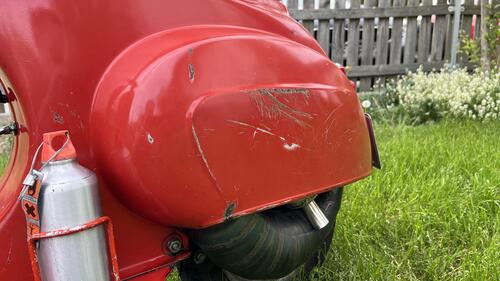 3 Punkte
 -
3 PunkteOMG, ist das GSF 'lammfromm' geworden. Vor nicht allzu langer Zeit wäre die Frage gleichgesetzt mit 'ist ne GayTS auch eine Veschpa' Ohne Zweifel einzige Option ist das Lammfell3 Punkte
-
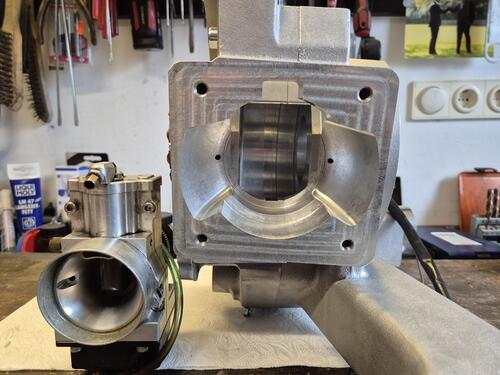
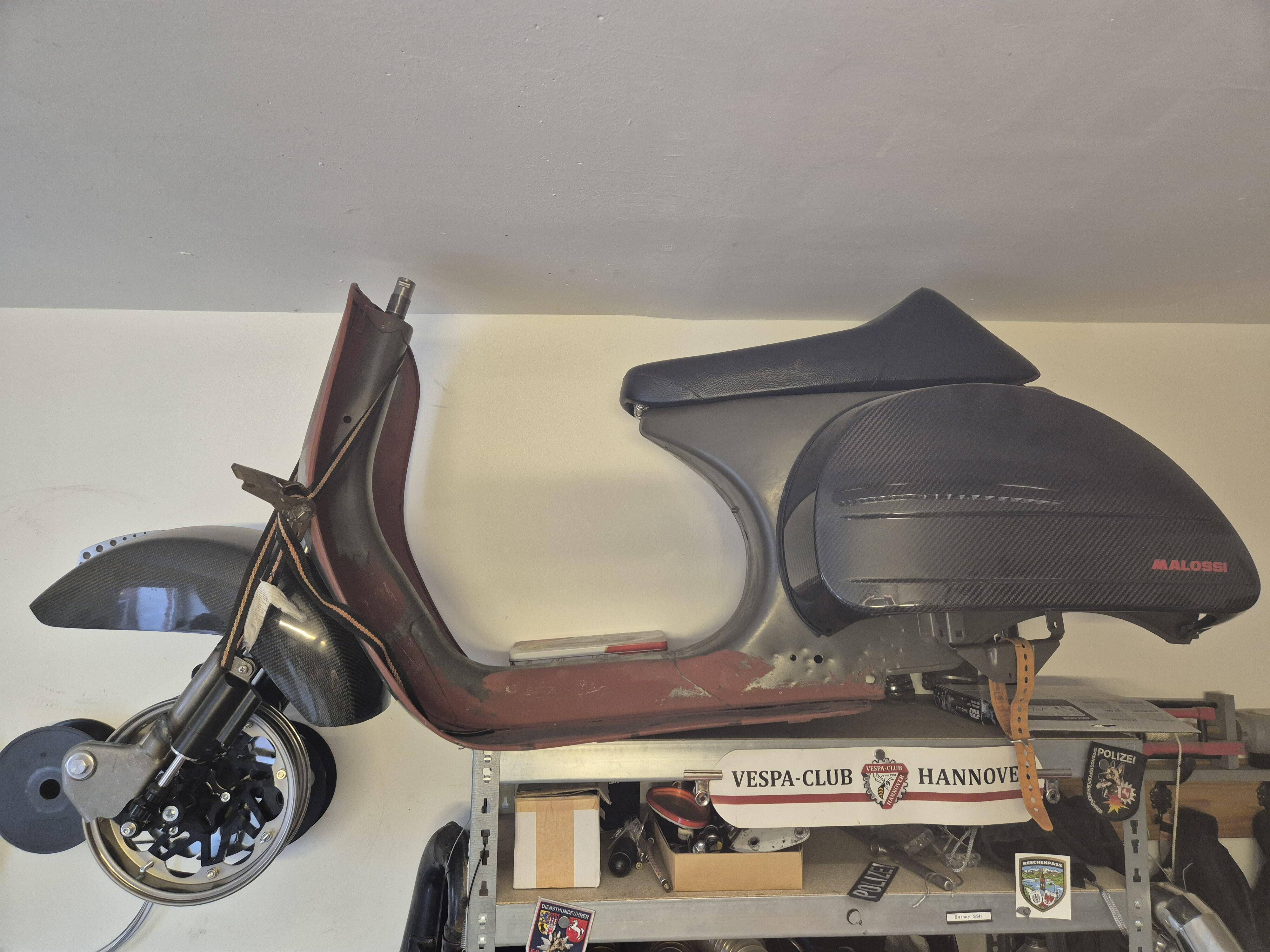
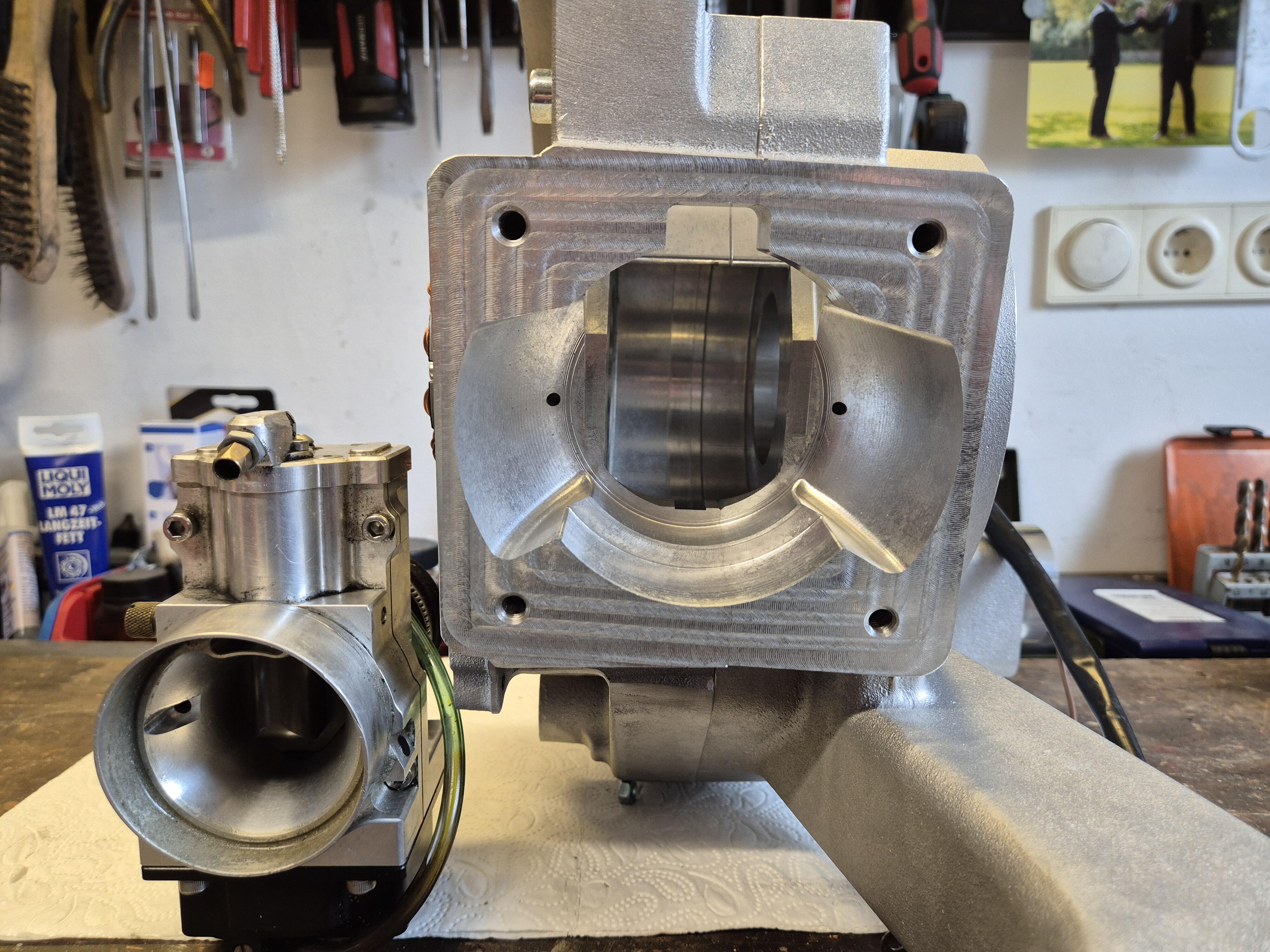
3 PunkteErste Bilder, alles noch nicht bearbeitet, warte noch auf weitere Teile: Aber man kann grob die Richtung erkennen... Der Rahmen ist NOS, hab ich vor einiger Zeit von Rita gekauft. Ging direkt auf dem Rückweg aus Frankfurt zum @Blechmann74 zum verstärken: Uploading Attachment... Bilder gehen nicht... Findet ihr hier: Und da ein stabiler Körper ein starkes Herz braucht... : Schon krass Da passt ein 210er Kolben hochkant rein
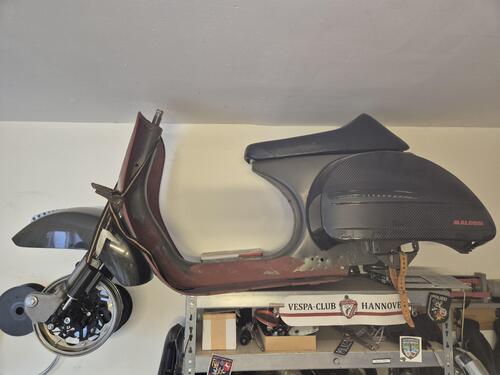
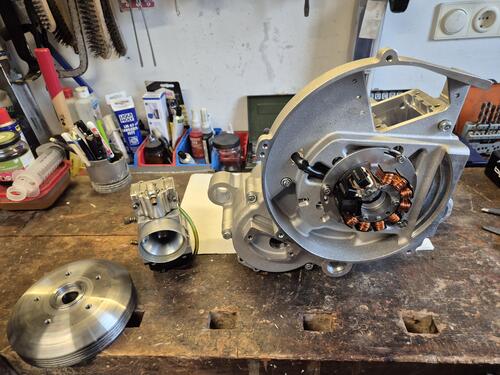
 3 Punkte
 -
3 Punkte@BaziLuder gab mir den Hinweis, dass die Nadelmaße im Dellorto Handbuch stehen. Und zufällig liegt das in meiner Werkstatt. Ich baue also noch etliche Nadeln ein. Stay tuned.3 Punkte
-
2 Punkte
-
2 PunkteWasn? Dazu nochn paar Heizgriffe, Scheibe, Topcase und Kniedecke und schon haben wir ALLE einen kleinen Ausblick auf die Zukunft Ist der Roller zufällig weinrot Metallic?2 Punkte
-
2 Punkte
-
2 Punkte
-
2 Punkte
-
2 Punkte15 Jahre später, User seit 2012 nicht mehr online. Ich befürchte das wird nichts2 Punkte
-
Ab auf den Prüfstand und Zündung ein bisschen vor und zurück drehen. Dann siehst du, mit welcher Einstellung die meiste Leistung anliegt2 Punkte
-
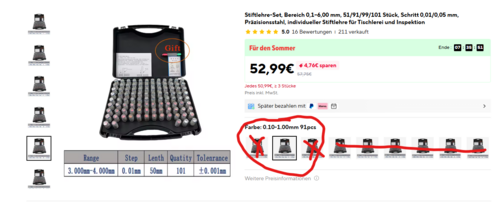
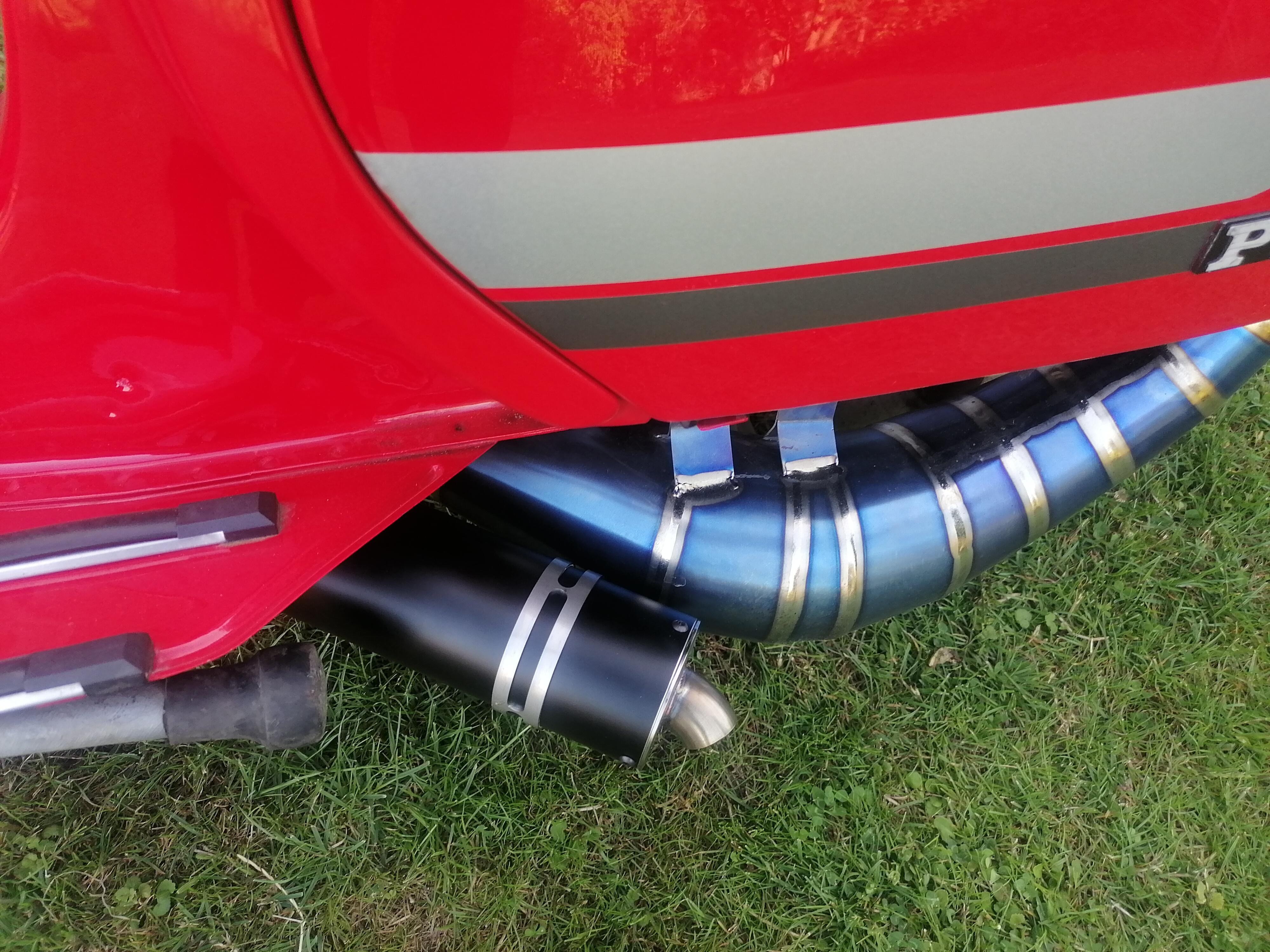
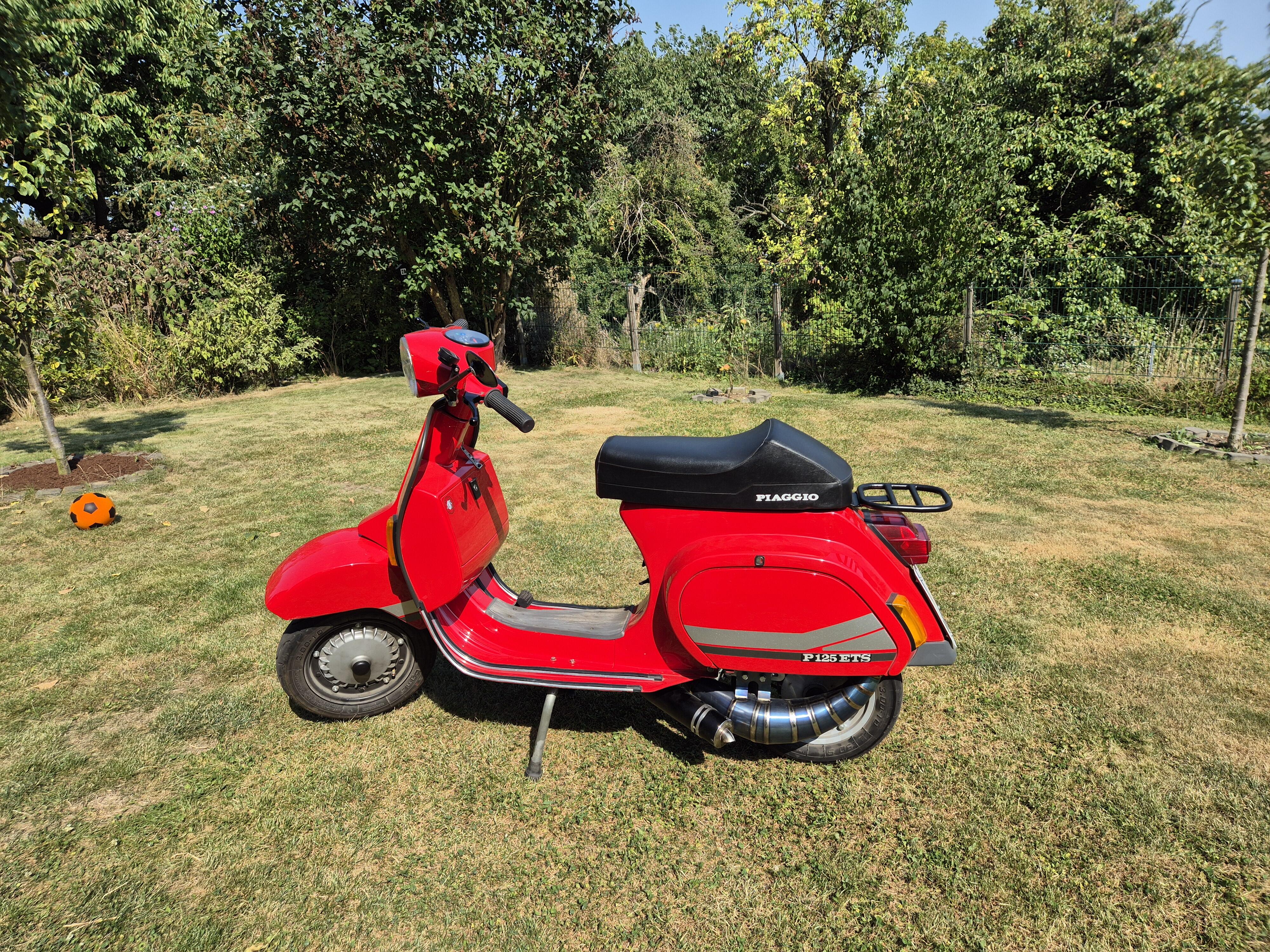
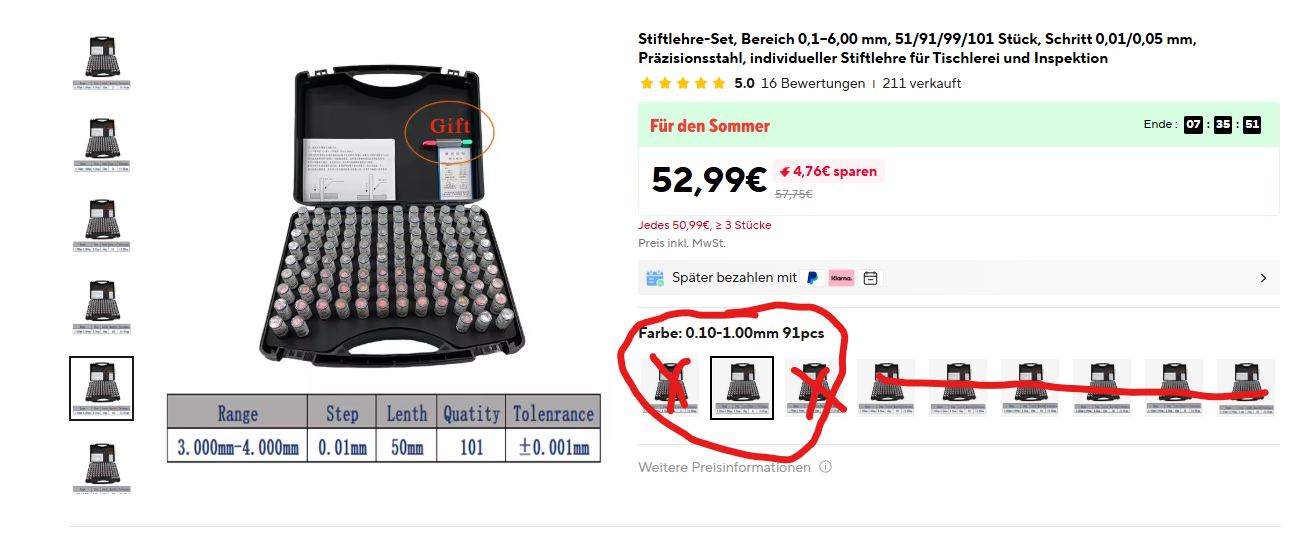
2 Punkte2 Punkte2 PunkteWäre halt gut, wenn das Tool auch für zB. PHBH und PHBL Vergaser funktionieren würde. Sind halt andere Nadeln und Zerstäuber. Beim Schieber denke ich ist egal ob rund oder eckig, der Cutout ist die bestimme Größe. Aber geil dad sich jemand damit auseinander gesetzt hat und das mal umgesetzt hat. So ein spezifisches Tool für Dellorto Vergaser, noch dazu online, hat gefehlt!2 Punkte1 PunktBitteschön oder einer in breit Gerade bei #Kleinanzeigen gefunden. Wie findest du das? KleinanzeigenPeugeot Speedfight 3 LC Kühler komplettKühler komplett für Speedfight 3-4 Versand möglich 10€ Weitere Teile erhältlich,Peugeot Speedfight 3 LC Kühler komplett in Bayern - SünchingGerade bei #Kleinanzeigen gefunden. Wie findest du das? KleinanzeigenYamaha Kühler Enduro Motocross Aluminium Wasserkühler neuVerkaufe einen neuen Yamaha Kühler für Enduro und Motocross Motorräder. Der Wasserkühler ist aus...,Yamaha Kühler Enduro Motocross Aluminium Wasserkühler neu in Thüringen - Zella-Mehlis1 Punkt1 Punkt1 PunktNatürlich kann ich Dir das mit dem Strom erklären. Aber ich bin weder Sachkunde- noch Physiklehrer mit zuviel Freizeit und der Ausbilderschein für Energieelektronik ist ein paar Jahre her. Das ist nicht umsonst ein Ausbildungsberuf und bei Null Grundkenntnissen dauert es halt ne Weile. Im Sinne von lebenslanges Lernen setz Dich hin, lies ein paar schlaue Bücher oder schau passende YouTube Videos. Spannung, Strom, Leistung hilft beim googlen. Kurz: Der Regler begrenzt die Spannung, gemessen in Volt. Einige Regler - auch bei Deiner Kiste - wandeln die Wechselspannung in eine mehr oder weniger glatte Gleichspannung (AC/DC gemischt). Deine Batterie wird damit geladen. Da kannst Du erstmal ne Zeit genug Energie für den Arschwasserbeschleuniger rausziehen, aber die Batterie wird nicht von der Lima unbegrenzt nachgeladen. Und dann bricht das Bordnetz ein und dunkel isses. Am Ende muss man sagen, ne lange / warme Unnerbuxe als Alternative zum Lammfell ist einfacher. Oder ein BMW C1 Roller. Der liefert auch genug Leistung für den Eierkocher.1 Punkt1 Punkt1 PunktNix da, Abo ist angelegt, das wird natürlich alles passend schlecht geredet1 Punkt1 PunktIch mag ja den helleren Klang, ist aber nie nervig oder laut. Ich finde, dass passt perfekt zur SF1 Punkt1 PunktIch fahre den Titan. Geil. Mit Fox Dämpfer (aber auch mit dem Egig Dämpfer) nicht wirklich laut! Ich finde, man kann den sehr leise fahren, ich hab jetzt noch ne Airbox im gedämmten Rahmen, da ist die Kiste recht leise! Evtl kann @Spiderdust was dazu sagen, der kennt meine Kiste und kann vergleichen! In meinem Stall ist die ETS die Leiseste, aber die anderen Karren sind da eher kein Maßstab1 Punkt1 PunktP=U*| I=P/U I=35/12 I=2,92 A Dauerstrom gesamt Das wird zu knapp und wie sinnvoll ist eine entweder oder Nutzung (Sicherheit durch Licht!)? Fazit: Ohne erheblichen Mehraufwand ist das Lammfell die viel bessere Wahl Hier kannst viel lernen motolek.net oder1 Punkt1 Punkt1 PunktVBB Motor, da wo die IGM Nummer ist, sollte normalerweise die Vin stehen, die zum Motorpräfix passt. Fehlt da bei Dir. Willst die in D zulassen`? Marcel1 Punkt1 PunktAlso ich habe die Stifte hier in 0.1 bis 1.0, 1.0-2.0. Ich wollte mir noch die 2.0-3.0mm holen, damit ich auch Mischrohre messen kann. Klar...Dellorto meistens, aber wenn die Größen quasi in Milimeter angegeben werden, bzw 0,39mm ist ne 39er Düse, dann geht das hervorragend damit. https://de.aliexpress.com/item/1005007569655509.html?spm=a2g0o.store_pc_home.promoteWysiwyg_2009011773709.1005007569655509&gatewayAdapt=glo2deu Dort dann das hier auswählen. Alle sind recht günstig, nur die 0.1-1.0 ist teurer. Hat sich aber schon sehr gelohnt. Ich bin fast wahnsinnig geworden, ob der Ungenauigkeit der Dellorto Düsen.
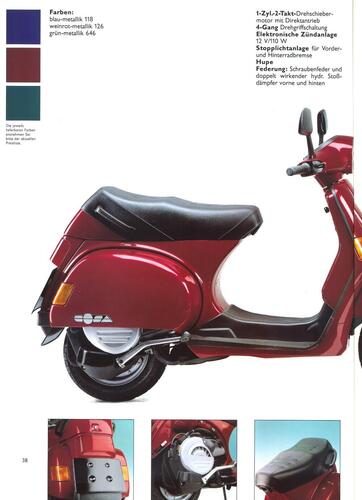
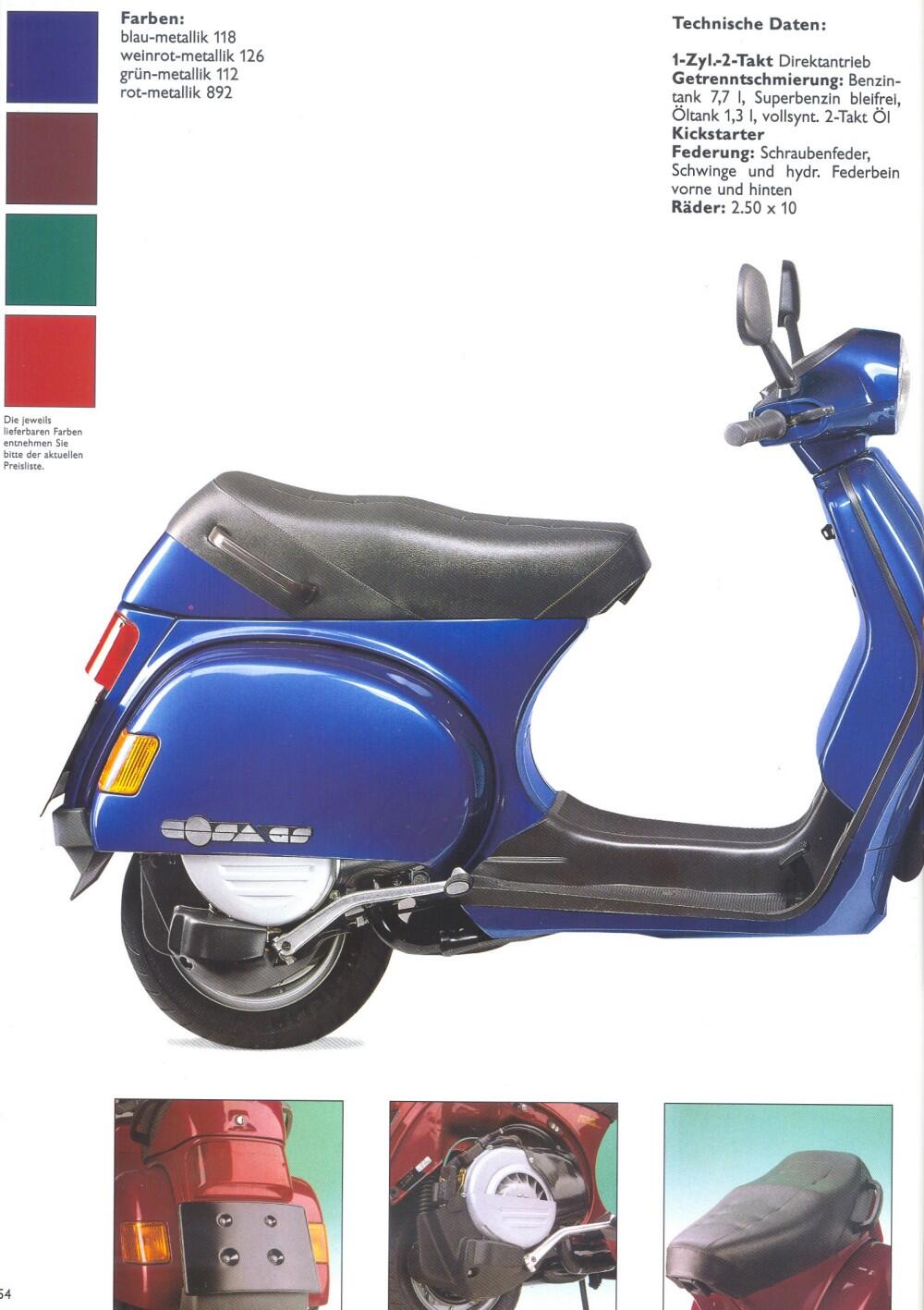
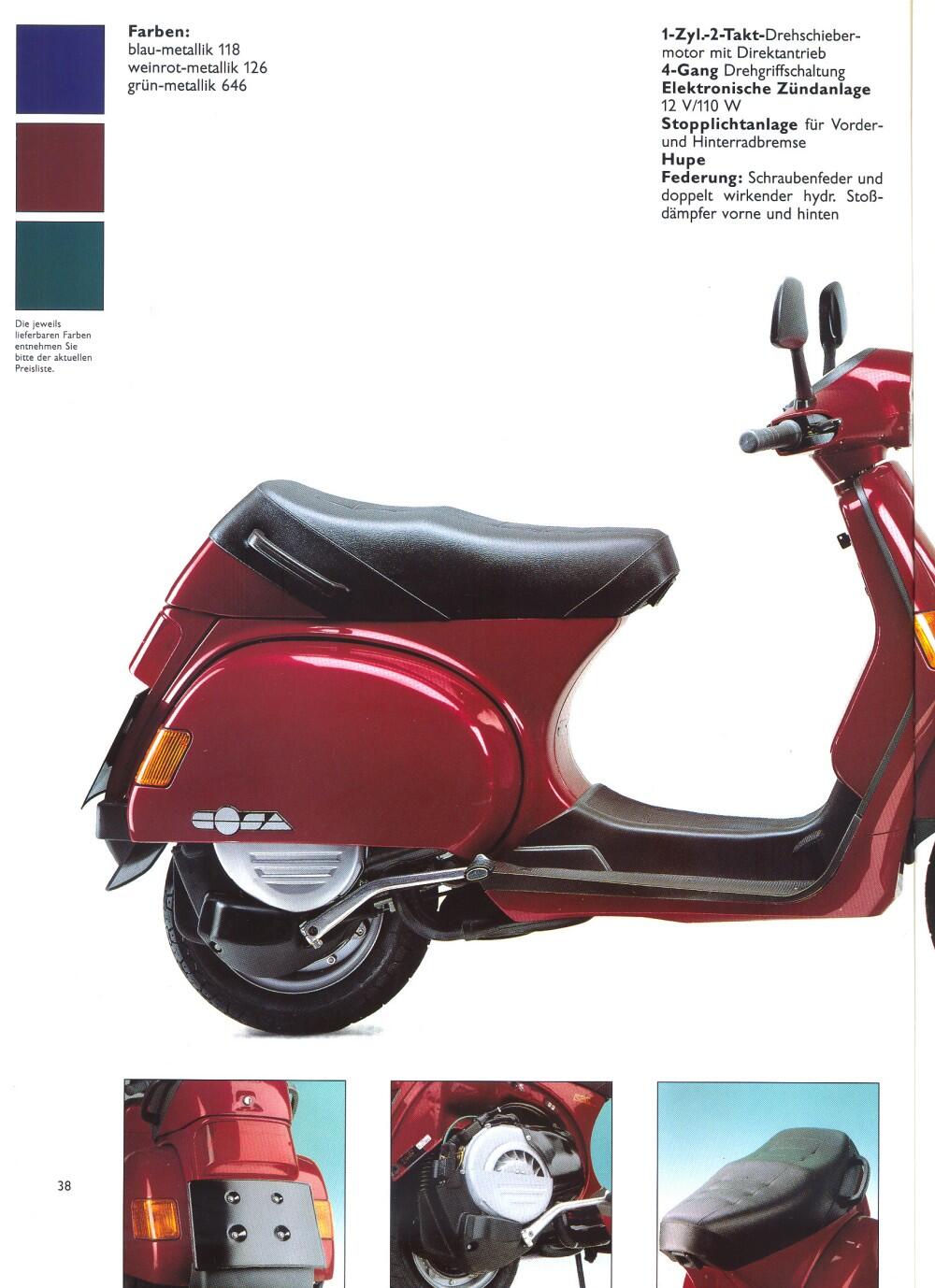
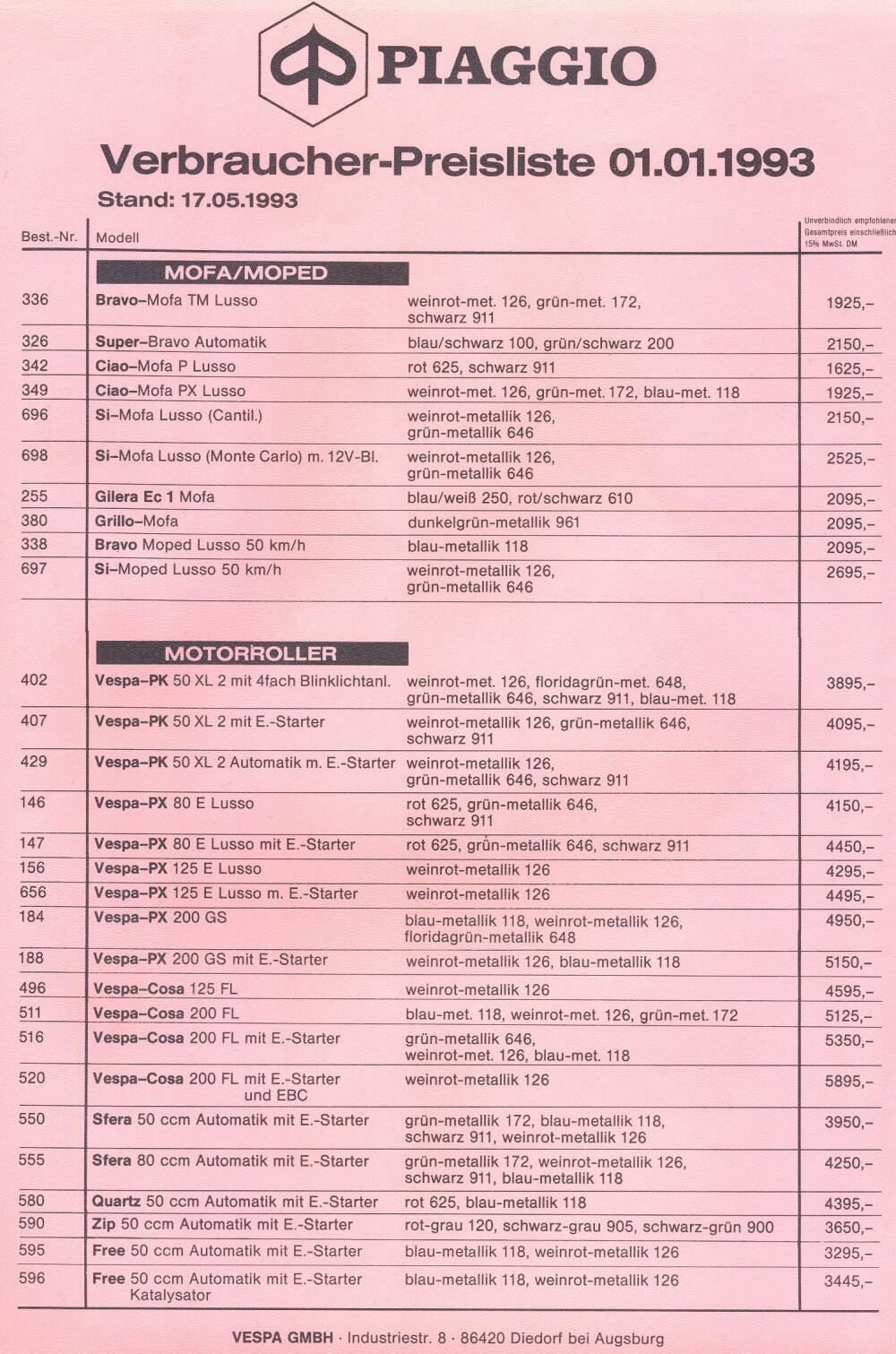
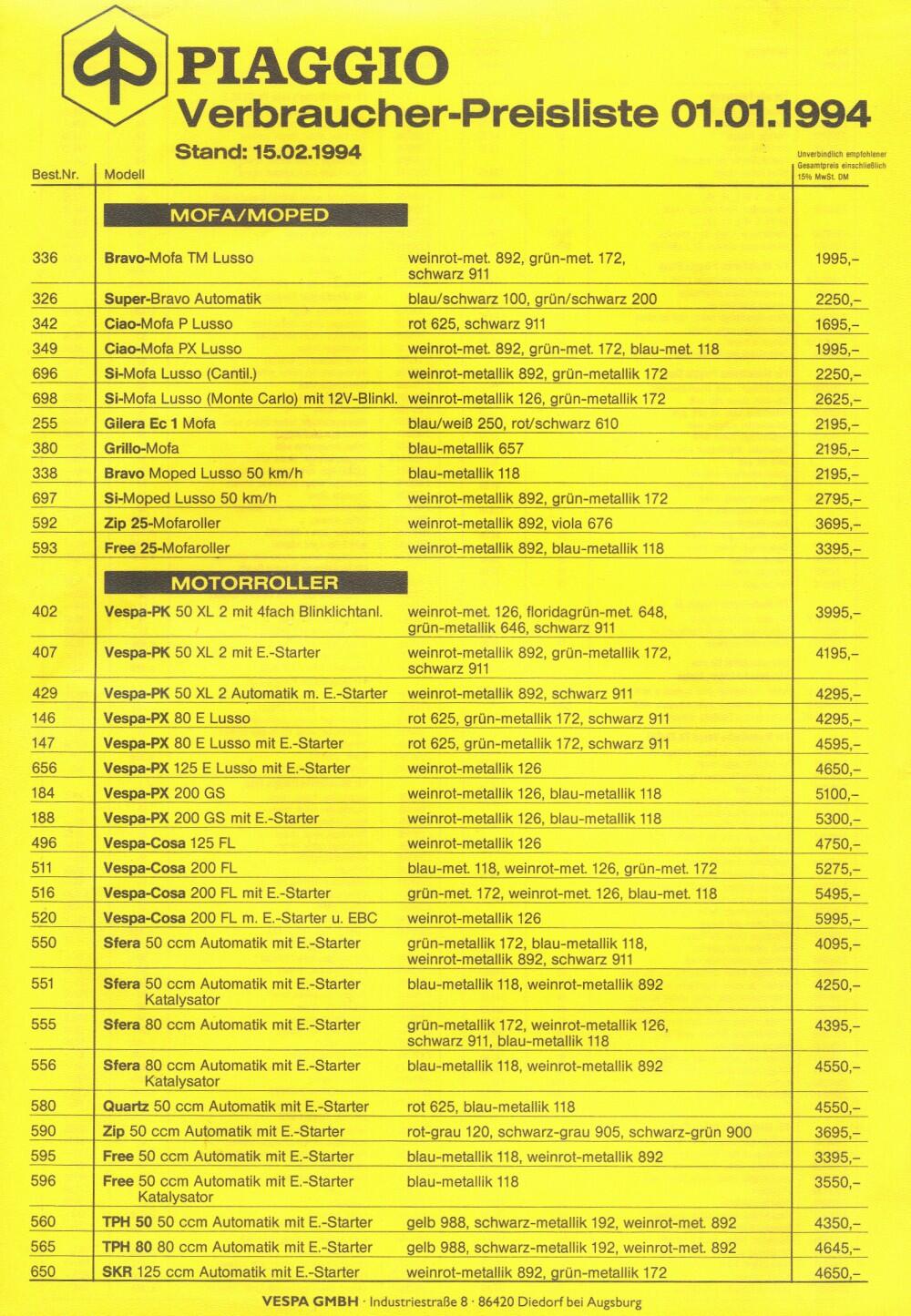
 1 PunktJa super, damit solltest du auf die gewünschten SZ kommen.1 Punkt1 Punkt1 PunktWas ist gemütlich daran, mit 4PS für die gleiche Geschwindigkeit einmal mehr schalten zu müssen? Und wenn Du ein anderes Getriebe in den originalen Motor baust, ist er eh nicht mehr original. Zweikanal ACMA bekommt man doch an jeder Ecke günstiger als alleine ein 4-Gang-Getriebe kostet.1 Punkt1 PunktHier die Farben im 93er und im 95er Prospekt (Kästchen links oben). Was steht denn als Baujahr auf dem Typschild? Bei 1994 würde ich von 172 ausgehen, bei 1993 von 646.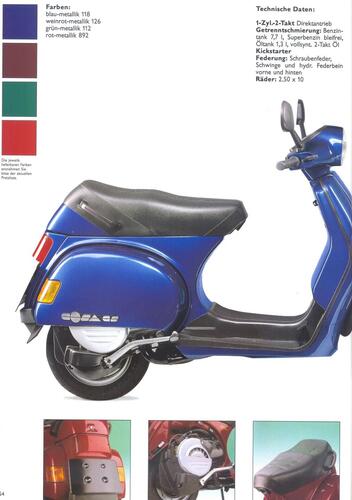
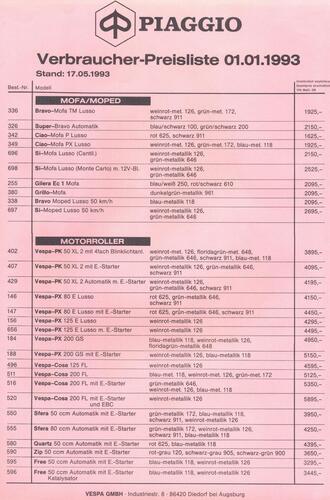
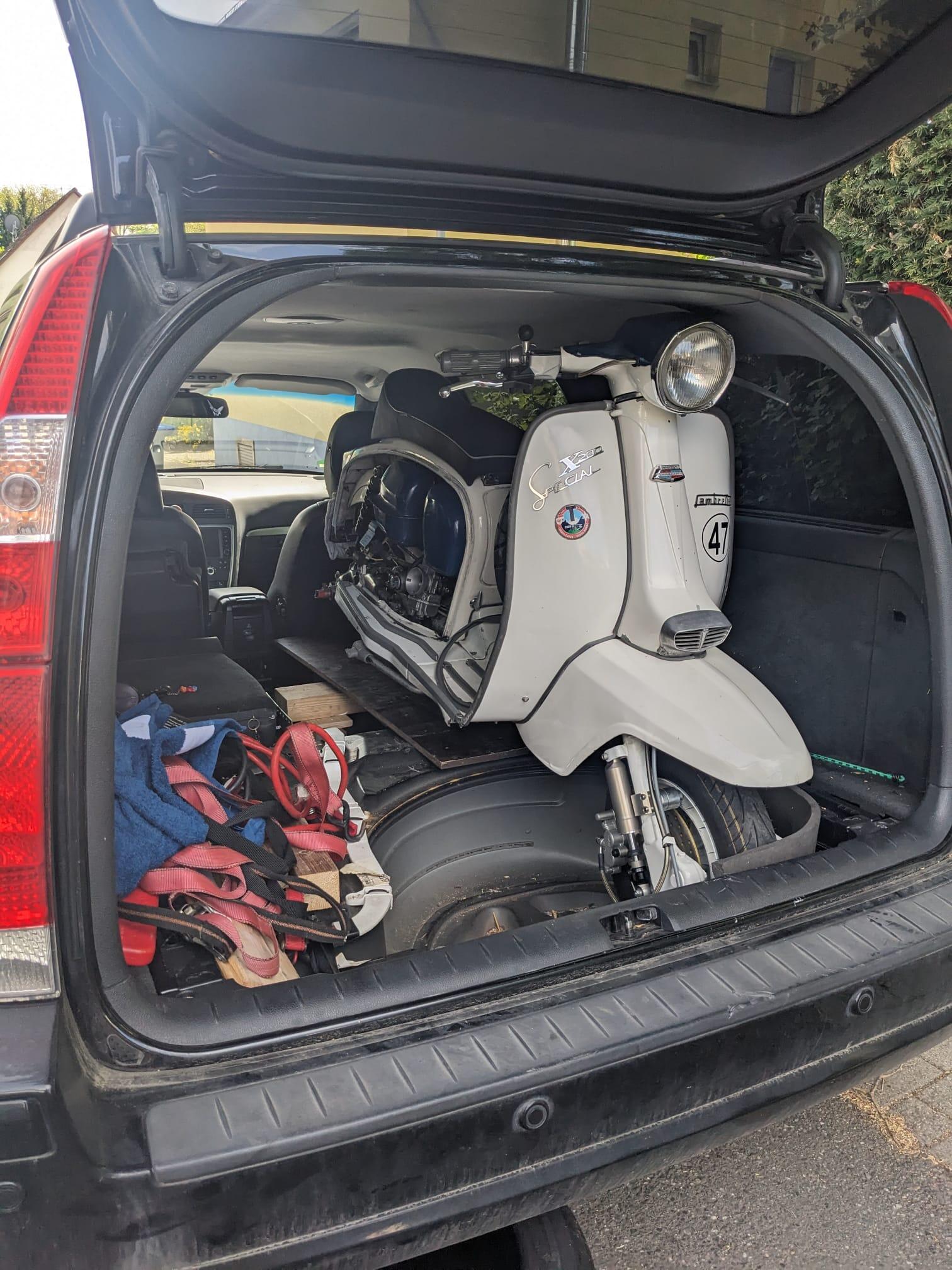
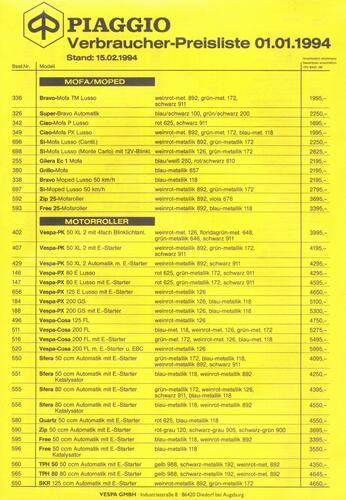 1 PunktNen Abend, also Kopf wie von SIP geliefert, Quetschspalt 1,24 +- 2/100 > 20ccm bis Mitte Kerzengewinde. 1: 11 Verdichtung. Grüße schraubstock1 Punkt1 PunktHeute mit der Karre beim TüV gewesen… direkt am Parkplatz ein saugemütlicher Prüfer… kurz über alte Vespas palabert, kurze Runde um den Hof gedreht… Aussage von ihm: Saugeile Kiste… und zack wieder 2 Jahre TüV… wir sind nicht mal in die Halle zur Durchsicht! Es geht auch anders.1 Punkt1 Punkt1 PunktAus gegebenem Anlass...Lambretta im Volvo V70 II stehend mit folgender Verladetechnik: Roller rückwärts aufrecht auf die Ladekante, dann reinschieben bis das Vorderrad anschlägt, dann ca. 80 Grad kippen und wieder aufstellen, Vorderrad in der E-Mulde..... Kickstarter und Auspuff sind demontiert.
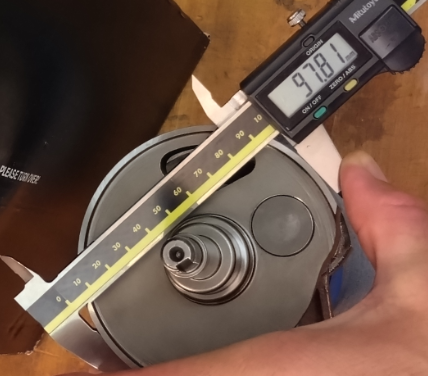
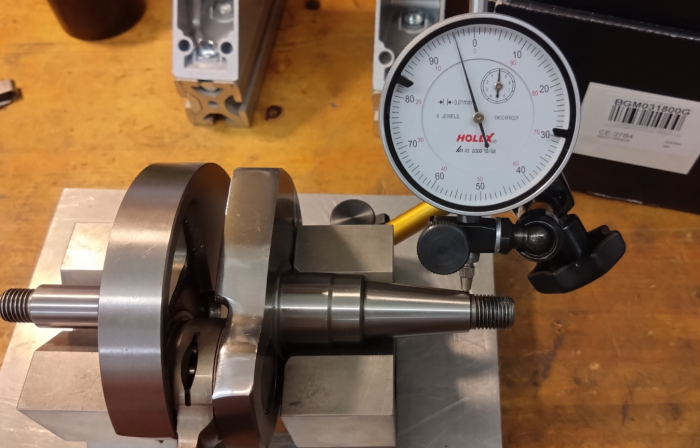
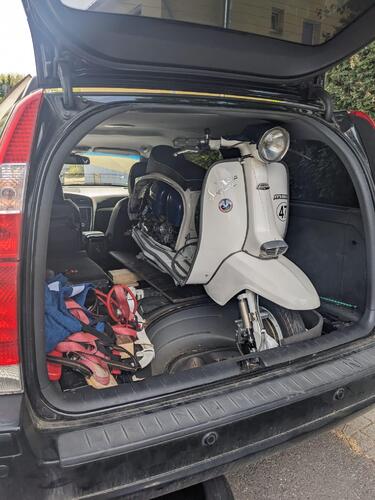 1 Punkt1 PunktIch fahre nur noch statisch. Ist auf großer Tour im Schadensfall die einfachere Variante.1 PunktHier die Leistung, 30er Mikuni, 120/65 Quattrini 242 mit 64Hub. 1,3QK, 127,8-180, unbearbeiteter Auslass, ÜS erweitert und an Block angepasst. Hatten keine Zeit zum einstellen, wichtig war, läuft hier auf Elba. VG aus IT https://www.facebook.com/share/p/1TQhx4u8AW/?mibextid=wwXIfr1 Punkt1 Punkt1 PunktDie Tools rechnen die gewählte Bedüsung immer als HD-Equivalente zum Vergleich um. Die Mischrohrart (DP, DQ, AV, AS, etc) ist dabei gar nicht so entscheidend, das bringt nen zusätzlichen Needle Offset rein. Bei DP-DQ ist der eingerechnete Offset (also wie weit der Venturi rein steht) 2mm. Bei AV-AS muss ich mir das mal ansehen, aber wenn das auch 2mm sind, dann könnte man zur Berechnung auch die DP oder DQ Variante nehmen. Ich messe das bei Gelegenheit mal aus, wenn ich passende Mischrohre im Lager habe. Für den Nutzer auf jeden Fall besser, wenn man die passende Art auswählen kann. Mir ist gerade aufgefallen, dass noch keine Erklärung zur Vermessung von Custom Nadeln drin als auch eine Nadel-Datenbank fehlt. Das baue ich die Tage mal ein.1 Punkt1 Punkt1 Punkt1 Punkt1 PunktHab mir mal wieder ne aktuelle BGM kommen lassen, um zu schauen, ob die mittlerweile besser sind: Besser als die 97.75 meiner uralt 200er BGM Welle - aber mit meinem aktuellen Gehäuse wäre das ein DS-Dichtspalt von 0.08 + (97.89-97.81)=0.16mm!! PIAGGIO original alt in der 200er sind meist 97.89-97.91 mit DS-Dichtspalt um 0.08 (bei ausgenudelten Lagern), bei den 125ern eher 97.88-97.89. Die neuen PIAGGIO 125er Wellen aus IT haben 97.87 Mazzuchelli hat meist 97.87, SIP fertigt seit ca 2024 um 97.87-97.88, früher 4-5/100 mehr. Tameni 1620002T im FA Italia Karton hat 97.91 und Rundlauf kleiner 0.01 Die BGM hat 4/100 Rundlauffehler! Jede Mazzu, SIP oder Tameni hat maximal 1/100!! Auch alte PIAGGIO Wellen liegen meist bei unter 2/100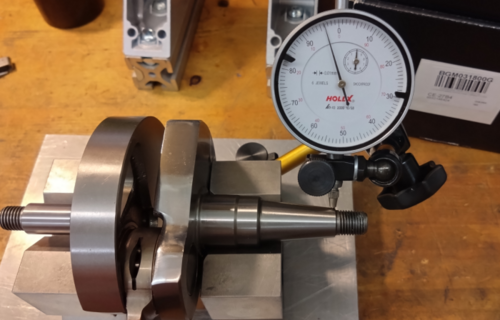
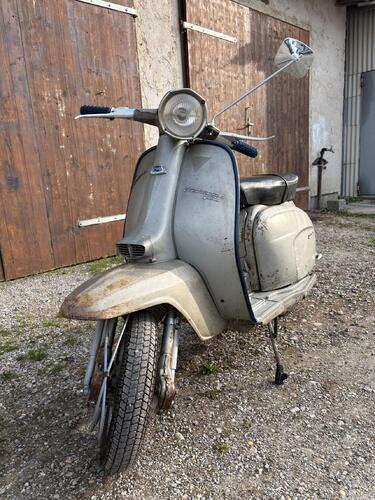
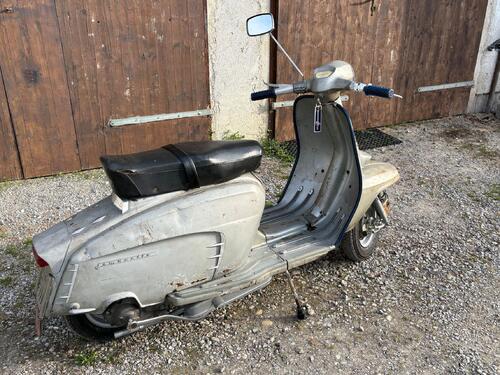
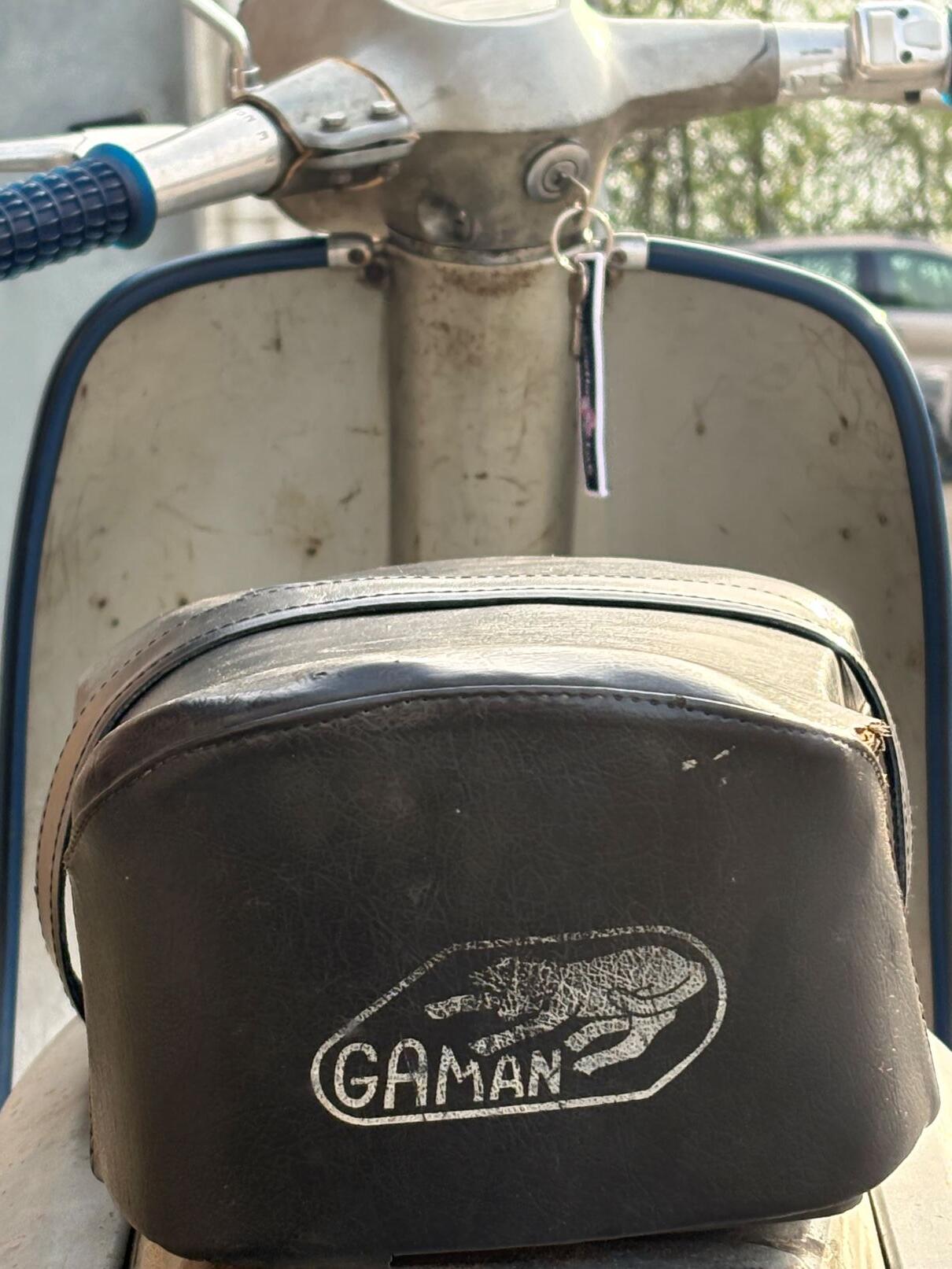
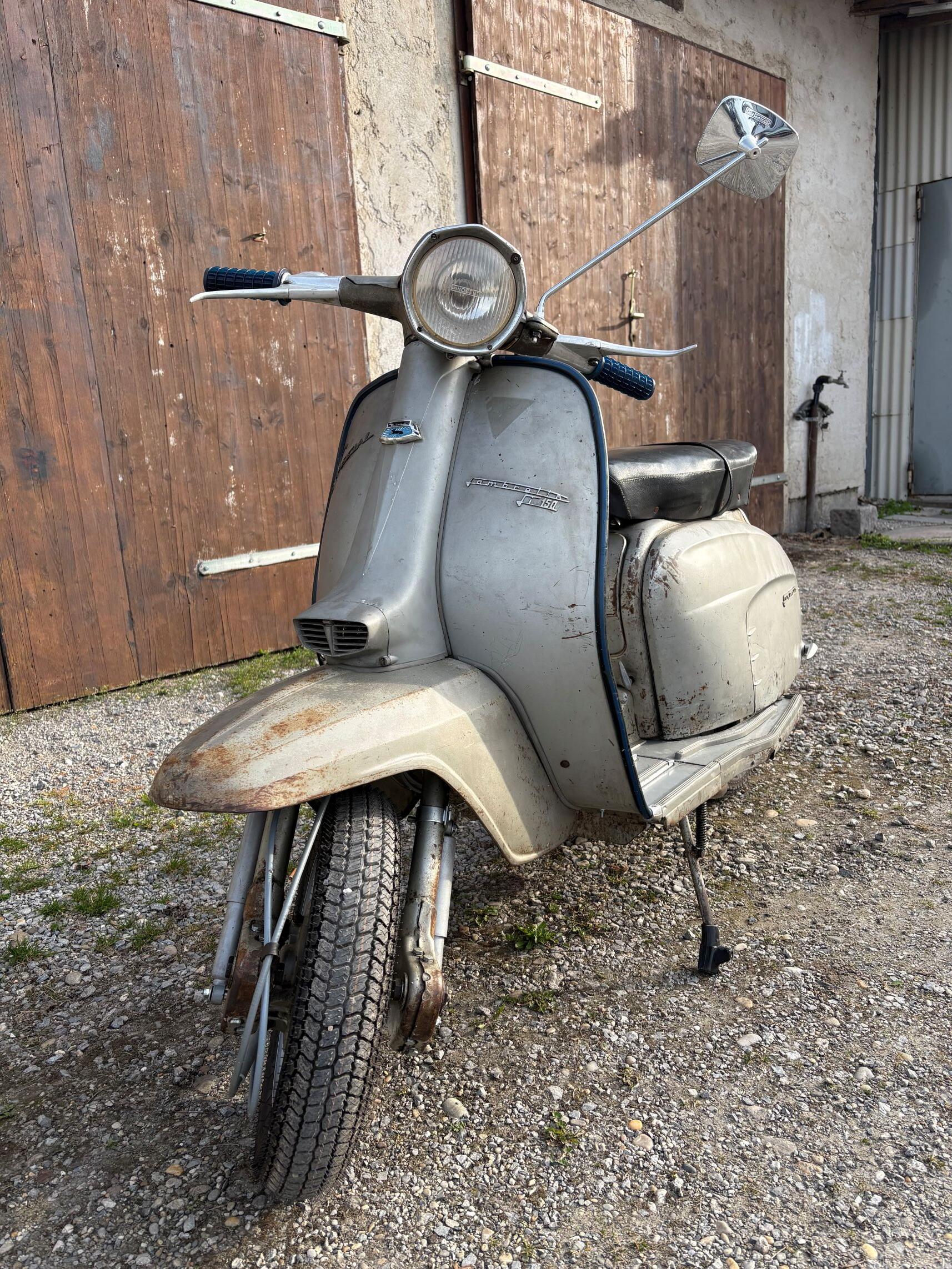
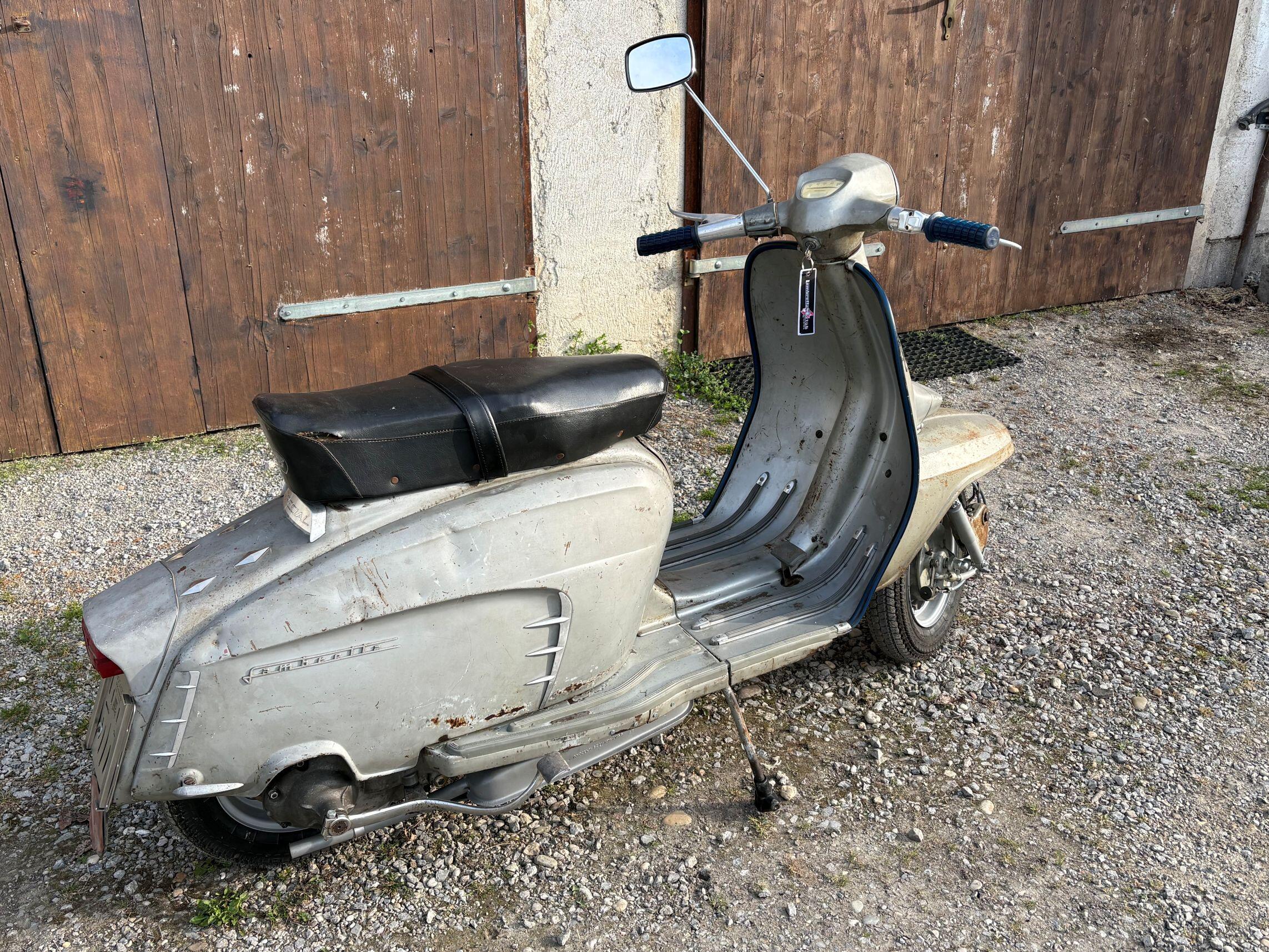
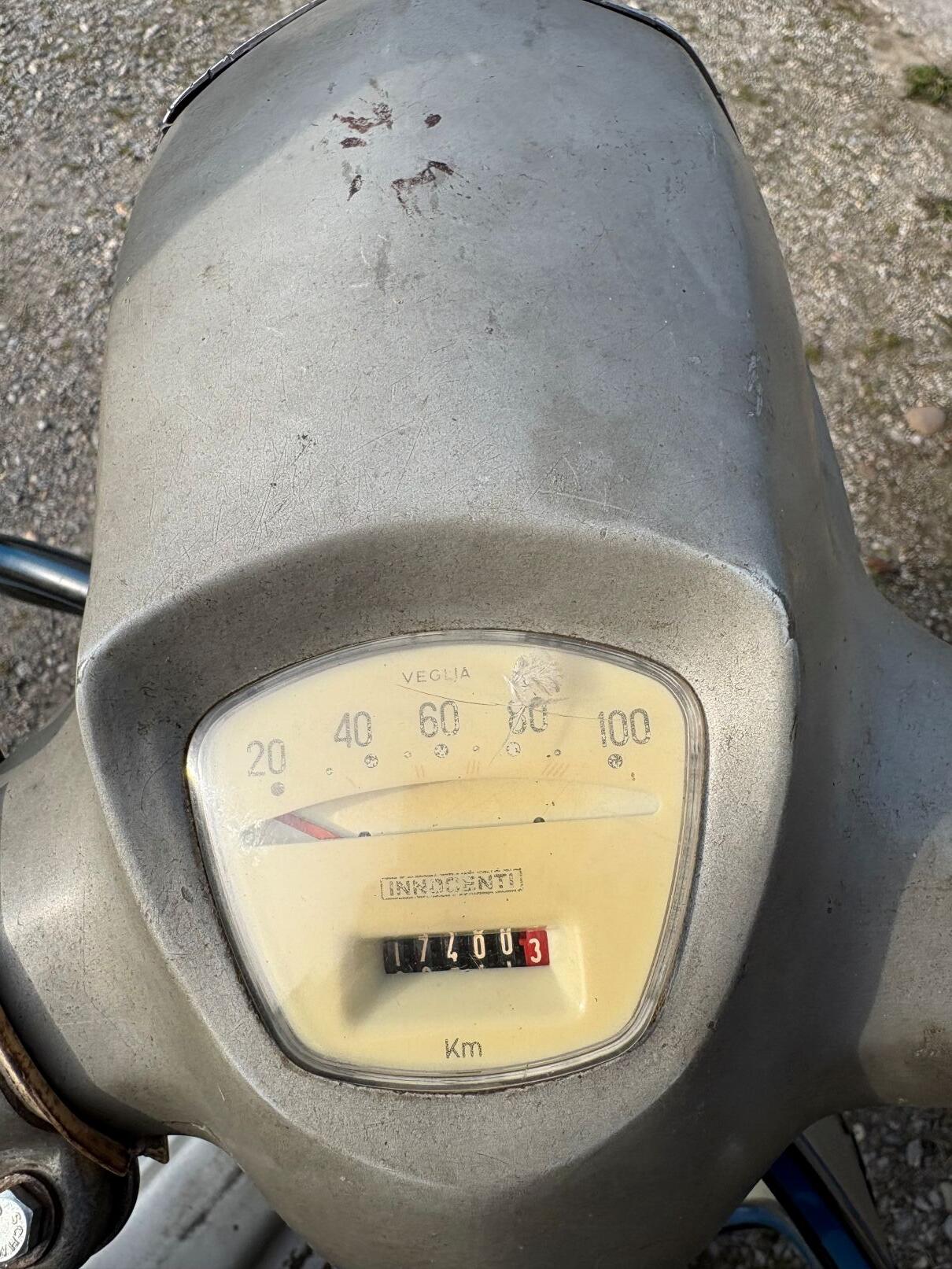
 1 Punkt1 PunktKenn ich. Die Fantasie spielt mir dann immer wieder so Streiche. Unterm Strich denk ich aber doch wieder an Titten. Und letzten Endes schraub ich liebsten doch wieder an meinem Feld-, Wald- und Wiesenroller herum, der mich seit 4 Jahrzehnten treu begleitet.1 PunktDas 2-Winter-Projekt ist fertig. Vor 10 Jahren gekauft, vor 5 Jahren bis auf die letzte Schraube zerlegt, die letzten beiden Winter gemeinsam mit meiner Frau dran gearbeitet, alles gereinigt und konserviert und die Technik erneuert. Die blau-schwarzen Candystripes und die Gaman-Sitzbank waren schon drauf, die Griffe waren NOS Zubehör. Schon schön, so ein Patina-Mopped.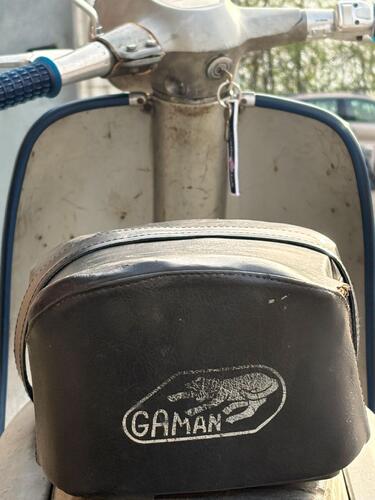
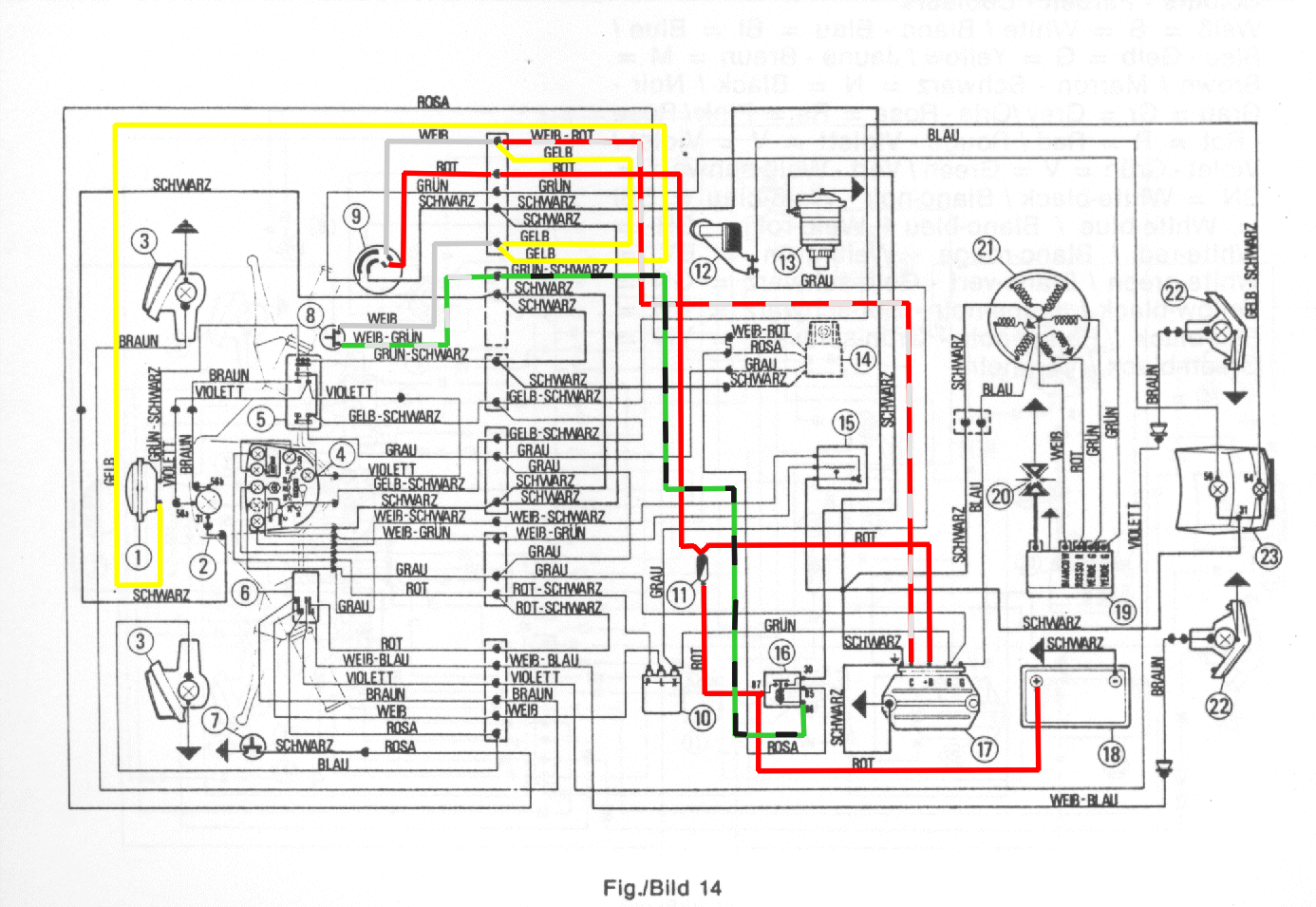
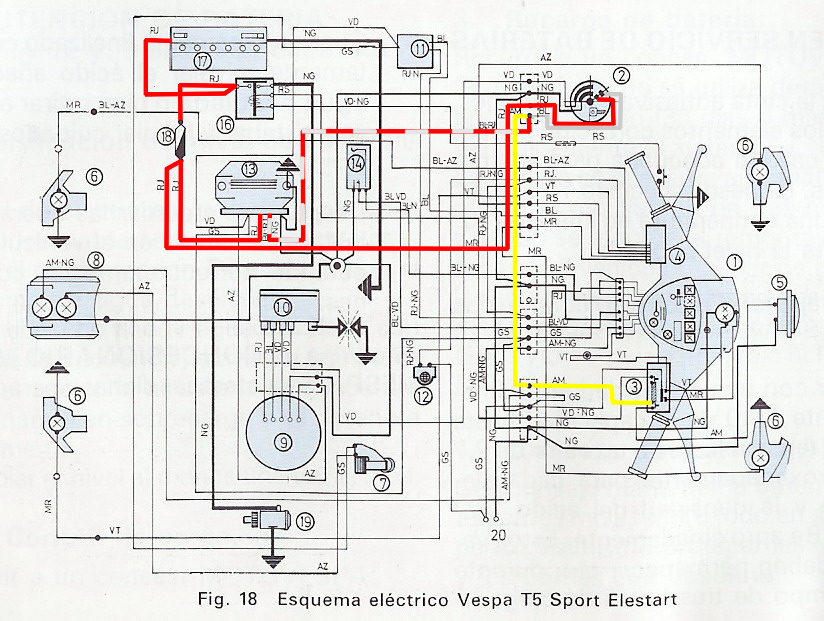
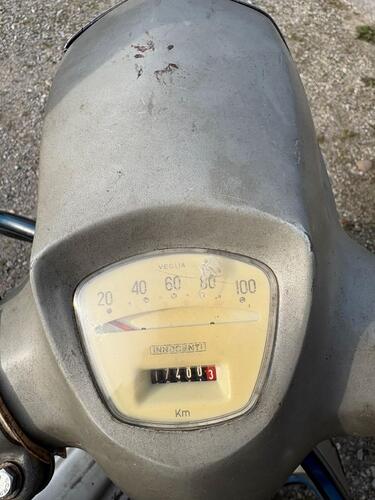 1 Punkt1 Punkt1 PunktDu willst wissen, ob bei Modellen mit Batterie der Tacho Strom bekommt bei Zündung "ON"? Nein, auch da wird der Tacho mit Wechselstrom versorgt, also erst wenn der Motor läuft (über Grau im 4-poligen Stecker). https://www.vespa-t5.org/informationen-und-daten/tachometer#belegung-der-stecker Drehzahlmesser mit Motor aus macht ja auch wenig Sinn Wenn du bei nicht laufendem Motor am Tacho spielen willst könntest du testweise - beim SIP-Tacho - Batterieplus nach(!) dem Zündschloss (Gelb unter der Kaskade) statt Grau auf den 4-poligen Stecker legen - da suchen, viel DC gibts nicht: Italienisch Spanisch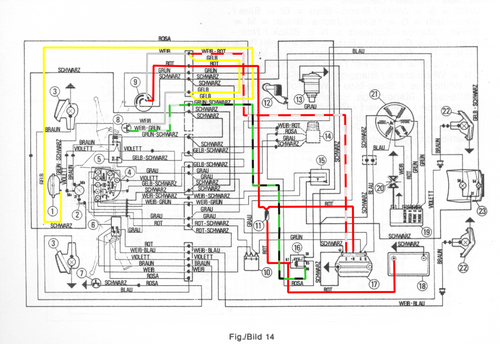
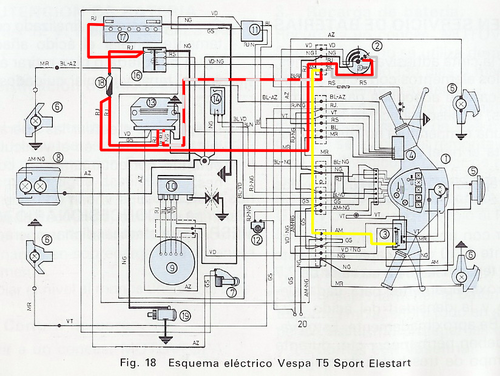 1 Punkt1 PunktSo Freunde der Pfünf, ich habe den Fehler reproduzieren können: Bei Full DC Verkabelung muss der die Leitung zur Drehzahlaufnahme an eine gepulste Quelle angeschlossen oder isoliert werden (wenn Drehzahl nicht angezeigt werden soll). Es liegen an dieser Leitung 12 V an! Daher auch das Durchbrennen meiner Sicherung. Es ist nicht möglich, die AC Spannung (Ausgang ZGP) als Signal zu nehmen, sonst wird die Zündung zum E-Motor wenn der Tacho bestromt ist, sprich Zündung an. Für mich technisch nicht so dufte gelöst seitens SIP/Koso. Das Steuersignal der Vape CDI hat bei mir auch nur unzureichend funktioniert (Drehzahlanzeige schwankt stark), daher habe ich den Koso Signalwandler an die AC Zuleitung an den Spannungsregler adaptiert. Jetzt habe ich alle für mich relevanten Funktionen des SIP Tachos in Funktion.1 Punkt1 PunktHabe im Gockel Play Store ne App dazu gefunden: Boost Bootle Designs Development Calculator Pro Bzgl der des Schlauchdurchmesser wirft die App eher ein gutes 1/3 des Gaserdurchmesser aus. Schlauchlänge und Bootlevolumen wird auch berechnet. Mal austesten…1 Punkt
Wichtige Information
Diese Website nutzt Cookies und vergleichbare Funktionen zur Verarbeitung von Endgeräteinformationen und personenbezogenen Daten. Die Verarbeitung dient der Einbindung von Inhalten, externen Diensten und Elementen Dritter. Je nach Funktion werden dabei Daten an Dritte weitergegeben. Einige dieser Verfahren sind technisch unerlässlich, andere kommen nur mit Ihrer Zustimmung zum Einsatz, eine Anpassung ist in den die Cookie-Einstellungen möglich. Für Details siehe die Datenschutzerklärung


























Account
Navigation
Suche
Configure browser push notifications
Chrome (Android)
- Tap the lock icon next to the address bar.
- Tap Permissions → Notifications.
- Adjust your preference.
Chrome (Desktop)
- Click the padlock icon in the address bar.
- Select Site settings.
- Find Notifications and adjust your preference.
Safari (iOS 16.4+)
- Ensure the site is installed via Add to Home Screen.
- Open Settings App → Notifications.
- Find your app name and adjust your preference.
Safari (macOS)
- Go to Safari → Preferences.
- Click the Websites tab.
- Select Notifications in the sidebar.
- Find this website and adjust your preference.
Edge (Android)
- Tap the lock icon next to the address bar.
- Tap Permissions.
- Find Notifications and adjust your preference.
Edge (Desktop)
- Click the padlock icon in the address bar.
- Click Permissions for this site.
- Find Notifications and adjust your preference.
Firefox (Android)
- Go to Settings → Site permissions.
- Tap Notifications.
- Find this site in the list and adjust your preference.
Firefox (Desktop)
- Open Firefox Settings.
- Search for Notifications.
- Find this site in the list and adjust your preference.