
Rangliste
-
AIC-PX
Members53Punkte1.983Gesamte Inhalte -
Humma Kavula
Globaler Moderator11Punkte9.911Gesamte Inhalte -
Brownings
Members8Punkte160Gesamte Inhalte -
TimoPX
Members7Punkte146Gesamte Inhalte



Beliebte Inhalte
Inhalte mit der höchsten Reputation am 26.01.2021 in allen Bereichen anzeigen
-
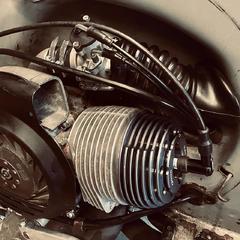
Prüfstandslauf: Der Erste Lauf war ganz schön ernüchternd. 20 PS.... ohhhh shit... Da hab ich mir schon gedacht... ob das noch was wird?! Irgendwie wollte die Kiste überhaupt nicht drehen und kam mal so gar nicht auf Touren. Dank AFR Wert Sonde war aber schnell klar das der Motor Ultra Fett gelaufen ist. Den 38er Mikuni Vergaser hatte ich vom BFA306 übernommen, da hätte ich eigentlich gedacht das es von der Bedüsung her einigermaßen passen sollte. Ich musste aber ein sehr großen schritt magerer Bedüsen. Und dann lief die Kiste endlich vernünftig und drehte auch ordentlich aus. (AFR dann zum schluß bei 12,3) Die Läufe die ich zum Schluss gemacht habe gingen bis über 10‘500 U/min. Das ist für diesen riesigen Kolben schon ordentlich. Für Dauerbetrieb wäre das schon ein bisschen zu viel des guten. Der Motor läuft aber sehr ruhig, auch in den oberen Drehzahlen. Also alle meine Andren Motoren Vibrieren da deutlich mehr. Liegt wahrscheinlich auch zum einen an dem BFA Motor selbst. Aber der Vibriert echt sehr wenig Ich hatte jetzt einen Wuchtfacktor von 40% Nur im Stand schüttelt der Roller ganz schön. Leider ist mir vom Zylinder dann auch der Wasseranschluß weggeplatzt. Irgendwass musste ja kommen.... aber solange es nicht schlimmer war... das ging ja noch... Bei den Drehzahlen und der großen Fläche ist die Reibungsenergie dann schon recht ordentlich. Das hat sich ganz schön aufgeheitzt. Wegen dem kleinen Defekt konnte ich dann leider nicht mehr allzuviel Läufe machen. Viel wäre da aber eh nicht mehr drin gewesen denk ich. Soweit war ich ja aber auch ganz zufrieden mit dem Ergebnis. Klar.... hätte mehr sein können und wir sind soweiso schon so Leistungsverwöhnt. 60 PS ist mitlerweile ja schon schon nix besonderes mehr und die 53 PS von hier von mir sind da ja mal total Langweilig... .....und das für den Aufriss... und blablabla.... Da wird es jetzt viele geben die das madig machen wollen. Ist mir aber egal. Mir ging es auch eher um das Gebastel und einfach darum das es möglich ist und soweit auch gehalten hat. Und zumindest hat er mehr Leistung und mehr Drehmoment wie der BFA 306ccm An den angestrebten 60PS / 50Nm bin ich aber nicht ganz hin gekommen. Nun gut, mit einem andren Auspuff wäre das sich mal überhaupt kein Problem. Und der Kolben und Zylinder ist, wie ja schon gesagt, alles andre als neuwertig. hier dann nochmal im Vergelich mit dem BFA306ccm mit dem selben Setup: Leistung nur 5 PS mehr: Drehmoment nur 1 Nm mehr: Jetzt wird es wahrscheinlich viele geben die sagen: „Was…. Nur 53 PS, das schaff ich ja mit einem 250ccm auch….“ Aber man muss sich mal das Drehmoment anschauen über das ganze Band…. Und das find ich persönlich schon beeindruckend. 35Nm bei 4000 U/min und dann haltet er die 35 Nm bis 9500 U/min. Das sind 8Nm mehr wie der BFA bei 4000 U/min. Also jeder der Vespa fährt und adiert sich jetzt mal bei 4000 U/min 8 Nm dazu.... das schiebt schon ordenlich mehr. Jetzt könnte man mal einen Resoauspuff drauf machen der mal richtig Druck macht…. (Angst) Naja, evtl. Test ich da mal was…. Aber für’s erste bin ich mal durch hier. Jetzt brauch ich einen Rahmen wo ich die Wasserspielerein vernünftig unterbekomme. Projekt für nächsten Winter….. oder doch früher… ?!?! Video vom Prüftandlauf ist noch in arbeit.
.thumb.jpg.99bd66716e35f27d3d75b7246eb68abc.jpg)
.thumb.jpg.fe1c4748dccbef2a8b12613229f77df7.jpg)
.thumb.jpg.78b4d653003e2392be704c0a3289b400.jpg)
.thumb.jpg.7e27c57c130fcc1827657dddabfa7606.jpg)
.thumb.jpg.827794378c5892bae739a455aae859d5.jpg) 46 Punkte
46 Punkte -
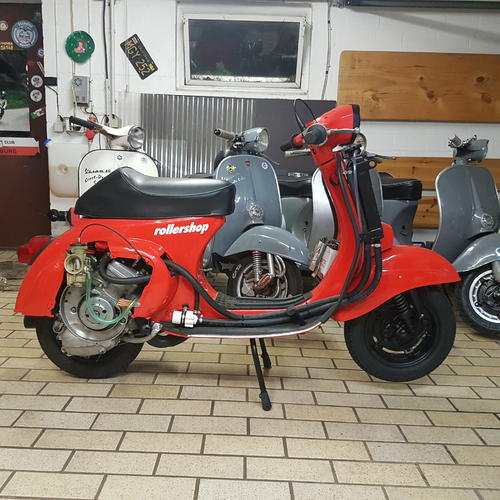
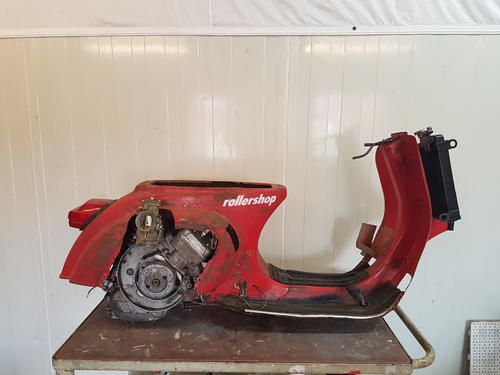
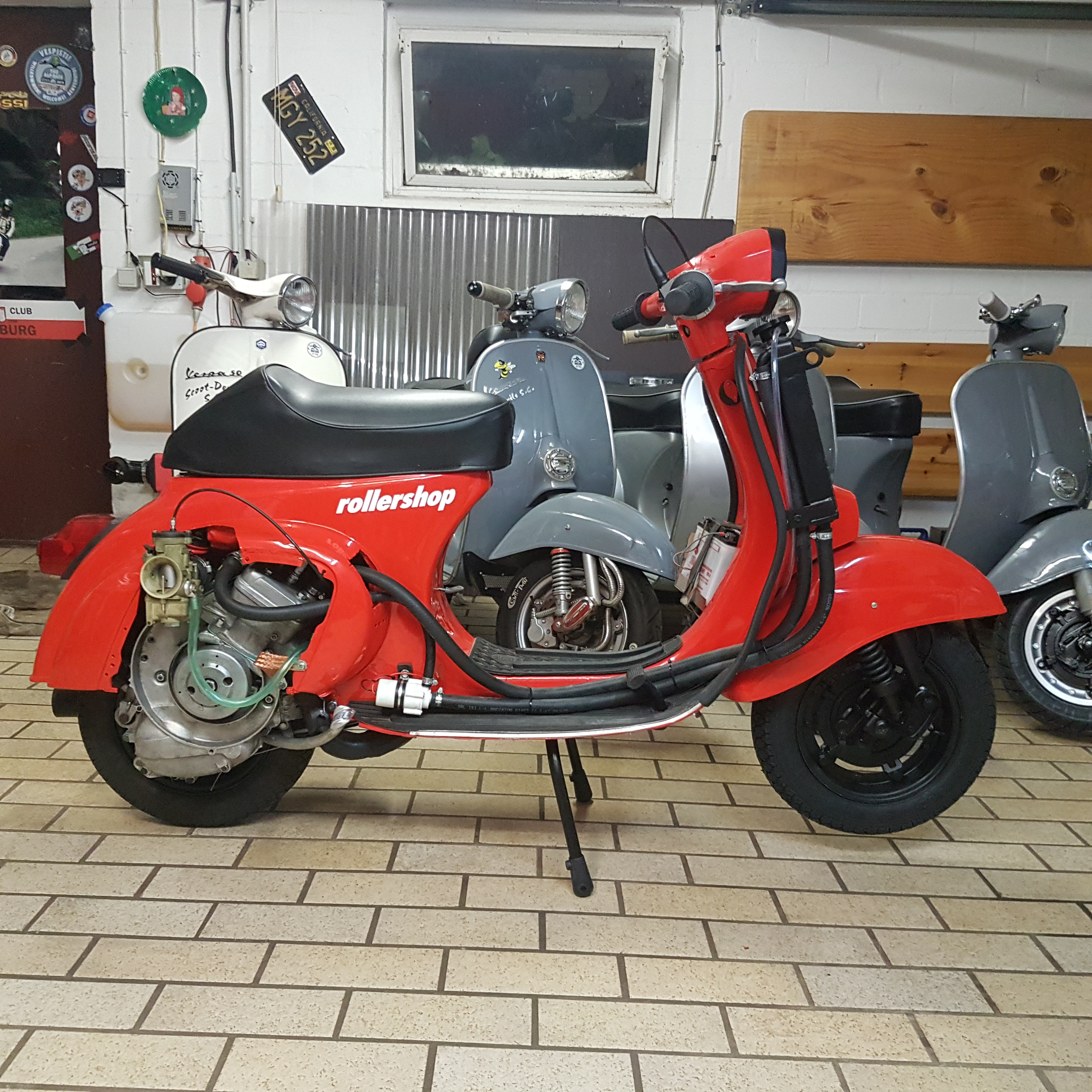
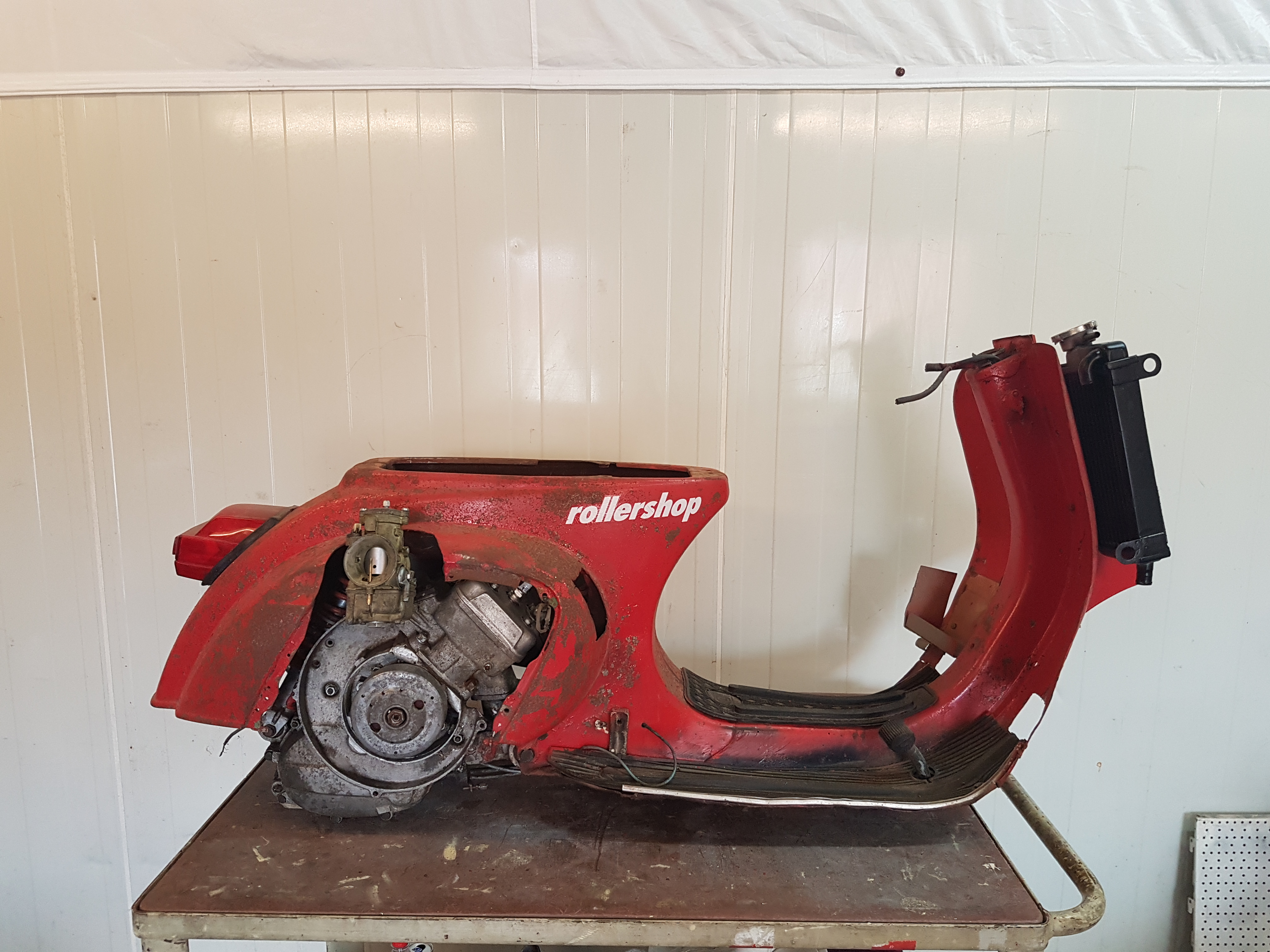
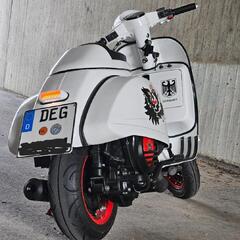
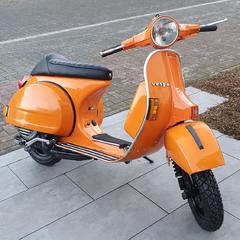
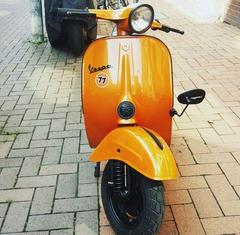
7 Punkte7 Punkte6 PunkteHallo Hier auf dem kurzen Weg ein paar Fotos von der guten alten Rollershop einige von euch werden sie wohl noch gut an dieses scharfe Fotomodel der Firma Rollershop erinnern . Sie wurde um 1986 von Angelo Zirri gebaut und ging dann 1989 in den Besitz der Firma Rollershop über wo sie dort zwecks Fotoshooting diese Farbe bekam. Sie wurde von uns unter vorhanden sein damaligen Bildmaterials im vergangenen Jahr restauriert.
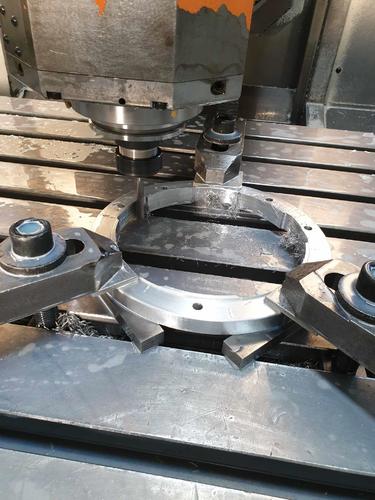
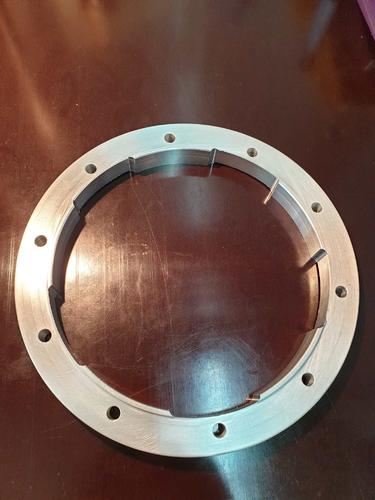
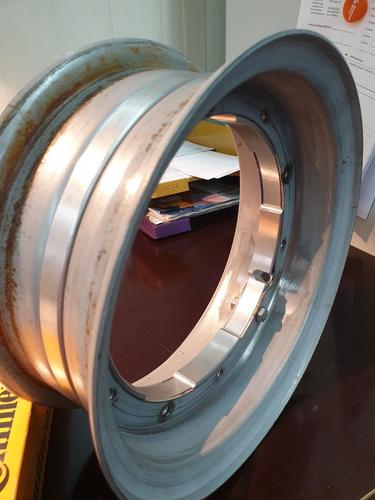
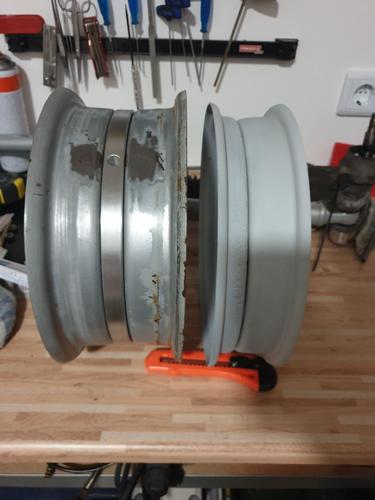
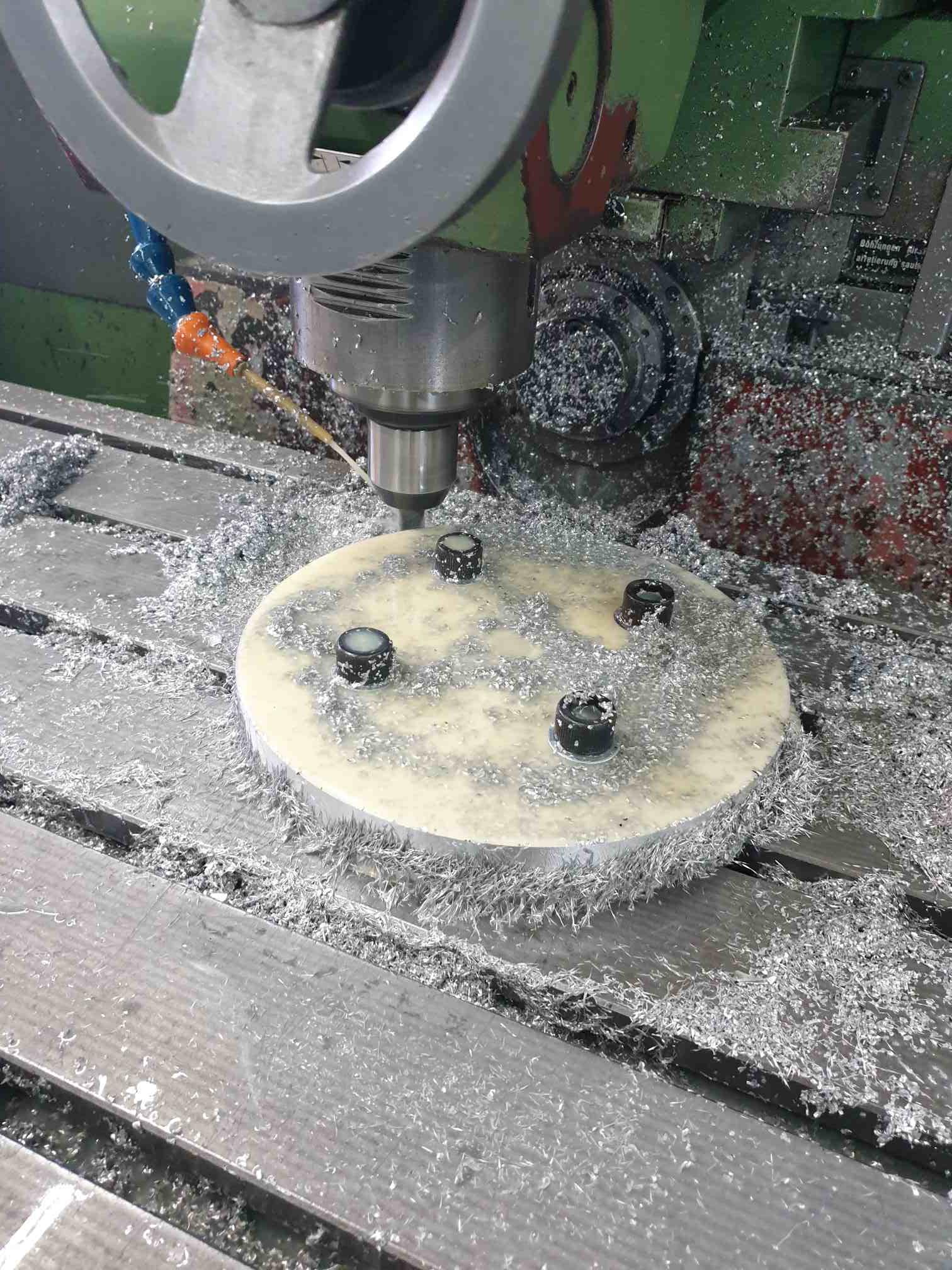
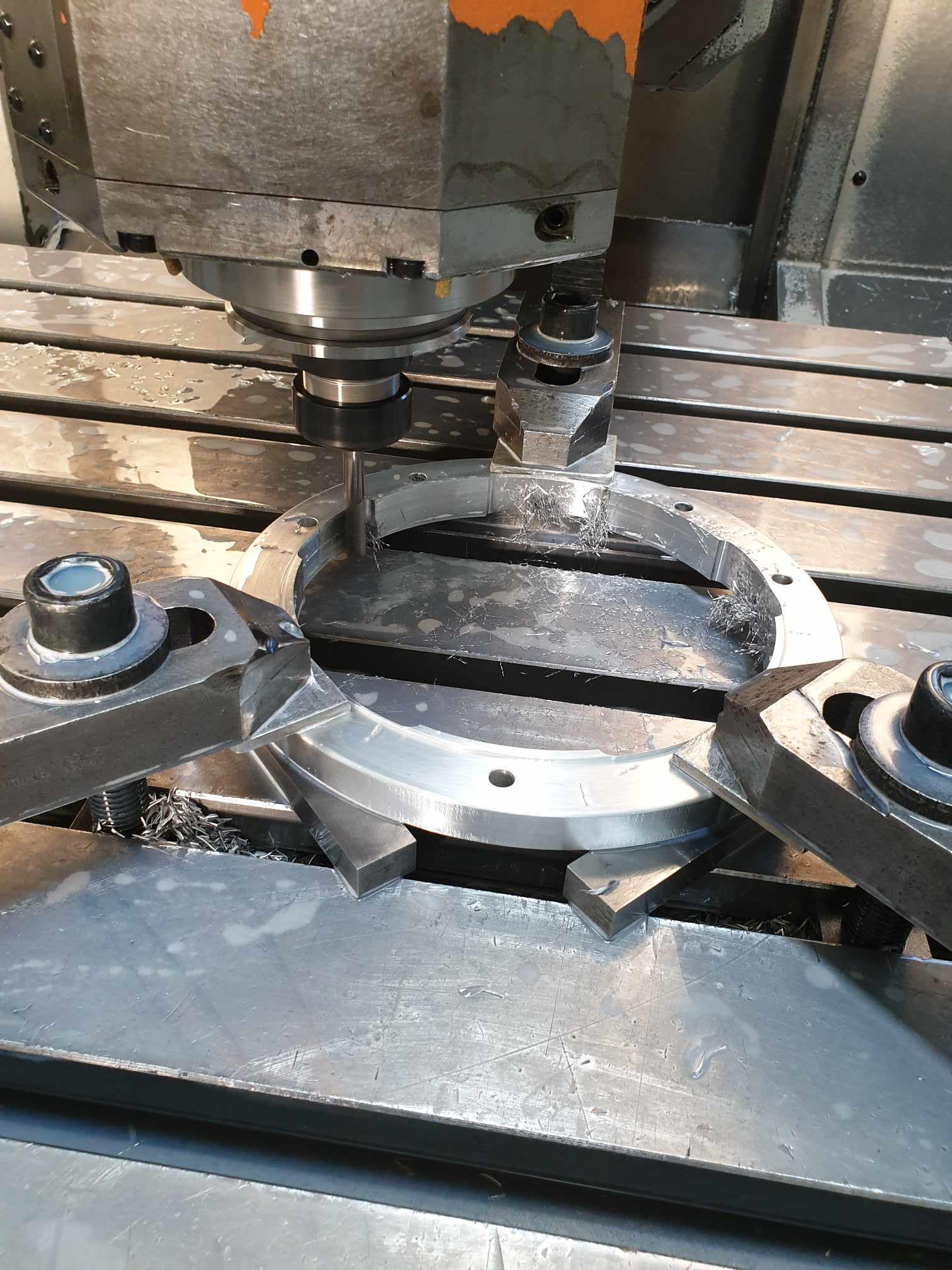
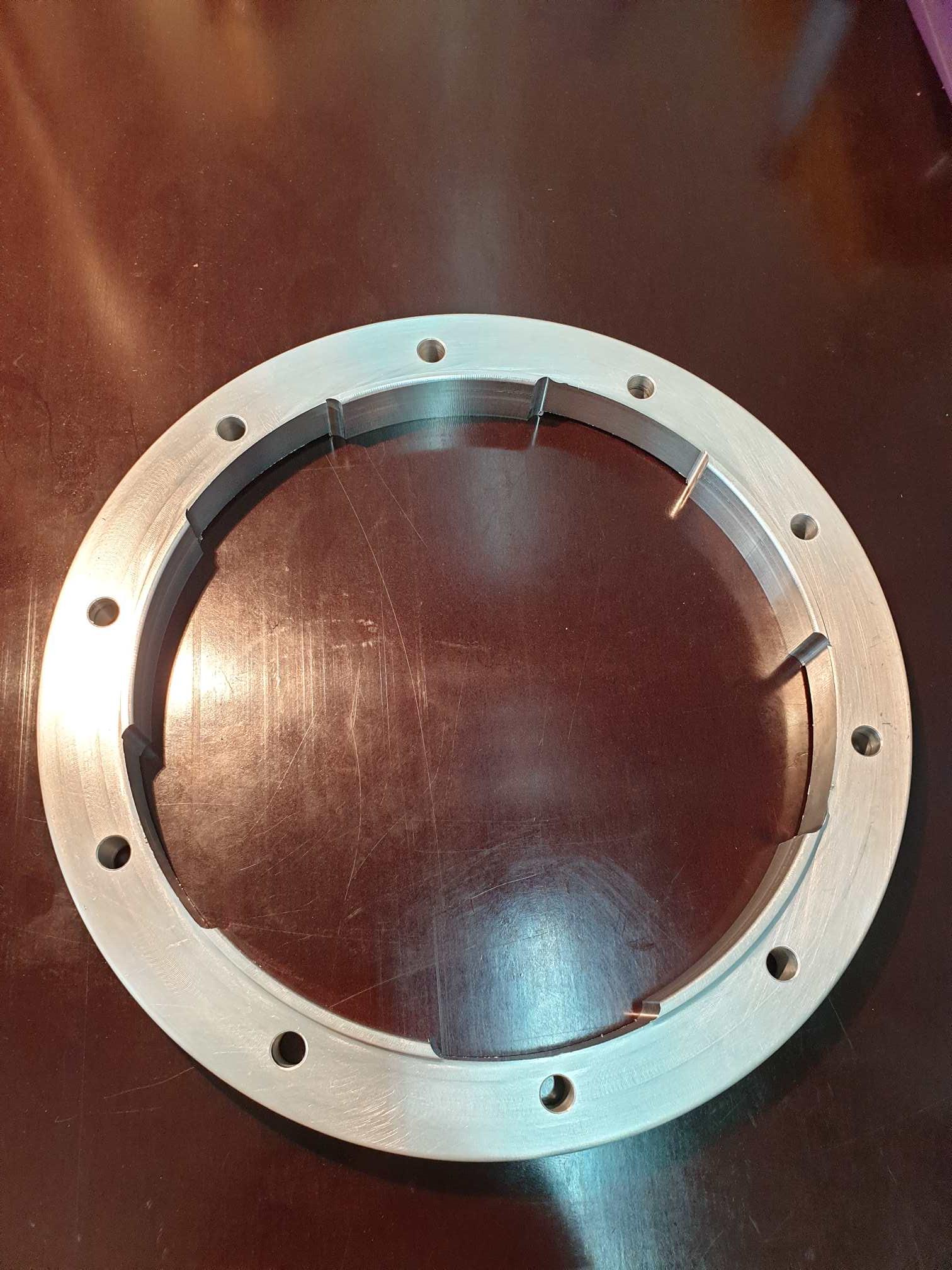
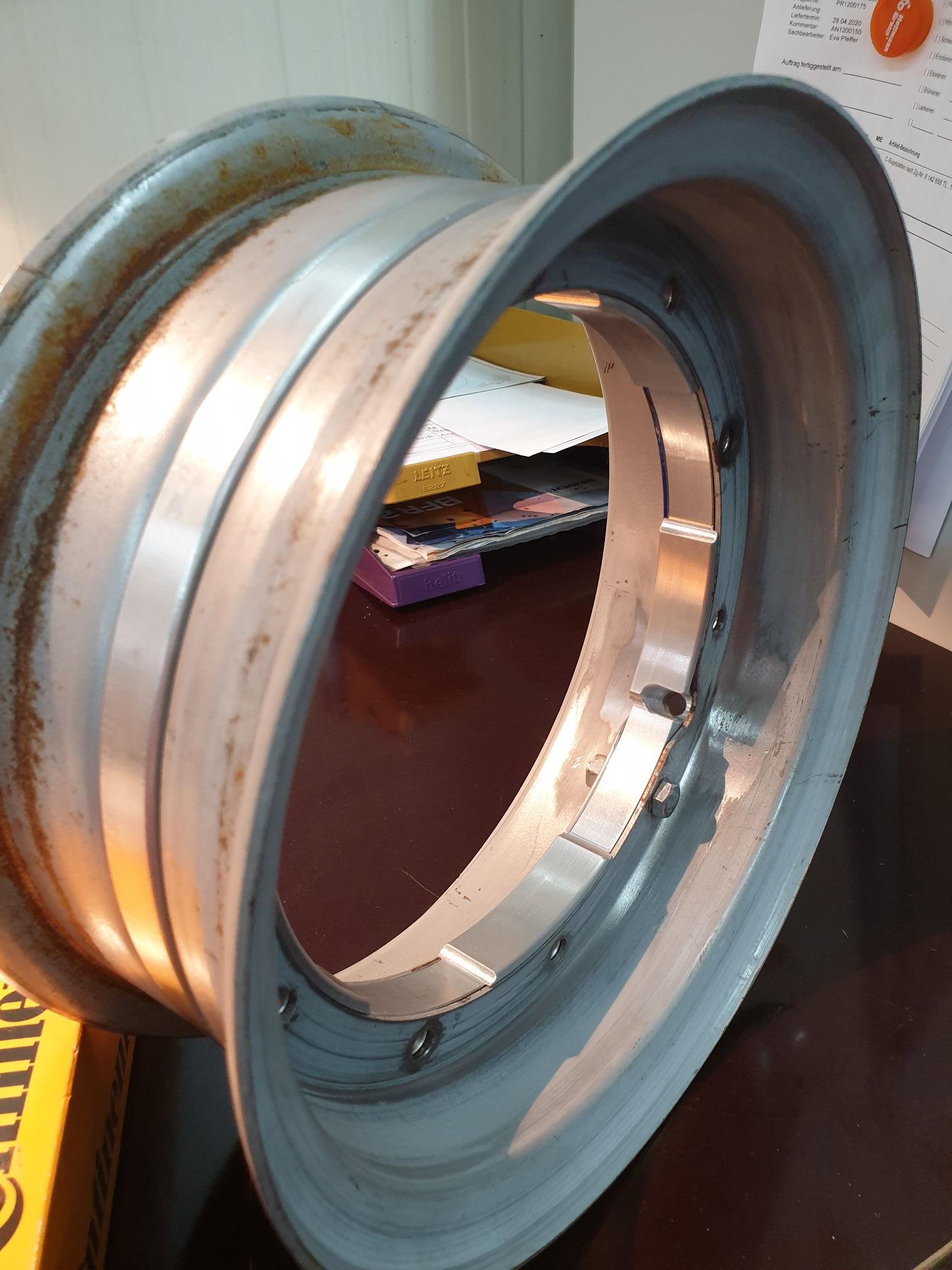
 5 Punkte3 Punkte3 Punktemittlerweile verstehe ich es, wenn man kein absolut zahlen mehr postet, die Zweifler werden quasi umgehend herbeigerufen und kontern mit tollen Diagrammen oder wie man es anders hätte machen müssen...die wenigsten sieht man damit aber dann auf der Straße fahren ..daher mal wieder den virtuellen Hut fürs gebastel gezogen, erstens, weil man dran teilhaben darf, und zweitens weil es unheimlich anspornt selber so einen "blödsinn" zu fabrizieren Ps: der winter hält noch an, und auch corona is noch da.. also wenn nicht jetzt, wann dann?3 Punktehier ein mega onboard video vom schnellen griechen (auf pk ). jede menge rennaktion und fullframe lammis. werde voll kribbelig wenn ich mir das ansehe...3 Punkte3 Punkte3 Punkte2 Punkte2 PunkteKeine Sprachfehler, sondern nur reines, klares Deutsch! Die wahre Sprache der Dichter und Denker! Beim Rest der Nation hat man ja in Sachen Aussprache das Gefühl, die Zunge ist entweder nur rudimentär vorhanden oder irgendwie am Gaumen fest gewachsen... Das Wort "ÜGENDpresse" ist selbstverständlich die reine Urform des leider verballhornten Wortes Lügenpresse, aber das weiß natürlich außerhalb des Zentrums der wahren Sprache kaum jemand! In sofern hat der liebe @Lorenzzovollkommen recht und es gleichzeitig nicht verdient, von solchen Geräuschekotzern wie Euch (ja, genau, auch DU bist gemeint!) seitlich angeflammt zu werden! So. Muss ja mal geschrieben werden! @Lorenzzo: Hömma, Kleener, die Tage mal aufn Schnack anne Ramme? Btt PRESSEstelle2 Punkte@PXCop Wann geht´s bei uns los mit Fremdzylinder? Geile Arbeit hier, ich liebe so nen harten Shit2 Punkte2 Punkte2 PunkteOkay, dann noch eine letzte Erklärung zu meinem Beitrag und dann hat sich das Thema auch für mich erledigt. Wenn das genauso passiert wäre, hätte ich auch gar nichts gesagt. Ich fand es bloß unschön, gierig darauf zu warten, dass endlich ein Bild kommt von einem Teil, in das ein anderer Mühe, Geld und Zeit investiert hat, NUR um sich dann ohne jegliche Sachlichkeit und Konstruktivität darüber lustig zu machen. Das war absolut nicht meine Absicht! Falls das so rübergekommen ist, tut es mir leid. Mir ging es tatsächlich in der etwas überspitzten Aussage darum, dass ich es schade fände, wenn auf Grund dieses Heruntersprechens irgendwann gar keine neuen, ungewöhnlichen Ideen mehr dazukämen, denn dann hätte das Forum ein Teil seines Reizes verloren. In diesem Sinne...ich hoffe auf viele weitere spannende und schöne Beiträge und habe von meiner Seite jetzt alles dazu gesagt. Gruß Tim.2 Punkte2 PunkteFreitag darf ich raus aus der Klinik , dann geht's in Reha für 2 oder 3 Wochen. Rehaklinik optimal2 PunkteKomm, den Rahmen haste doch spätestens am Wochenende gedengelt, lackiert und komplettiert! Sei nicht so faul Ich bin beeindruckt!2 PunkteDas wäre gut, gell? Thema ist lange auf dem Tisch, aber wir bekommen das Zeug dafür nicht ran im Moment.2 Punkte2 Punkte2 PunkteNun mal wieder zu nem ernsten thema......... Felgenring. Hab mir vor ner zeit schon mal nen provisorischen gedreht, hat mir aber nicht gefallen. Zum ausmessen vom motorversatz hats gereicht. Also ein CAD modell entworfen, damit ein CAM programm geschrieben und los gings. Material ist wieder 7075er hochfestes alu. Kurzer maschinenwechsel......... Fertiger ring mit 17mm breite und 2mm bund auf jeder seite an dem die felgen zentriert werden. Dann an den stellen wo felge/ring kombi an bremstrommel geschraubt wird freigefräst damit sich das ganze an der trommel zentriert. Eine klasse lösung die besser klappt als ich dachte. Zusammengebaut....ein monster. 120mm breit Mann is des abartig...... Vollllll geiiil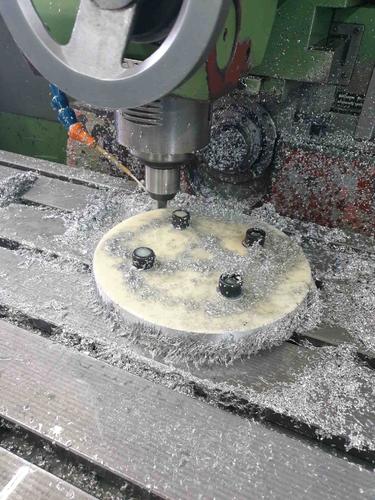
 2 Punktehier mal ein kleins Video vom ertsn test Lauf.... Prüfstandlauf und Kurven kommen dann noch.... ich bin ein bischen hinter her.2 PunkteMotor hängt drin und erster Probelauf ist gemacht. Wollte erst mal schauen ob alles läuft bevor ich dann das Wasserzeug dran mache und den Auspuff fertig mache. leider ist meine 12V Wasserpumpe nicht gekommen... jetzt muss halt eine Gardena Pumpe und ein Akkuschrauber her halten für die Prüfstandsläufe. Das ist alles nur Provisorisch. mir gehts bei dem Ganzen hier erst mal um die Machbarkeit, ob das überhaupt funktioniert und auch höffenlich hält....
.jpg.e97f141cd5b33c13a24d537652758504.jpg)
.jpg.4835e3f0d3917617b11267d46110bbf4.jpg)
.jpg.d853fd16e489a289ed718355d0a9cc7a.jpg)
.jpg.15b537ed2c24ed7202db9f0c95ccf500.jpg)
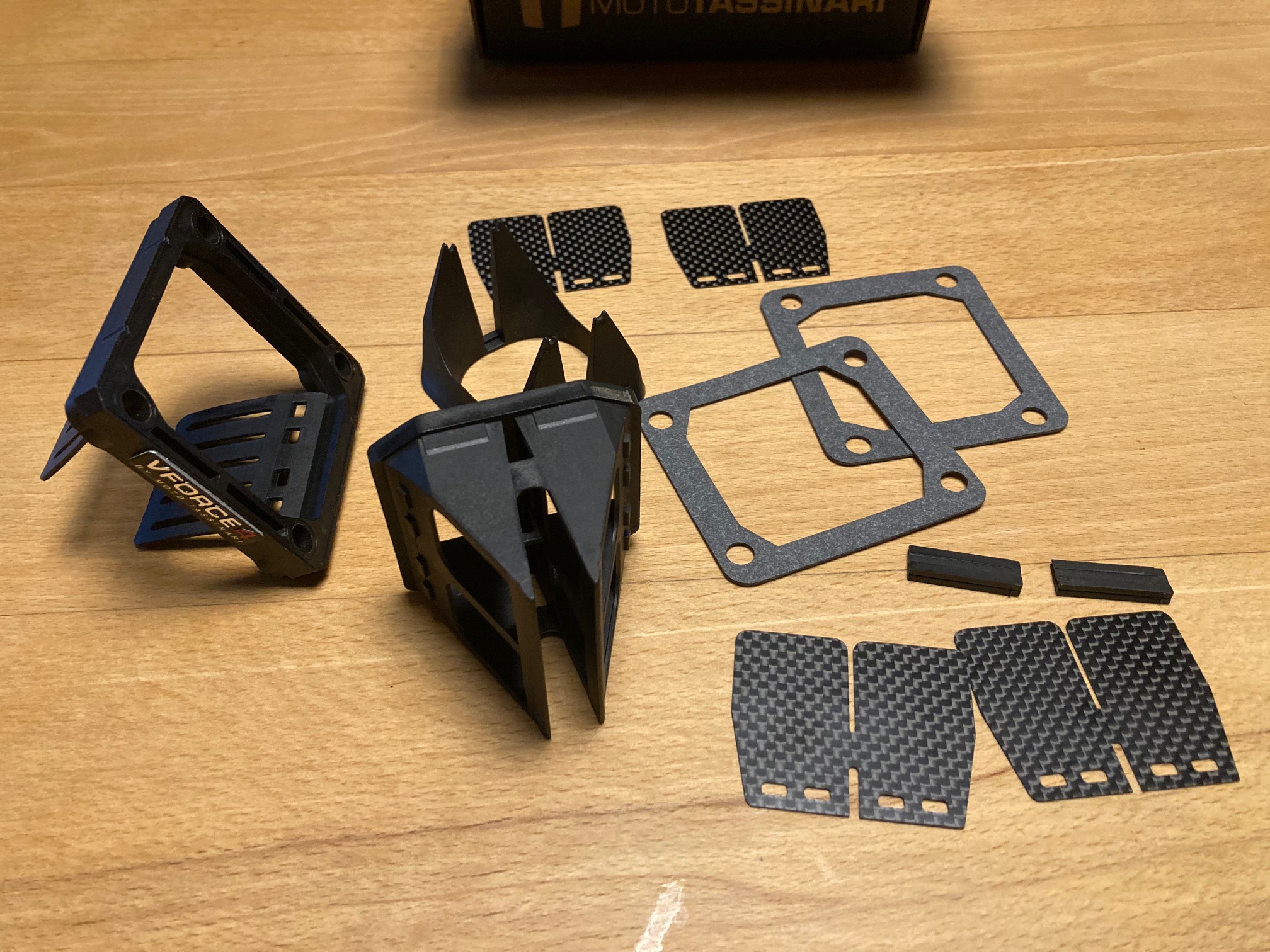
.jpg.50500447ba7f0178f760cf655248a0d0.jpg) 2 Punkte2 Punkte2 PunkteDass das Monster weiter und freier hochdreht als 306... hätt ich nie erwartet Fahr erst mal mit jürgen... bevor du dir über papierwerte kopf machst ;) Dann vielleicht feinabstimmung mit auspuff der bissle mehr saugt...und/oder paar grad mehr vorauslass ;) Zieh aber jetzt schon den Hut jürgenkingofkubik!! Wolfgang1 Punkt1 Punktja, aber der Verbrauch ist schon scheisse ! wünsche viele glückliche Kilometer damit. und Hut ab vor diesem Machergeist !1 Punkt1 Punkt1 Punkt.....gibt Lese-Seminare ohne es selbst zu können @Das Böse Alles Jute1 PunktMan sollte sich aber schon überlegen, ob man mit einem Roller klar kommt, bei dem einem der "Rennauspuff" ins Auge springt, die Performance des 150cm³ Kraftwerks aber hinter den assoziierten Erwartungen zurück bleibt.1 Punkt1 Punkt1 PunktNun ja,.... Knuspriges Brot - goldbraun, Butter, die darauf verschmilzt, zarter Schinken, der sich darüber legt, Käse, der es zudeckt. Tja, und dann wohlEi! Gurke - die kommt zum Schluss! Bald ist 17.00 Uhr - Corgi o’clock!1 Punkthttps://www.streamlineseats.de/site/ Die haben neuerdings wohl auch Touring Sitzbänke!1 PunktDie Überstromtheorie ist in der tat interessant, da gibt es einfach ganz viele meinung von muss maximal groß sein bis hin muss nur strömungsgünstig sein.. die frage wäre technisch interessant, wenn man z.b. mit einer Adapterplatte arbeiten würde, und dadurch mehr raumschaffen könnte um die grossen überströmer z nutzen, ob das dann nochmal zu mehr (von der eh schon viel vorhanden Leistung) Leistung führen würde... Interessant find ich das Thema mit der Bedüsung, lief beim 306er top und beim 400er viel zu fett... selbige Erfahrung hatte ich beim bedüsen von 260 auf 306 (klar anderes konzept und anders saugenden Anlage), aber die frage ist natürlich schon was passiert wenn unter dem Kolben mehr Gemisch verarbeitet werden kann bzw. man einen grössere Füllung hinbekommt...fragen über Fragen1 PunktBei der Abdeckung von meiner TS waren da zwei Löcher drin, durch die die Enden nach draussen geführt wurden. Ohne die Haken auf der Scheibe isses mir mal passiert, dass der Zug genau rechtwinklig auf die Abdeckung traf und ich mich lange gewundert und gesucht hab, warum die Gänge klemmen...1 Punkt1 PunktBzgl. Primär: Kannst dir auch das DXC holen, kost ein Bruchteil des DRT und reicht für das Setup völlig und funktioniert unauffällig ... bereits zweimal verbaut ... https://www.duepercento.com/it/rapporti-27-69-dxc-racing-per-vespa-50-50-special-et3-primavera-pk50-125-3901039.html1 Punkt1 PunktUnd dann würgt man das defekte Gewinde durch die Trommel? Eher ungünstig...1 Punkt1 Punkt1 Punkt1 PunktSpricht aus eigener Erfahrung Edith fügt noch hinzu: @Das Böse Glückwunsch und alles Gute zum Geburtstag1 Punkt1 PunktNa da bin ich mal gespannt. Ich werde berichten dauert aber ein wenig bis ich wieder zeitig in die Werkstatt komme. Will ja abends die Nachbarn nicht unnötig stören. Mal sehen ggf. fahr ich mal in der Pause 2-3 Läufe machen.1 Punkt1 Punkthttps://www.derstandard.at/story/2000123593825/eu-will-zahlungen-mit-bargeld-einschraenken1 Punkt1 Punkt1 PunktDas ist bestimmt schwierig. Ausser sie zu heiraten und gut zu stopfen, bleibt ihn da nur die Flucht oder ein Aufstieg über die Chefin. Schwierig. Sorry für die Obszönität.1 Punkt1 PunktHab mir auch aus Interesse die FakeVForce bestellt. Alle Membranplättchen haben 0,5mm, sind aber bocksteif. Man kann sich gut vorstellen dass da weniger durchgeht als bei einer original RD mit Stahl- od. GFK-Plättchen.
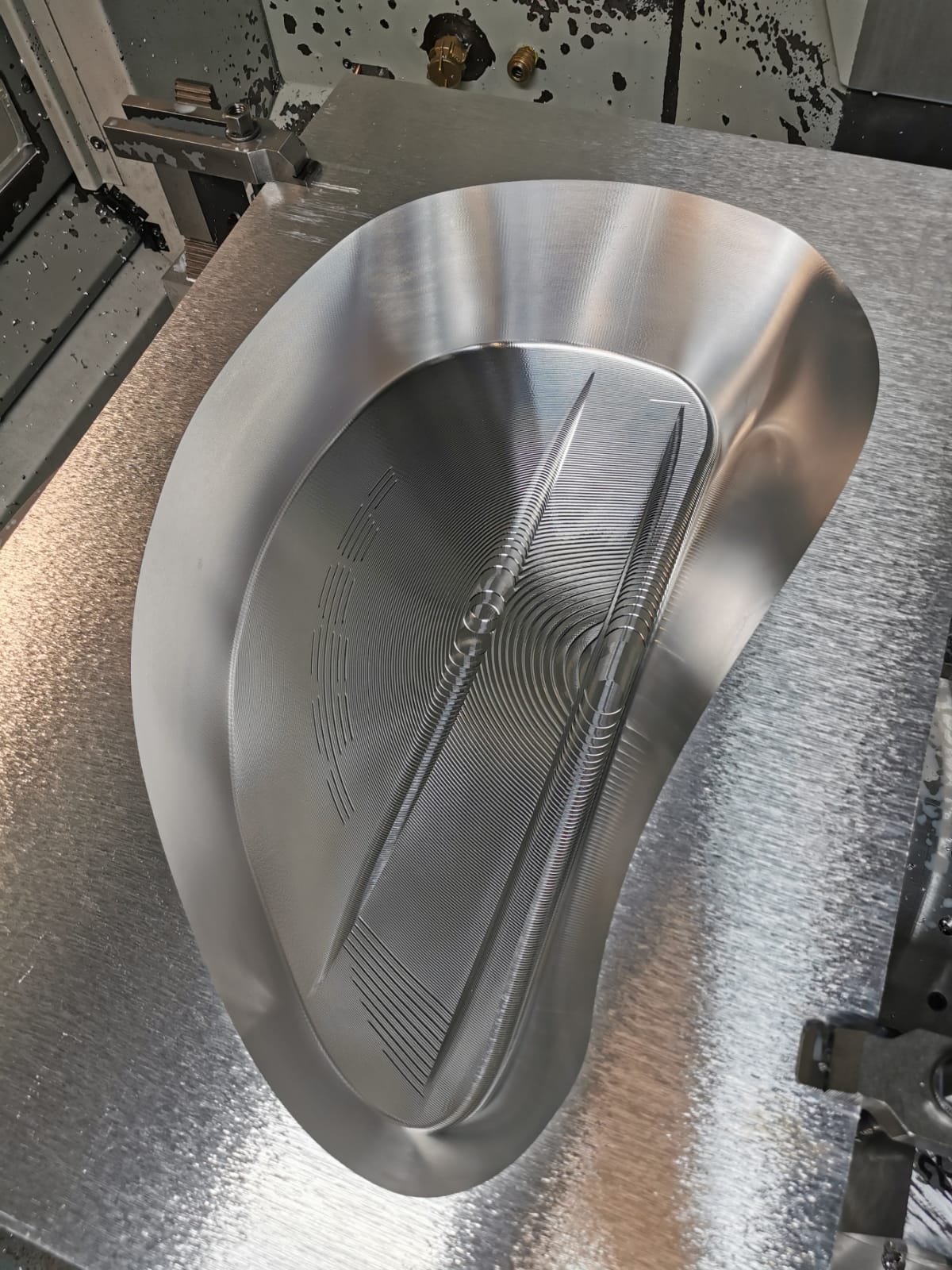
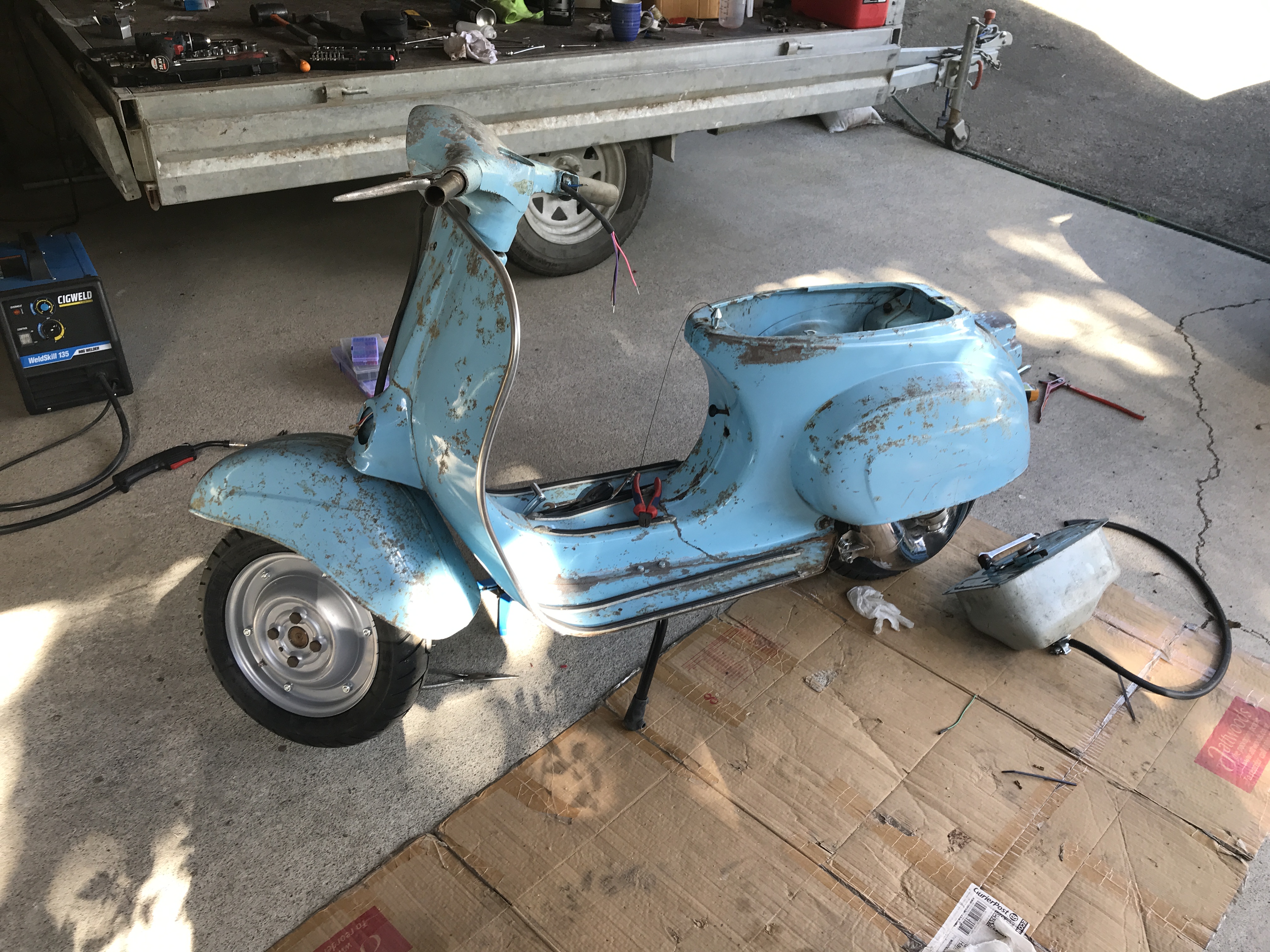
2 Punkte2 Punkte2 PunkteDass das Monster weiter und freier hochdreht als 306... hätt ich nie erwartet Fahr erst mal mit jürgen... bevor du dir über papierwerte kopf machst ;) Dann vielleicht feinabstimmung mit auspuff der bissle mehr saugt...und/oder paar grad mehr vorauslass ;) Zieh aber jetzt schon den Hut jürgenkingofkubik!! Wolfgang1 Punkt1 Punktja, aber der Verbrauch ist schon scheisse ! wünsche viele glückliche Kilometer damit. und Hut ab vor diesem Machergeist !1 Punkt1 Punkt1 Punkt.....gibt Lese-Seminare ohne es selbst zu können @Das Böse Alles Jute1 PunktMan sollte sich aber schon überlegen, ob man mit einem Roller klar kommt, bei dem einem der "Rennauspuff" ins Auge springt, die Performance des 150cm³ Kraftwerks aber hinter den assoziierten Erwartungen zurück bleibt.1 Punkt1 Punkt1 PunktNun ja,.... Knuspriges Brot - goldbraun, Butter, die darauf verschmilzt, zarter Schinken, der sich darüber legt, Käse, der es zudeckt. Tja, und dann wohlEi! Gurke - die kommt zum Schluss! Bald ist 17.00 Uhr - Corgi o’clock!1 Punkthttps://www.streamlineseats.de/site/ Die haben neuerdings wohl auch Touring Sitzbänke!1 PunktDie Überstromtheorie ist in der tat interessant, da gibt es einfach ganz viele meinung von muss maximal groß sein bis hin muss nur strömungsgünstig sein.. die frage wäre technisch interessant, wenn man z.b. mit einer Adapterplatte arbeiten würde, und dadurch mehr raumschaffen könnte um die grossen überströmer z nutzen, ob das dann nochmal zu mehr (von der eh schon viel vorhanden Leistung) Leistung führen würde... Interessant find ich das Thema mit der Bedüsung, lief beim 306er top und beim 400er viel zu fett... selbige Erfahrung hatte ich beim bedüsen von 260 auf 306 (klar anderes konzept und anders saugenden Anlage), aber die frage ist natürlich schon was passiert wenn unter dem Kolben mehr Gemisch verarbeitet werden kann bzw. man einen grössere Füllung hinbekommt...fragen über Fragen1 PunktBei der Abdeckung von meiner TS waren da zwei Löcher drin, durch die die Enden nach draussen geführt wurden. Ohne die Haken auf der Scheibe isses mir mal passiert, dass der Zug genau rechtwinklig auf die Abdeckung traf und ich mich lange gewundert und gesucht hab, warum die Gänge klemmen...1 Punkt1 PunktBzgl. Primär: Kannst dir auch das DXC holen, kost ein Bruchteil des DRT und reicht für das Setup völlig und funktioniert unauffällig ... bereits zweimal verbaut ... https://www.duepercento.com/it/rapporti-27-69-dxc-racing-per-vespa-50-50-special-et3-primavera-pk50-125-3901039.html1 Punkt1 PunktUnd dann würgt man das defekte Gewinde durch die Trommel? Eher ungünstig...1 Punkt1 Punkt1 Punkt1 PunktSpricht aus eigener Erfahrung Edith fügt noch hinzu: @Das Böse Glückwunsch und alles Gute zum Geburtstag1 Punkt1 PunktNa da bin ich mal gespannt. Ich werde berichten dauert aber ein wenig bis ich wieder zeitig in die Werkstatt komme. Will ja abends die Nachbarn nicht unnötig stören. Mal sehen ggf. fahr ich mal in der Pause 2-3 Läufe machen.1 Punkt1 Punkthttps://www.derstandard.at/story/2000123593825/eu-will-zahlungen-mit-bargeld-einschraenken1 Punkt1 Punkt1 PunktDas ist bestimmt schwierig. Ausser sie zu heiraten und gut zu stopfen, bleibt ihn da nur die Flucht oder ein Aufstieg über die Chefin. Schwierig. Sorry für die Obszönität.1 Punkt1 PunktHab mir auch aus Interesse die FakeVForce bestellt. Alle Membranplättchen haben 0,5mm, sind aber bocksteif. Man kann sich gut vorstellen dass da weniger durchgeht als bei einer original RD mit Stahl- od. GFK-Plättchen.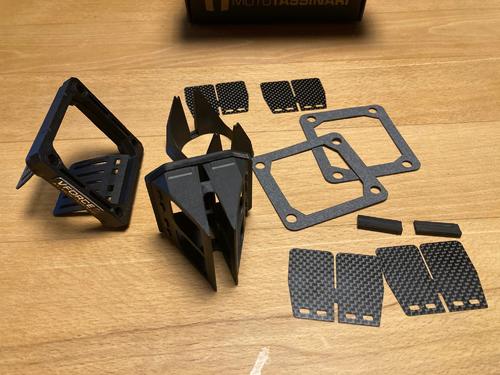 1 Punkt1 Punkt1 PunktDieses Teil ist lasergesintert? Ich hatte lasergesinterte Teile in der Hand, zB. Zühlander, und die waren quasi aus der Maschine fertig zum Beschichten. Der vorherige Vergleich mit einem Eierkarton scheint mir passend zu sein. Vielleicht könntest du da etwas näher auf den Herstellungsprozess eingehen. Gruß *****1 Punkt1 PunktHier mal n kleines update. Hoffe wird heute fertig. Nur n paar elektrikfragen zu klaeren und der Motor darf wieder. Gruesse aus Neuseeland
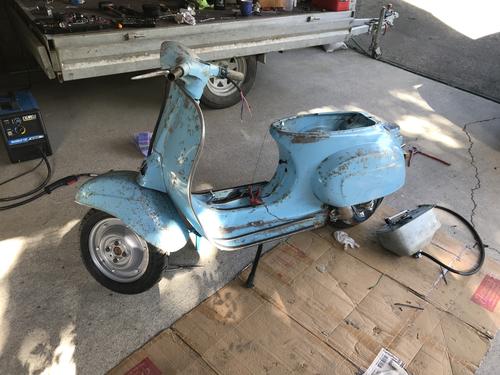 1 PunktSo! Gestern TÜV Termin gehabt und mein Winterprojekt eintragen lassen. Umbau von V50 auf ET3 Motor mit 125cc. Seitenständer, BGM-Dämpfer und 90/90 Reifen hat er mir auch gleich eingetragen. Keine Beanstandungen. Selbst die Fiatblinker durften dran bleiben Ich habe sogar schon einen Termin bei der Zulassung1 Punkt1 Punkt1 PunktDas habe ich mir selbst als Altagsmotor für Vario gebaut. Speedengine mit Mazu AMT156 und den 72er Polini Gianelli Ori Power und 13er Gaser runden das ganze ab. Leistungsmässig macht das schon Spass und bei Nutzung der Polini Speedcontrol, Gelber Feder und dem Malossi Getriebe läuft das dingen 60+ KM/H bei gemütlicher Drehzahl Der Komplette Motor ist nur zusammen gesteckt ohne Anpassung.. Leistungsmessung wurde auf einem Ciao Italo Moped mit Standard Übersetzung gemacht.Speedengine Polini.pdf1 PunktIch kopiere nicht selbst aber "handeln" ist okay? Ich verkaufe nur noch meinen Lagerbestand an Kopien? Das überzeugt null aber sagt so einiges....1 Punkt1 Punkt
Wichtige Information
Diese Website nutzt Cookies und vergleichbare Funktionen zur Verarbeitung von Endgeräteinformationen und personenbezogenen Daten. Die Verarbeitung dient der Einbindung von Inhalten, externen Diensten und Elementen Dritter. Je nach Funktion werden dabei Daten an Dritte weitergegeben. Einige dieser Verfahren sind technisch unerlässlich, andere kommen nur mit Ihrer Zustimmung zum Einsatz, eine Anpassung ist in den die Cookie-Einstellungen möglich. Für Details siehe die Datenschutzerklärung
.jpg.83ff6c48a02389c8a51a26b2f7213ecc.jpg)
.jpg.1c6ac445af573a96ac3e7d86642b8b36.jpg)
.jpg.19f52182e59947c3f005e65bca87d4a6.jpg)
.jpg.1d98d77e6868ac581c03282d2eef73f5.jpg)
.jpg.f90d0cdea0f4c531cf58754d57669175.jpg)
































Account
Navigation
Suche
Configure browser push notifications
Chrome (Android)
- Tap the lock icon next to the address bar.
- Tap Permissions → Notifications.
- Adjust your preference.
Chrome (Desktop)
- Click the padlock icon in the address bar.
- Select Site settings.
- Find Notifications and adjust your preference.
Safari (iOS 16.4+)
- Ensure the site is installed via Add to Home Screen.
- Open Settings App → Notifications.
- Find your app name and adjust your preference.
Safari (macOS)
- Go to Safari → Preferences.
- Click the Websites tab.
- Select Notifications in the sidebar.
- Find this website and adjust your preference.
Edge (Android)
- Tap the lock icon next to the address bar.
- Tap Permissions.
- Find Notifications and adjust your preference.
Edge (Desktop)
- Click the padlock icon in the address bar.
- Click Permissions for this site.
- Find Notifications and adjust your preference.
Firefox (Android)
- Go to Settings → Site permissions.
- Tap Notifications.
- Find this site in the list and adjust your preference.
Firefox (Desktop)
- Open Firefox Settings.
- Search for Notifications.
- Find this site in the list and adjust your preference.