
Rangliste
-
Humma Kavula
Globaler Moderator7Punkte9.885Gesamte Inhalte -
dolittle
Members5Punkte4.443Gesamte Inhalte -

HamburgPXMen
Members4Punkte72Gesamte Inhalte -
roland851
Members3Punkte1.217Gesamte Inhalte

Beliebte Inhalte
Inhalte mit der höchsten Reputation am 21.03.2026 in allen Bereichen anzeigen
-
Wenn hier schon so genau gemessen werden möchte und hier mit absoluten Werten angegeben wird, darf die frage nach kalibrierten messwerkzeugen nicht fehlen. Auch die Temperaturen im messraum sollten denn im messprotokoll angegeben werden. Finde ich jetzt. Aber ich bin auch kein Fachmann und verbaue das zeugs nur. Lustigerweise ohne pleuelprobleme. Evtl. Liegt das aber auch daran das ich meinem motor gar nicht erzähle das er evtl. Ein krummes pleuel verbaut hat. Vermutlich hilft das schon.3 Punkte
-
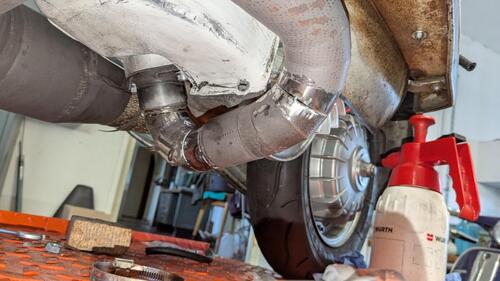
Alles muss man selber machen Morgen noch durchschweißen
 2 Punkte
 -
Vorankündigung … Ich habe heute ein Nagelneues Pleuel von Rocket Vertrieb über Barikit Ausführung Vespa PX 200 57mm Hub BARIKITBARIKIT Pleuel, Piaggio Vespa PE 200, 110mmDas BARIKIT Pleuel für Vespa PE 200 wurde entwickelt, um die Leistung und Langlebigkeit deines Motors auf ein neues Level zu heben für PIAGGIO Vespa 200 2T PE, Rally Zum Vermessen in eine Firma bei uns im Ort gegeben . Die Firma ist Markführer für Werkzeuge in der Luffahrtindustrie. Ich bin gespannt auf die Messergebnisse Und werde das auch mit Messprotokoll hier veröffentlichen . Grüße Tobias2 Punkte
-
Ja, und macht sich bemerkbar wenn die Kolbenringe sich stark einseitig abnützen und/oder der Kolben auf einer Seite des Kolbenhemdes stark Ablagerungen hat....2 Punkte
-
2 PunkteMoin Ich hab über den Winter mal ne kleine Wartung gemacht, Kettendeckel runter und Kette etwas gespannt. Getriebespiel gemessen und neu distanziert. Neues Öl, neue Kerze und die unterste Kupplungsscheibe erneuert, da waren die Laschen etwas eingelaufen. Soweit aber alles schick. Dann hab ich noch auf MZ30 umgerüstet. Mit der doppelwandigen Konstruktion und einem großen Fox Dämpfer ist das schon sehr angenehm zu hören und die Leistung hat merklich zugenommen! Ich habe für eine erste Probefahrt die Bedüsung von der bgm V4 gelassen , die muß aber natürlich noch angepasst werden. Bin aber schonmal positiv gestimmt!2 Punkte
-
Ich bin jetzt technisch nicht völlig unbeleckt, kann aber zu dem Thema fachlich gar nix beitragen. Hab ich halt keine Ahnung von. Wie Spidey schon schrub, solltet IHR Euch hier austauschen, wenn möglich, ohne persönliche Animositäten Technisch habt Ihr das Beide drauf, also, nutzt das Forum für exakt solchen Austausch! Dann kann ich bestimmt auch noch was lernen! Schöner wäre es ohne KI Dafür muss man das halt einordnen können, s.o. Grundsätzlich habt IHR ALLE das in der Hand! Ist nämlich EUER GSF! Wir schauen nur, dass es nicht zu arg wird... Ja, halte ich auch nicht für sinnvoll. (aber ich halte auch SI Vergaser und Box Anlagen für nicht sinnvoll. Andere schon. Dürfen sie auch.) Daher: Schreib, wie es Deiner Meinung nach besser geht! Nochmal: PR stellt etwas dar, was Dir nicht passt. Also stell das hier richtig! Ich z. B. hab halt gar nicht die Kompetenz, hier zu judgen... Das kannst Du selbst. Fände ich aber extrem schade! Muss nicht, oder? Daher wäre es ja gut, wenn sich technisch fundierte Gegenargumente kommen. Dann kann sich jeder was passendes raus ziehen Und die Bilder sind herrlich anzusehen, sagen MIR PERSÖNLICH aber nix. Weil keine Ahnung. Und ich bin immer gut mit Euch Beiden gefahren: Hab zwei Kingwellen im Betrieb und lasse regelmäßig von PR Teile überarbeiten. Danke dafür! Schönes Wochenende, Gruß, Humma2 Punkte
-
Mal mein Senf dazu, der PR hat schon einige Dinge für mich gemacht weil ich persönlich nicht den Maschinenpark habe, aber das technische Hintergrundwissen und Fähigkeiten technische Probleme zu verstehen, umzusetzen bzw. Lösungen zu finden Wenn ich was beim PR in Auftrag gebe, kommt fast immer ein Hinweis oder Einspruch vom PR, Obacht hier und dies oder jenes sollte noch geprüft werden.... Ich vertraue da 100%! Warum? Weil es ist seine Reputation hier die ER aufs Spiel setzt wenn irgendwas im Nachhinein schief läuft.... UND ich es ignoriert oder nicht hören wollte. Wenn er MIR sagt, er verlangt so und so viel, für eine Arbeit, weil er dies und jenes zusätzlich prüft, dann bin ich bereit das zu akzeptieren. Meine letzte Auftragsarbeit zB war der Pleuel Umbau, samt konische HZ Bearbeitung an einer Ciao/Simonini Kurbelwelle, Kosten ca. 450€. Beinhaltet war alles, inklusive Nachtarbeit, wahrscheinlich noch mehr als das ich verlangt habe an prüfen und messen und ne Menge Hirnschmalz... Aber das Ergebnis ist 100%! Man muss auch mal darüber nachdenken das der Helmut ein bisschen älter als wir ist, einfach aus einer anderen Zeit und Welt... Und wenn er irgendwie jemanden auf die Picke nimmt, dann nicht weil er da Profit draus schlägt, ich denke eher weil er auf Missstände hinweisen möchte. Seine Art das immer irgendwie mit alten Geschichten aus seinem Leben zu verbinden muss man mögen.... Und ja, oben steht es, vom den Kram den einige hier entwickeln, aufbauen und verkaufen hält er einiges und wenn nicht dann sagt er es.... Beispiel: Zitat : die Lambretta SIP Kurbelwellen sind trotz Primatist Pleul Butterweich am HZ verpresst im Vergleich zu anderen Herstellern und das untere Pleulspiel zu hoch mit über 0,8mm... Ich persönlich kenne 2 Wellen die sich verdreht haben mit kapitalen Motorschaden.2 Punkte
-
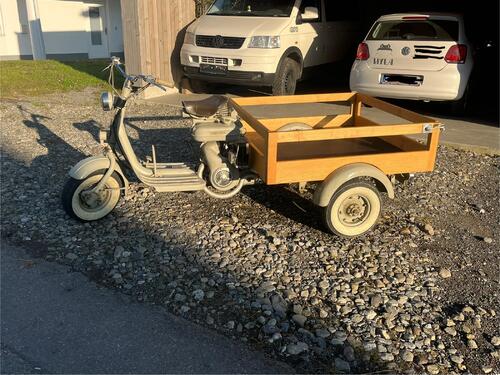
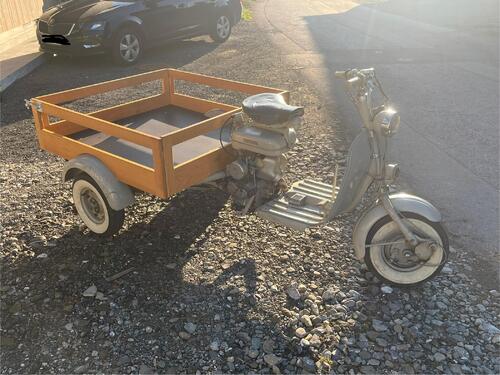
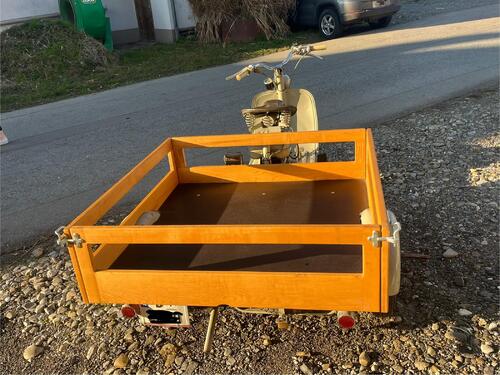
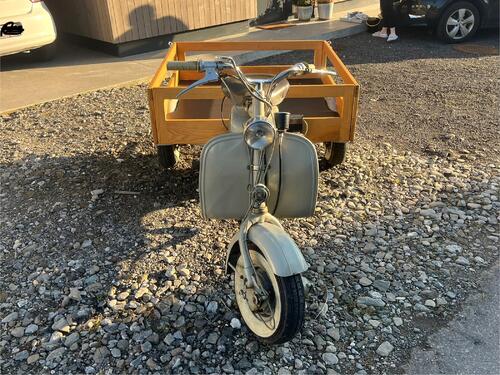
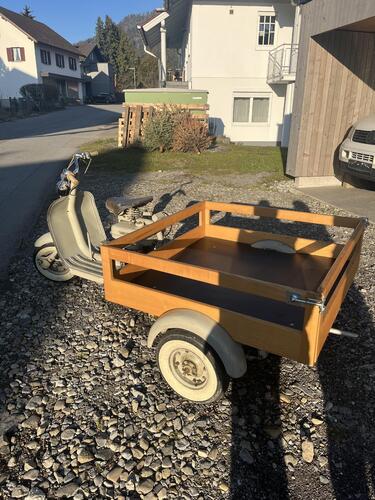
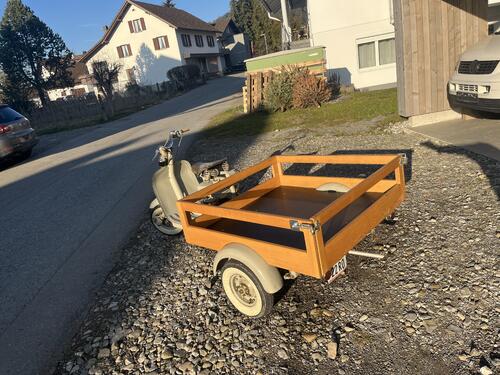
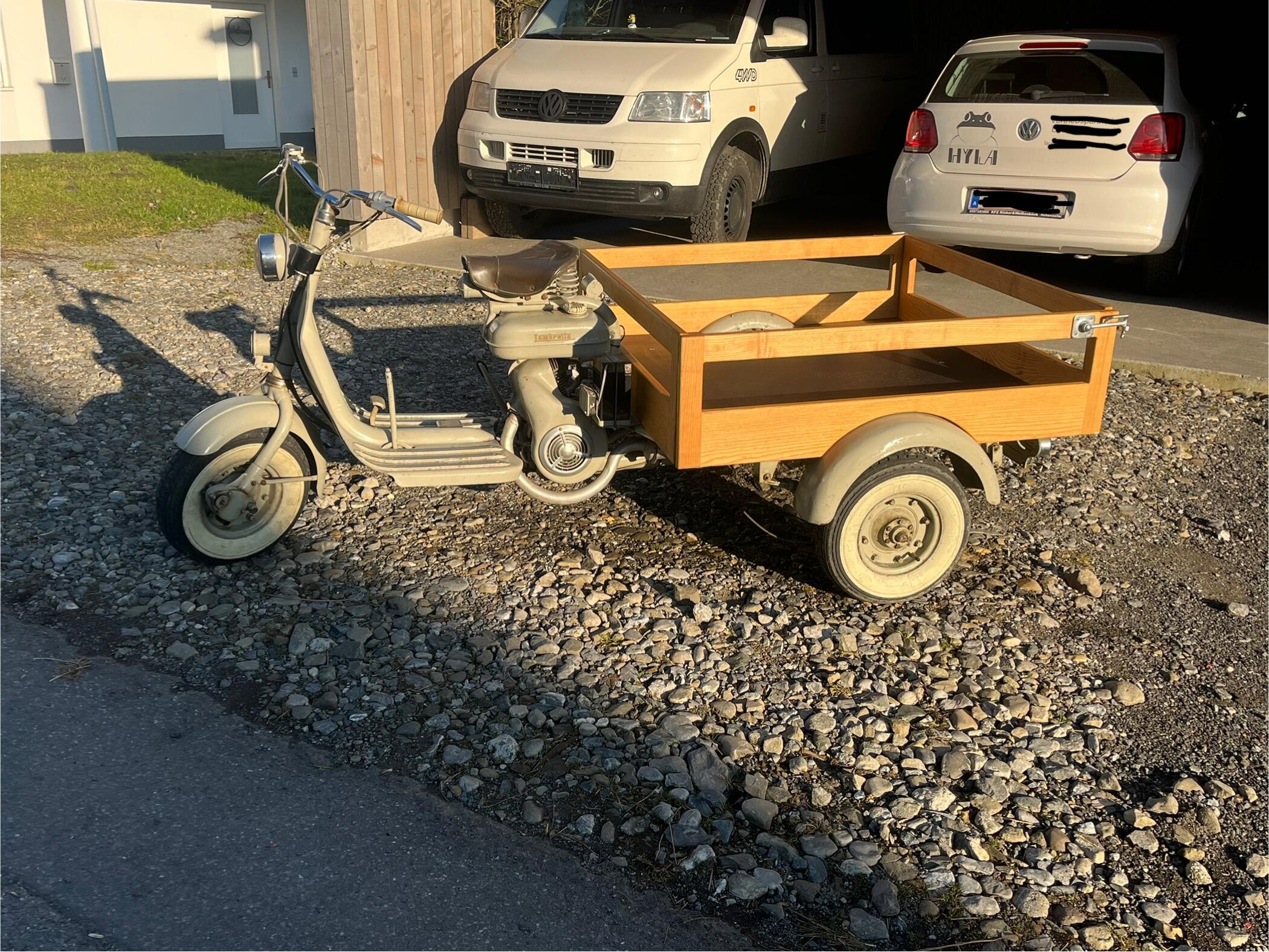
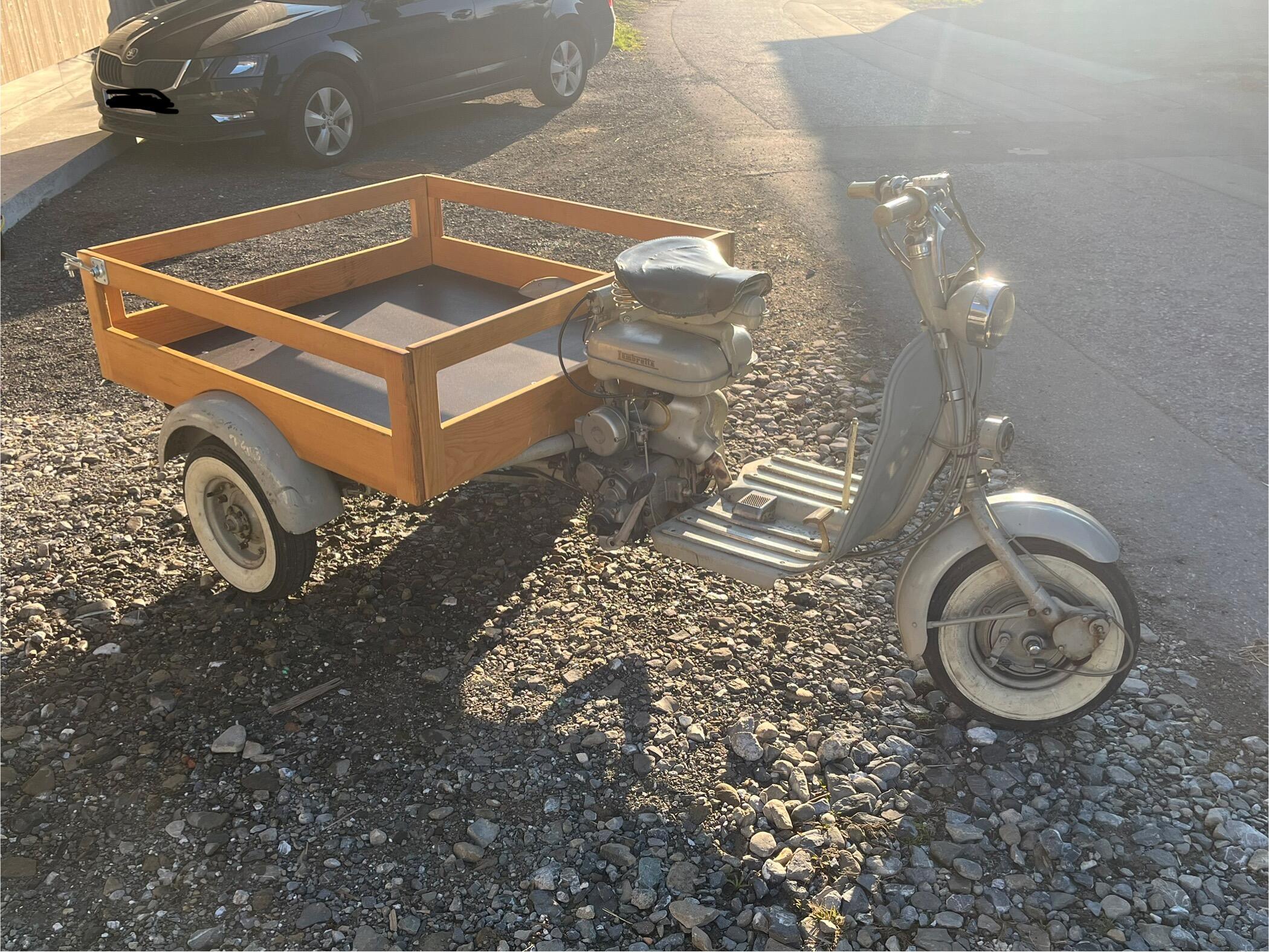
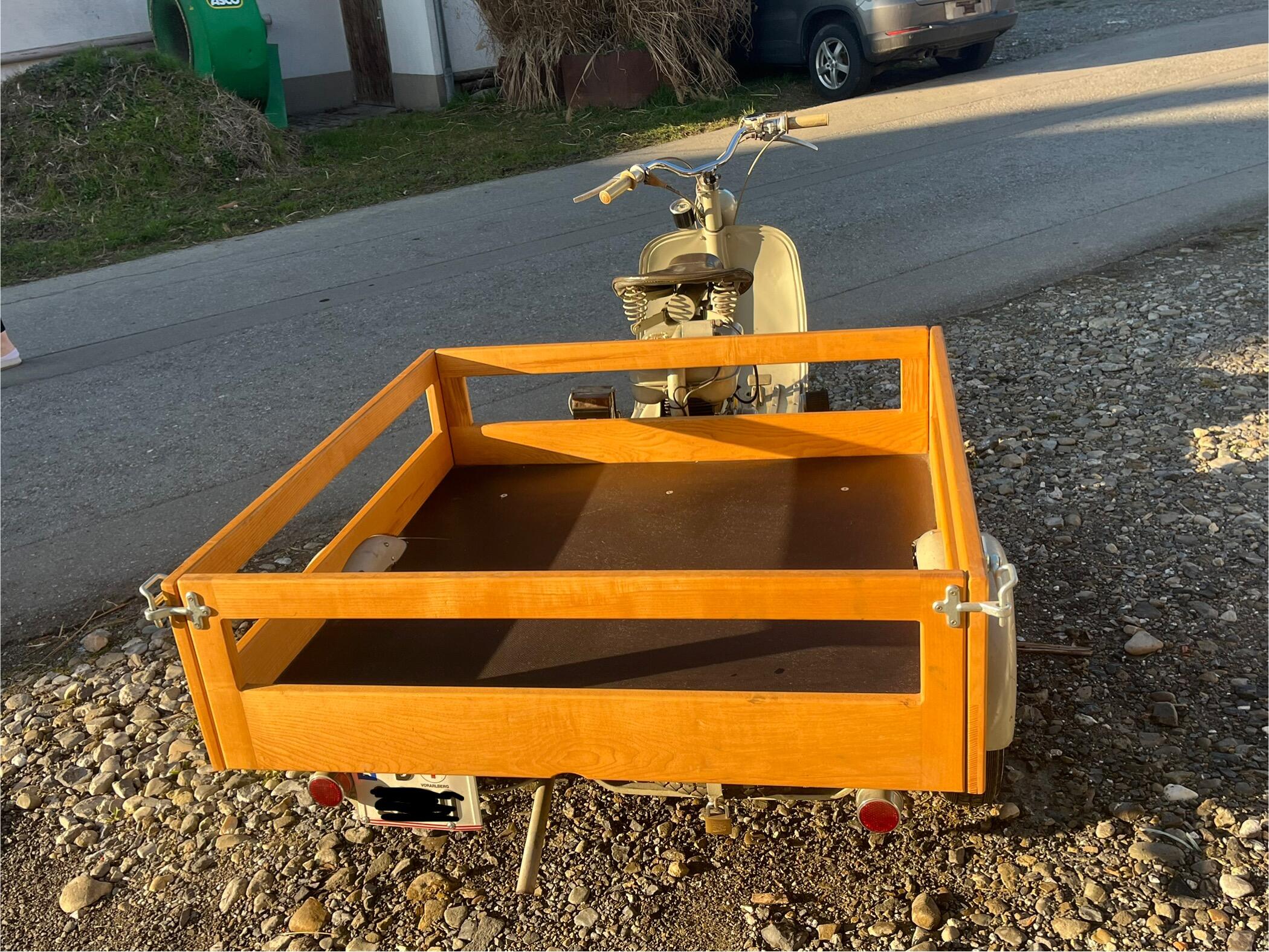
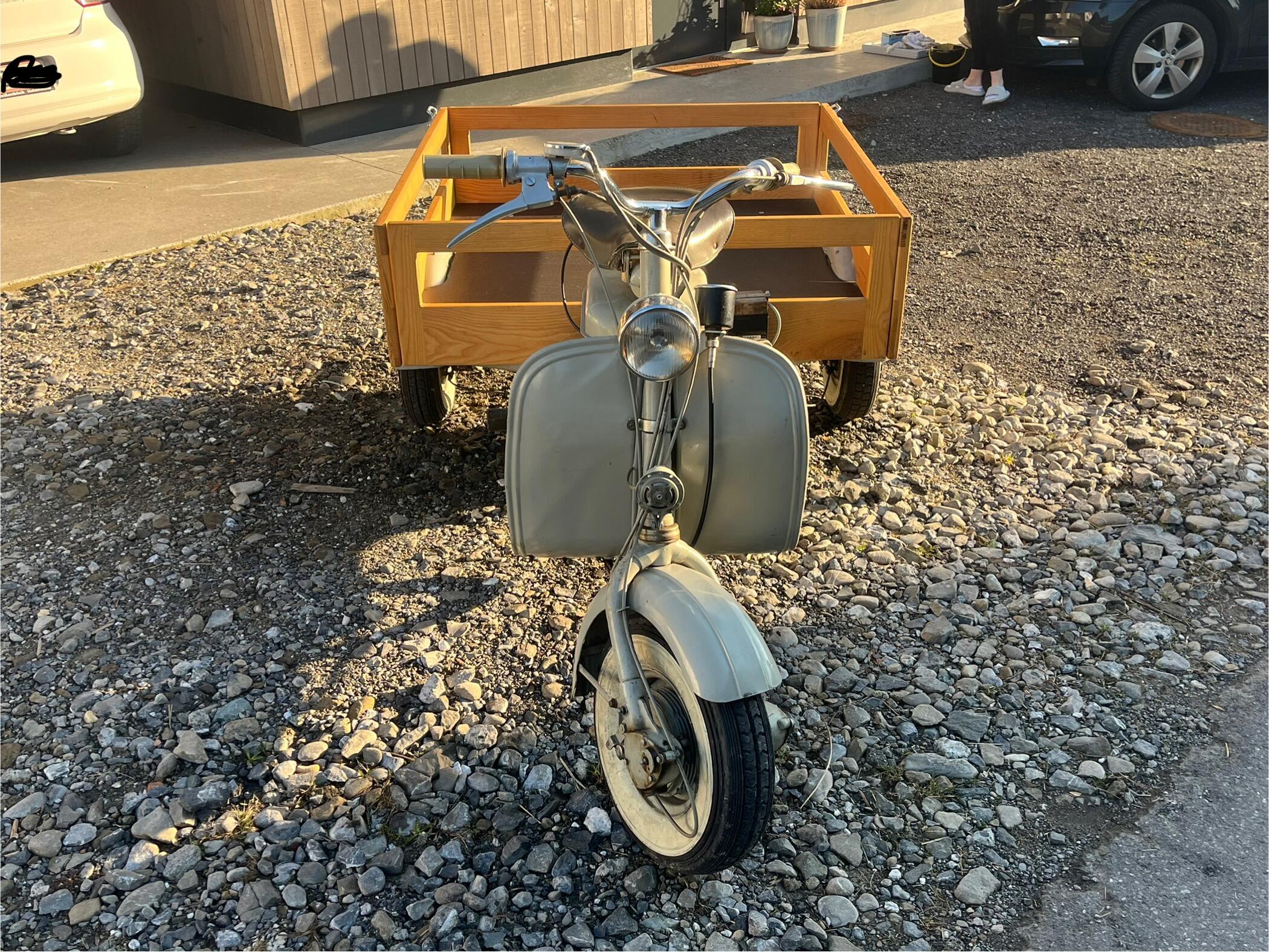
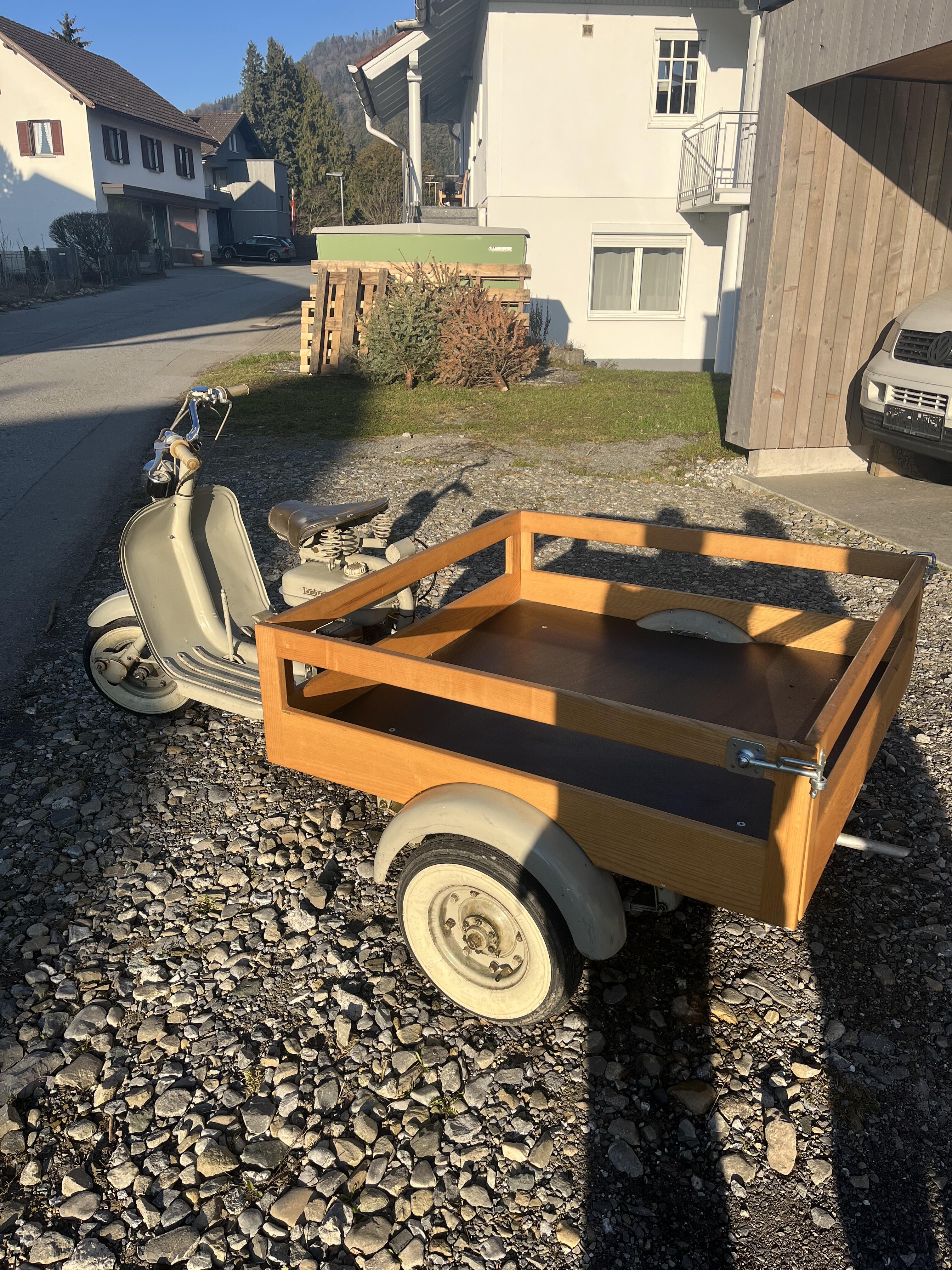
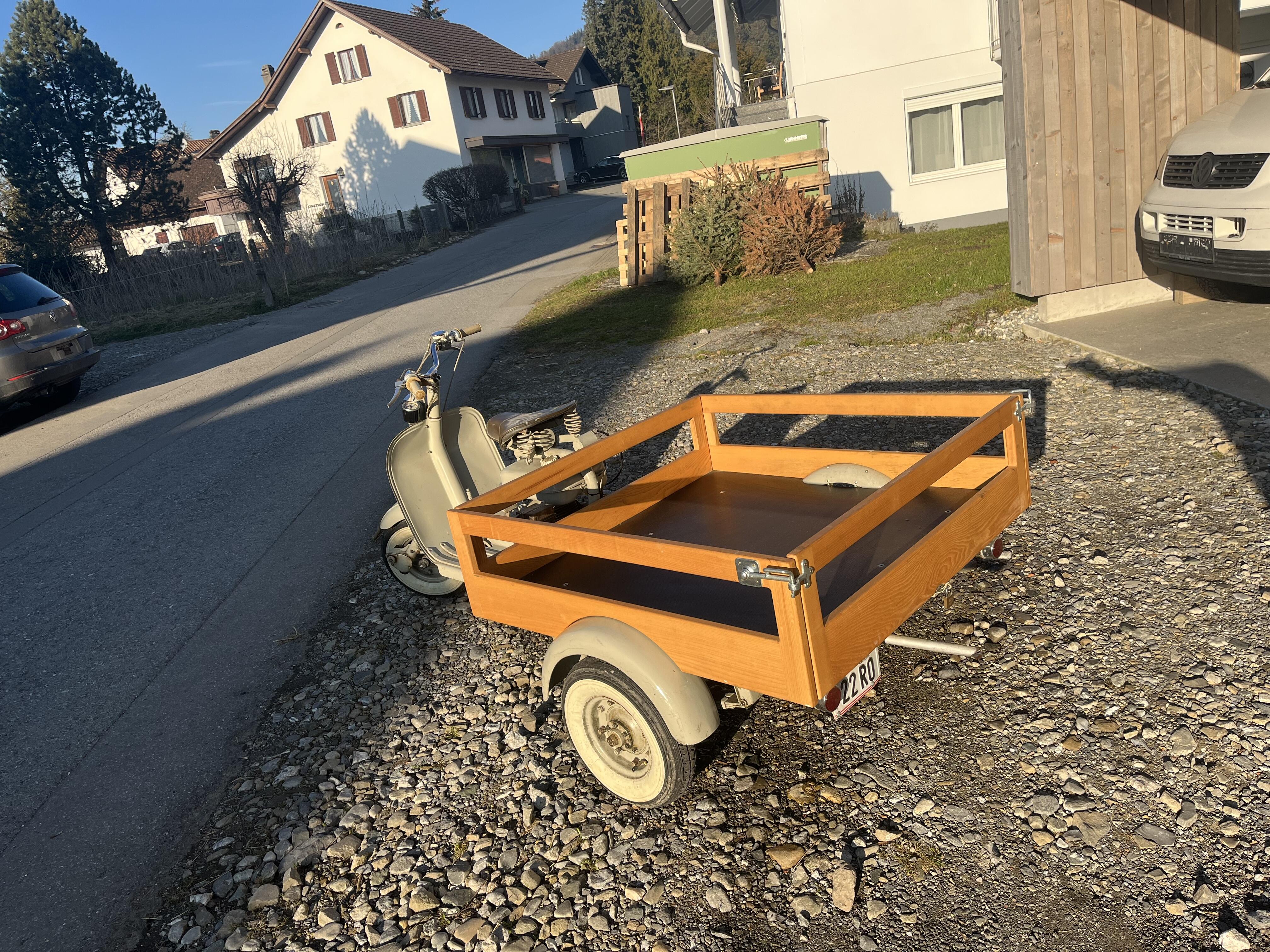
2 Punkte2 Punkte2 PunkteVerkaufe meine Lambretta 150 fd Seltenes Motordreirad mit Holzaufbau Motor wurde 2018/2019 zerlegt neu gelagert und abgedichtet sowie die Technik auf Vordermann gebracht. Motor, Beleuchtung, Bremsen funktionieren. Aufbau ist nicht Original dieser wurde von mir gebaut. Original Aufbau ist nicht mehr vorhanden Österreichische Einzelgenehmigung seit 1957. 3 Gang Hydraulische Trommelbremse Hinten Mechanische Feststellbremse Hinte Mechanische Trommelbremse Vorne Kilometerstand lt. Tacho 24.099 km Derzeit nicht vorgeführt. Preis 5500 VB Standort: 6912 Hörbranz, Österreich
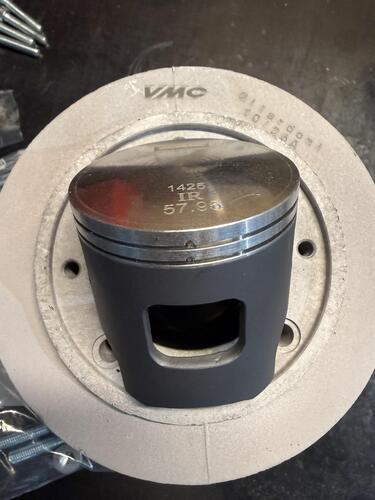
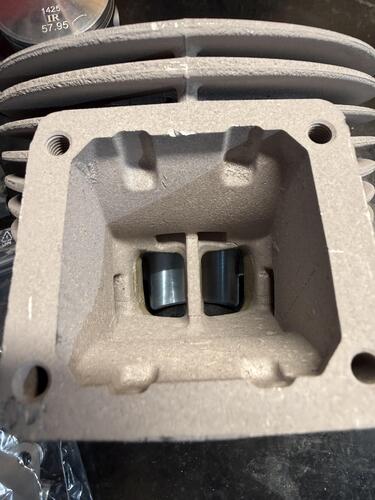
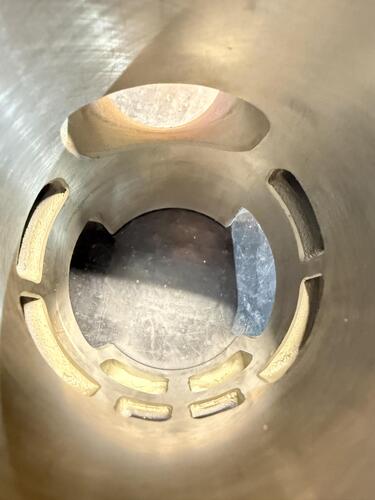
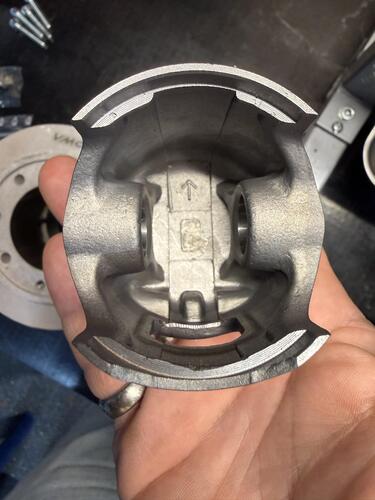
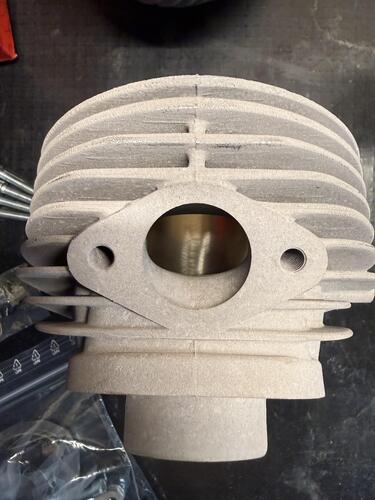
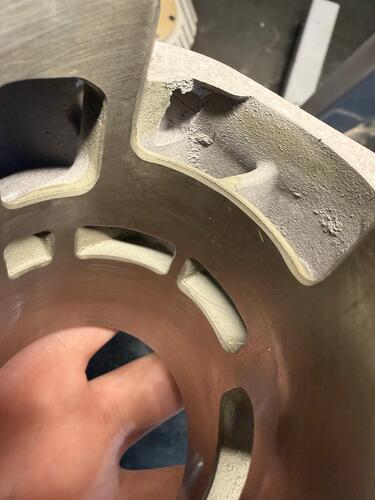
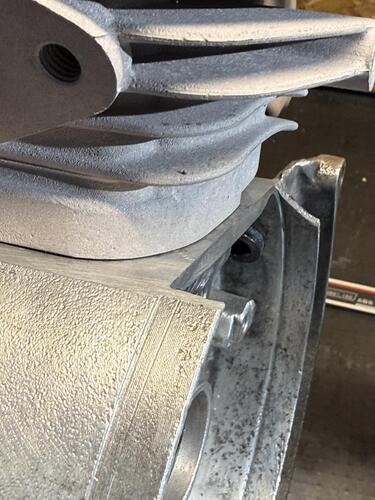
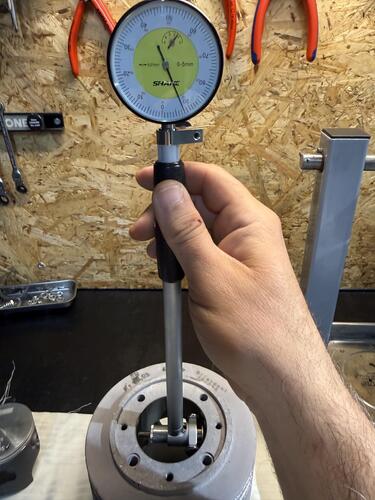
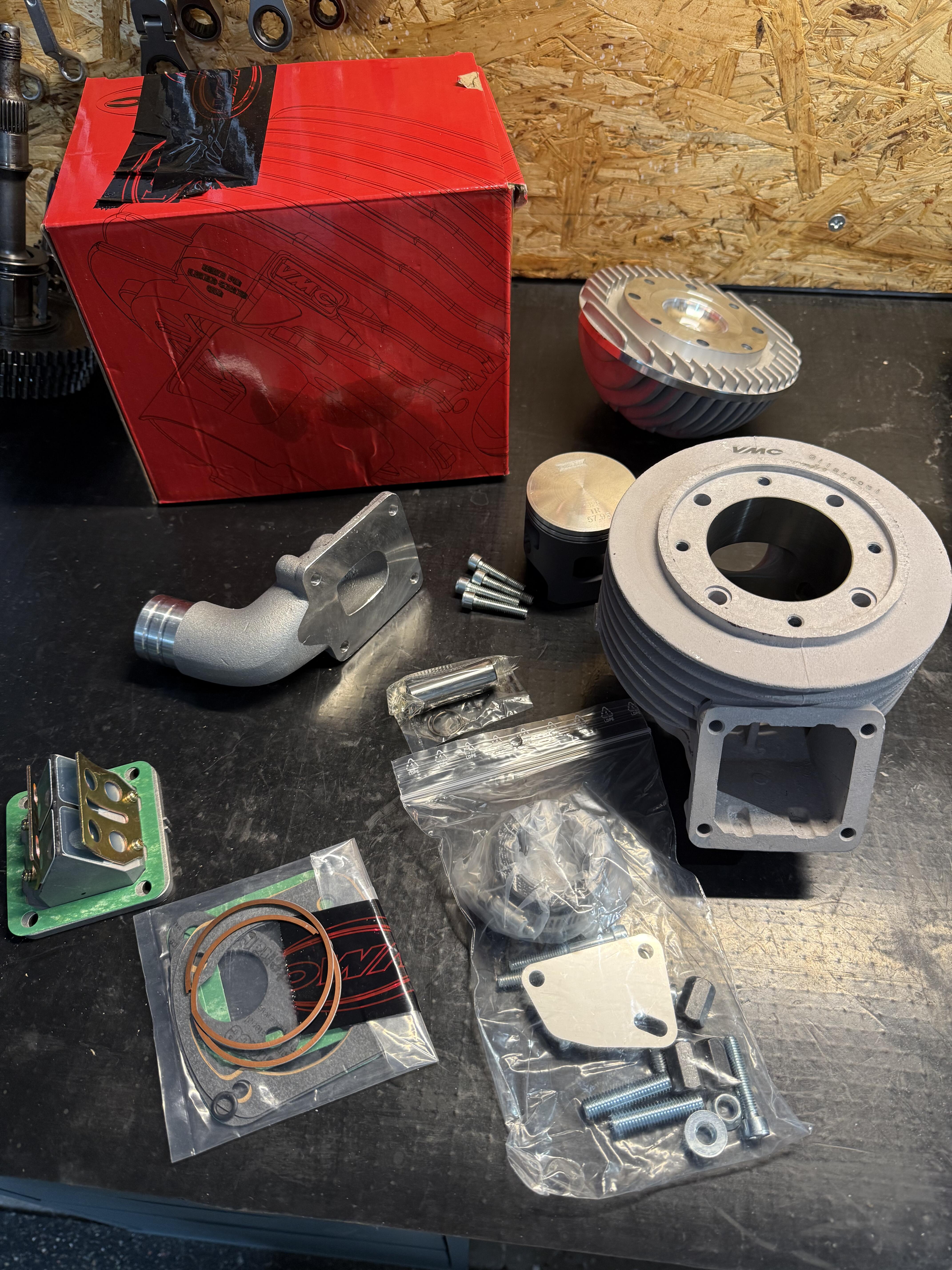
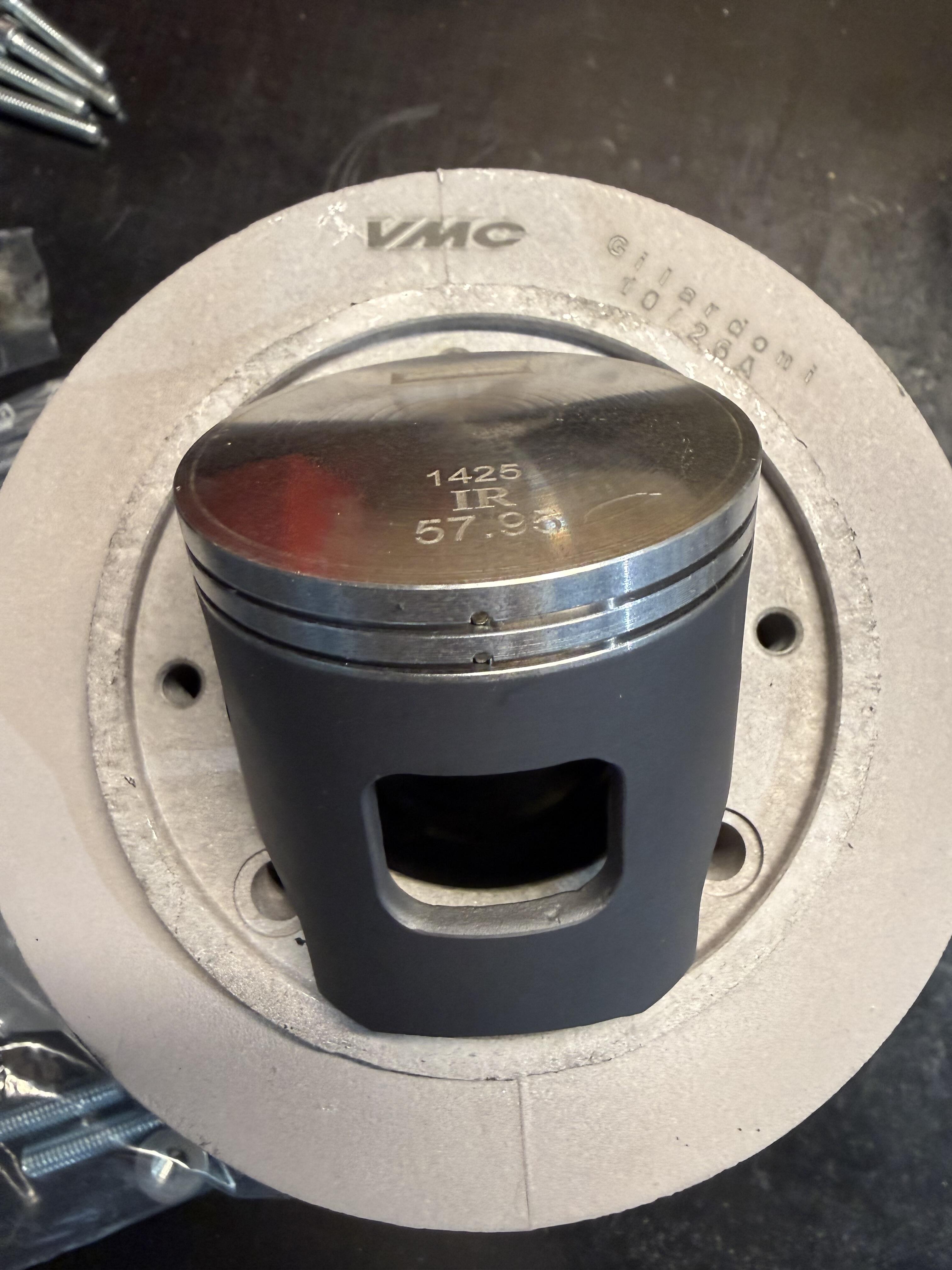
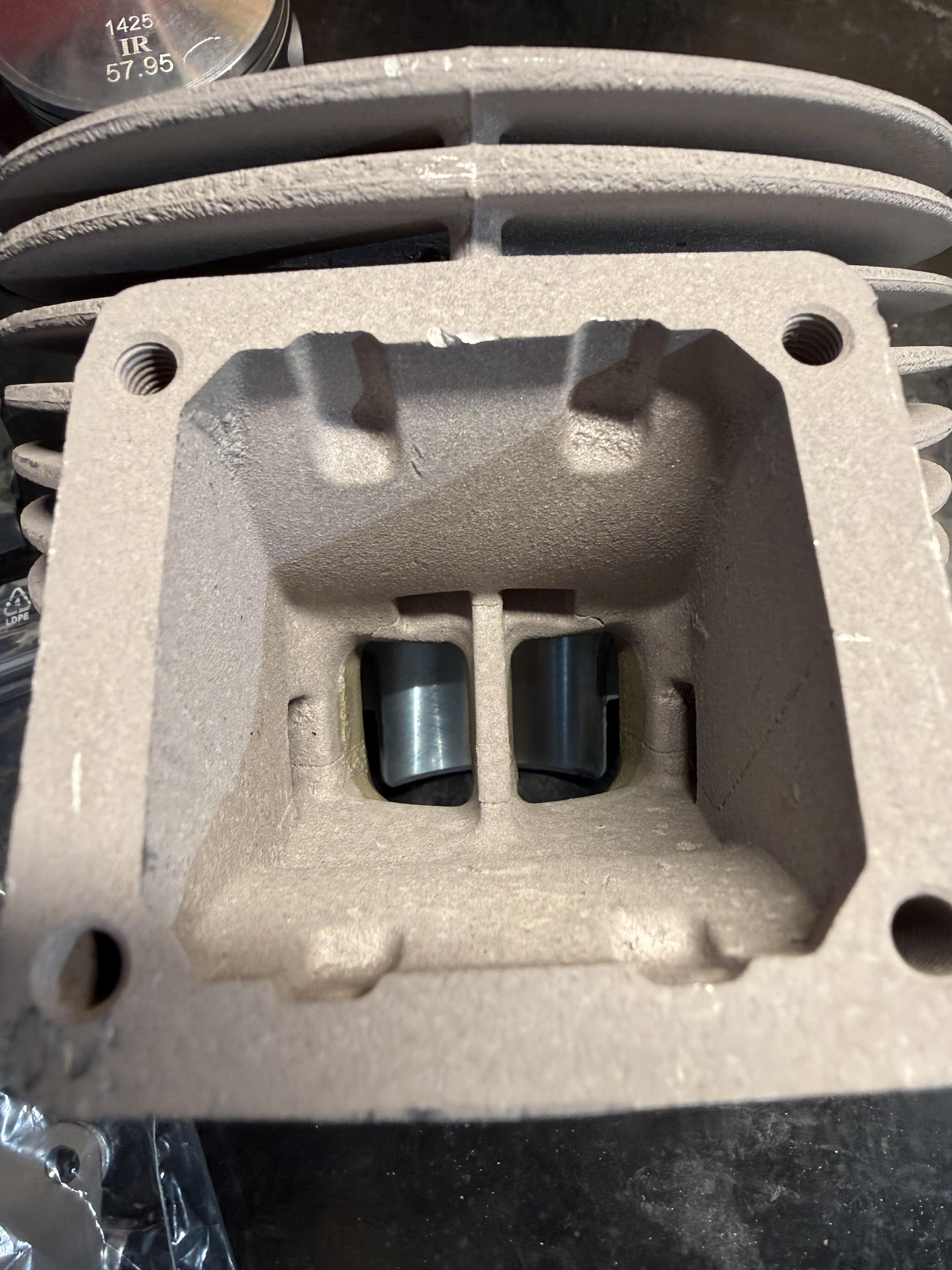
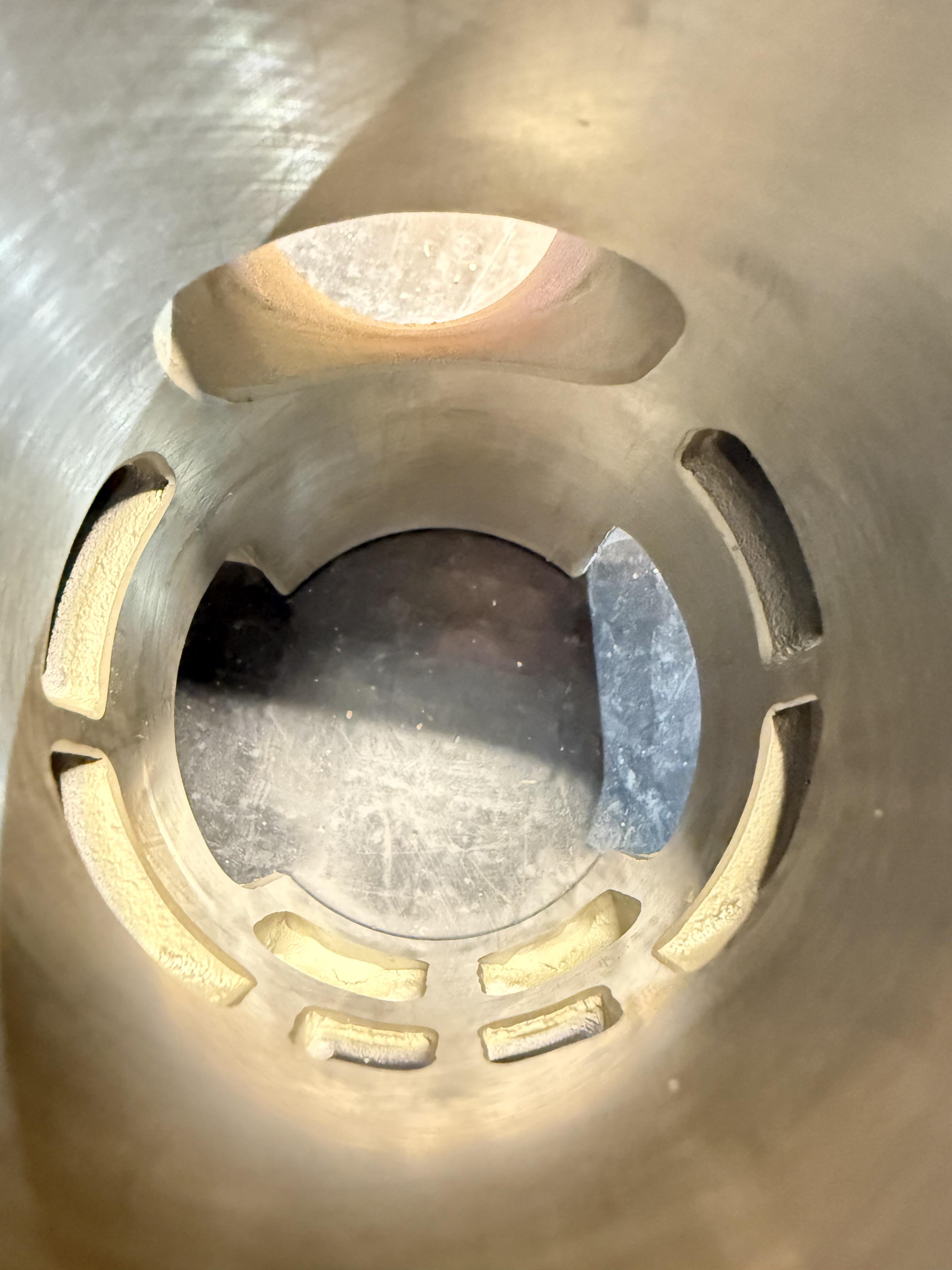
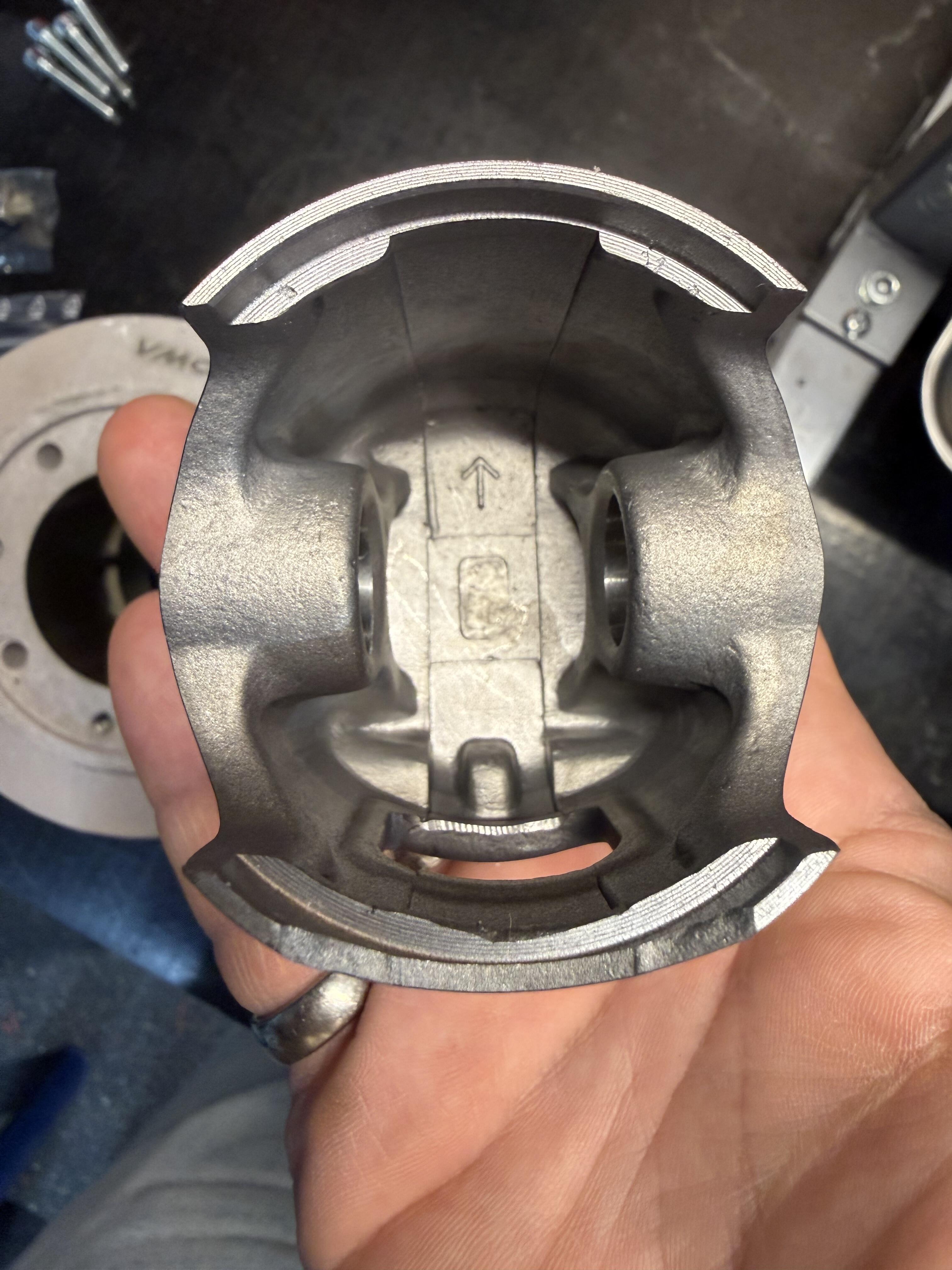
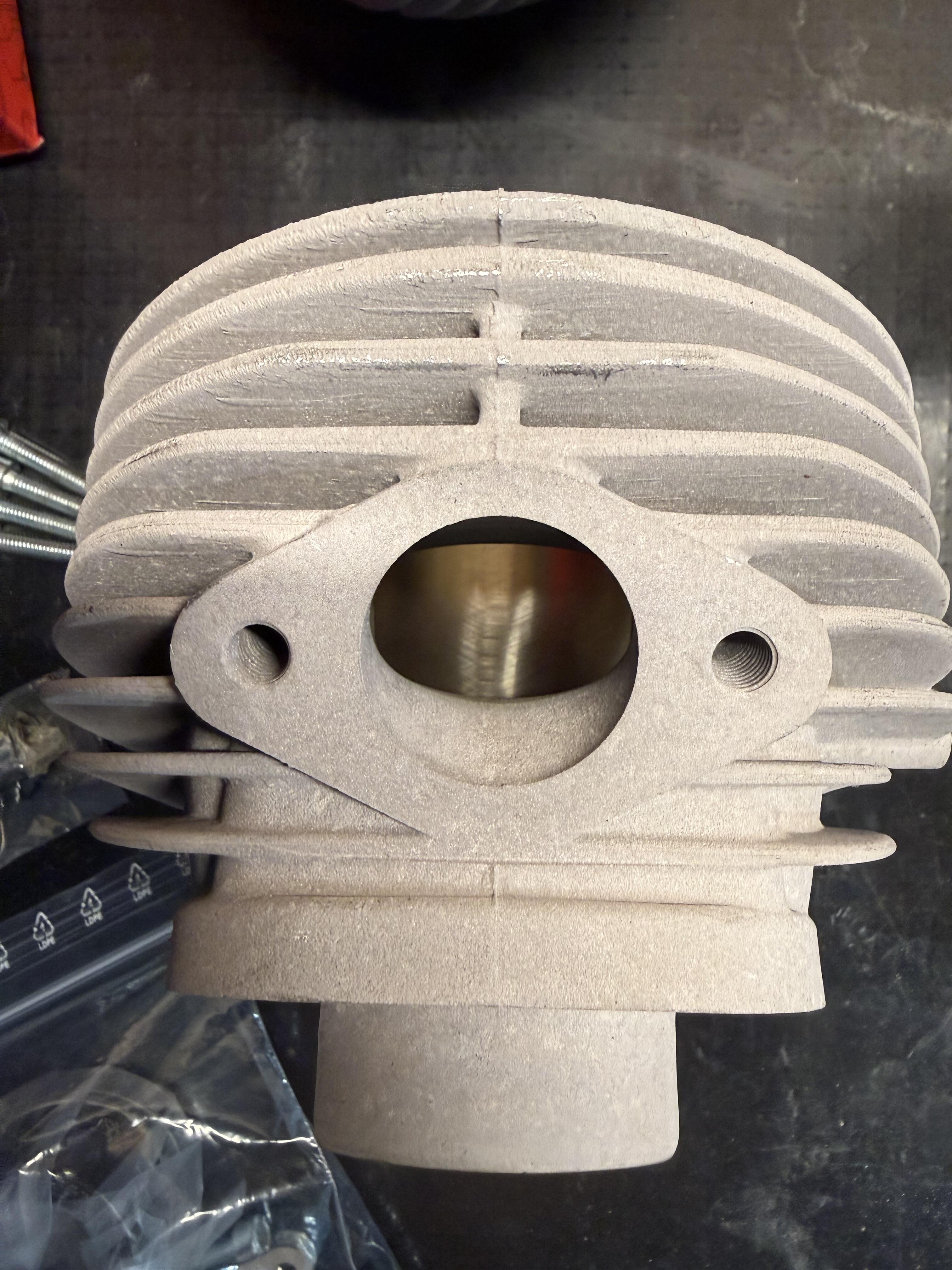
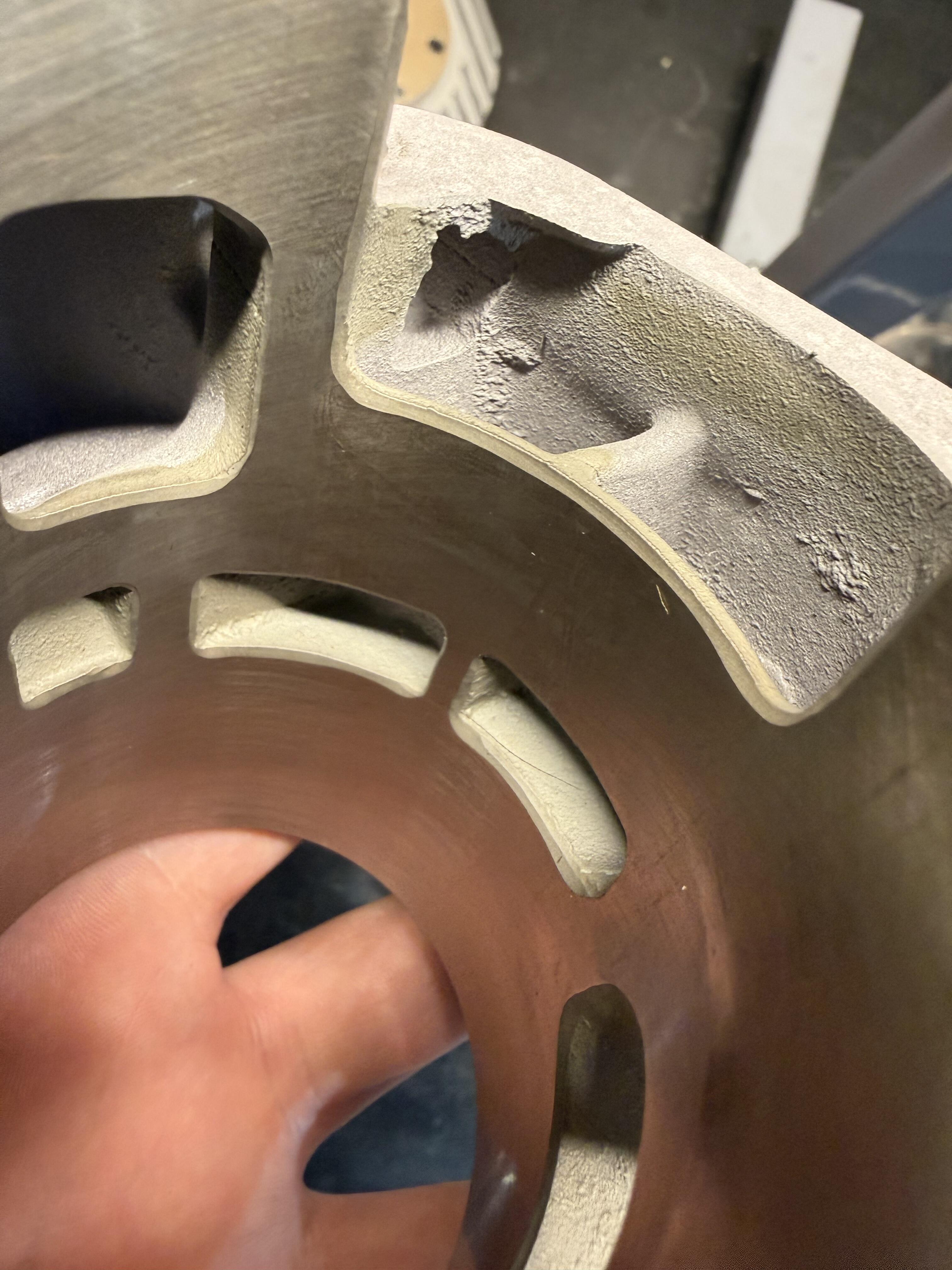
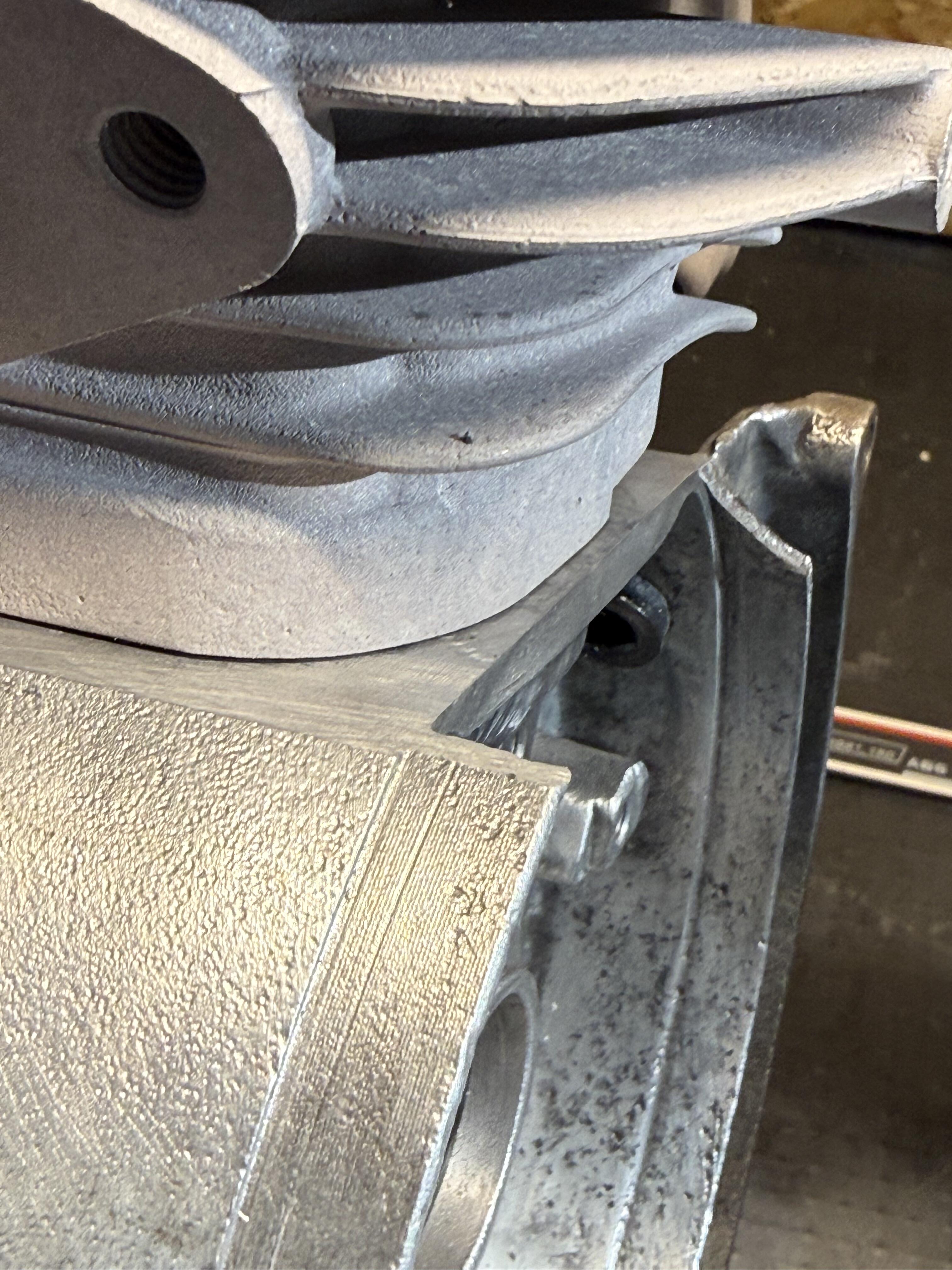
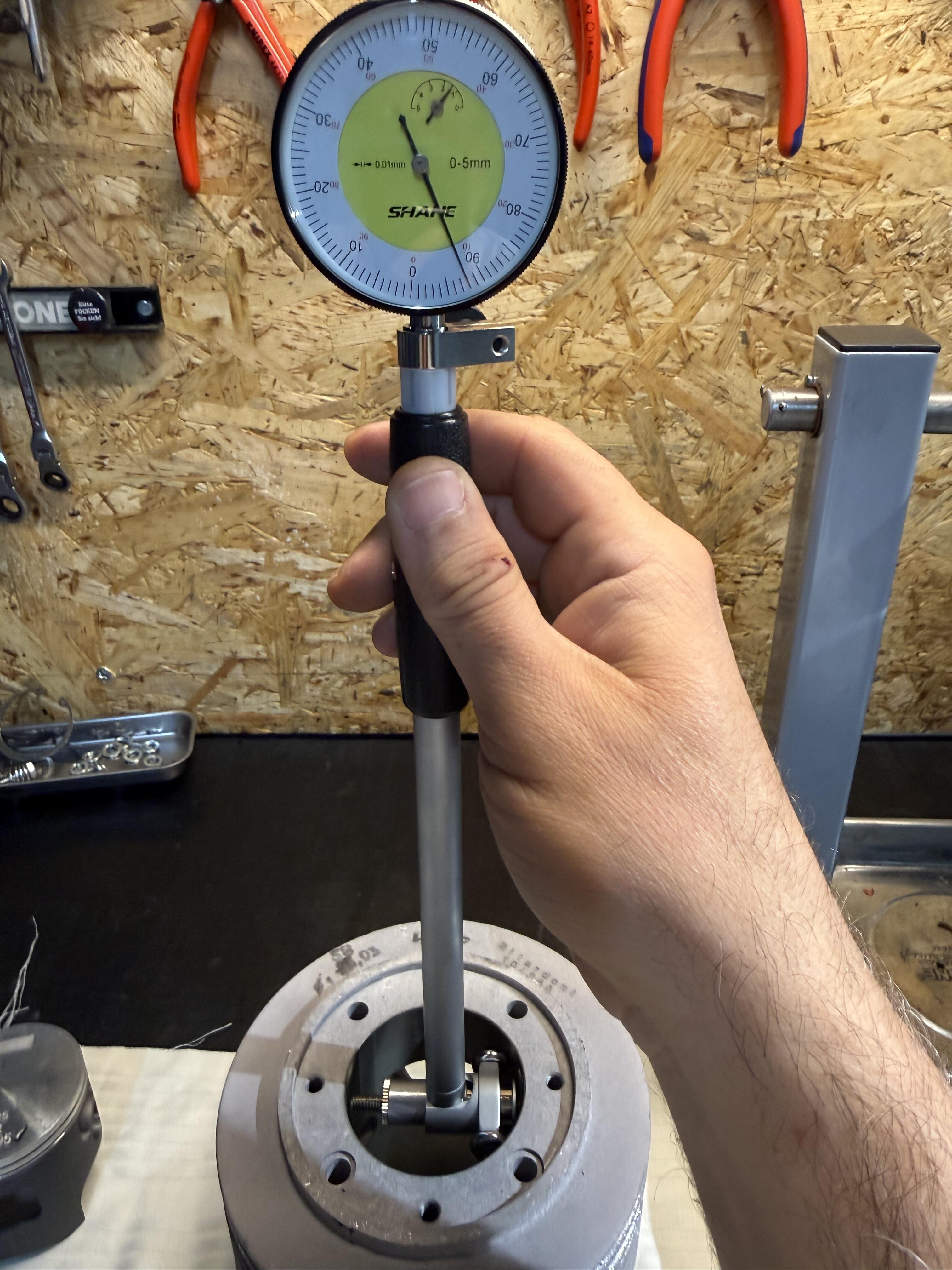
 2 PunkteSoooo…. nachdem ein Nagelneu gelieferter Zuera mit 2,5 Hundertstel Einbauspiel wieder zurück zum Inverkehrbringer geht, musste Ersatz her. Freitag den neuen VMC bestellt - Mittwoch geliefert bekommen. Durfte den 58er bissl befummeln und ablecken 135er THUG-58 144er THUG-60 Beipackzettel Paar Maße die nicht im Zettel stehen: Auslassbreite ~67%, Trapezform, Oberkante ziemlich gerade, Auslassflansch 32 mm, kreisrund Stehbolzenabstand 56 mm, Kolbenringstoßspalt >0,25/~0,30 mm, Pins beide mittig, laufen über den mittleren Einlasssteg, Kolben mittels Bügelmessschraube: 57,95 mm Einbauspiel mittels Messtaster: oben längs/quer 0,08 mm Mittig längs/quer 0,08-0,09 mm unten längs 0,09 mm Bei QS 1,25 mm habe ich ca. E125°/A185° ermittelt. Ausser einem Stuffer für den Membrankasten, ist alles notwendige zur Montage im Lieferumfang enthalten. Auch die O-Ringe zum abdichten der Stehbolzen oben zw. Kopf und Zylinder. Die Kanalkanten sind Suuuper sauber gefast - mit die sauberste Arbeit, die ich bisher an einem Zylinder gesehen hab. Scheinbar stimmt auch, dass der THUG auf ungeplanten Gehäusen PnP verbaut werden kann. Der Halbmond zur Zündung kann bleiben. (Mangels unangetasteter Gehäuse kann ich dies aber nicht 100%ig verifizieren.) Aktuell find ich, dass VMC damit in punkto Preis/Leistung echt ein Brett platziert hat. Momentan zu 296,-€ zu erwerben. Ich hoffe, dass der Nutzer bald auf @vespanarrs Prüfstand steht!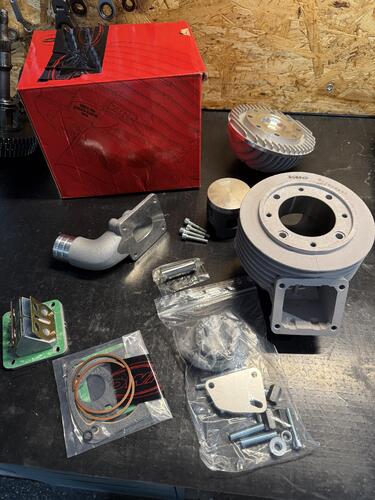
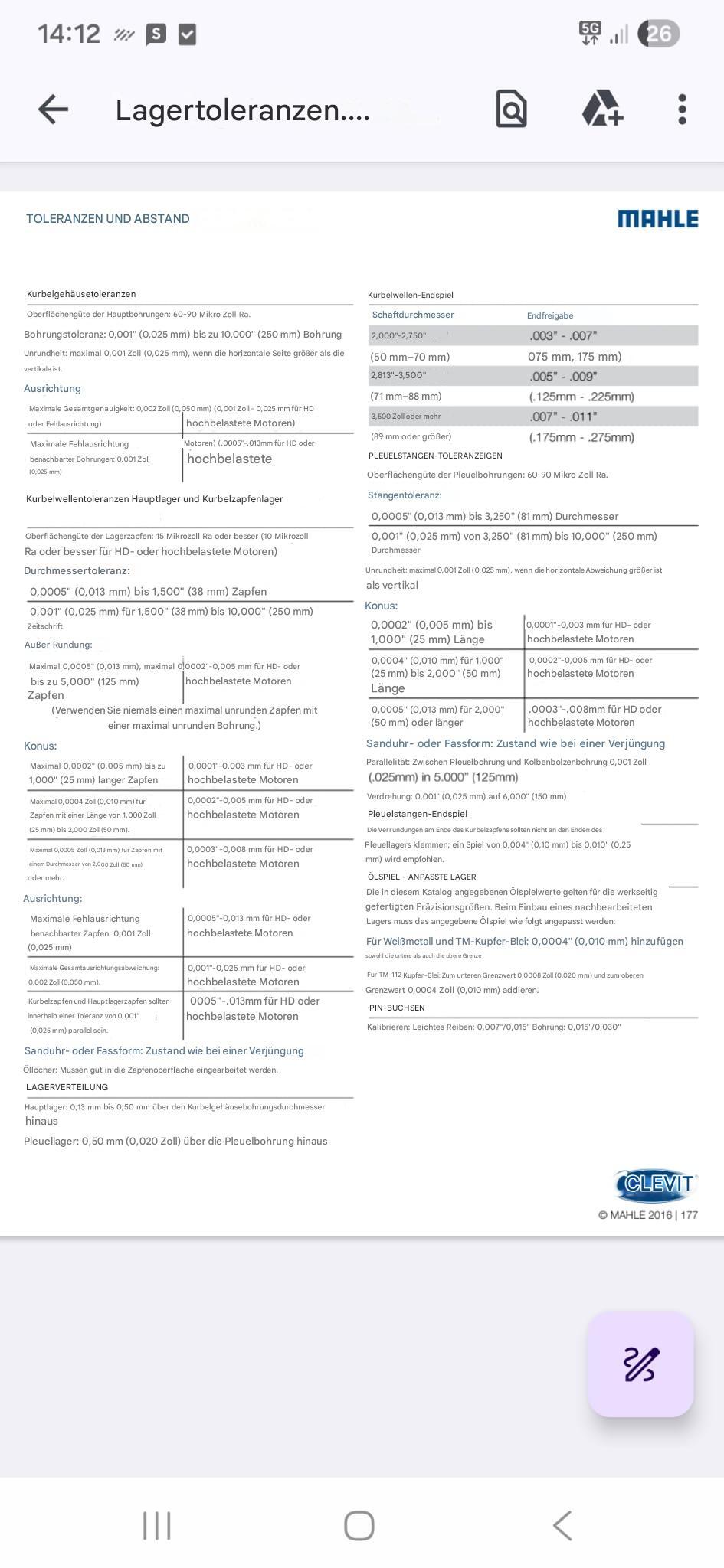
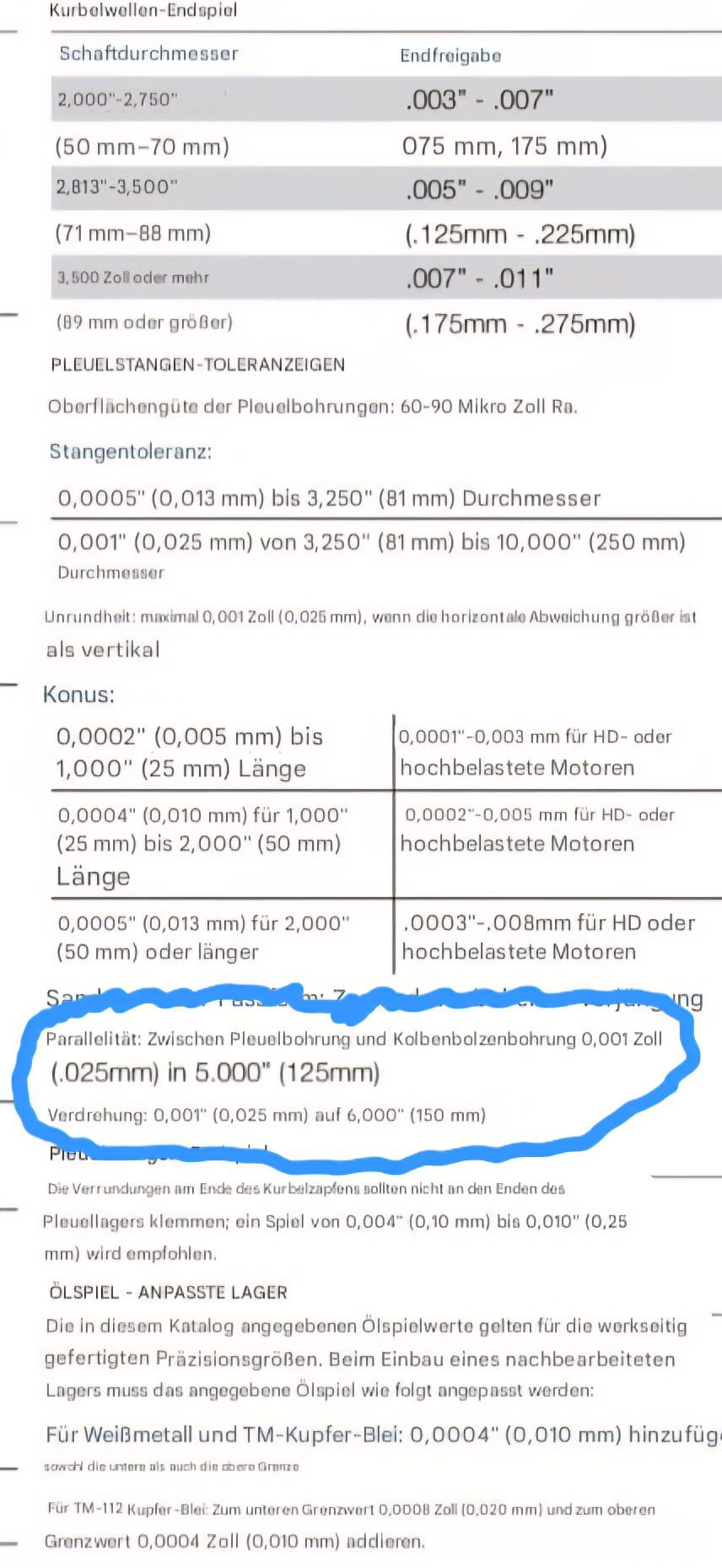
 1 Punkt1 PunktJa, Smart oder KNX geht natürlich auch. Aber die Spannungsversorgung brauchst ja trotzdem an den Lampen, egal wie die aktiviert wird. Und da die Hütte vermietet werden soll muss ich auch ein wenig auf die Kohle schauen. Und mit KNX wird's teurer.1 Punkt1 PunktDie letztliche Entscheidungsgewalt hat allerdings weder der TÜV noch die Zulassungsstelle, sondern das Landratsamt, das für den Landkreis zuständig ist. Mir wurde schonmal unmissverständlich klar gemacht, dass das bei uns ein Ding der Unmöglichkeit ist. Diejenigen, die dennoch mit sowas rumfahren haben wahrscheinlich sehr gute Kontakte.1 Punkt1 PunktIch würde sagen das ist alles teurer als ein neues Pleul, vorausgesetzt das Neu ist nicht krumm. PR will genau darauf hindeuten, prüfen und messen bevor verbaut wird...1 PunktBin mit deinen "riiiesen" Toleranzangaben von KTM nicht ganz einverstanden. Mir wurde da aus Österreich eine interessante Empfehlung von Mahle betreffend "Winkelabweichung" der beiden Pleuelaugen zueinander zugespielt. Wie Du schreibst, klar muss alles masslich zusammenspielen, aber ob das letztendlich mit der Lötzinnmethode, wie aus dem Süden von Deutschland zu vernehmen, nachprüfbar ist, ich bezweifle das ehrlich gesagt,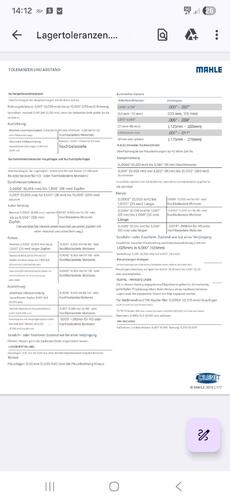
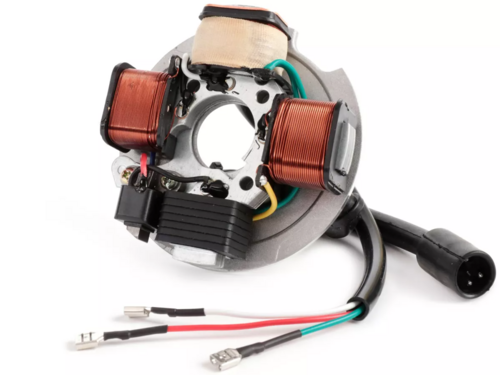
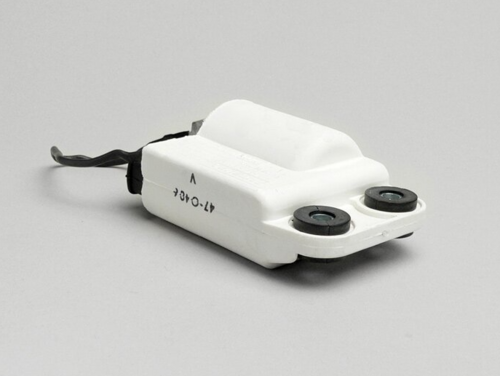
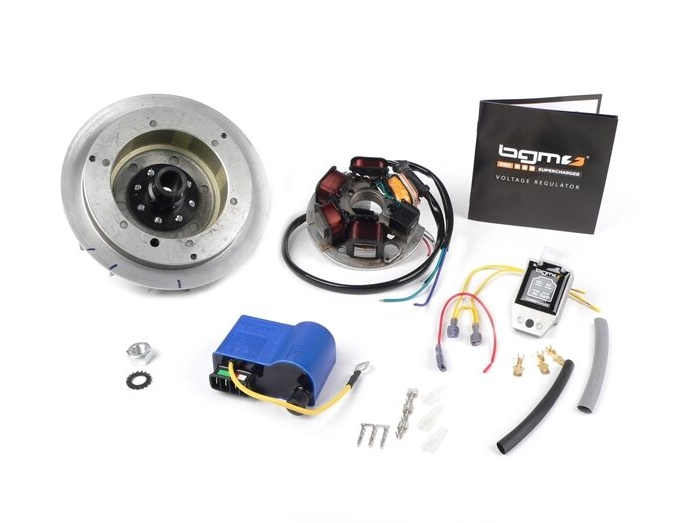
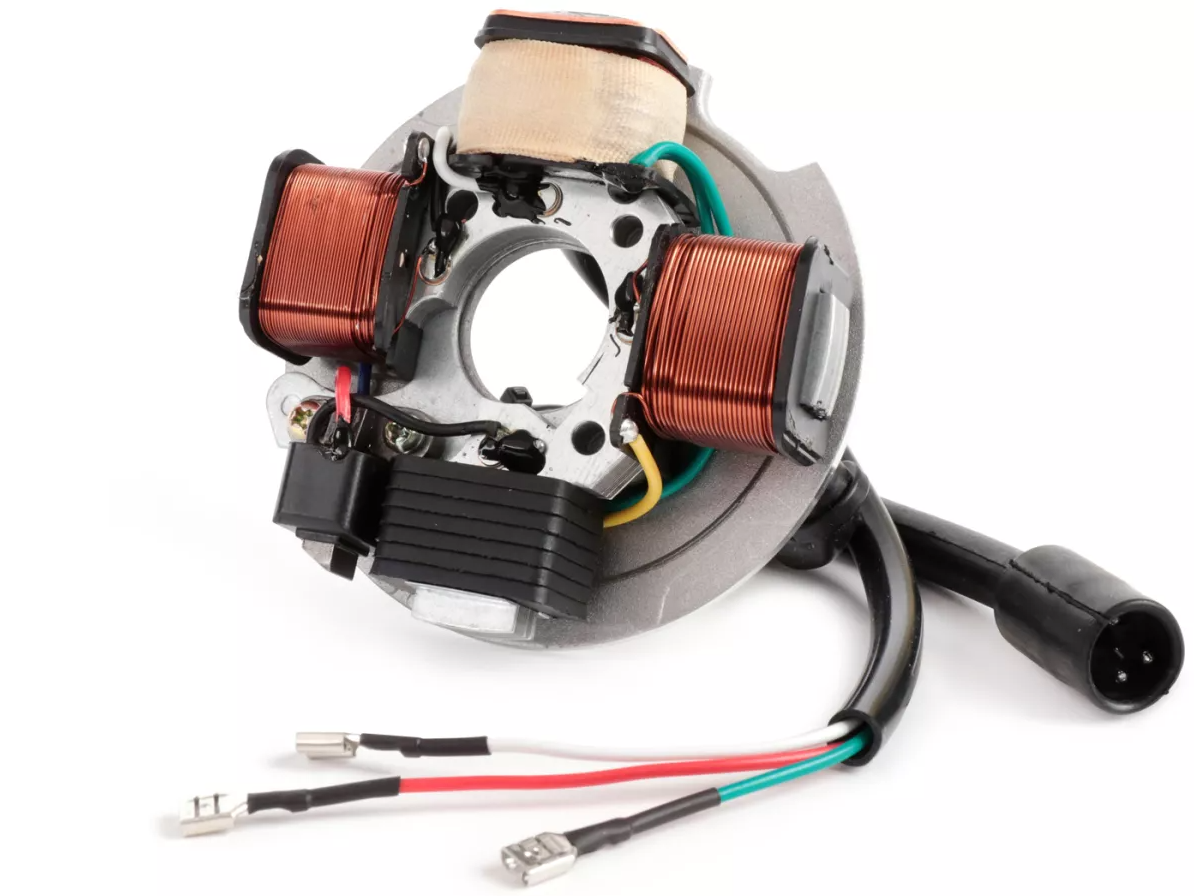
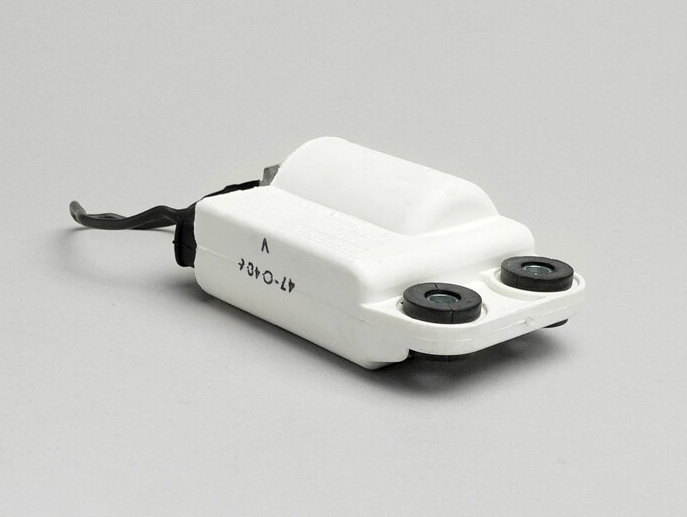
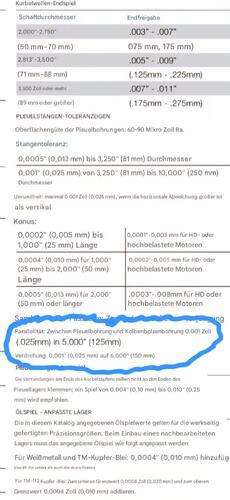 1 PunktJungs, ich verstehe euch nach wie vor nicht. Ich bin ja auch so einer der gerne alles auf 0,0 hat. Ja, das kann ich für mich privat in meinen 4 Werkstattwänden machen auch wenn nicht immer sinnvoll; bin halt auch a bissi a Monk Aber was helfen uns hier schöne Messergebnisse (wie die Zustandekommen sind ist erstmal irrelevant) wenn nach wie vor nicht über erlaubte Abweichungen gesprochen wurde. Jeder der im Maschinenbau tätig ist wird wissen, dass man seinem Fertiger keine Zeichnung ohne Toleranzangaben in die Hand drücken kann. Und wenn ich beispielsweise eine Welle mit +/-0,15mm und einem Sollmaß von 24mm bestelle, und die ist dann 24,10 dann passt die und ich habe kein recht zur Reklamation. Natürlich, der Entwickler muss sich vorher Gedanken machen ob er mit der Toleranz und einer möglichen Abweichung was anfangen kann. Also ich wäre immer noch dafür hier mal über maximal zulässige Abweichungen zu sprechen. Alles andere regt doch nur auf und ja, verunsichert. Die Infos was ich von KTM zu 2T Pleuel bekommen habe habe ich oben schon mal geschrieben und da wird von 0,08Grad Winkelabweichung von oberen und unterem Auge gesprochen = 0,14mm auf 100mm Messstrecke. Abgesehen davon, und das wurde ja schon gesagt gibts in dem Verbund noch ein paar andere "Mitwirkende" die dir in die Suppe spucken können: xx Lagerergasse zu Fußdichtfläche passt nicht xx Wu We verdreht xx KoBO Bohrung nicht im Winkel der Kolbenlauffläche xx Zylinder nicht im Winkel der Fußdichtfläche Und da alles von verschiedenen Herstellern kommt wird's ja denn eh spannend. Eigentlich kannst das ja alles eh nur bewerten wenn zusammengebaut.1 Punkt1 PunktIch verlege die CDI inzwischen immer gummigelagert an den hinteren Kotflügel, um das zu umgehen. Optisch ansprechend und funktioniert super. Für die standard Ducati-CDI nehme ich dafür den PK Halter, in wie weit das für Firefly übertragbar ist, don`t know.1 PunktKrasse Nummer - das sieht echt professionell aus. Chapeau!1 Punkt1 PunktOhne das jetzt alles gelesen zu haben aber wie besprochen habe ich mit den 2T Entwicklern von KTM gesprochen. Schiefstellung unteres zu oberes Pleulauge 0,08 Grad als Maximum. Das ist schon eine Hausnummer aber läuft wohl das wären dann 0,14mm auf 100mm Länge1 PunktHab mir 'n Bier geholt, ist spannend hier. Tipp: Erzählt Euren ganzen Motorteilen einfach nicht, was alles nicht passen könnte, dann wissen die das auch nicht. Mach ich schon lange so, klappt größtenteils.1 Punkt1 Punkt1 PunktIch glaube, wir reden hier gerade ein bisschen aneinander vorbei. Mir ging es nie um das Meldesystem oder irgendeine Grundsatzdiskussion. Mir ging es um den technischen Vergleich und darum, wie hier gemessen und bewertet wird. Dass man Dinge offen diskutieren soll, sehe ich genauso. Deswegen schreibe ich ja überhaupt. Und ich stelle auch gar nicht in Frage, dass Wissen und Erfahrung da sind. Darum geht es mir nicht. Aber irgendwann schaut man sich halt auch die Maschinen und die Methoden an. Und wenn dann auf Maschinen Baujahr 70 oder 80 gemessen wird, die irgendwann ausgemustert und für privat freigegeben wurden, dann gehört das für mich einfach zur Einordnung dazu. Selbst wenn man so eine Maschine komplett überholt, neu lagert und die Führungen macht, bleibt da Spiel drin. Das ist konstruktiv einfach nicht auf dem Niveau von heutiger Messtechnik. Und wenn dann auf irgendeiner Fläche gespannt wird, bei der keiner sauber zeigen kann, ob die überhaupt im richtigen Winkel zur Lagerlauffläche steht, und gleichzeitig ein gebrauchtes Teil mit Vorschäden als Referenz hergenommen wird, dann wird es aus meiner Sicht schwierig, daraus belastbare Aussagen abzuleiten. Das ist der Punkt, um den es mir geht. Und noch ein Gedanke dazu. Wenn bei den Messverfahren der gleiche Anspruch an moderne Technik bestanden hätte, wie er jetzt bei der Bewertung von Texten plötzlich angelegt wird, dann würden wir wahrscheinlich gar nicht über solche Abweichungen diskutieren. Ich bin absolut dafür, dass man Dinge offen diskutiert. Aber dann bitte auf einer Grundlage, die technisch auch Sinn ergibt.1 Punkt1 PunktTja, oben top nur etwas Kosmetik. Unten rostig und alle Löcher Hohlraum konserviert zwecks Feuchtigkeit. Kannst du's dir jetzt vorstellen?1 Punkt1 PunktStark @KingOfBurnout du hast dich mal wieder selbst diskreditiert mit deinem KI Text @Rally 221 deine Meldung habe ich rejected. Den Text der Meldung ggf. einfach hier rein kopieren dann ist alles gut. Macht das (sachlich) hier im Topic aus.1 Punkt1 Punkt1 PunktKS-Turbo in Allendorf. Hab zwar noch keinen Turbo von denen überholen lassen, aber ne Einpritzpumpe vom T4 TDI. Service ist top, preislich war das okay und die Pumpe werkelt seit 60.000 einwandfrei.1 Punkt1 Punkt1 Punkt1 PunktOk, ich fasse das mal für die Nachwelt zusammen: Diese Zündung passt nur so zusammen: https://www.scooter-center.com/zuendung-set-bgm-original-12v-elektronisch-vespa-v50-50n-v90-et3/p-10275.html#gallery-1 Dieses Polrad: Passt nur mit dieser Art Zündplatte / 6v oder 12v Und dieser Art CDI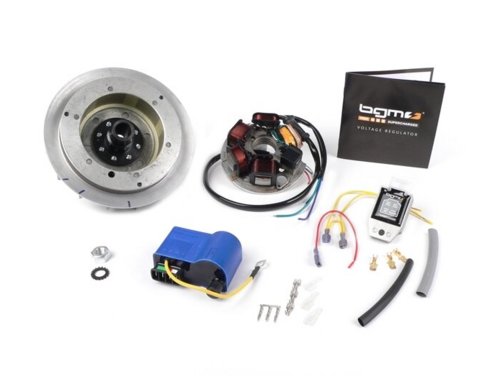
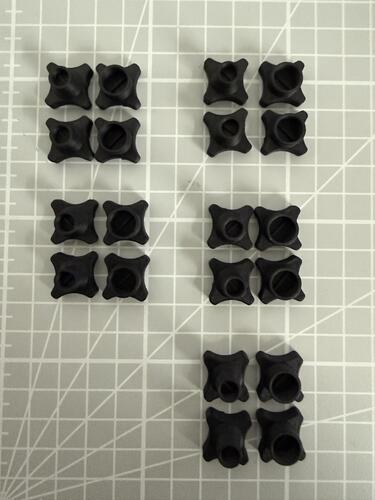
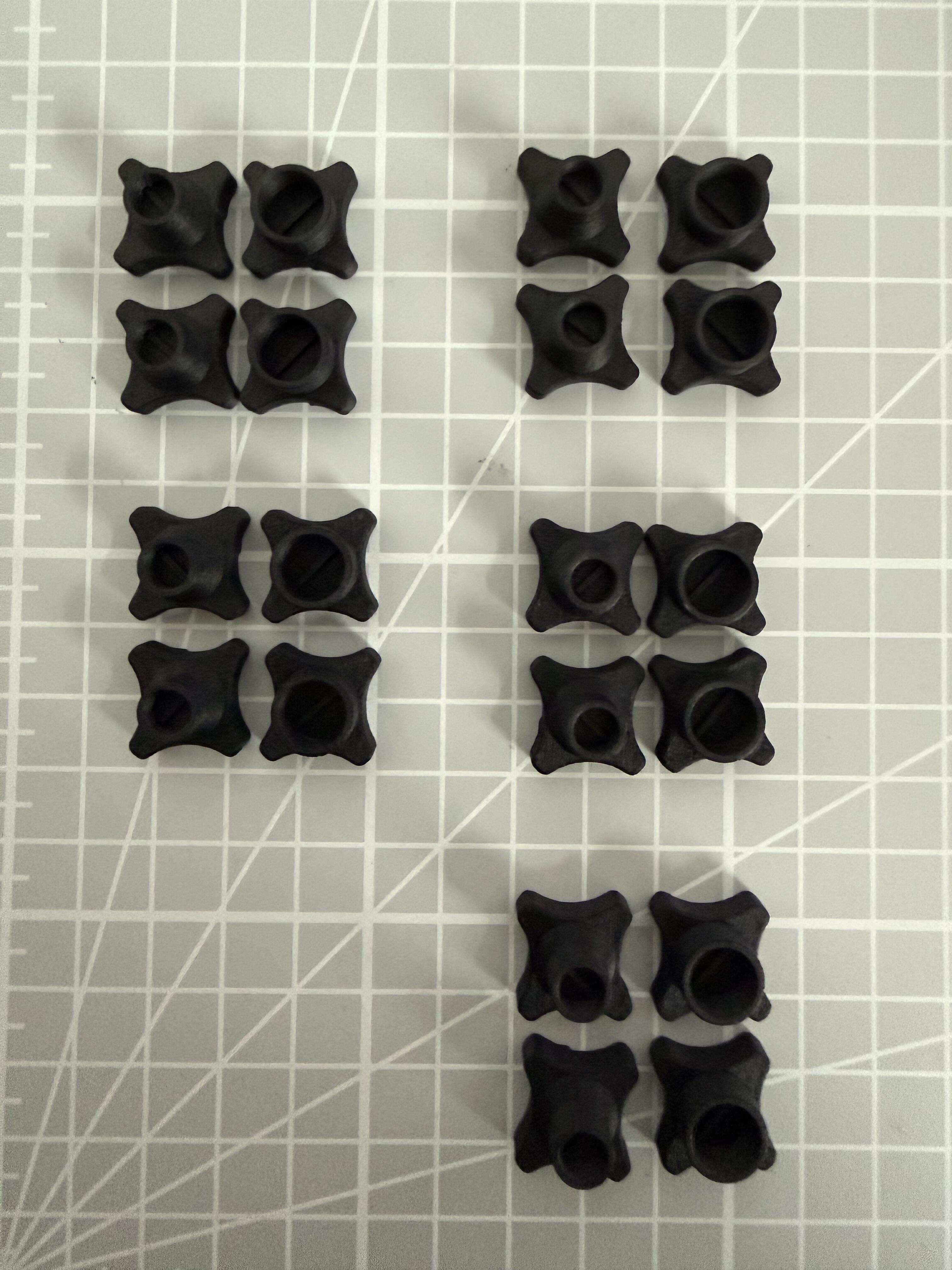
 1 PunktSo liebe Leute, damit es sich auch lohnt, habe ich gleich ein paar mehr von den Einstellschrauben gedruckt. Wer Interesse hat, ich verschicke immer ein Satz aus 2x2 (Standgas + Gemischschraube), für aktuell PHPx Vergaser. Das x steht für die verschiedenen PHP Versionen. Die Schrauben sind aus ASA-CF gedruckt und somit Öl und Benzin resistent. Einfach eine PN an mich. Grüße
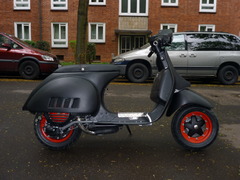
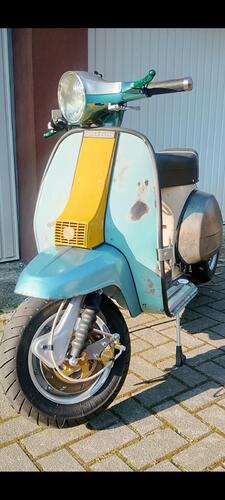
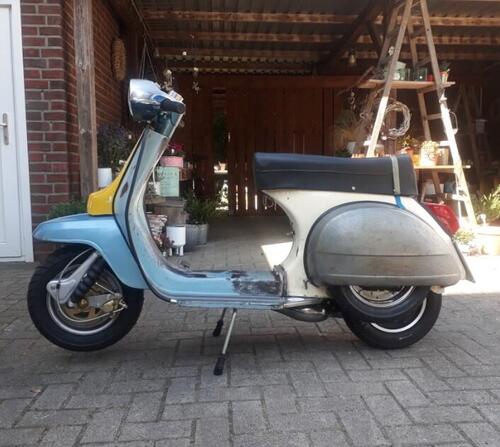
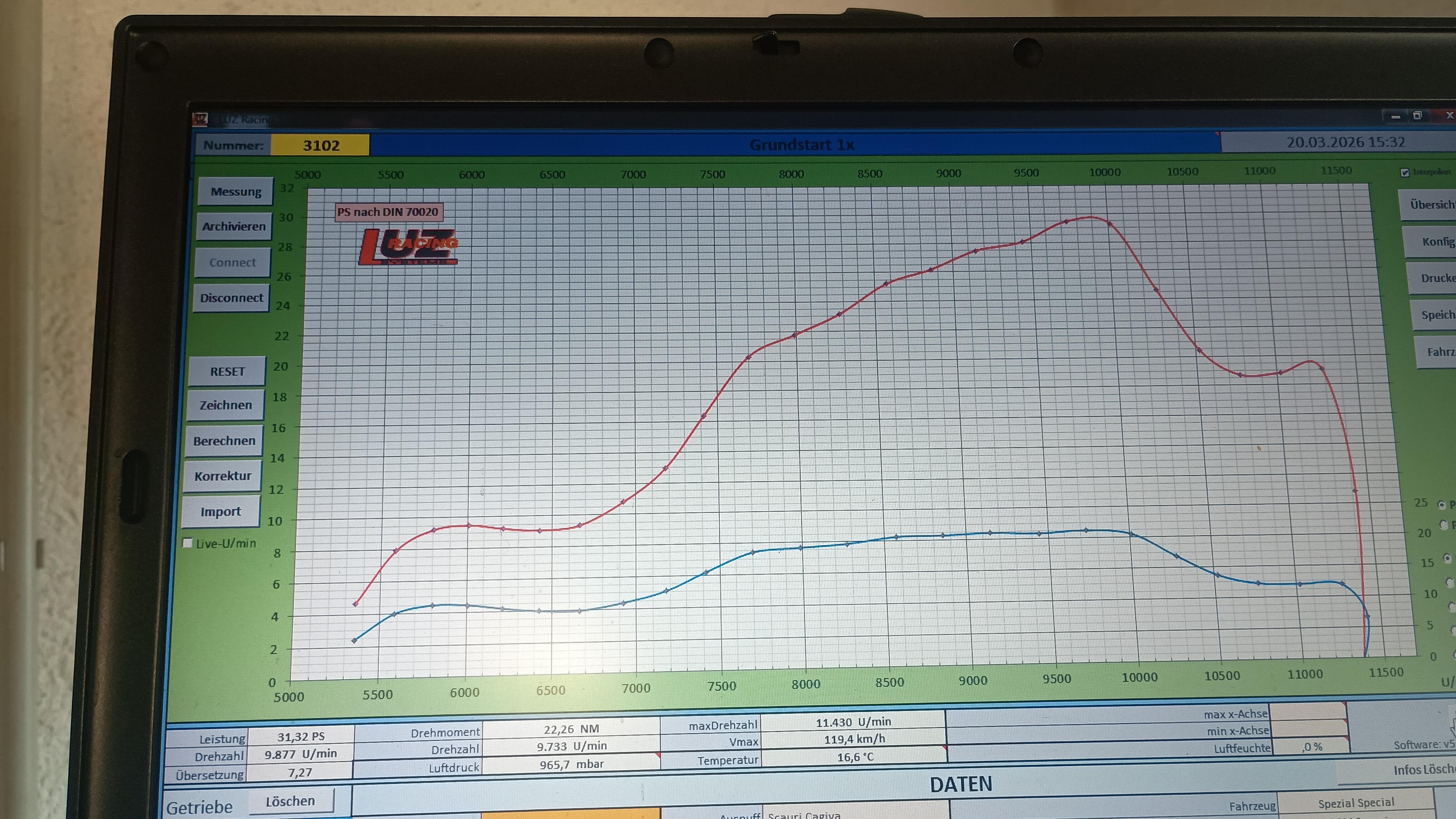
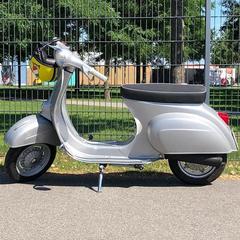
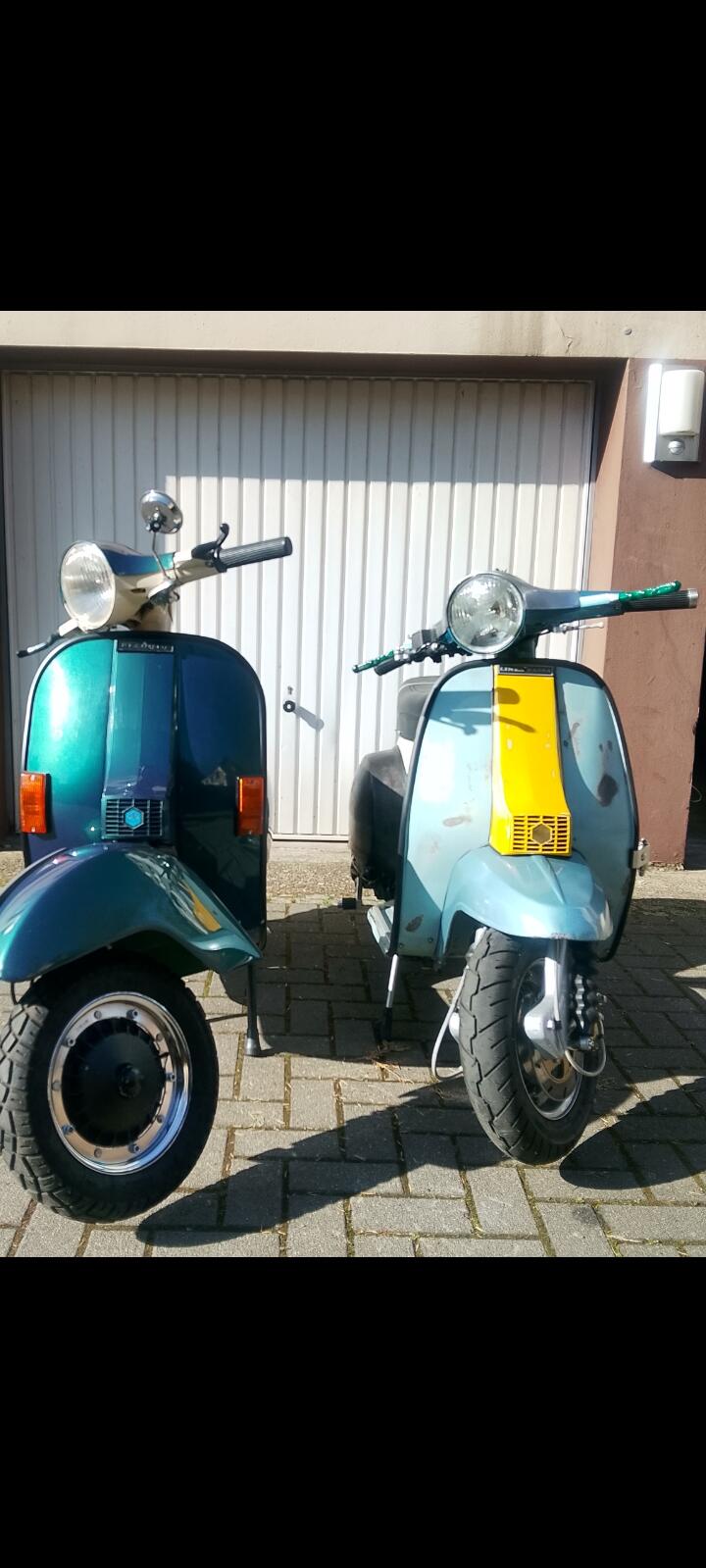
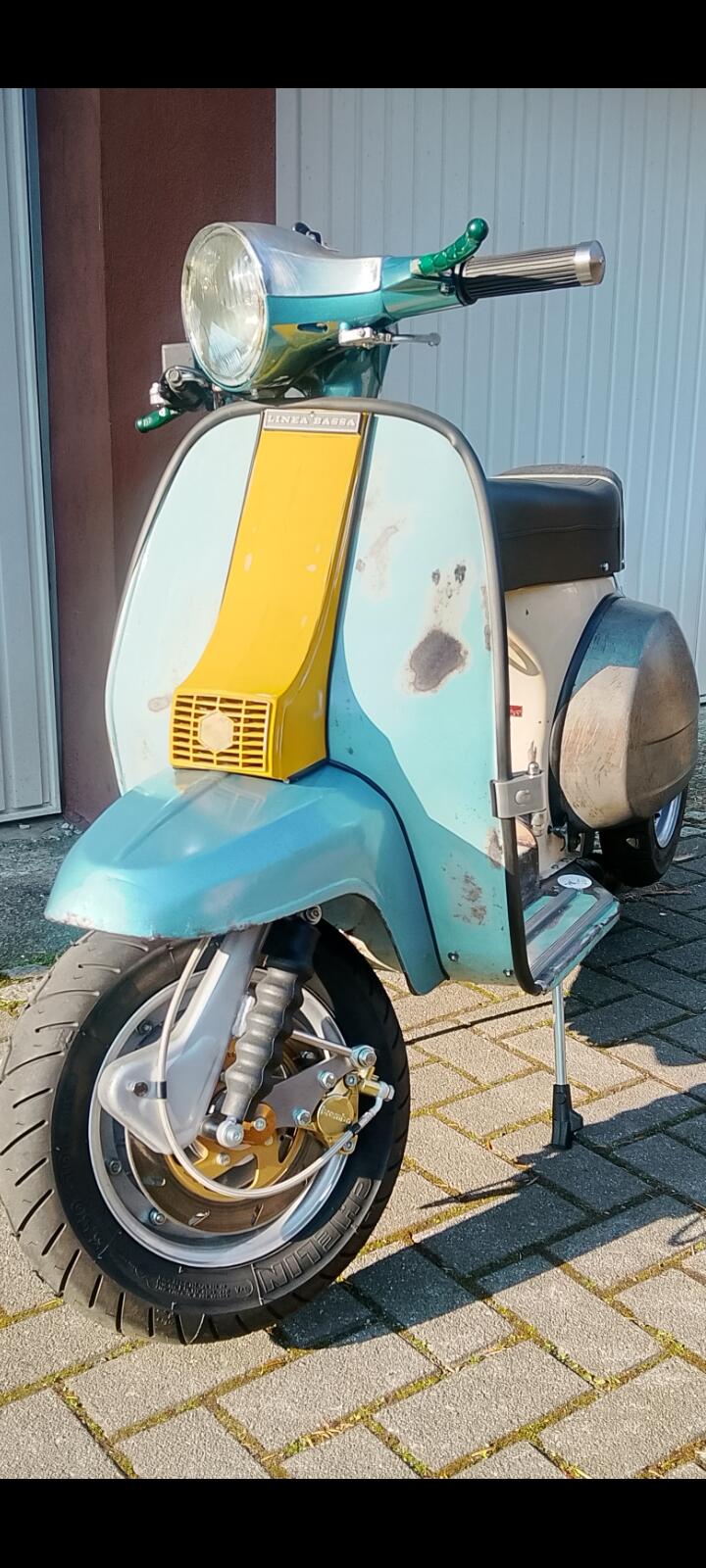
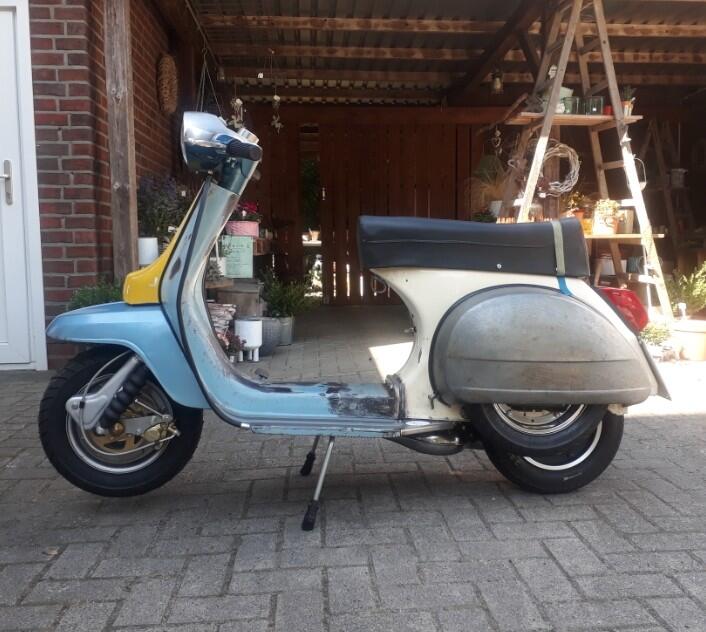
 1 Punkt1 PunktDie 107PS von Nico waren auch mit NOS - die 103PS von Erich ohne --- alle haben mehr als Respekt verdient.... Egal wie - wer sich mal die Mühe und die finanziellen Aufwände getrieben hat, egal mit welchen Konzept ü100PS auf die Rolle zu bringen, der wird es verstehen.... Ich habe eine Whatsapp mit Erich, wo wir uns vor 6 Jahren über dieses Ziel ausgetauscht haben - also 6 Jahre arbeiten wir daran, jeder mit seinen Lösungsansätzen und alle drei legen am selben Tag eine ü100PS Kurve hin... Egal wie, aber ü100PS! Ich habe nun 2 weitere Motoren aufzubauen und mein Prototyp hat nun ein GT Gehäuse bekommen, für die Straße...1 PunktMit Selbstironie zeige ich hier mal meinen letzten Umbau. Resterampe aus überwiegend defekten Vespa und Lambretta-Junior Teilen. Chassis mit Unfallschaden. Ansonsten bin ich leider etwas sehr verliebt in den Umbau weil der Roller real echt gut dasteht. Extrem Flach, längerer Radstand, optimierter Gabelnachlauf, da habe ich mich technisch komplett ausgetobt. Fehlt nur noch frischer Lack. Hier noch eine Seitenansicht. Klar, vorne passt überhaupt nicht zu hinten, ist mir aber wirklich nicht wichtig. Mir geht es nur um das Ausprobieren von Änderungen, die die Performance beeinflussen. Das ist noch ein älteres Bild, aktuell sind noch ein paar weitere Modifikationen drin. Übel verunstaltet ist hier zwar 100% Programm, aber belohnt werde ich durch richtig gute Fahreigenschaften, nur das zählt für mich.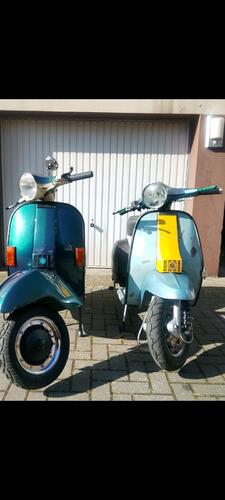
 1 Punkt1 Punkt1 Punkt1 PunktOrdentlich hingedängelt. Gibt es die Stoßdämpferaufnahme hinten noch? Sieht auf dem Foto ziemlich mitgenommen aus. Nichts, dass man nicht wieder hinbekommen kann, wenn es so wäre. Ist aber aufwändig. Die Bilder zeigen genau das, was sie Vorredner gemeint haben. Die Asia Roller sind immer für Überraschungen gut. Auch im Motor gab es schon abenteuerliche Konstruktionen. Wenn du ein Bild von hinten hättest, könnte man erkennen, ob der Motor aus der Spur ist. Nochmals viel Erfolg.1 Punkt1 Punkt1 PunktKauf dir einfach eine Welle mit passendem Durchmesser! Den Rest baust du dann um! Hatte das gleiche Problem bei Umbau 200er Gaytriebe in 125er Block!1 Punkt
Wichtige Information
Diese Website nutzt Cookies und vergleichbare Funktionen zur Verarbeitung von Endgeräteinformationen und personenbezogenen Daten. Die Verarbeitung dient der Einbindung von Inhalten, externen Diensten und Elementen Dritter. Je nach Funktion werden dabei Daten an Dritte weitergegeben. Einige dieser Verfahren sind technisch unerlässlich, andere kommen nur mit Ihrer Zustimmung zum Einsatz, eine Anpassung ist in den die Cookie-Einstellungen möglich. Für Details siehe die Datenschutzerklärung
.thumb.jpg.9b066c8bf7cde81e084ce88643f48ef7.jpg)























Account
Navigation
Suche
Configure browser push notifications
Chrome (Android)
- Tap the lock icon next to the address bar.
- Tap Permissions → Notifications.
- Adjust your preference.
Chrome (Desktop)
- Click the padlock icon in the address bar.
- Select Site settings.
- Find Notifications and adjust your preference.
Safari (iOS 16.4+)
- Ensure the site is installed via Add to Home Screen.
- Open Settings App → Notifications.
- Find your app name and adjust your preference.
Safari (macOS)
- Go to Safari → Preferences.
- Click the Websites tab.
- Select Notifications in the sidebar.
- Find this website and adjust your preference.
Edge (Android)
- Tap the lock icon next to the address bar.
- Tap Permissions.
- Find Notifications and adjust your preference.
Edge (Desktop)
- Click the padlock icon in the address bar.
- Click Permissions for this site.
- Find Notifications and adjust your preference.
Firefox (Android)
- Go to Settings → Site permissions.
- Tap Notifications.
- Find this site in the list and adjust your preference.
Firefox (Desktop)
- Open Firefox Settings.
- Search for Notifications.
- Find this site in the list and adjust your preference.