
Rangliste
-
amazombi
Moderator a.D.4Punkte24.497Gesamte Inhalte -
dreckige13
Members3Punkte8.515Gesamte Inhalte -
Stefan_73
Members3Punkte10.760Gesamte Inhalte -
gatti500
Members3Punkte12.098Gesamte Inhalte




Beliebte Inhalte
Inhalte mit der höchsten Reputation am 11.08.2012 in allen Bereichen anzeigen
-
3 Punkte
-
Beim 54-57er vom pennah hab ich hinterschnitte eingebracht. Ohne durchbruch in die stehbolzen. Die sind schon nich ganz unwichtig diese Hinterscheidungen An der auslassform kann man schon den krieg gewinnen finde ich. Sieht man ja auch an Holgers Leistungsdiagrammen, 37PS mit nem 54x57er müsste GSF Rekord sein...2 Punkte
-
2 Punkte
-
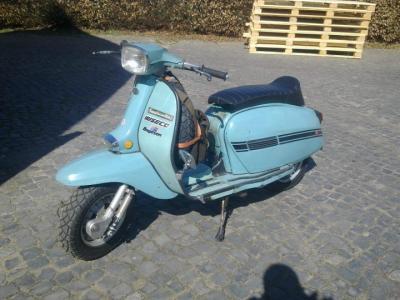
2 PunkteMein Wasserbüffel läuft wie Sau und ich muß sagen, daß ich keine qualitativen Mängel feststellen kann. Man muß auch mal ganz ehrlich hinterfragen wieviel km man denn wirklich im Jahr abreißt .... 'Scooters India ist halt einfach'n bißchen geiler als der Innocenti Gammel'
 2 Punkte
 -
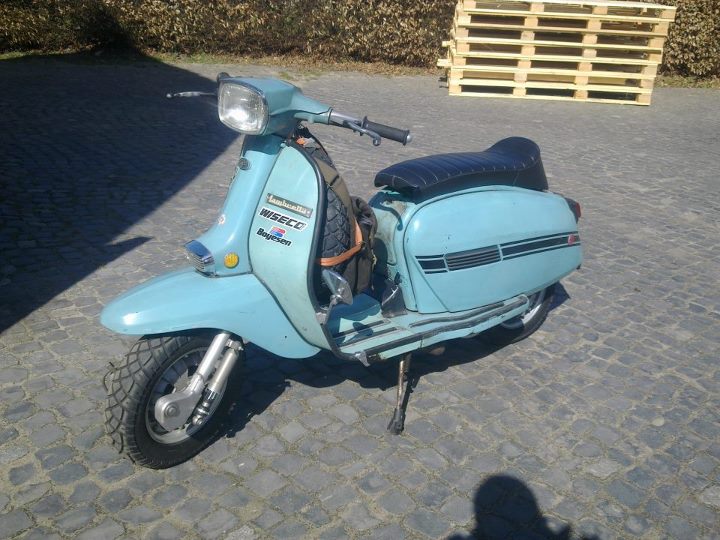
2 Punkte1994 so fertig gestellt, steht sich bis heute unverändert die Reifen platt...2 Punkte
-
2 Punkte
-
hupt es, wenn Du das Licht einschaltest? DANN wären 2 Kabel vertauscht.1 Punkt
-
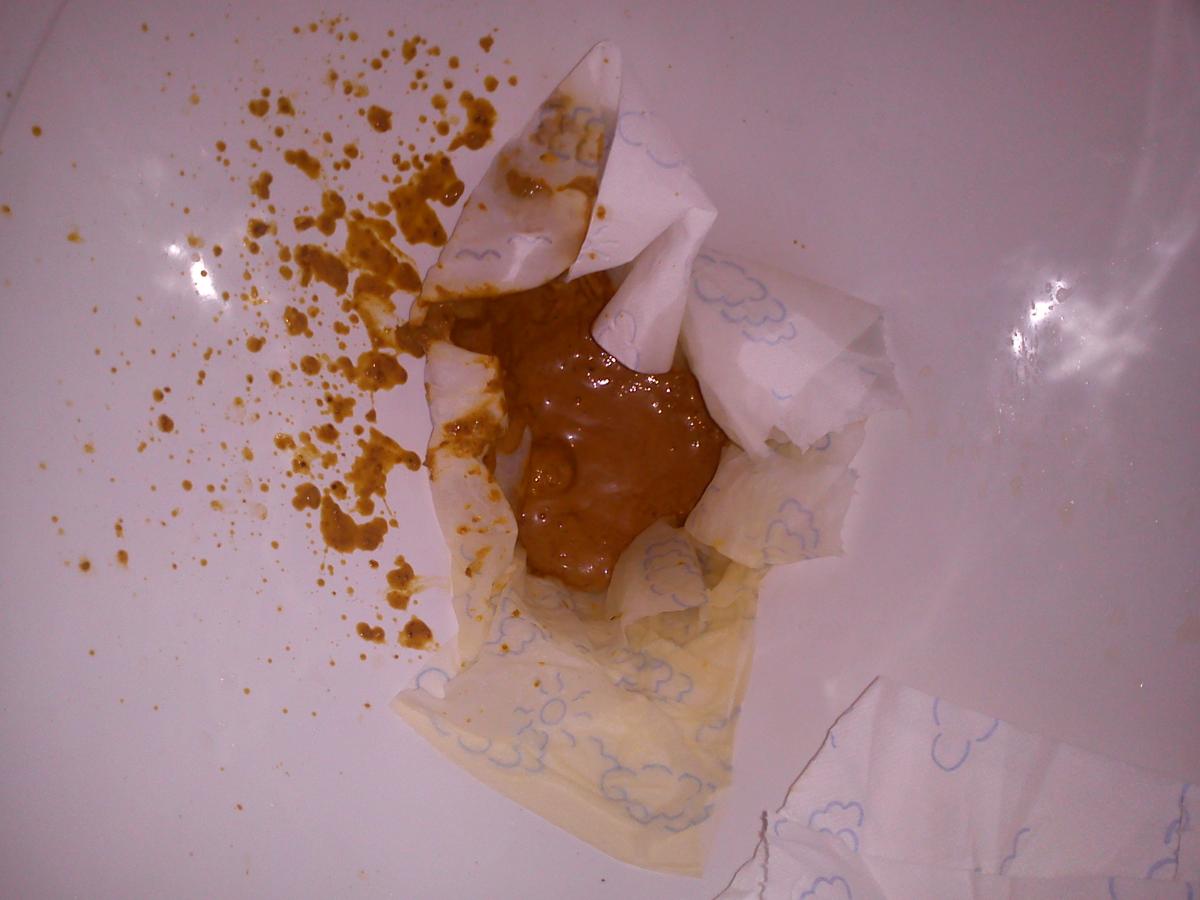
1 PunktFicke scheisse hab's nutellabrötchen grad aufs iPad gerotzt, alter Wat n Foto, hat mich bissel an peschens Kotflügel vom dive 2011 erinnert!!!1 Punkt
-
1 PunktNee, eher nicht. Sieht auch jetzt noch nicht gut aus. Achtung, fieses Foto! Wobei, das sieht schon wieder besser aus als gestern.
 1 Punkt
 -
... wenn er die Scheidungspapiere mitbringt, kriegt er freien Eintritt1 Punkt
-
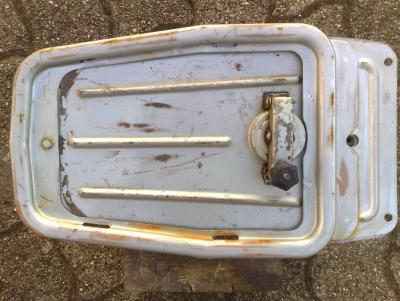
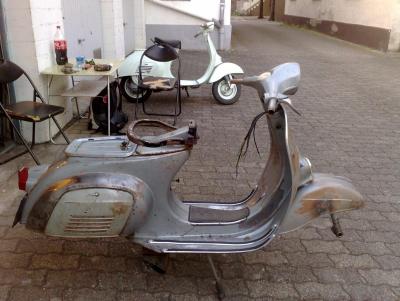
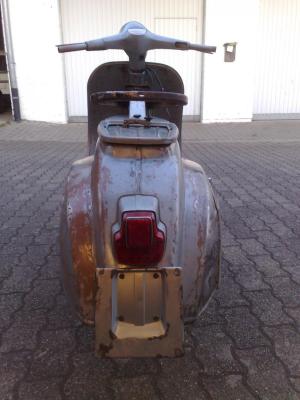
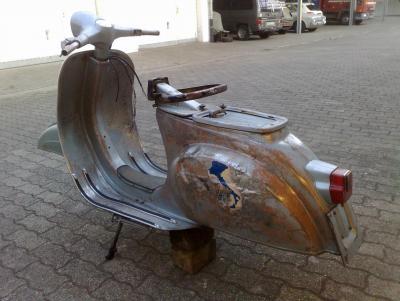
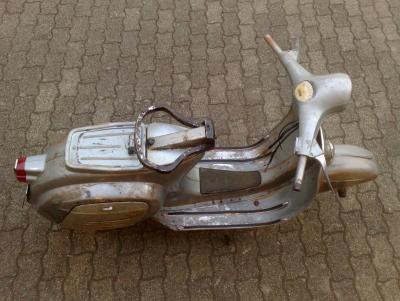
1 Punkt1 Punkt1 PunktMorgen, sollte noch jemand dringend teile brauchen ich arbeite heute bis um 14:00 uhr. anrufen und ich bringe es dann mit....... (keine auspuff anlagen) gruß max1 Punkt1 Punkt1 PunktIch find' halt, dass er das gut und anschaulich erklärt hat. Dafür darf er auch Credit kriegen.1 Punkt1 PunktIst nicht einfach an 10.9 Senk mit Torx ranzukommen. Musste meine extra anfertigen lassen. Jedenfalls wärs nicht schlecht ne günstigere Quelle als meine aufzutun. Viel Glück. Edith meint, die halten länger als Inbus, daher auf Dauer billiger.1 Punkt1 PunktAlso fahre jetzt schon weng rum und kann mal meine Temperaturerfahrung mitteilen: Normalbereich is so bei 130°C bis 150°C sag ich mal, hatte auch schon mal 180°C, da waren aber Spritmangelprobleme daran schuld. Hat dem 211er nix ausgemacht. Wenn ich an der Ampel stehe geht das einiges runter, so auf unter 110°C teilweise. Is aber sehr interessant zu sehen wann die Kiste eigentlich heiß wird und was ihr wenig ausmacht In der Stadt bekommste definitv nie nen heißen Motor!1 Punkt1 PunktNur mal so: Ich hab' 'ne TV III, 'ne LI 150 III, 'ne Jet 200 und noch ein paar Fragmente. Über die Jahre hatte ich noch einige mehr. Unter anderem einen Lince 200 mit damals 3200 originalen Kilometern. Von der auf 'ne italienische SX 200, komplett original mit wenig Kilometern war von der Laufkultur deutlich spürbar. In der TV ist ein DL 200 Motor drin, den bin ich auch mal original gefahren. Auch der fühlte sich insgesamt einfach runder an als das, was ich aus Spanien, und noch mehr, aus Indien kenne. Das mag aber jetzt wirklich an den jeweiligen Karren und nicht am Generellen gelegen haben. Die Inderinnen fallen da aber, so weit ich das beurteilen kann, an ein paar Stellen einfach von der Qualität ab. Das Rahmenhauptrohr hab' ich bei 'ner Italienierin eher selten mit Faltenwurf an den Biegungen gesehen. Bei den Indern scheint das Standard. Wenn man sich dann auch mal anschaut, wie das Rahmenrohr an's Steuerrohr angelegt ist (Italiener, Spanier: Ausgeklingt, mit wenig bis gar keinem Spalt angesetzt, MIG/MAG mit wenig gleichmäßig Materialzugabe verschweißt, gut. Inder: Mit der Säge oder dem Beil eingekerbt, in der Rahmenlehre an einer Stelle gepunktet, deutlich sichtbar rundum bei gekloppt und mit ordentlich Zusatzmaterial den üppigen Spalt voll laufen lassen. Klar geht das. Schön iss aber halt anders, und dass da bei reichlich Materialzugabe die ganze Geschichte beim Abkühlen halt eher verzieht iss auch klar. Davon gibt's noch andere Beispiele. So wie ich das sehe haben die Italiener es eine ganze Weile geschafft, sich nicht von den kühlen Rechnern in die Entwicklung rein reden zu lassen. Man hat bei den Eimern echt den Eindruck, dass die, trotzdem's Brot und Butter Karren waren, das einfach gut machen wollten. Bei den Inderinnen die ich kenne ist das Material von der Idee her ähnlich, aber halt doch recht pragmatisch mit niedrigem Qualitätsanspruch zusammen genagelt. Das funktioniert im Strassenverkehr in Delhi nicht unbedingt schlechter, iss aber halt von der Idee wie lauwarmes Dosenbier zu 'nem frisch Gezapften oder so. Beides macht besoffen, klar, aber irgendwie halt anders.1 Punkt1 PunktNee, kannste streichen. Mir fallen auf Anhieb vier bekannte Läden im Stadtgebiet ein, die vergleichbar arbeiten. Nur ist da die Gewaltbereitschaft seitens des Publikums so gering im Vergleich zum Personal, das es seltener soweit kommt. Schläge aus "dem Hinterhalt" präventiv halte ich persönlich (ganz privat) für sehr effektiv, allerdings dann auch bitte nur im Notfall mit klar absehbarem Eskalationsfaden hin zu kaum kontrollierbarer Gewalt und Gefahr für die eigene Sicherheit. Der eine oder andere Vorfall hier lässt ja ziemlich gut erkennen das man eigentlich nur lustige K.O.s sammeln will, ohne sich wirklich auseinandersetzen zu wollen. Ich bereite gerade eine kleine Schulung vor, zum Thema Eskalation und Publikum(-swirkung). Hier sind so ziemlich die besten Paradebeispiele vereint von den jeweils wichtigsten Sekunden einer Auseinandersetzung. Also, im Sinne des "wie nicht" oder "sieht scheiße aus" oder "dafür fährt man ein" ziemlich ergiebig. Witzig finde ich persönlich, das die Jungens so arbeiten wie ich es vor laanger Zeit mal von den "Guten" lernen sollte. Die eine oder andere VHS Kassette unter meinem Bett enthält vergleichbare Szenen und gesammelte Kunstwerke aus fernen Tagen. Andere Art zu arbeiten (und nebenbei ne interessante Serie):1 Punkthihi.. ich warte nur bis das lied "tausend jahre sind ein tag" gespielt wird:D1 PunktNein, du gehst zu früh schlafen und stehst noch viel zu früher auf... oder so. Klar. Das ist das Therapietopic, welches dein Therapeut angeregt hat. Alle anderen sind hier nur zur Unterhaltung. Die will ich bei Gelegenheit mal sehen. Die Nummer mit der Wechselhose: Einfach lassen. Dann kannste die vollkleckern bis du ins Bett gehst und nimmst tags darauf einfach die saubere. Außer, du willst Grillen. Dann nimmt man wieder die dreckige Hose.1 Punkt1 PunktHätte ich nicht besser schreiben können. @Jessica: Wenn ich das richtig gelesen habe zähle ich bei dir 6 Schichten Ü-Lack inkl.Füller. Warum schleifst du nicht von vornherein erstmal bis auf das Blau zwischen den beiden Füllerschichten grob runter? Dann hast du noch eine Füllerschicht als Schutz und den Klarlack/O-Farbe. Diese gehst du dann vorsichtiger an. Aber bis dahin würde ich mit 240er Schleifpapier rangehen. Oder mal mit Knibbeln probieren ob da evtl. mit einem mal schon 4 Schichten runtergehen. So ne Füllerschicht kann da wie ein Sicherheitspuffer wirken. Aber denk dran, die Tests immer an schlecht sichtbaren Stellen ausprobieren. Nicht im 1A-Sichtbereich und auch nicht auf Alu-Teilen. In eigener Sache: Für die Nuova bin ich am Kleinteile zusammensammeln/tauschen. Gabel ist gefunden, vo. gebrauchter Stoßdämpfer freigelegt, Patinöse Felgen gefunden. Neue Reifen aus der Garage vorgekramt. Am WE sollen Gabel + Co sowie der Motor in den Rahmen kommen. Sollte also rollbar sein. Züge und Kabelbaum sind ja schon drin. Federn zum anpassen für den Schwingsattel sind auch aufgetaucht. Ein paar Bilder zur eigenen Motivation.... O-Lack Tank + neu lackierte und nachpatinierte Repro-Gebäckbrücke: Die erste Serie ruht momentan. Ach ja Undi, die Felgeninnenseiten würde ich nicht mit Oxyblock machen. Könnte echt dauerhaft zus.verkleben. Ich würde die mit Pelox innen rostfrei machen und lackieren. Also nur innen wo man es nicht sieht.
 1 PunktIhr seid für mich Helden, göttergleiche Wesen, vom Olymp herabgestiegen, den Menschen Glück und Freude zu bringen! Wenn ich den Mut und den Arsch gehabt hätte, wäre ich gerne mitgefahren! :cheers: :cheers: :cheers:1 Punkt1 Punktich, obwohl hackenstramm, rechtzeitig im Büro war. Danke an den Berliner Rollerstammtisch, war ein geiler Abend! es im Office schon wieder Sekt gab (leider immer nur der liebliche Scheiß) und ich schon wieder stramm bin aber gleich im Supermarkt Flips hiole und dann hardcore Couchsurfing mache.1 Punkt1 Punkt1 Punkt1 PunktSalü Gemeinde, gibt es ein Zahnrad für eine gerade verzahnte 3.00 Übersetzung um diese etwas zu verkürzen. SIP und SC HP durchforstet nix gefunden, hat wer Info darüber. Greets Prinurules1 PunktGestern all-inclusive gebucht und in der Hausordnung folgendes gelesen: Angemessene Kleidung und bedeckter Oberkörper, na die werden sich freuen...1 Punkt1 PunktHabe ein ziemlich ähnliches Problem bei meiner GS/3 deshalb die Frage was du jetzt genau gemacht hast? Fährst jetzt ne neue Spule oder was heißt einfach die Kabel vertauscht? Einfach hinten umgeschlossen? Danke Gregor1 PunktTausch mal den kompletten Sprit aus.1 Punkt1 PunktHab' jetzt mal etwas ausdauernder gegoogelt: Aceton Sicherheitsdatenblatt. Also ich hab's mir schlimmer vorgestellt.1 PunktAlda, Dein Gedächtnis möcht ich ham, ehrlich. Aber nur das Gedächtnis! Der Tausch ist im Übrigen allerlängstens vollzogen...1 Punkt1 Punktso dachte ich auch, bis ich die Abfotografie von dem Brief sah --> Vespa 150 GS :plemplem: Beamtenfehler Den bei meiner zukünftigen fehlt nämlich das Fach unter der Sitzbank. :wasntme:1 Punkt



























Wichtige Information
Diese Website nutzt Cookies und vergleichbare Funktionen zur Verarbeitung von Endgeräteinformationen und personenbezogenen Daten. Die Verarbeitung dient der Einbindung von Inhalten, externen Diensten und Elementen Dritter. Je nach Funktion werden dabei Daten an Dritte weitergegeben. Einige dieser Verfahren sind technisch unerlässlich, andere kommen nur mit Ihrer Zustimmung zum Einsatz, eine Anpassung ist in den die Cookie-Einstellungen möglich. Für Details siehe die Datenschutzerklärung
Account
Navigation
Suche
Configure browser push notifications
Chrome (Android)
- Tap the lock icon next to the address bar.
- Tap Permissions → Notifications.
- Adjust your preference.
Chrome (Desktop)
- Click the padlock icon in the address bar.
- Select Site settings.
- Find Notifications and adjust your preference.
Safari (iOS 16.4+)
- Ensure the site is installed via Add to Home Screen.
- Open Settings App → Notifications.
- Find your app name and adjust your preference.
Safari (macOS)
- Go to Safari → Preferences.
- Click the Websites tab.
- Select Notifications in the sidebar.
- Find this website and adjust your preference.
Edge (Android)
- Tap the lock icon next to the address bar.
- Tap Permissions.
- Find Notifications and adjust your preference.
Edge (Desktop)
- Click the padlock icon in the address bar.
- Click Permissions for this site.
- Find Notifications and adjust your preference.
Firefox (Android)
- Go to Settings → Site permissions.
- Tap Notifications.
- Find this site in the list and adjust your preference.
Firefox (Desktop)
- Open Firefox Settings.
- Search for Notifications.
- Find this site in the list and adjust your preference.